
Optimal Coffee: Brew Journal
Pour Over Timer, Recipes & AI
Designed for iPhone, iPad, iPod touch
Free · In-app purchases
- Age rating4+
- CategoryFood & Drink
- DeveloperAndrew Daniels
- LanguagesEnglish+ 6 more
- Size69.6 MB
Links to the official App Store page
Download.org hosts no file of Optimal Coffee: Brew Journal. The button opens its official App Store page, published by Andrew Daniels. Listing last checked on Nov 21, 2026.
Screenshots




About
Every great cup, worth repeating.
Optimal Coffee is the brew journal for the gear you love. Log a cup in seconds, see what to change next time, and share your best recipe with friends.
BREW NOTES (FREE)
Log a brew in seconds. Your last recipe is already filled in: coffee, water and ratio, the brewer and grinder you used, grind size and water temp. Change what changed, rate it 1–7, add a note for next time, and save.
BREW RATIO (FREE)
The right ratio, no math. Set the dose and the water follows, with quick picks for the ratios you actually use. Send it straight to a new note.
FRIENDS (FREE)
Brew it. Share it. See what your friends are brewing, and share any brew as a card with its pour map, time and recipe, for Messages or Stories. Choose who sees each post: Only me, Followers or Everyone.
OPTIMAL COFFEE PRO
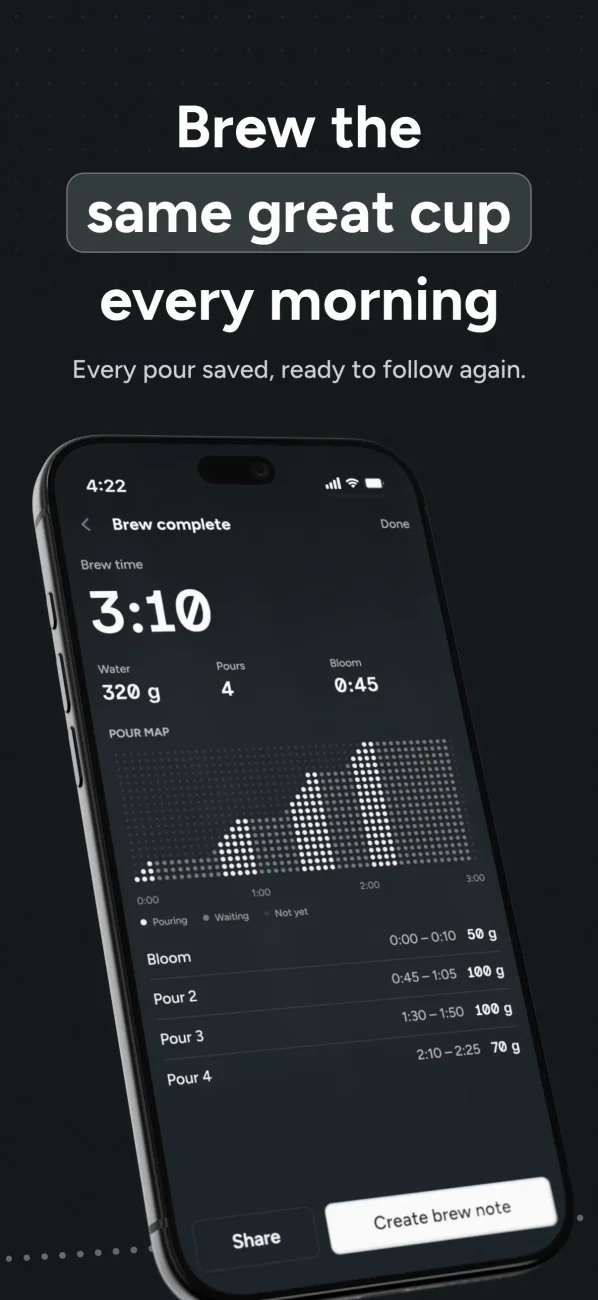
• Brew timer + pour map: time every pour and watch your pour map draw itself as you go, on your Lock Screen and Dynamic Island too.
• Extraction: add TDS from your refractometer and see your extraction yield on the brew control chart, for filter and espresso.
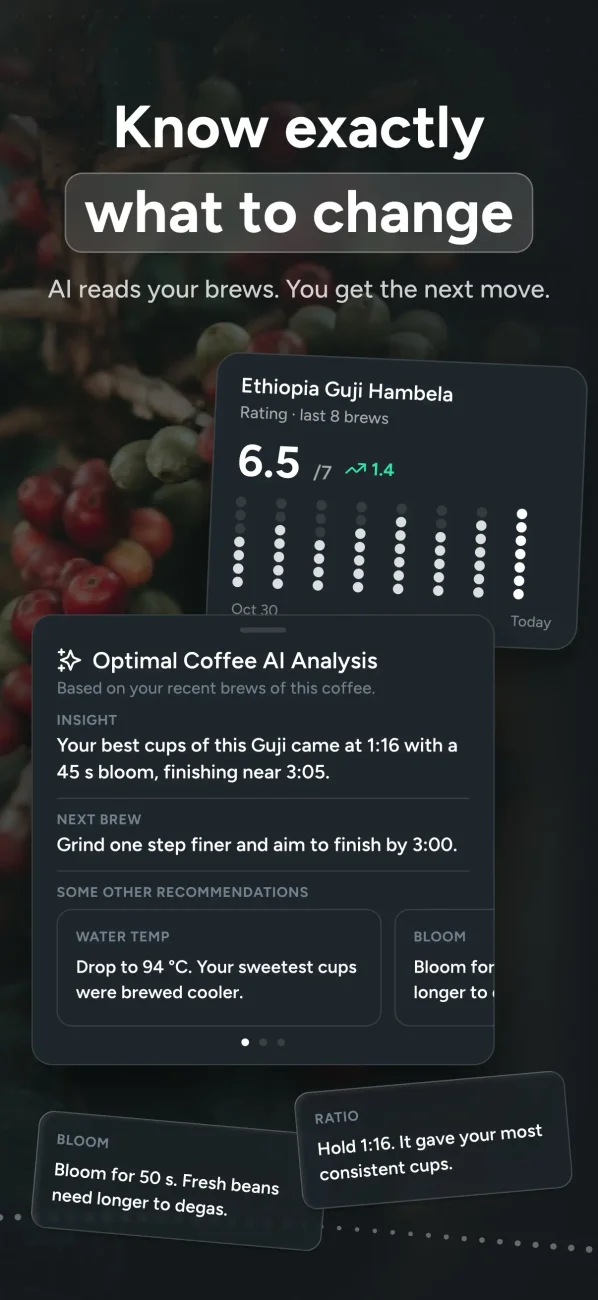
• AI brewing analysis: it reads your last brews and gives you one next move, not a lecture.
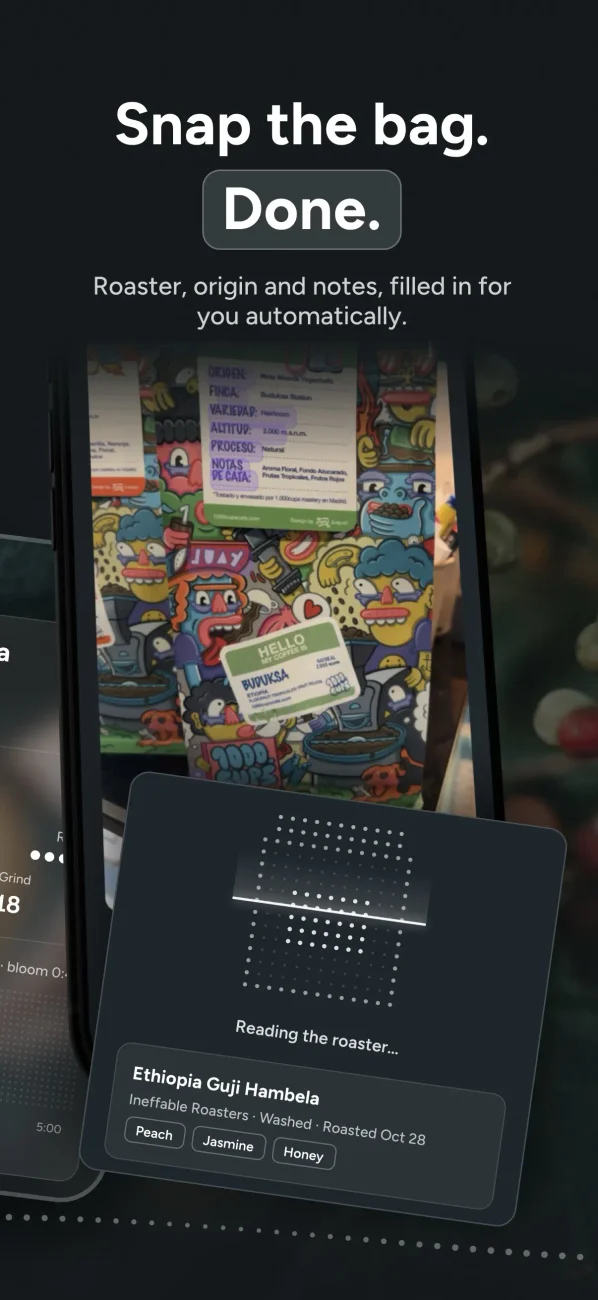
• AI coffee scan: snap the bag or paste the roaster's link, and the origin, process, roast date and tasting notes fill in. Or add coffees by hand, free and unlimited.
Optimal Coffee Pro is a yearly auto-renewing subscription, with an introductory offer for new subscribers. Payment is charged to your Apple ID. It renews automatically unless turned off at least 24 hours before the end of the current period. Manage or cancel it in Settings.
No ads. No tracking. Your notes are private until you post them.
Terms of Use: https://www.apple.com/legal/internet-services/itunes/dev/stdeula/
Privacy Policy: https://optimalcoffee.app/privacy
What’s new
Version 2.0.1 · Nov 17, 2026
Bug fixes and polish throughout the app:
Fixed the keyboard not closing on Edit Profile, and made the screen easier to scroll
Brew analysis tips now show temperatures in your unit (°F or °C)
Brew analysis now looks only at the coffee you just brewed
Brew analysis tips are shorter, easier to act on, and grouped into labeled cards
Refreshed toggles and success states across the app
Clearer wording when starting a new note (start from a ratio, the timer, and more)
Add a bio during sign-up, and show it on your shared profile card
General performance and stability improvements
App privacy
What Andrew Daniels declares on the App Store about how this app handles data.
-
Data linked to you
May be collected and linked to your identity.
- Purchases
- Contact info
- User content
- Identifiers
- Other data
Privacy practices may vary, for example with the features you use or your age.
Information
- Seller
- Andrew Daniels
- Category
- Food & Drink
- Version
- 2.0.1
- Updated
- Nov 17, 2026
- Released
- Nov 10, 2021
- Size
- 69.6 MB
- Requires
- iOS 15.0.0 or later
- Age rating
- 4+
- Price
- Free
- In-app purchases
- Yes
- Languages
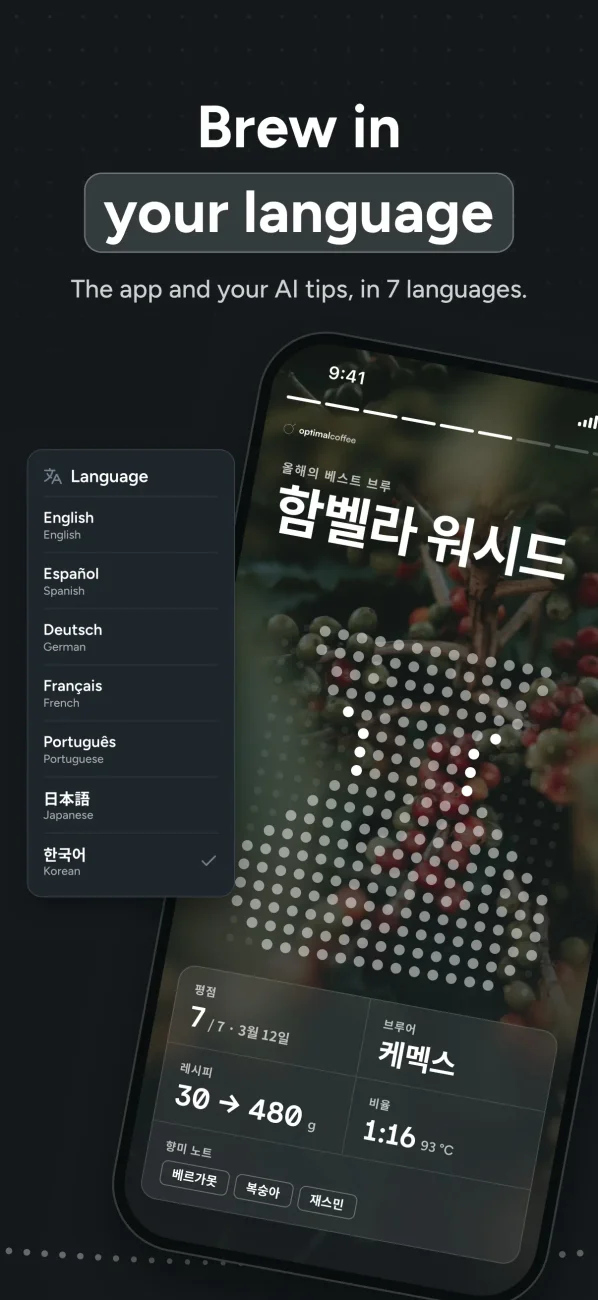
- English, French, German, Japanese, Korean, Portuguese, Spanish
- Copyright
- © 2026 Optimal Coffee
You might also like
-
 Perfect CupSave your coffee recipes
-
 Aroma - Coffee JournalLog your filter coffee brews
-
 Doppio - Barista's BookCoffee and espresso diary
-
 Coffee RatiosFood & Drink
-
 Bean JuiceSimple coffee brewing app.
-
 Coffee Note - Simple but DeepRecord your coffee time.
-
 Good EspressoLog your daily espresso shots
-
 Note of CoffeeAI Coffee App
-
 Ratio M8: Coffee CalculatorBrew ratio and stopwatch