
Orator: Teleprompter
Scripts that follow your voice
Designed for iPhone, iPad
Free
- Age rating4+
- CategoryProductivity
- DeveloperHunter Wang
- LanguagesEnglish+ 3 more
- Size777.0 KB
Links to the official App Store page
Download.org hosts no file of Orator: Teleprompter. The button opens its official App Store page, published by Hunter Wang. Listing last checked on Nov 12, 2026.
Screenshots

About
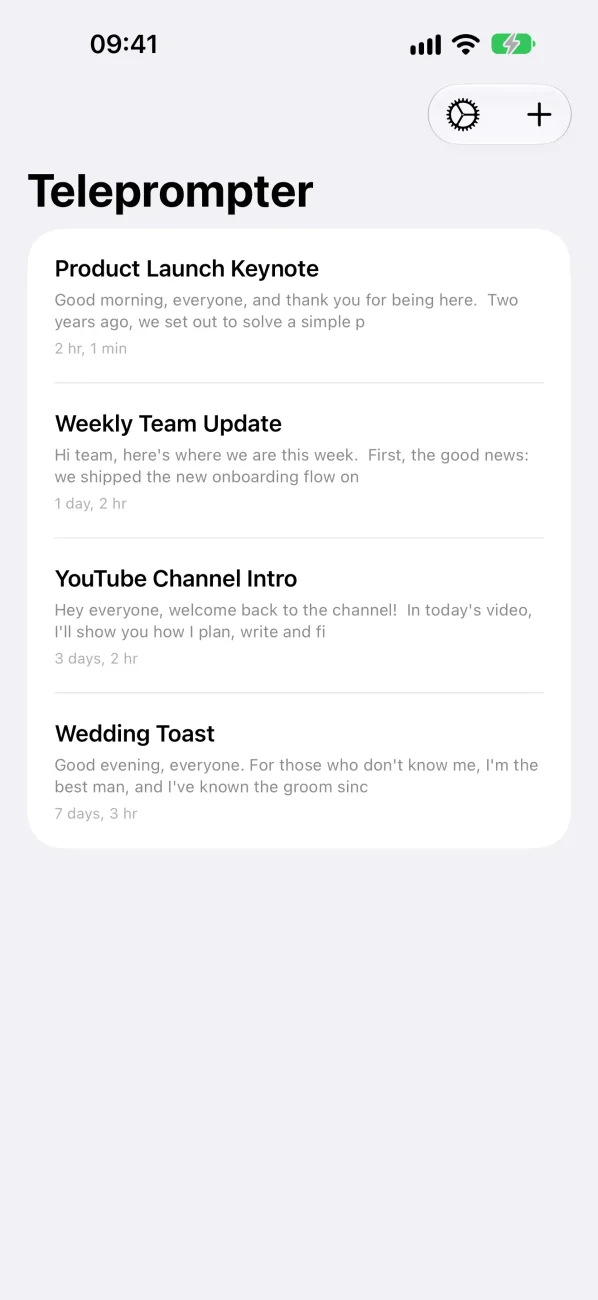
Orator is a teleprompter for iPhone and iPad that keeps your script moving at the pace you speak, so you can look into the camera and talk naturally.
FOLLOWS YOUR VOICE
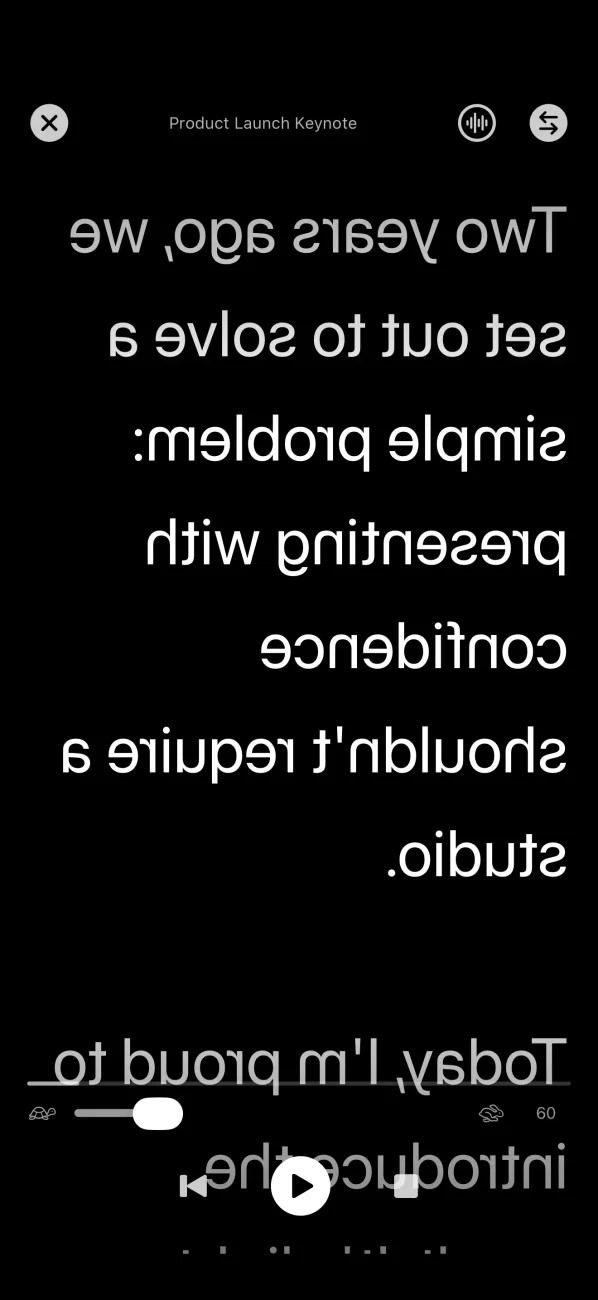
Turn on Follow Voice and Orator listens as you read. Scrolling speeds up, slows down and stops with you, and keeps the line you're reading next to the marker. Speech is recognized in your script's language, including English, Chinese and Japanese, using on-device recognition where your device supports it.
SMOOTH AUTO-SCROLL
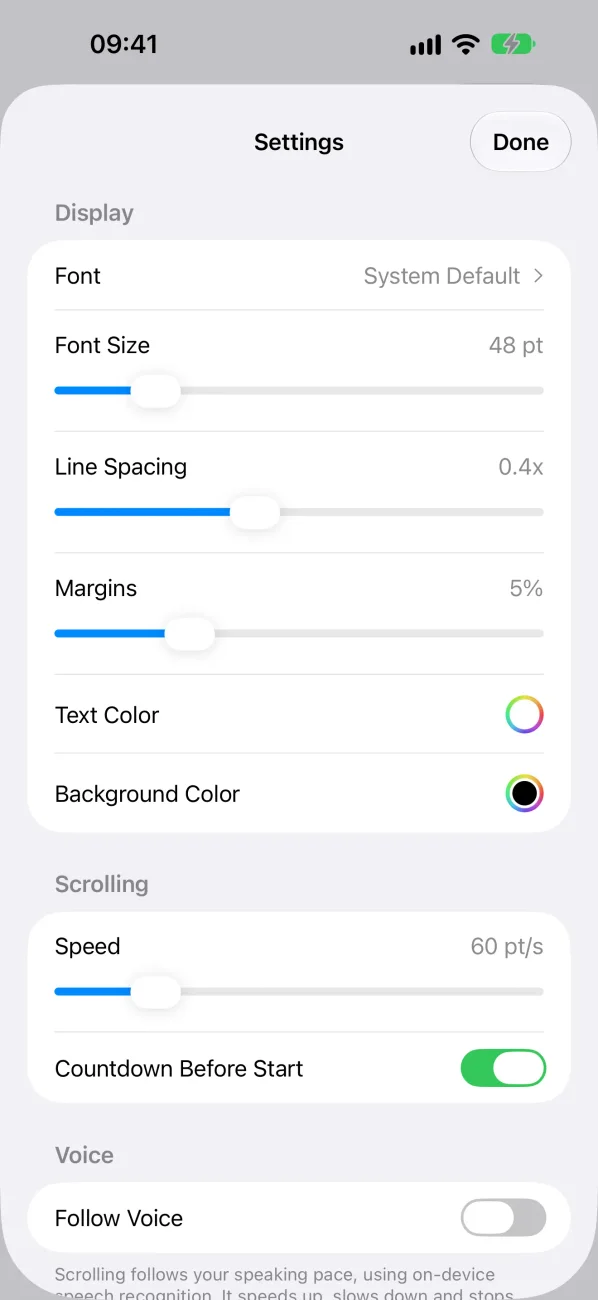
Prefer a steady pace? Set a scroll speed and adjust it on the fly: swipe up or down while the script is running. A 3-2-1 countdown gives you time to get ready, and the screen stays awake while you read.
BUILT FOR TELEPROMPTER RIGS
Mirror mode flips the text horizontally so it reads correctly through beam-splitter glass.
REMOTE CONTROL
Use a Bluetooth presentation clicker, teleprompter remote or keyboard: Space, Enter or Page Down to play and pause, the arrow keys or the remote's + and − (volume) buttons to change speed. While the teleprompter is open, the iPhone's own volume buttons change speed too. AirPods, headphone buttons and Control Center work as well: play and pause, and skip forward or back to change speed.
MAKE IT EASY TO READ
Choose any installed font, set the size from 16 to 200 pt or pinch to zoom, and adjust line spacing, margins, and text and background colors.
BRING YOUR SCRIPTS
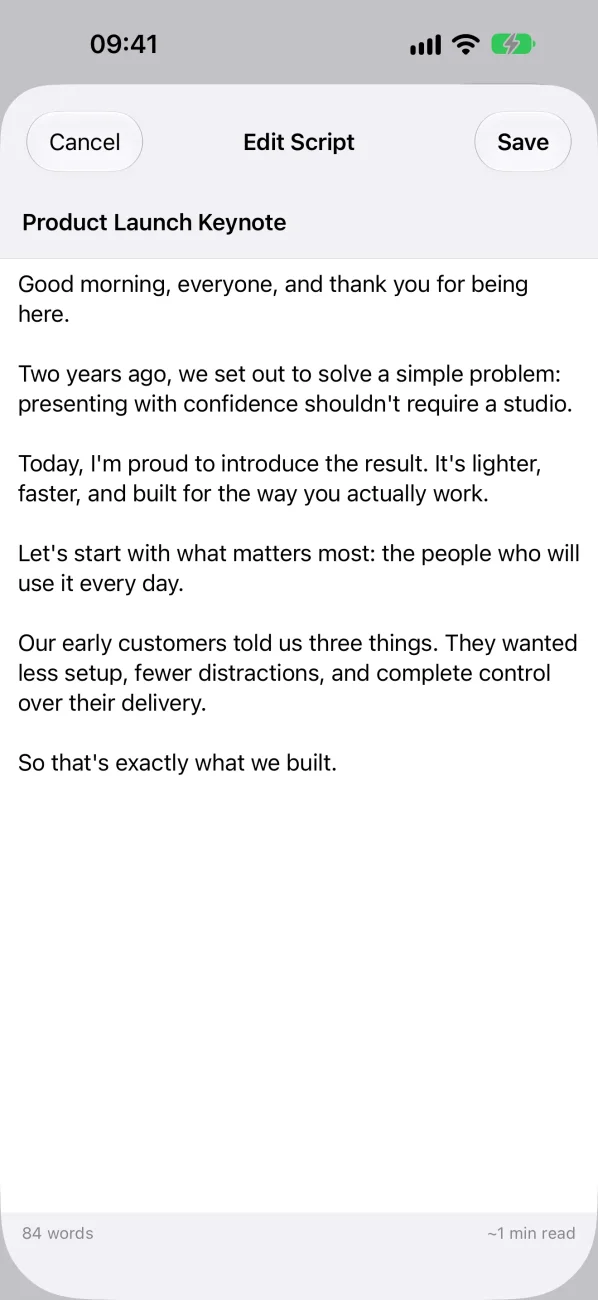
• Write and edit scripts in the app, with word count and estimated reading time
• Import text, Markdown and RTF files from Files, iCloud Drive and other storage
• Open files directly from Mail, Files and other apps with "Open in Orator"
• Paste copied text as a new script
• Older Chinese and Japanese text files (GBK, Big5, Shift-JIS) are read correctly
IN YOUR LANGUAGE
The interface is available in English, Simplified Chinese, Traditional Chinese and Japanese, and your scripts can be in any language.
PRIVATE BY DESIGN
No account, no ads, no tracking. Your scripts are stored on your device.
App privacy
What Hunter Wang declares on the App Store about how this app handles data.
-
Data not collected
The developer does not collect any data from this app.
Privacy practices may vary, for example with the features you use or your age.
Information
- Seller
- Hunter Wang
- Category
- Productivity
- Version
- 1.0
- Updated
- Nov 4, 2026
- Released
- Nov 4, 2026
- Size
- 777.0 KB
- Requires
- iOS 17.0 or later
- Age rating
- 4+
- Price
- Free
- Languages
- English, Japanese, Simplified Chinese, Traditional Chinese
- Copyright
- © 2026 Hunter Wang