Organize Practice Mistakes
Scan Photo, Erase Handwriting
Designed for iPhone, iPad
Free
- Age rating4+
- CategoryUtilities
- Developer侨 唐
- LanguagesEnglish+ 1 more
- Size44.8 MB
Links to the official App Store page
Download.org hosts no file of Organize Practice Mistakes. The button opens its official App Store page, published by 侨 唐. Listing last checked on Nov 23, 2026.
Screenshots


About
# Wrong‑Question Notes‑Capture & Recognize Problems · One‑Tap to Print Wrong‑Question Notebooks
Wrong‑Question Notes is a math wrong‑question organizing App specially built for Chinese elementary, middle‑school and high‑school students, covering all learning stages from primary to senior high school. Take photos of exam papers or select images from your photo album. The AI automatically recognizes problem content and erases handwritten marks, organizing them into printable wrong‑question notebooks. No more manual copying or stacks of messy paper for reviewing mistakes.
【Capture & Recognize Problems, Auto‑Organize Wrong Questions】
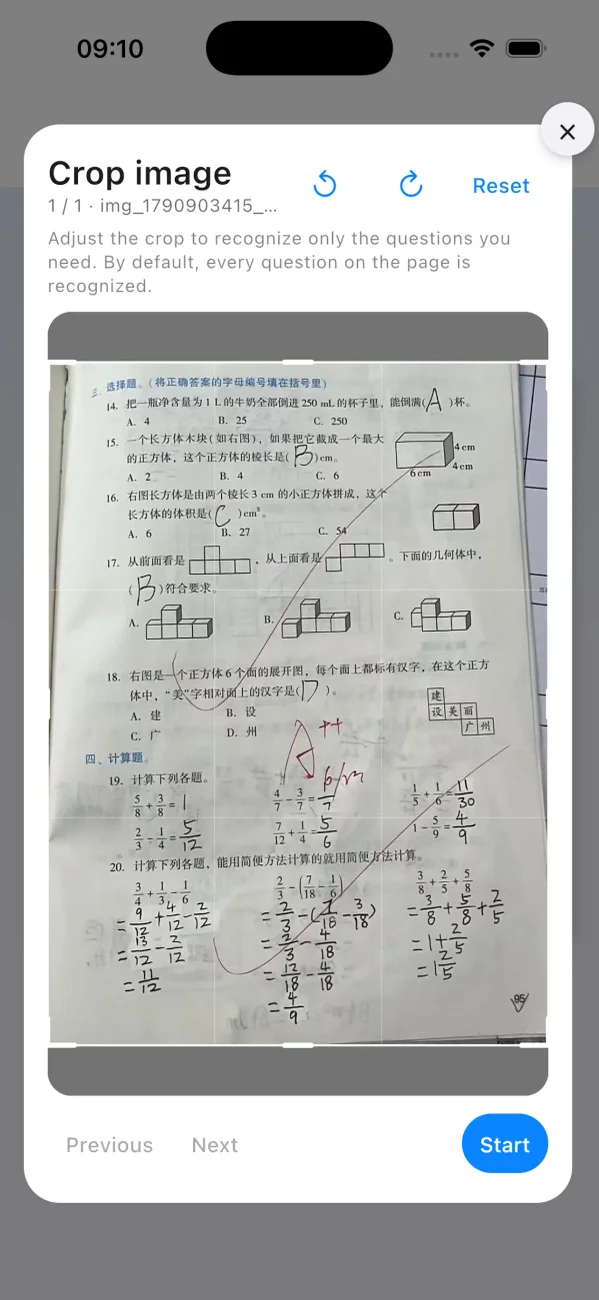
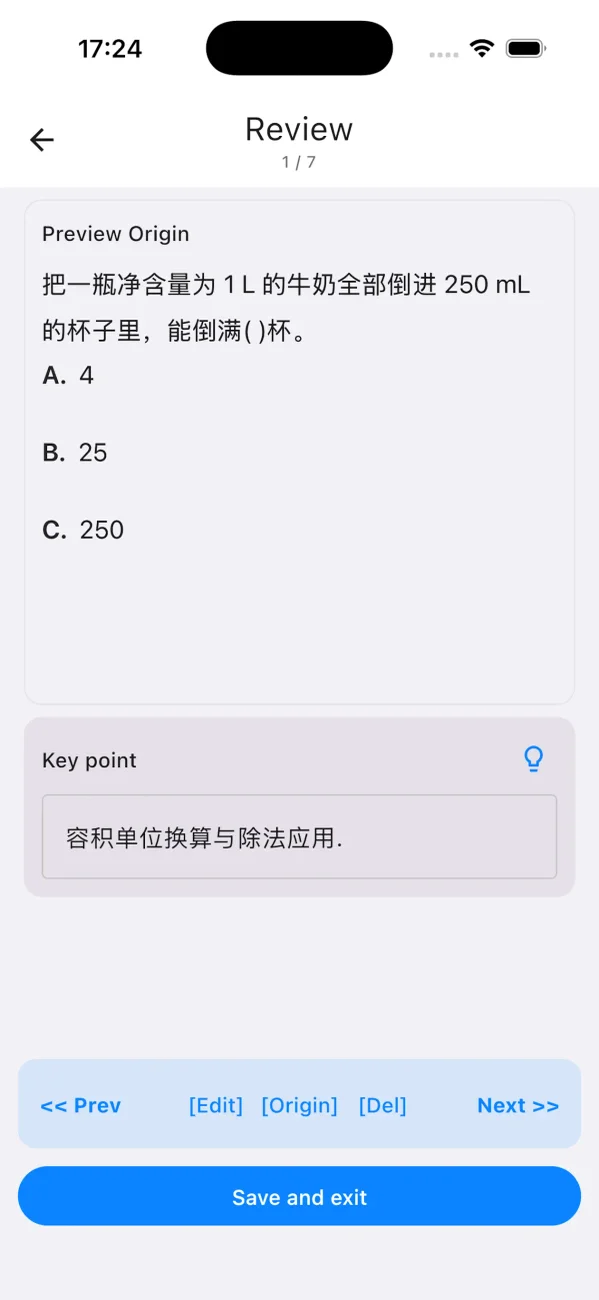
Take photos or import images from your album; process up to 9 exam papers at one time. Circle target wrong‑question areas on images. The AI automatically recognizes questions, multiple‑choice options and mathematical formulas, and sorts them by question type, saving you the trouble of copying each problem by hand.
【Intelligent Erasure of Handwritten Marks】
The recognizer automatically distinguishes printed text from handwritten content. It filters out student answers, red‑ink corrections and revision handwriting while keeping only the original questions. Exported PDF files stay neat and crisp for repeated printing and practice.
【Standard Formula Formatting】
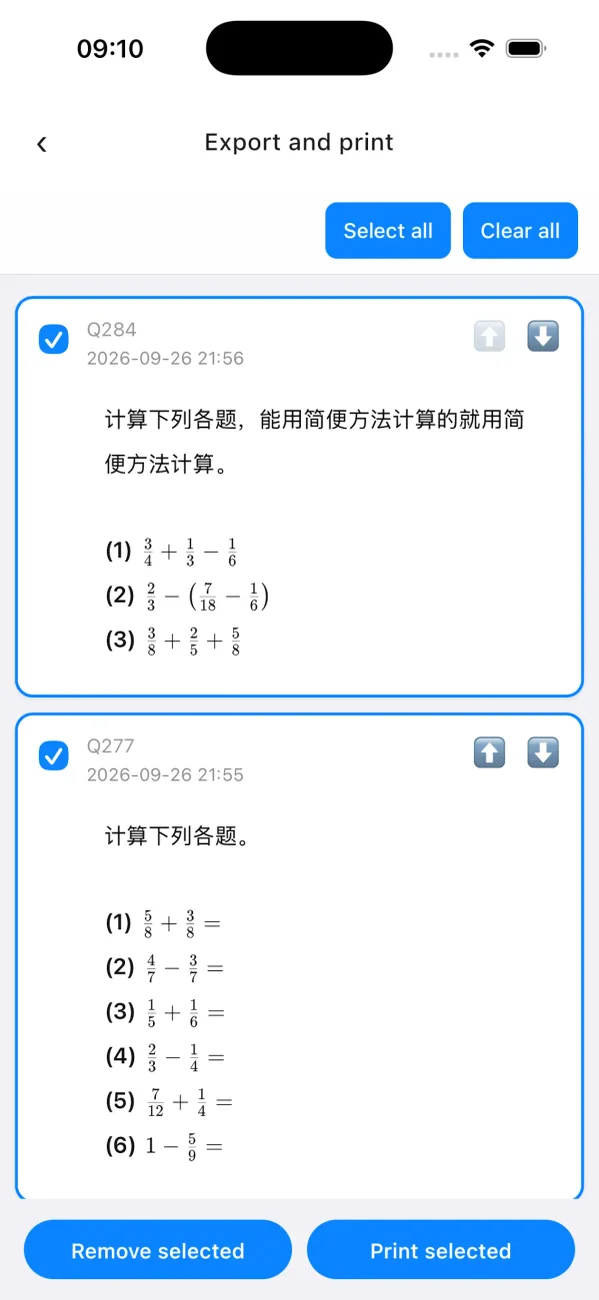
Mathematical expressions such as fractions, mixed numbers and arithmetic formulas are automatically converted to standard formatting. They render as formal printed text in exported PDFs, eliminating non‑standard notations such as "2 and 5/6".
【Intelligent Restoration of Geometry Illustrations】
Common geometric graphics (polygons, cuboids, cubes, number lines, tiling diagrams, etc.) are restored as vector graphics whenever possible. Complex figures can be cropped directly from source images to guarantee full and clear problem content.
【One‑Tap PDF Export for Instant Printing】
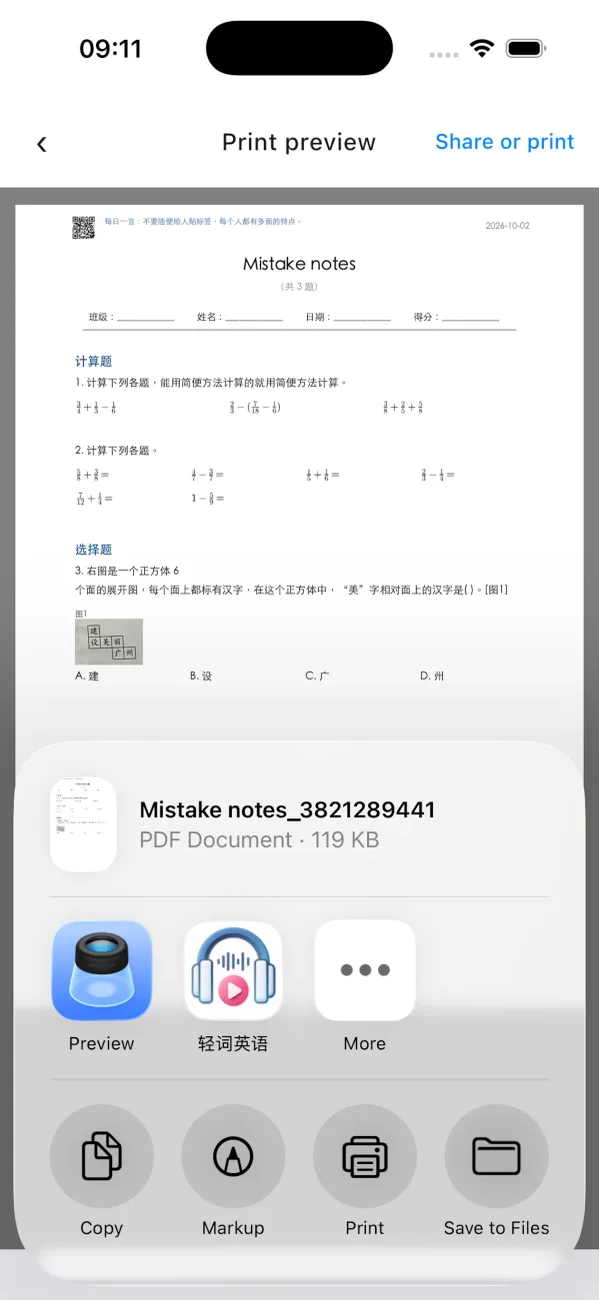
After proofreading, generate A4‑sized wrong‑question practice sheets with one tap. Files are grouped by question type with reserved blank spaces for answers. Print preview, system sharing and AirPrint are supported. Print selected individual questions or perform bulk export from your question bank.
【My Question Bank】
Saved problems are stored in your personal question bank, managed in groups by recognition records with custom‑tag support. Review your history at any time, select problems for re‑practice and export them for printing again.
【Review Reminders】
Review reminders are automatically scheduled after each scan. Push notifications will alert you at scheduled times, helping you truly work through your mistakes instead of forgetting them right after organizing.
Target Users:
• Elementary Students: Organize wrong answers from homework and unit tests for printing and re‑practice
• Middle‑school Students: Systematically build review materials for high‑school‑entrance exams and practice grouped by question type
• High‑school Students: Efficiently archive exam‑paper mistakes and export special‑practice sheets anytime
• Parents: Organize wrong‑question worksheets for children and print practice papers to reduce tutoring workload
Wrong‑Question Notes has zero splash‑screen ads and no distracting complicated features. It delivers a lightweight wrong‑question‑organizing experience: simply capture, circle, and print.
Download Wrong‑Question Notes and make wrong‑question organizing, printing and review much easier.
What’s new
Version 1.36 · Nov 22, 2026
add web manager
App privacy
What 侨 唐 declares on the App Store about how this app handles data.
-
Data not collected
The developer does not collect any data from this app.
Privacy practices may vary, for example with the features you use or your age.
Information
- Seller
- 侨 唐
- Category
- Utilities
- Version
- 1.36
- Updated
- Nov 22, 2026
- Released
- Jul 19, 2026
- Size
- 44.8 MB
- Requires
- iOS 17.0 or later
- Age rating
- 4+
- Price
- Free
- Languages
- English, Simplified Chinese
- Copyright
- Copyright © 2026 kidwei@qq.com。保留所有权利。