
Oribi Writer Edu
Designed for iPhone, iPad, Mac, iPod touch
Free · In-app purchases
- Age rating4+
- CategoryEducation
- DeveloperOribi AB
- LanguagesEnglish+ 3 more
- Size90.6 MB
Links to the official App Store page
Download.org hosts no file of Oribi Writer Edu. The button opens its official App Store page, published by Oribi AB. Listing last checked on Nov 13, 2026.
Screenshots
About
The app that helps you get your spelling right!
This version of Oribi Writer is intended for schools and other educational institutions.
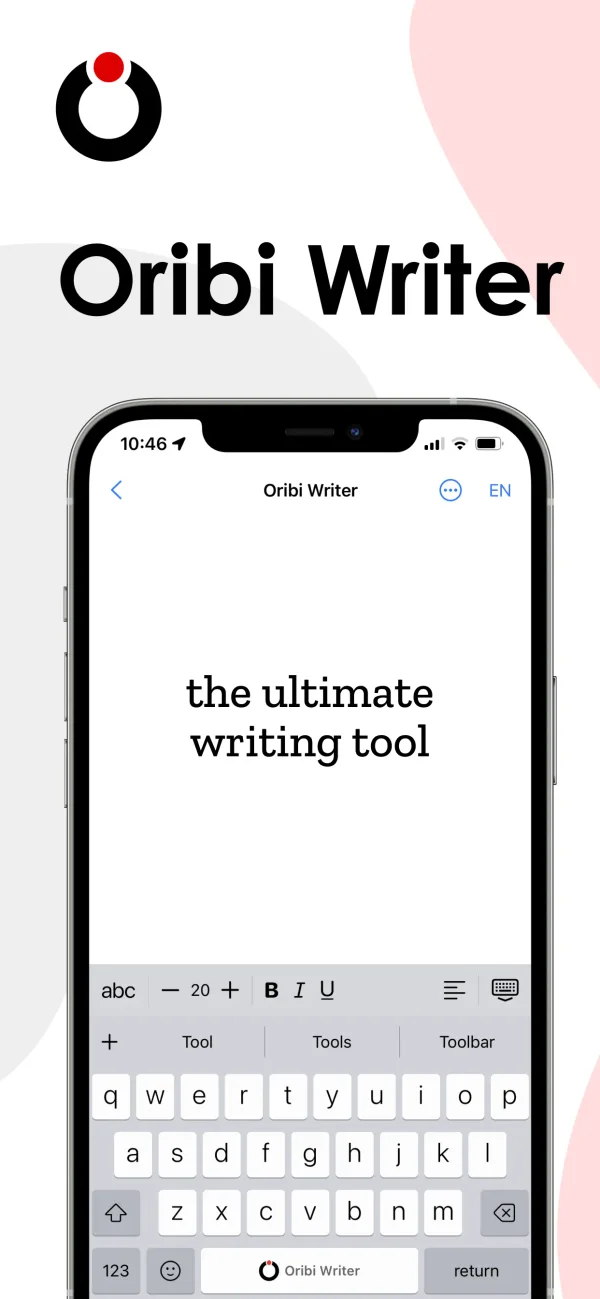
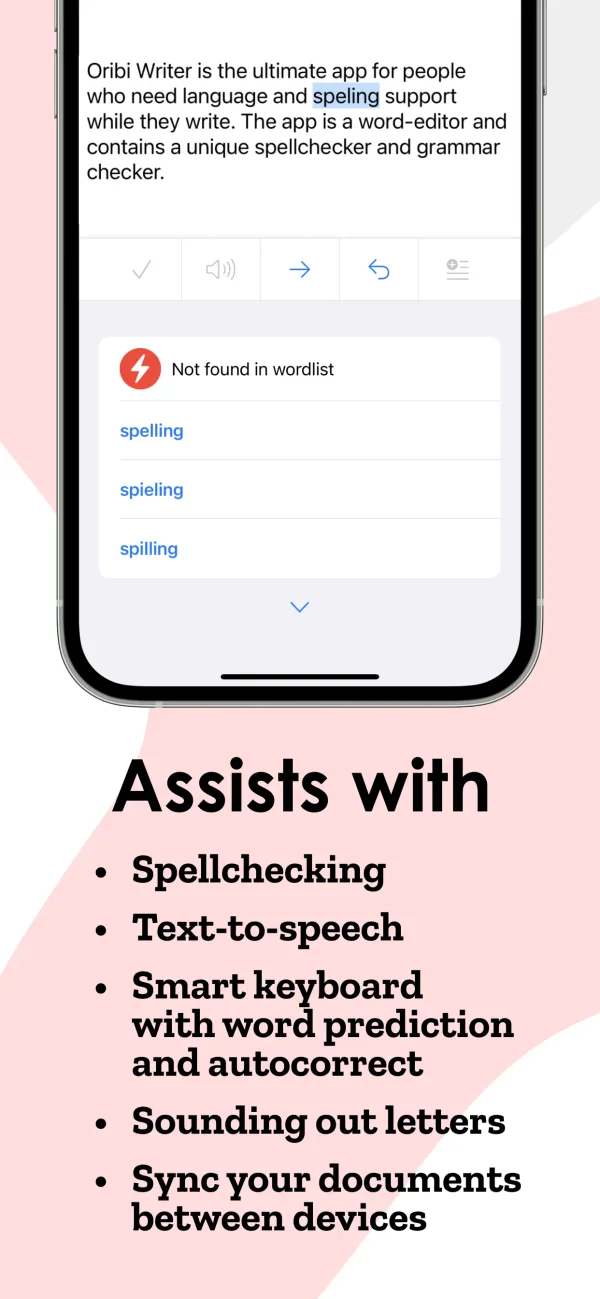
Do you need spelling and language support while writing or after you have finished, or both? Then the Oribi Writer Edu app is the ultimate writing tool for you. It works as a stand-alone word processor, and its spell checker and grammar checker are quite unique. Oribi Writer Edu is specially designed for people with reading and writing difficulties and dyslexia, but it can be useful to anyone who needs a bit of spelling assistance and language support from time to time.
SPELLING SUPPORT
Use Oribi Writer Edu to correct or check:
- serious spelling mistakes like ”citon" (kitten) or ”sositch” (sausage)
- easily confusable words like ”fillings/feelings” or ”meat/meet”
- grammar mistakes like ”The cats is hungry”
- one word wrongly written as two words, like ”boy friend”
- two words wrongly written as one word, like ”Losangeles”
- punctuation and spaces.
LETTER SOUNDING
Oribi Writer Edu can sound out individual letters as you write them. This gives you immediate feedback on the letters that you write.
TEXT-TO-SPEECH
Oribi Writer Edu can use the synthetic voice included in iOS to read out words or sentences as you write them and/or read out the entire text afterwards. This will often allow you to hear the writing mistakes that you may have made. The settings include:
- read out selected text
- read out from the cursor onwards
- read out each word after it is finished
- read out each sentence after it is finished
- have the cursor move through the text as it is being read out
- adjust the reading pace
- on/off.
DICTIONARY
Oribi Writer Edu has a new English-English dictionary built in.
EASILY ADJUSTED TO EACH USER’S NEEDS
Personal settings enable you to:
- add your own words to the wordlists
- decide whether Oribi Writer Edu should warn you about certain easily confusable words or not
- use a large wordlist or a small one.
KEYBOARD FORMATTING
Oribi Writer Edu offers several formatting options:
- font
- font size
- bold, italic, underline
- text alignment (flush left, flush right, justified, centred).
SHARING TEXTS
Texts in Oribi Writer Edu can be shared to other apps, including Mail, Notes, Message, Twitter and Facebook. It is also possible to copy a text, print it, save it to Dropbox, etc.
DOCUMENT MANAGEMENT
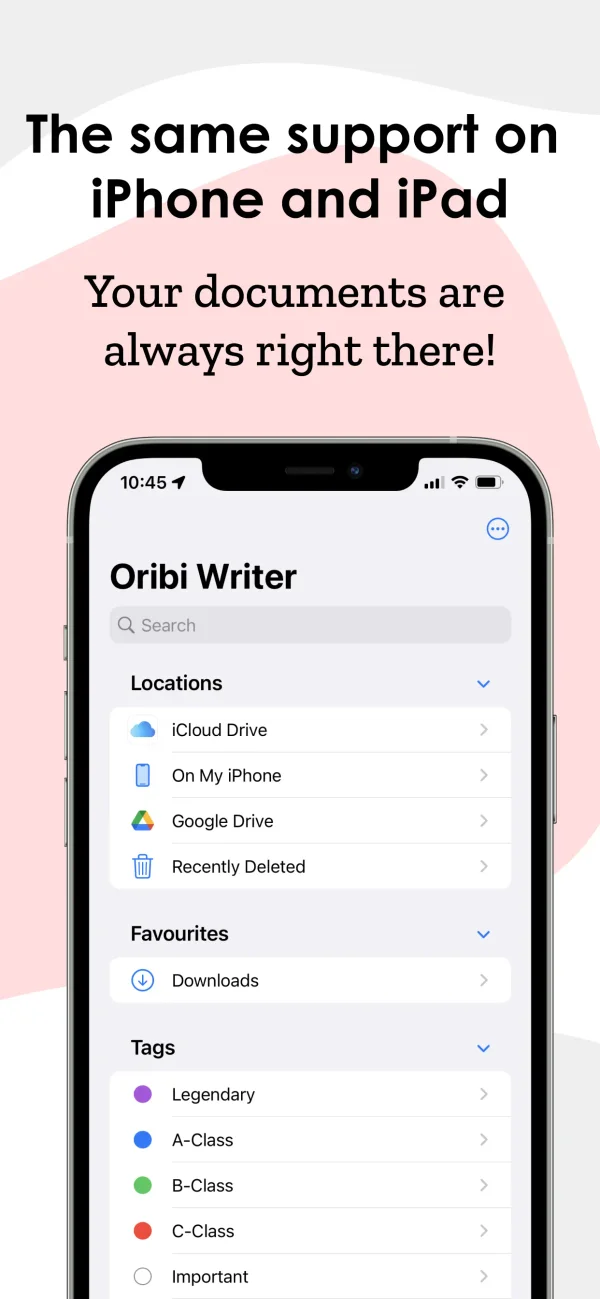
Under ‘Documents’, you can create documents directly under ‘On my iPad’. It is also possible to create subfolders and place documents directly in them. This may come in handy if you need to structure your documents or if several people use the same iPad.
In-app purchase
Annual Subscriptions:
Title: OribiLanguages
Duration: Annual Subscription (12 months)
Price: 999.00 SEK per year
Includes: Access to the app with all four languages
Terms and conditions:
https://www.apple.com/legal/internet-services/itunes/dev/stdeula/
Terms of use:
https://www.oribi.se/policy/tos/
What’s new
Version 3.5.5 · Nov 7, 2025
- Bug fixes
App privacy
What Oribi AB declares on the App Store about how this app handles data.
-
Data not collected
The developer does not collect any data from this app.
Privacy practices may vary, for example with the features you use or your age.
Information
- Seller
- Oribi AB
- Category
- Education
- Version
- 3.5.5
- Updated
- Nov 7, 2025
- Released
- Jul 12, 2017
- Size
- 90.6 MB
- Requires
- iOS 15.0 or later
- Age rating
- 4+
- Price
- Free
- In-app purchases
- Yes
- Languages
- English, Danish, German, Swedish
- Copyright
- © 2016-2023 Oribi AB
You might also like
-
 ABC-klubben: ABC-bingo LiteEducation
-
 ABC-klubben: ABC-domino LiteEducation
-
 BoksamtalEducation
-
 Claro ScanPen PremiumPhoto/document reader with OCR
-
 ClaroSpeak - Literacy SupportImprove reading and writing
-
 ABC-klubben: ABC-memo LiteEducation
-
 Cloud QR ScannerOptimized for schools
-
 TrelsonDigital exam tool
-
 KattaloLearn to read & write
-
 ABC-klubben: ABC-korsord LiteEducation