- Age rating12+
- CategoryUtilities
- DeveloperHadi Altabatabaae
- LanguagesEnglish
- Size2.8 MB
Links to the official App Store page
Download.org hosts no file of OrthoMeasure. The button opens its official App Store page, published by Hadi Altabatabaae. Listing last checked on Nov 12, 2026.
Screenshots
About
Measure clinical angles with precision and ease. OrthoMeasure turns your iPhone into a fast, accurate digital goniometer, perfect for measuring angles on X-rays, during clinical examinations, or anywhere you need a reliable reading.
Stop guessing or relying on bulky physical tools. OrthoMeasure uses your device's advanced motion sensors to calculate angles with just two simple taps.
HOW IT WORKS:
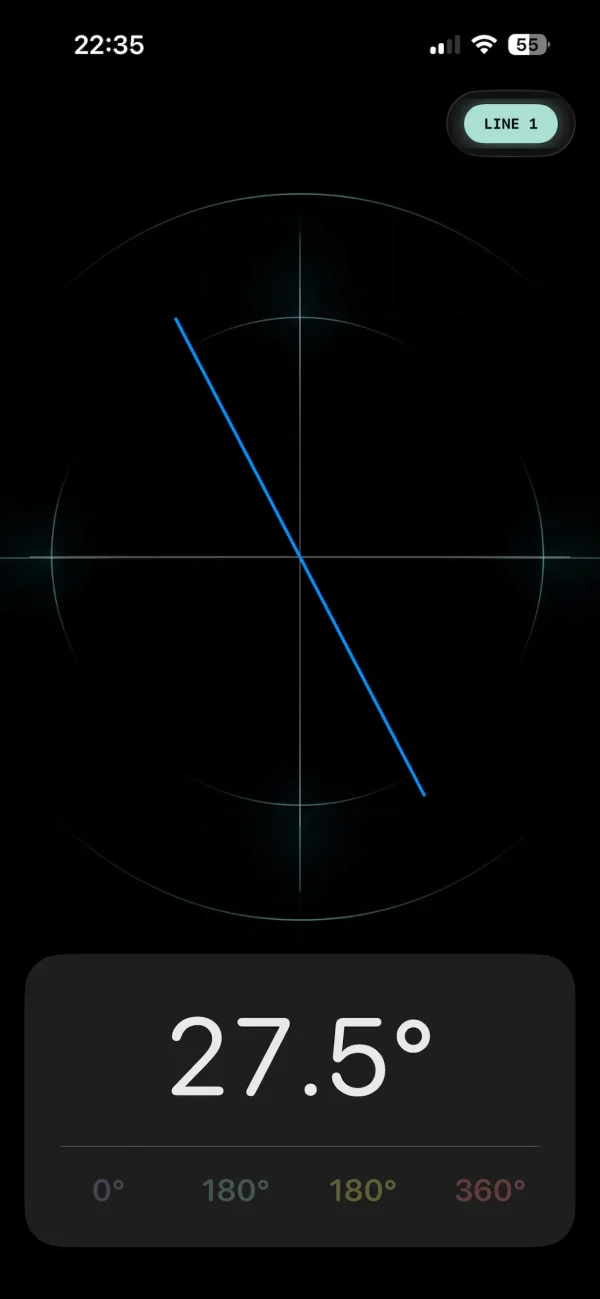
Align First Line: Hold your iPhone parallel to the first line (e.g., the top of the spinal curve).
Tap to Set: Tap the screen to lock the first angle.
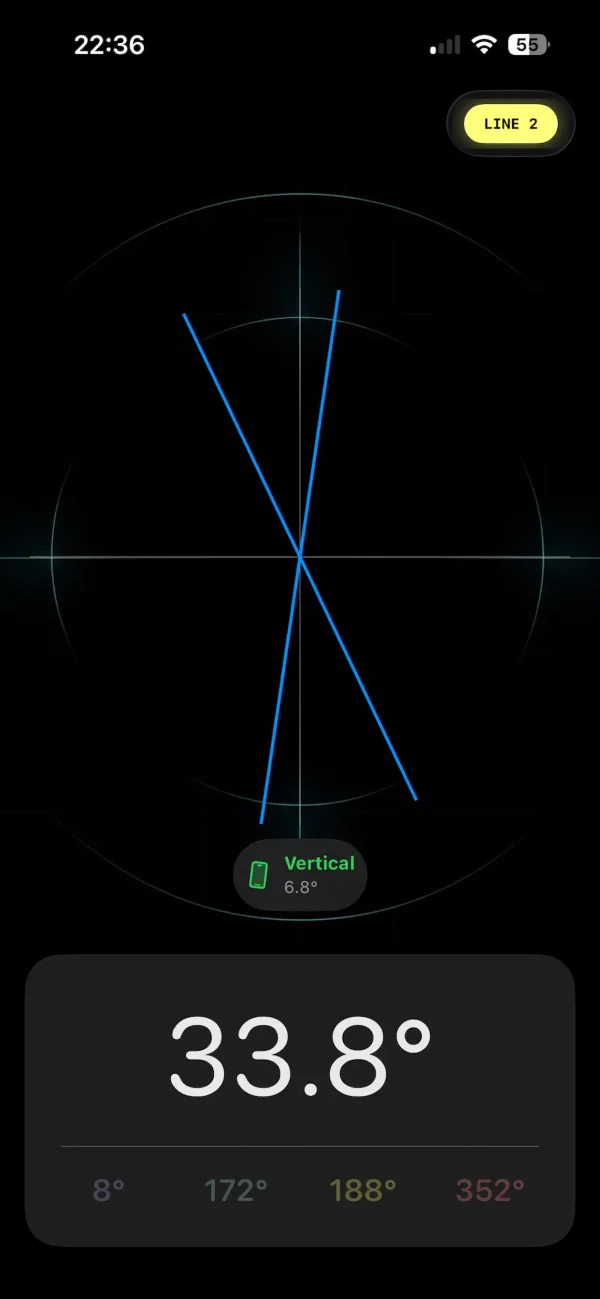
Align Second Line: Hold your iPhone parallel to the second line (e.g., the bottom of the curve).
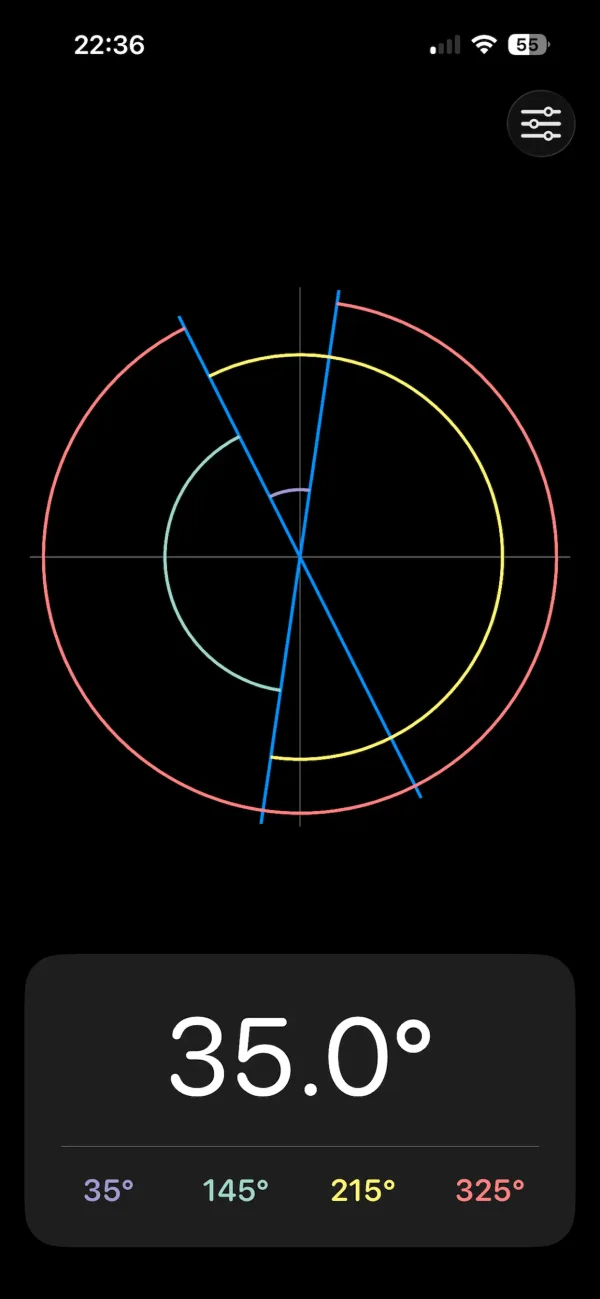
Tap to Measure: Tap a final time. OrthoMeasure instantly calculates all four corresponding angles (e.g., 35°, 145°, 215°, 325°) and displays them clearly.
FEATURES:
High Precision: Uses your device's core motion sensors for accurate, repeatable measurements.
Simple 2-Tap System: No complex buttons. Align, tap, align, and tap again.
Visual Guide: See the lines you've measured drawn on the screen.
Full Angle Display: Instantly get the acute, obtuse, and reflex angles for a complete picture.
Clean Interface: A beautiful, dark-mode-friendly interface that stays out of your way.
Designed for orthopedic surgeons, chiropractors, physiotherapists, and medical students, OrthoMeasure is the modern, simple way to get the angle you need.
What’s new
Version 1.51 · Nov 26, 2025
This update brings a complete visual overhaul and significant accuracy improvements to OrthoMeasure.
New "Precision Mode" & Tilt Monitoring
• Tilt Warning System: To ensure clinical accuracy, the app now monitors device tilt. You will get a real-time warning if the device is tilted too far from the vertical plane.
• Signal Smoothing: We’ve added advanced signal filtering to eliminate needle jitter, making it easier to capture exact angles.
All-New Interface
• A redesigned measurement screen featuring a high-contrast result card and clear status indicators.
• Dark Mode: The app now enforces a native Dark Theme for better visibility and reduced eye strain.
• Interactive Guide: A brand new, dynamic tutorial and a "How it Works" guide to help you get the best results.
Improvements
• streamlined the results view to focus on the most relevant angles.
• Improved tap responsiveness and haptic feedback.
• Performance optimizations and stability fixes.
App privacy
What Hadi Altabatabaae declares on the App Store about how this app handles data.
-
Data not collected
The developer does not collect any data from this app.
Privacy practices may vary, for example with the features you use or your age.
Information
- Seller
- Hadi Altabatabaae
- Category
- Utilities
- Version
- 1.51
- Updated
- Nov 26, 2025
- Released
- Nov 13, 2025
- Size
- 2.8 MB
- Requires
- iOS 17.6 or later
- Age rating
- 12+
- Price
- Free
- Languages
- English
- Copyright
- © 2025 Hadi Altabatabaae
You might also like
-
 Angulus Pro - Precision AngleMeasure angles, professionally
-
 Scolio - Angle MeterLive angles and zero reference
-
 Digital Angle Finder: 3D MeterProtractor & 3D Angle Measure
-
 Protractor Angle Measure ToolAngle Finder, Meter & Level
-
 Angle Meter 360Convenient angle meter, finder
-
 Clinometer+Car inclinometer + Level
-
 Protractor SmartMeasure Every Angle
-
 Protractor for Angle MeasuringMeasure Angles in Few Taps
-
 Measure Angles - Bubble LevelProtractor, Clinometer, Slopes
-
 Epic AuthenticatorUtilities