Oshaberi Nui
Give Your Plush a Voice
Designed for iPhone, iPad
Free · In-app purchases
- Age rating4+
- CategoryUtilities
- DeveloperYusuke Nakashima
- LanguagesEnglish+ 1 more
- Size3.9 MB
Links to the official App Store page
Download.org hosts no file of Oshaberi Nui. The button opens its official App Store page, published by Yusuke Nakashima. Listing last checked on Nov 23, 2026.
Screenshots

About
Give your favorite plush pal a voice.
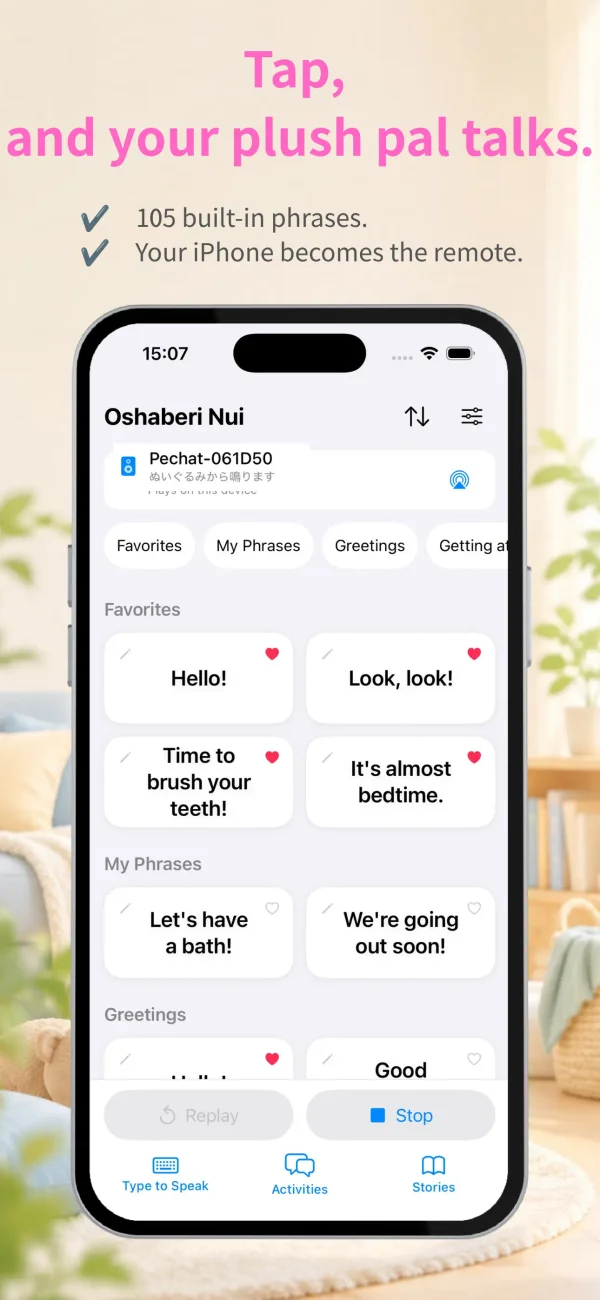
Use a small Bluetooth speaker with your iPhone or iPad, then tap a phrase or type your own words. Oshaberi Nui turns your words into speech using voices on your device.
A Bluetooth speaker is optional. You can also play everything through your iPhone or iPad speaker. A parent or caregiver operates the app.
EVERYDAY PHRASES
Choose from 105 phrases across 18 categories, including greetings, encouragement, pretend play, brushing teeth, bedtime, outings, photo time, and cafe visits. Choose which phrases to show: With a Child, With My Own Plush, or Both. Save favorites and arrange phrases within each category.
YOUR WORDS, YOUR WAY
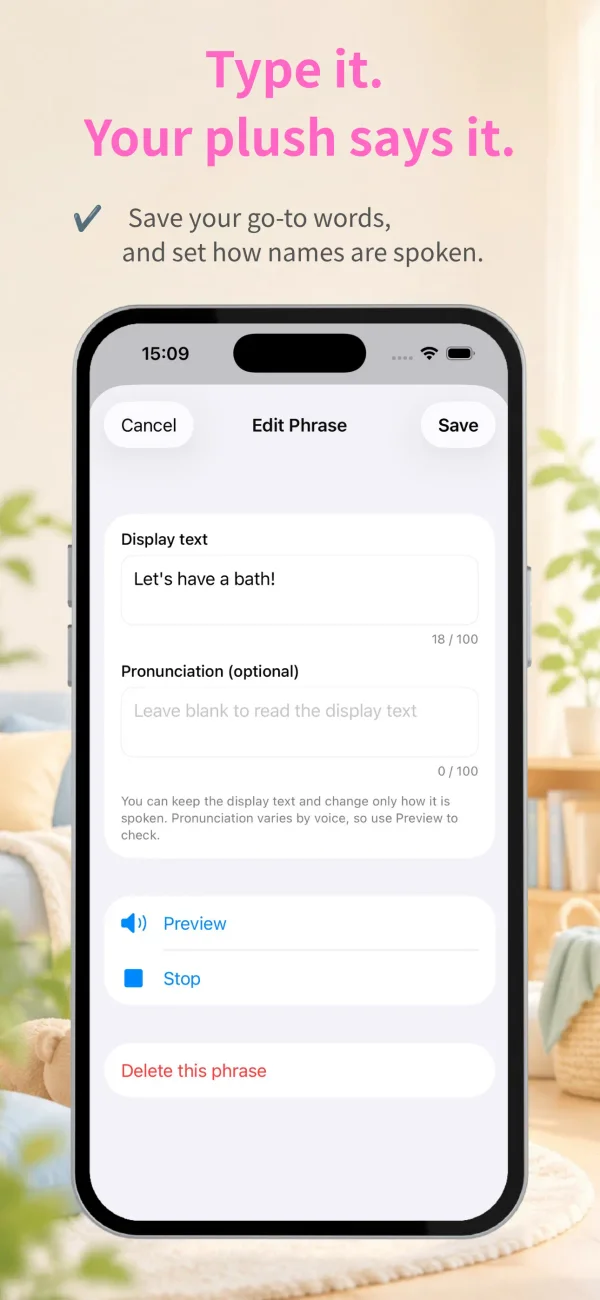
Type a phrase to speak it right away, or save it to My Phrases. Edit built-in phrases and restore them whenever you like. Set pronunciation separately from the displayed text. Make a set of 12 everyday phrases with a name, with optional name suffixes.
ACTIVITIES TO SHARE
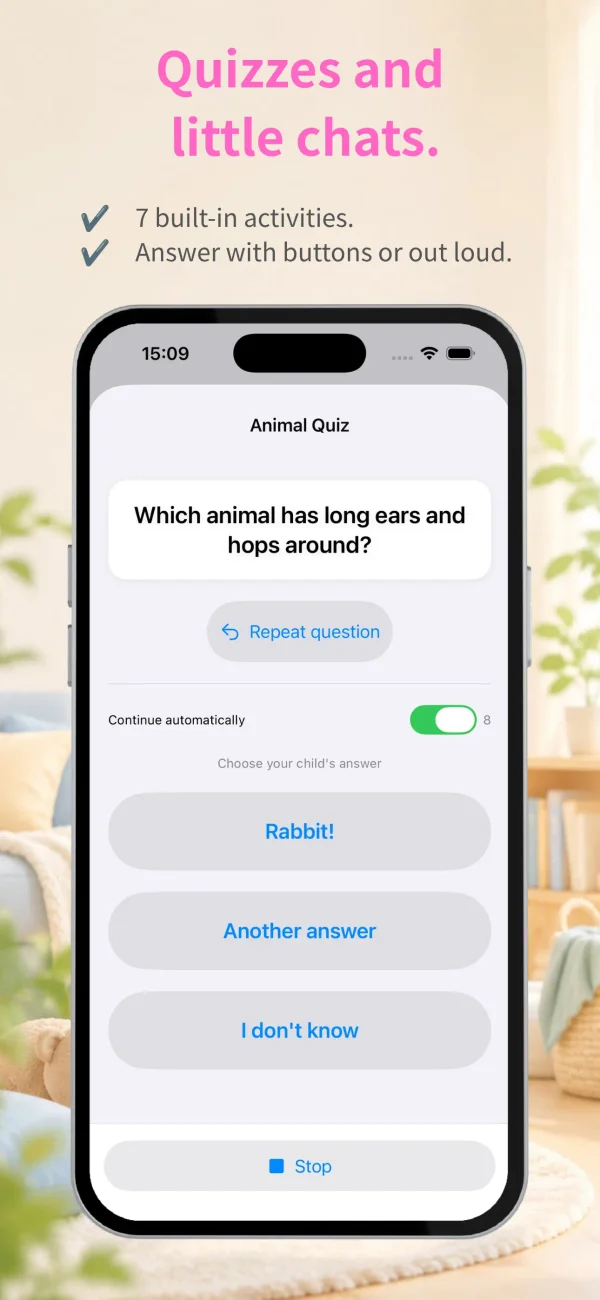
Play rock, paper, scissors with your plush pal. Try an animal quiz or a food quiz, each drawing three questions at random from its pool. There are seven built-in quizzes and conversations in total, including getting ready, tidying up, bedtime, and talking about the day or feelings.
STORY TIME
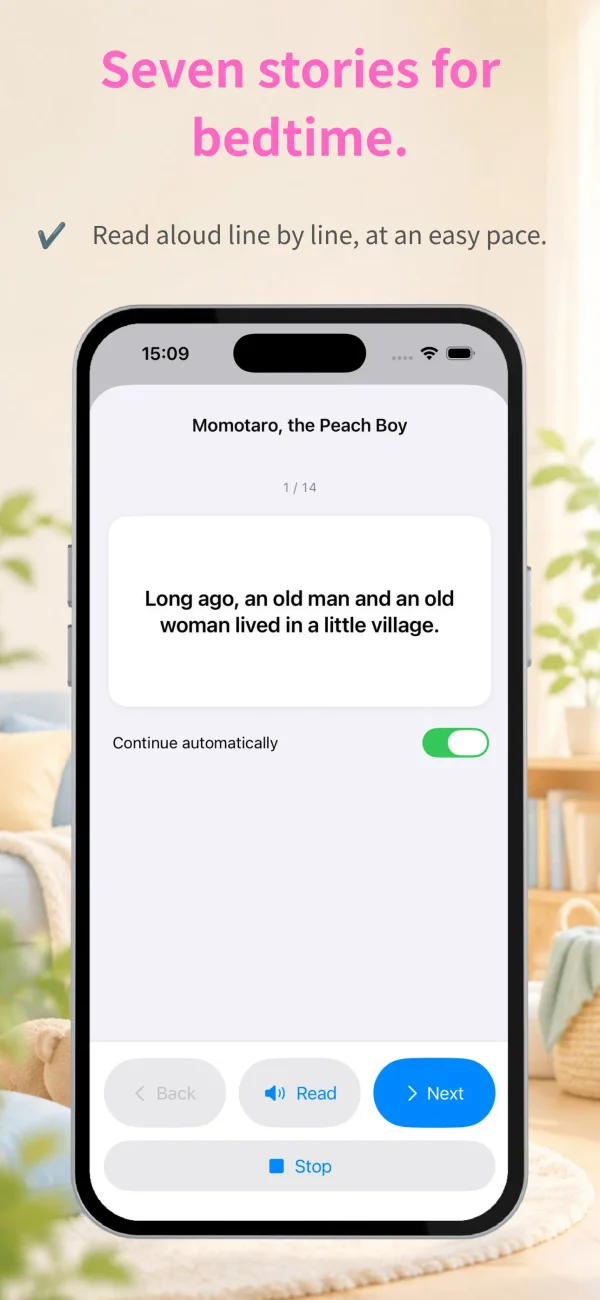
Listen to seven stories, with controls to read, go back, move forward, or stop. The text was written especially for this app.
ENGLISH AND JAPANESE
The interface, built-in phrases, activities, and stories follow the app language selected in iOS Settings. Phrases you create or edit stay as written. Japanese and English voice selections are saved separately. Available voices depend on what is installed on your device; you can adjust pitch and speaking speed, or pick a voice preset (Standard or Little One) to set both at once.
OPTIONAL SPOKEN REPLIES
In Activities, you can enable spoken replies when on-device speech recognition is available for the app language. This is off by default. While listening, the app shows "Listening". Audio and recognized words are never saved or sent outside your device. You can always continue using the answer buttons.
FUN PACK (OPTIONAL IN-APP PURCHASE)
Everything above is free. The Fun Pack is extra content for when you want more. One purchase, yours to keep; it is not a subscription.
- 40 quiz questions: Vehicle Quiz and Everyday Things Quiz (three questions at a time from a pool of 20 each)
- 60 phrases: Birthday, Christmas, New Year, Seasonal days, Halloween, and pretend play as a doctor, shopkeeper, restaurant server, train crew, and teacher
- 6 more voice presets: Full of Energy, Sleepy, Gentle, Baby, Big Kid, and Grandpa (you can preview them before buying)
The purchase screen is in Voice & Settings and opens after a check for grown-ups.
SUPPORT THE DEVELOPER
In Voice & Settings, you can send the developer an optional tip (in-app purchase) as often as you like. A tip doesn't change anything in the app. You can also write a review or tell a friend about the app from there.
PRIVATE BY DESIGN
No account, advertising, tracking, or analytics. Speech, activities, stories, and saved phrases are handled on your device and work without an internet connection. The app connects to the network only for App Store purchase steps (showing prices, buying the Fun Pack or a tip, restoring, or redeeming a code). Apple handles those steps, and the developer receives no information. Downloading additional system voices requires an internet connection through iOS Settings.
BLUETOOTH SPEAKER SETUP
Connect a Bluetooth audio speaker in iOS Settings, then select the output in the app. Speaker power, charging, pairing, volume, and placement are managed separately. The app cannot read a speaker's battery level or turn it off. Follow the speaker manufacturer's safety instructions.
What’s new
Version 1.1 · Nov 19, 2026
New everyday phrases for you and your plush pal, and an optional Fun Pack.
- Added 30 free phrases in 5 categories: Out together, Photo time, Cafe and treats, At home, and Fan days.
- Choose which phrases to show: With a Child, With My Own Plush, or Both. You can change this anytime in Voice & Settings. Your favorites and edits are kept.
- Voice Presets: pick a preset to set the pitch and speed in one tap.
- Fun Pack (optional in-app purchase): adds the Vehicle Quiz and Everyday Things Quiz (20 questions each), 60 phrases for special days and pretend play, and 6 more voice presets. One purchase, yours to keep. Everything you already have stays free.
- Support the Developer in Voice & Settings: send an optional tip (in-app purchase), write a review, or tell a friend about the app.
- Fixed an issue on iOS 27.2 where the category buttons at the top sometimes did not scroll the list.
- Fixed an issue where activity audio could play from the iPhone earpiece when spoken replies were on and no speaker was connected.
App privacy
What Yusuke Nakashima declares on the App Store about how this app handles data.
-
Data not collected
The developer does not collect any data from this app.
Privacy practices may vary, for example with the features you use or your age.
Information
- Seller
- Yusuke Nakashima
- Category
- Utilities
- Version
- 1.1
- Updated
- Nov 19, 2026
- Released
- Oct 18, 2026
- Size
- 3.9 MB
- Requires
- iOS 18.1 or later
- Age rating
- 4+
- Price
- Free
- In-app purchases
- Yes
- Languages
- English, Japanese
- Copyright
- © 2026 Yusuke Nakashima