
Outflow: Track Subscriptions
Find, cancel & split bills
Designed for iPhone, iPad
Free · In-app purchases
- Age rating4+
- CategoryFinance
- DeveloperAndy Mesa
- LanguagesEnglish+ 5 more
- Size24.9 MB
Links to the official App Store page
Download.org hosts no file of Outflow: Track Subscriptions. The button opens its official App Store page, published by Andy Mesa. Listing last checked on Nov 23, 2026.
Screenshots
About
Outflow gives you complete clarity over your recurring spending — without surrendering your bank login, your data, or yet another monthly fee.
NEW IN 6.0
• Made for iPhone Duo: edge to edge on both displays, folded or open.
• iPad and Mac: list and detail side by side, two-column Overview and Trends, a menu bar with shortcuts, drag a statement in to scan it.
• Now in German, with a new layered Liquid Glass icon.
• Edit any past price; Trends counts each month at what you really paid.
• FIRE goal (beta): see when your income could cover your minimum lifestyle.
FIND WHAT YOU'VE FORGOTTEN
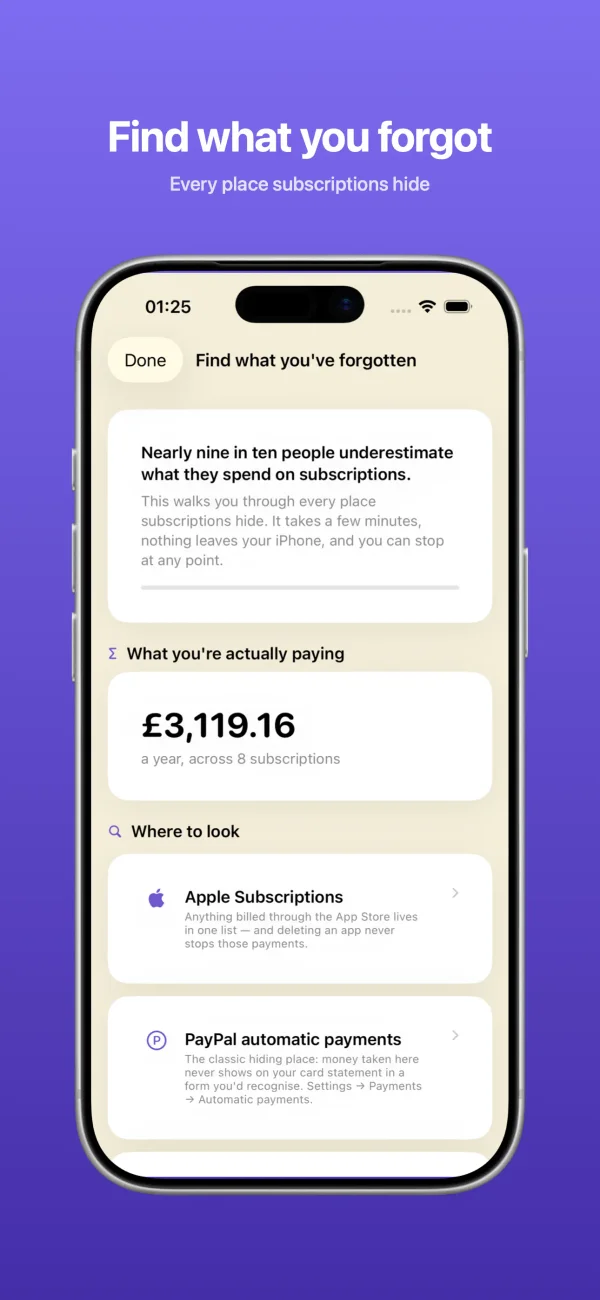
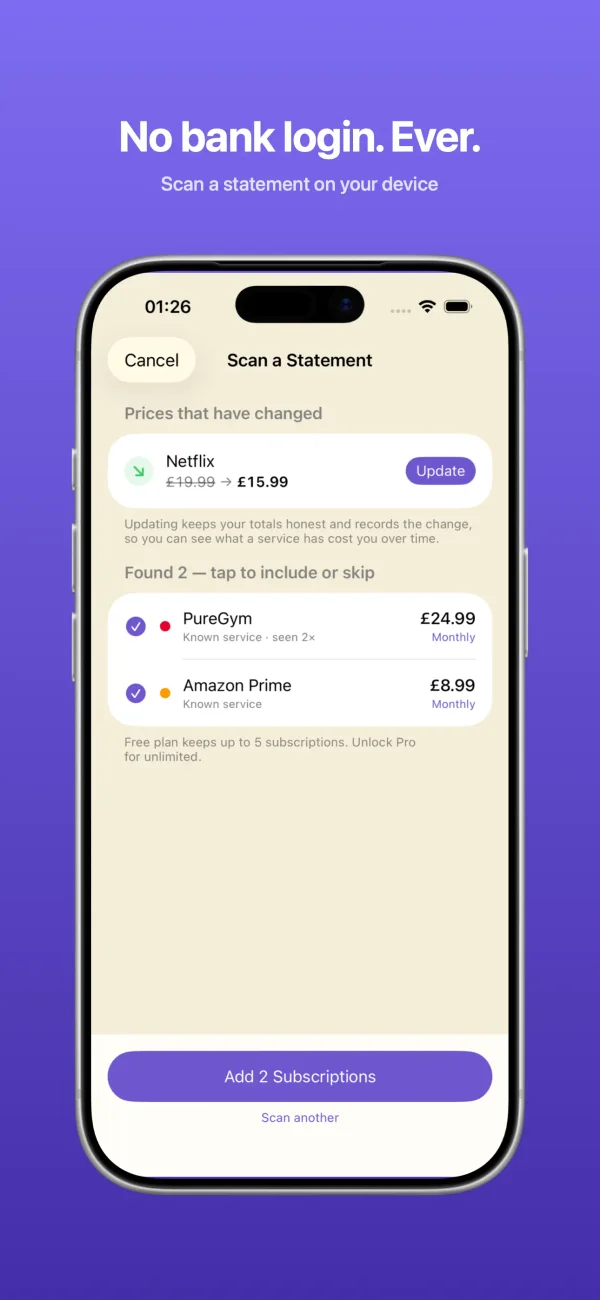
A guided audit walks through every place subscriptions hide — Apple, PayPal, your statements, receipt emails — and on iPhone can find repeating payments in transactions already on your phone, using Apple's FinanceKit. You choose the accounts; nothing leaves your device; no bank login, ever.
ON YOUR WRIST
With Pro, Outflow comes to Apple Watch: this month's total and what's next, at a glance.
SHARE WITH YOUR HOUSEHOLD
Share chosen subscriptions with a partner over iCloud and split what each of you pays, so a joint bill counts towards your total by your share only — instead of being recorded twice in two apps and inflating both. Everything you don't share stays private to you.
TRACK WHAT COMES IN
A spending total is only half the picture. Track a salary, freelance work, rent or a pension alongside what you pay out, and see your real net position. No bank login needed: recurring income is predictable, so you enter it once.
KNOW EXACTLY WHAT YOU PAY
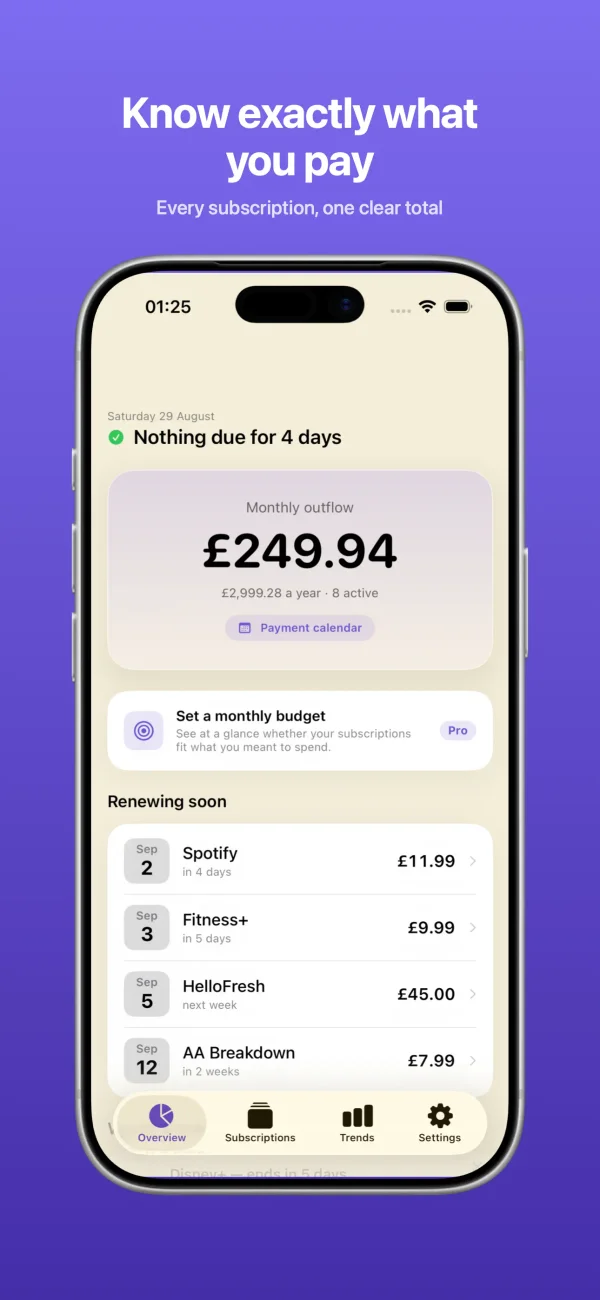
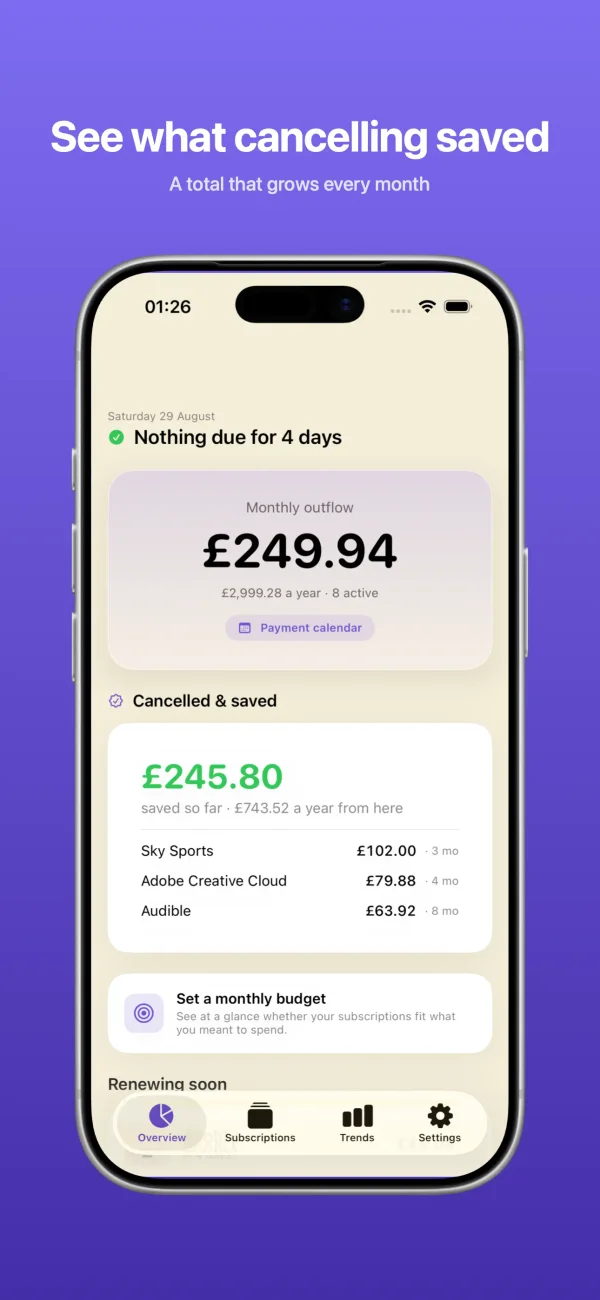
See your true monthly and yearly outflow at a glance, with a clean breakdown of where the money goes by category.
NEVER MISS A RENEWAL
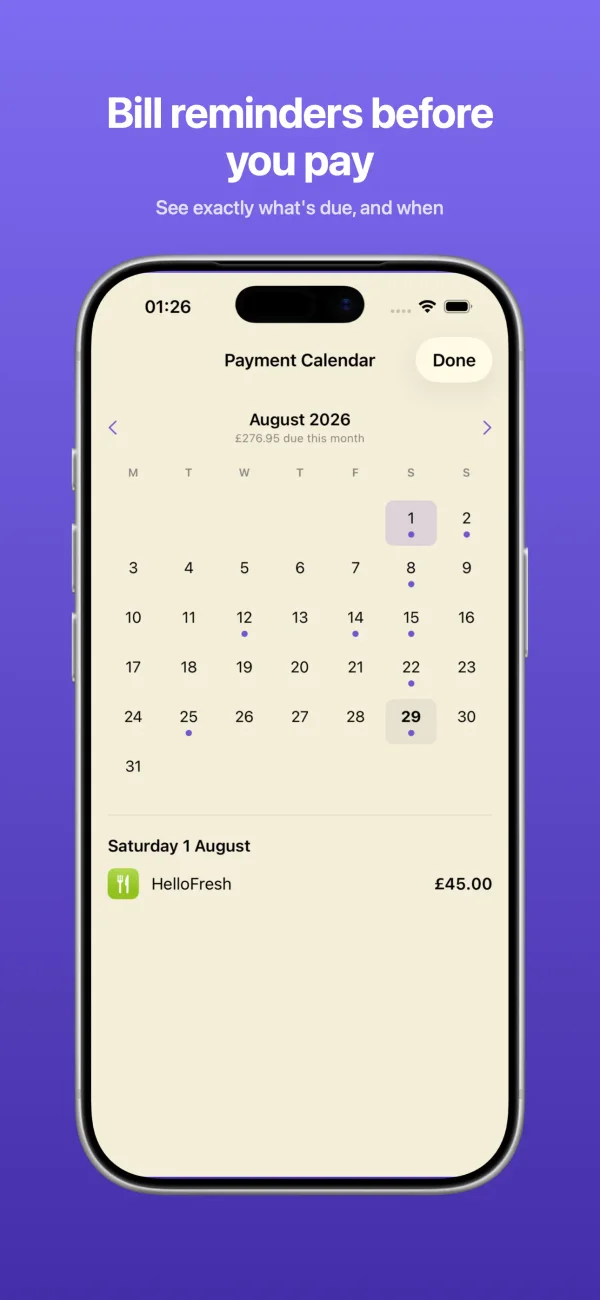
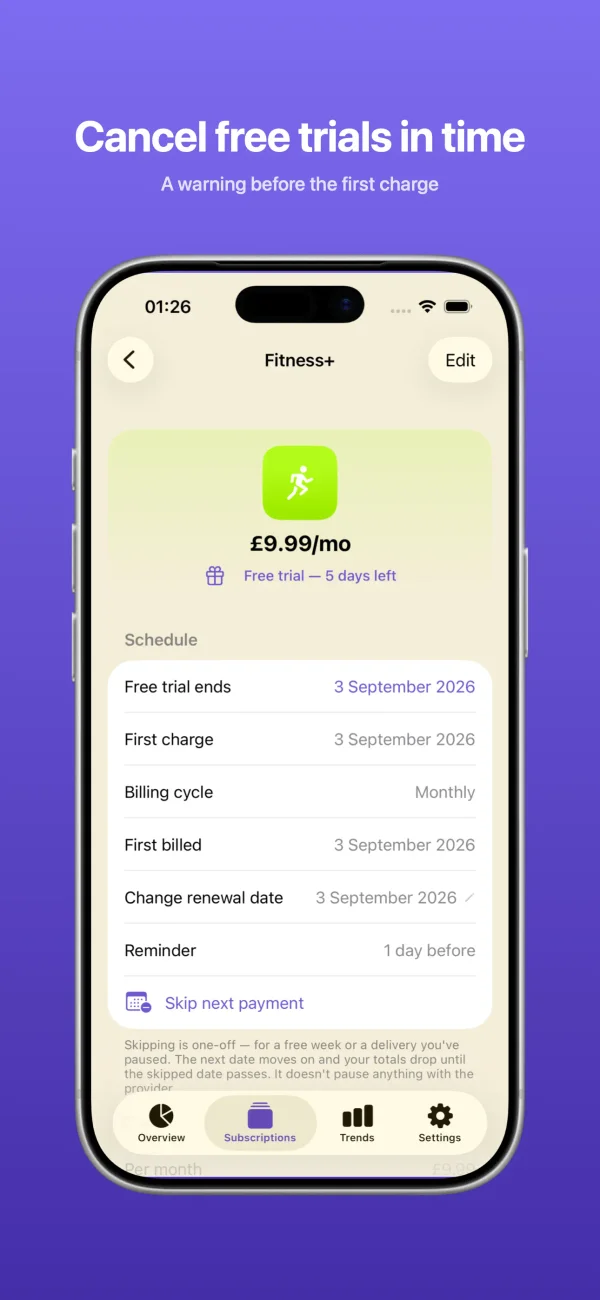
Get a reminder before every renewal — same day, a day before, or up to a week ahead. No more surprise charges or forgotten free trials.
CANCEL WITHOUT THE RUNAROUND
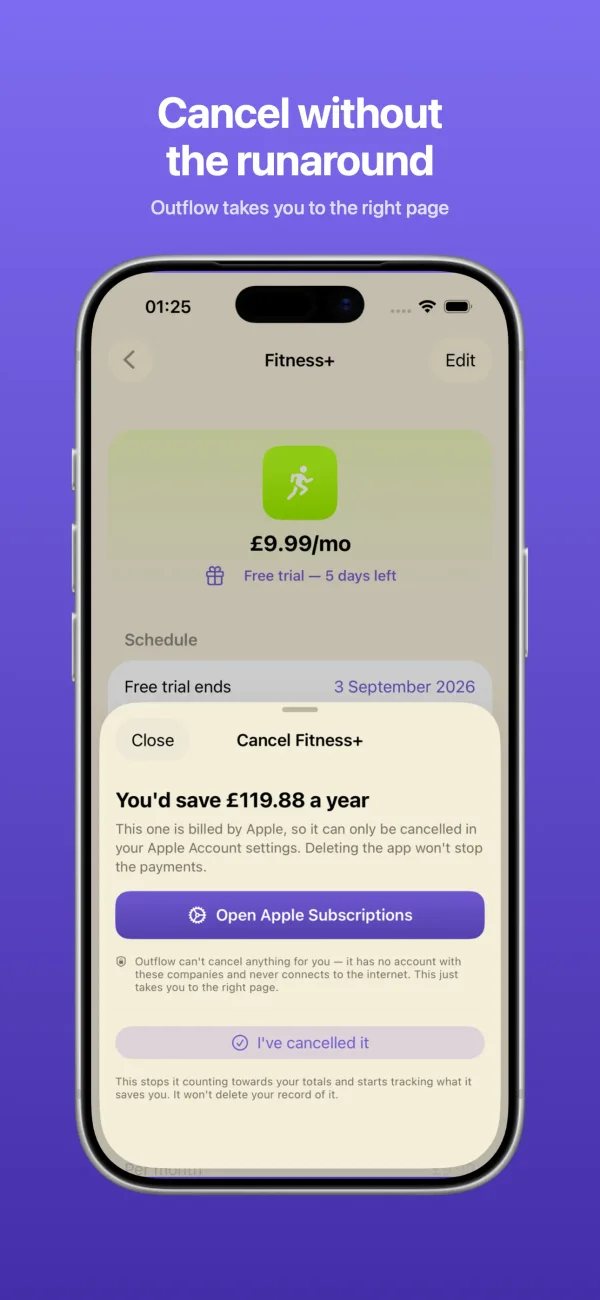
Deciding to cancel is the easy part — finding where is not. Open any subscription, tap Cancel, and Outflow tells you what you'd save over a year, then takes you straight to the right page for that service. If it's billed by Apple, it says so, because deleting an app never stops those payments. Outflow then keeps a running total of what cancelling has saved you, growing every month (Pro).
EFFORTLESS ENTRY, NO BANK LINKING
Other trackers want your bank credentials. Outflow doesn't. Paste a receipt — or pick a screenshot or PDF of one — and on-device intelligence fills in the name, price and billing cycle for you. Or pick from a catalog of popular services and add one in seconds.
PRIVATE BY DESIGN
Everything stays on your iPhone. No account, no server, no analytics, no tracking. The App Store privacy label says "Data Not Collected" because there is genuinely nothing collected.
SIRI & SHORTCUTS
Ask Siri what's renewing soon or what your monthly total is, and add subscriptions by voice.
ONE PURCHASE, YOUR WHOLE FAMILY
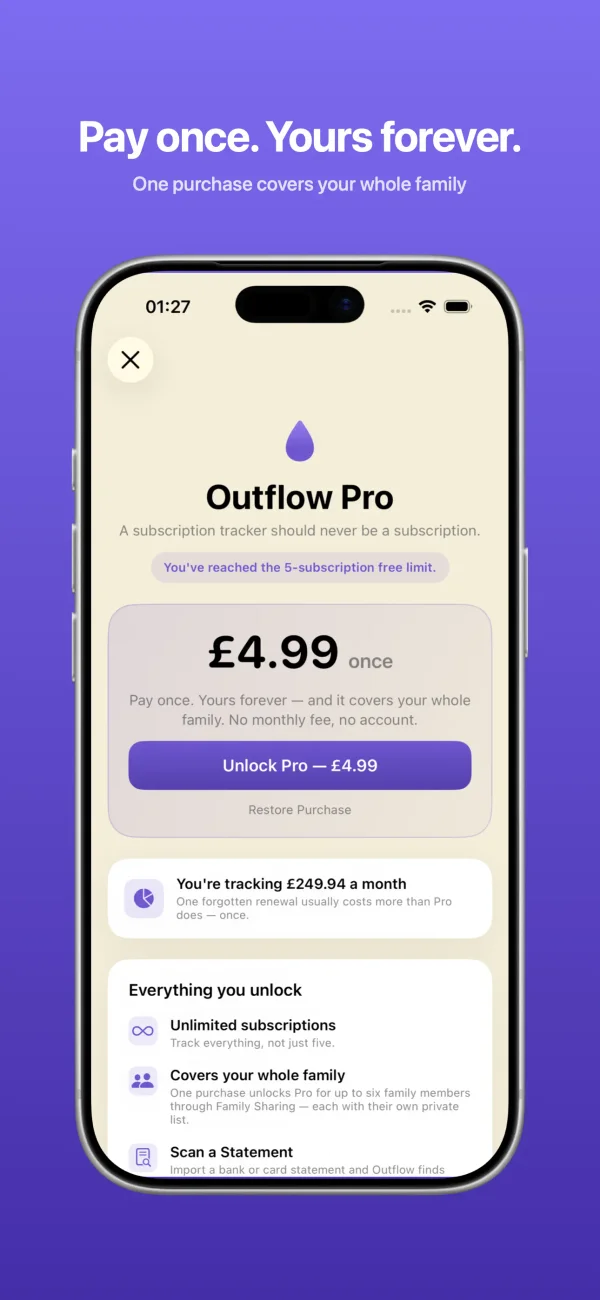
Outflow Pro is a single one-time purchase, and it covers up to six family members through Family Sharing — each with their own private list on their own device. No family plan, no second subscription, no per-seat fee.
FIND WHAT YOU'VE FORGOTTEN
Nearly nine in ten people underestimate what they spend on subscriptions, and two in five have forgotten one entirely while still being charged. Outflow walks you through the four places they hide — your Apple Subscriptions, a bank statement, your receipt emails, and a list of the services people most often forget — and ends with the honest number: what you actually pay a year. No bank login, and nothing leaves your iPhone.
PAY ONCE. OWN IT FOREVER.
Outflow is free for up to 5 subscriptions, with reminders, totals and Siri included. Outflow Pro — unlimited subscriptions, Smart Paste, category insights, price-rise history and CSV export — is a single one-time purchase. A subscription tracker should never be a subscription.
What’s new
Version 6.2 · Nov 21, 2026
Hello! A small update, mostly things you asked for.
• A tidier list. Paused and cancelled subscriptions now tuck away at the bottom, with a count, so the first thing you see is what you're actually paying for. Tap a heading to open it, and Outflow remembers.
• Cancelled means cancelled. If you've cancelled something, it now says so, with the date, instead of "Paused". Paused something you've really cancelled? Press and hold it, choose Mark as Cancelled, and it counts towards what you've saved.
• A darker icon. If your Home Screen lives in Dark Mode, try Graphite in Settings › Appearance › App Icon.
Thank you for using Outflow. If it's helped you find something you'd forgotten, a quick review on the App Store means a lot, and it's how other people find it.
App privacy
What Andy Mesa declares on the App Store about how this app handles data.
-
Data not collected
The developer does not collect any data from this app.
Privacy practices may vary, for example with the features you use or your age.
Information
- Seller
- Andy Mesa
- Category
- Finance
- Version
- 6.2
- Updated
- Nov 21, 2026
- Released
- Jun 16, 2026
- Size
- 24.9 MB
- Requires
- iOS 18.0 or later
- Age rating
- 4+
- Price
- Free
- In-app purchases
- Yes
- Languages
- English, German, Hindi, Simplified Chinese, Traditional Chinese, Turkish
- Copyright
- © Andy Enrique 2026
You might also like
-
 CurrenX ·Live Currency & Calculator
-
 Tabi: Subscription TrackerBill reminders & spending
-
 Numilo - Personal FinanceSpending, budgets and assets
-
 Subly: Subscription AssistantBill Manager & Trial Reminder
-
 Renewa: Bills & RenewalsSubscription Tracker
-
 SpendFlex: Spending TrackerTrack expenses, income, budget
-
 Crypto Analyzer: UK TaxPrivate portfolio & CGT tools
-
 Wally: Budget TrackerExpense & income tracking
-
 Balx - Assets & LiabilitiesReview Assets & Liabilities
-
 Mintseed - Daily BudgetsSpend Money Wisely