
Overbet
Sessions tracked — and askable
Designed for iPhone, iPad
$29.99 · In-app purchases
- Age rating12+
- CategoryFinance
- DeveloperAlex Kotliarsky
- LanguagesEnglish
- Size53.7 MB
Links to the official App Store page
Download.org hosts no file of Overbet. The button opens its official App Store page, published by Alex Kotliarsky. Listing last checked on Nov 19, 2026.
Screenshots


About
Your poker ledger, in conversation.
Overbet tracks cash games and tournaments, from the first buy-in to the final cash-out. Keep live notes, follow your bankroll and understand your results on iPhone. One-time purchase. No Overbet subscription.
TRACK EVERY SESSION
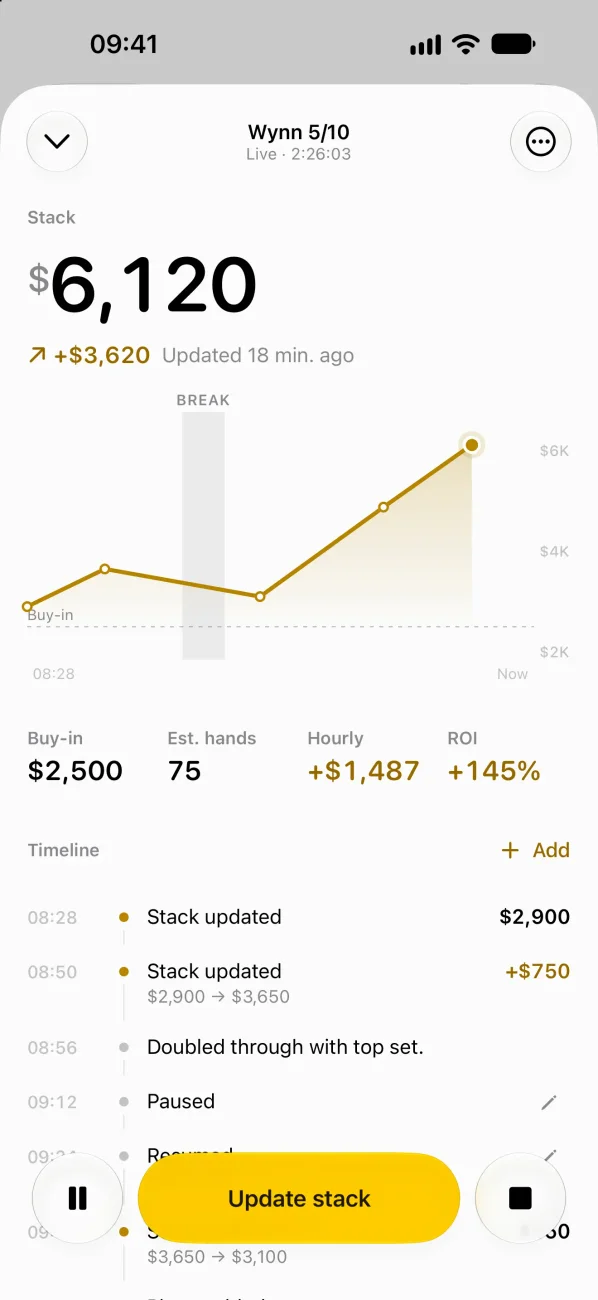
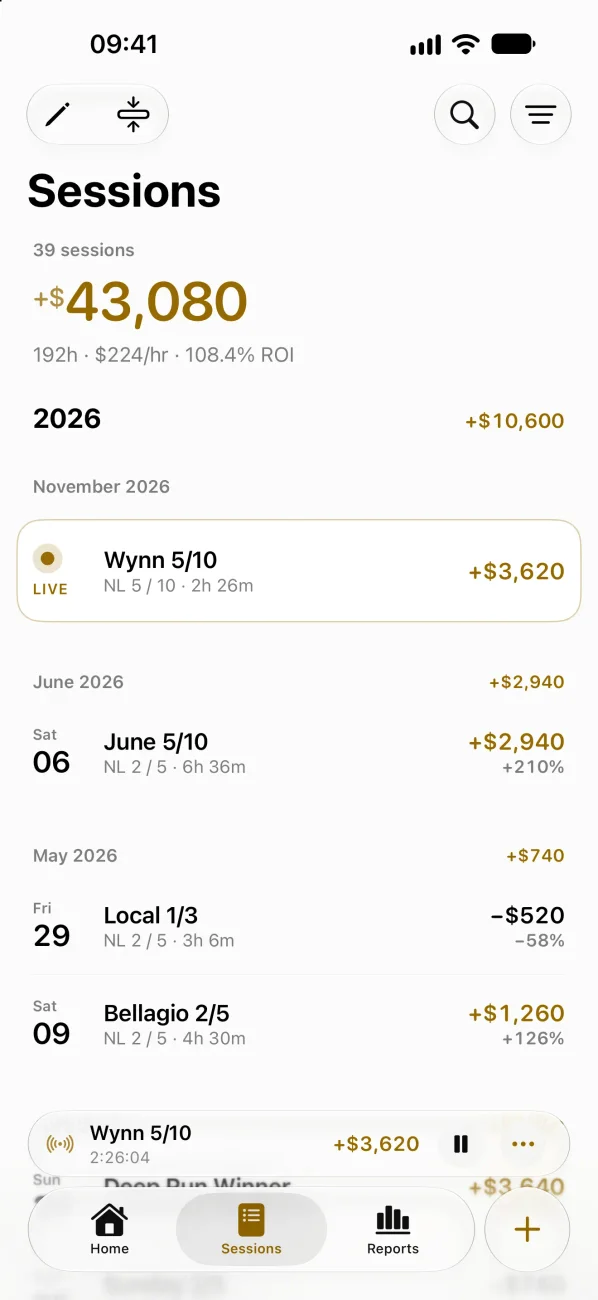
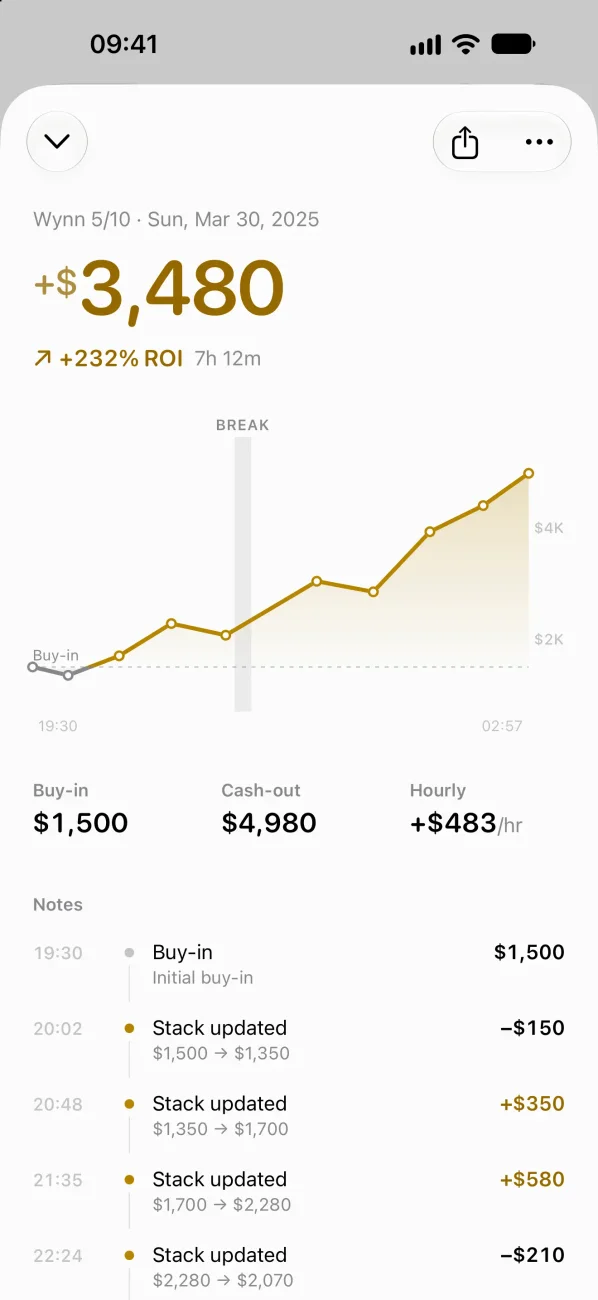
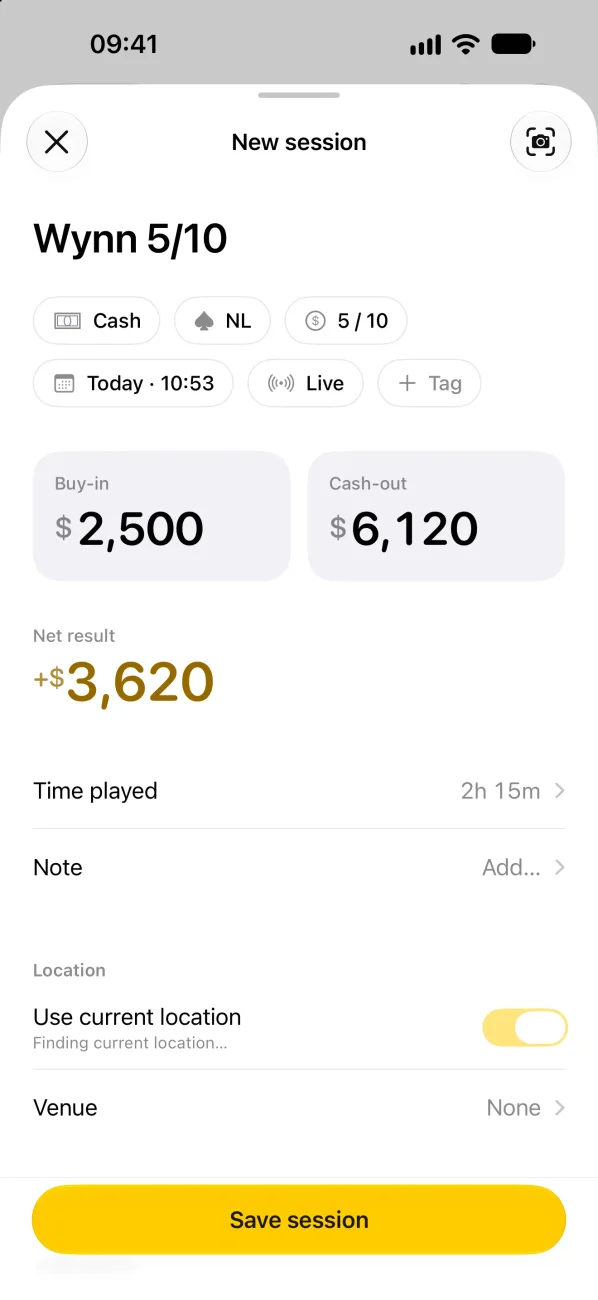
Record live and online cash games and tournaments with buy-ins, cash-outs, duration, game, stakes, venue and custom tags. Follow live play on your Lock Screen and Dynamic Island. Keep a timeline of notes, chip counts, photos and tournament progress.
KNOW YOUR RESULTS
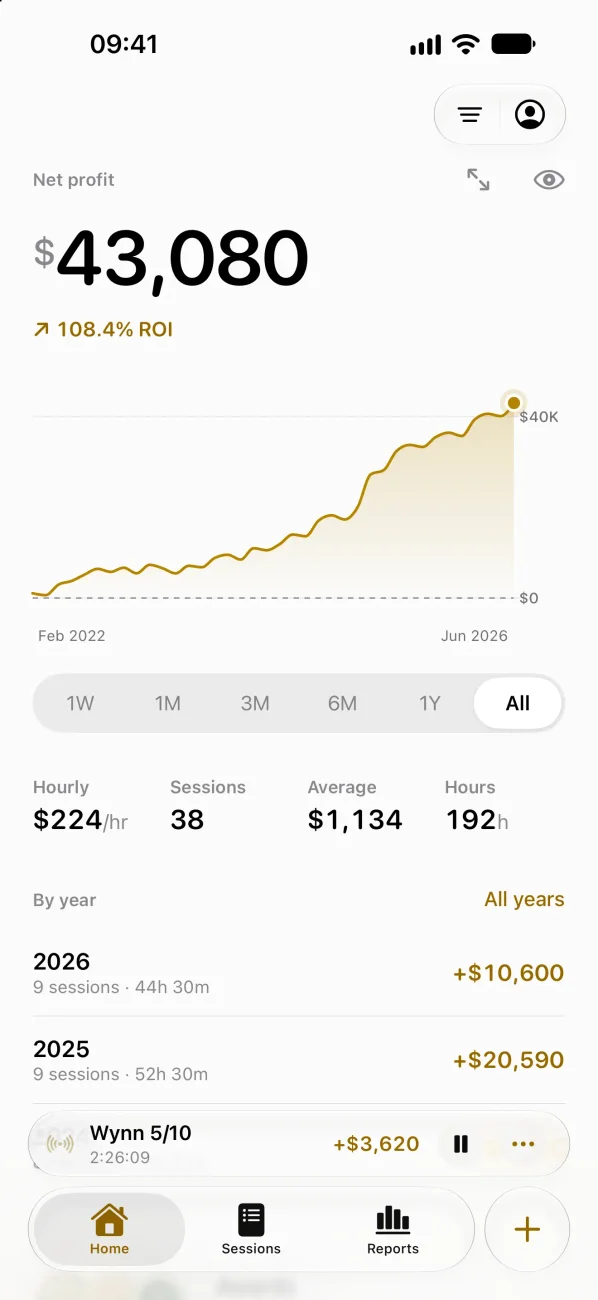
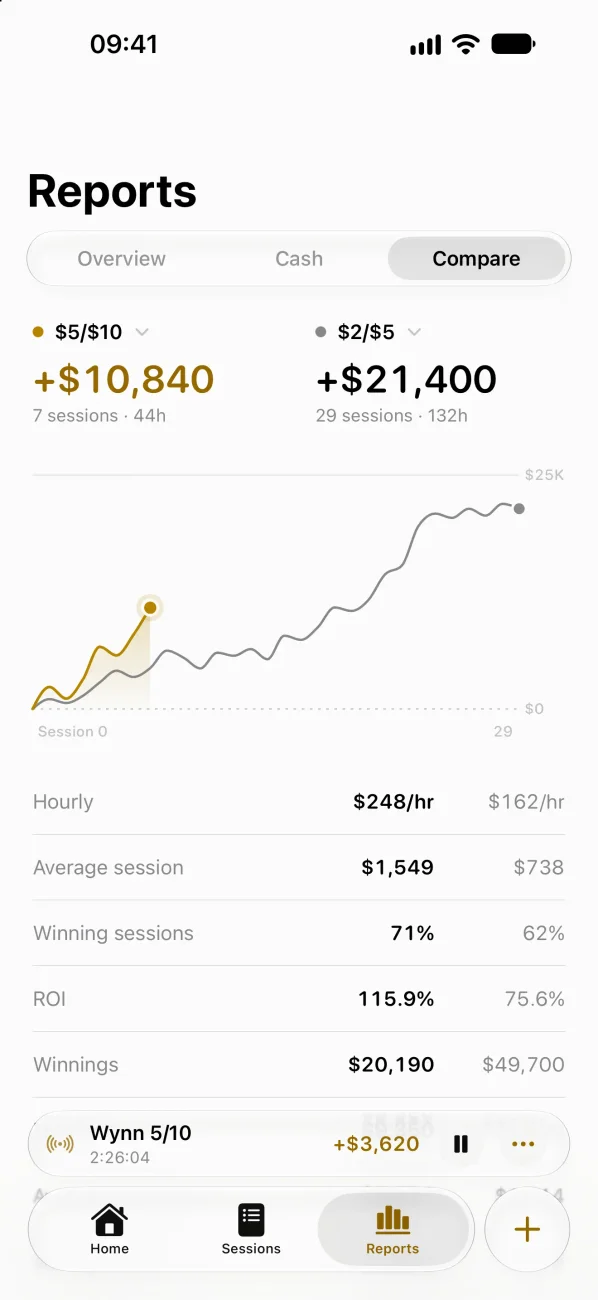
Explore bankroll charts, profit, hourly rate, ROI and session highlights. Compare periods and types of play. Combine filters to focus on the games, stakes, tags and venues that matter to you.
SIRI AND SHORTCUTS
Start, pause, resume and finish sessions, add buy-ins and timeline updates, or log completed play. Session creation keeps the type, amount and venue you provide, with saved preferences for omitted details. Siri can attempt to attach your current location when permitted.
CONNECT YOUR AI ASSISTANT
Ask about your real Overbet history and manage sessions through a compatible MCP connection. Use supported clients from Grok, Grok Bot, Claude, Cursor, Gemini, OpenAI or another provider.
Try asking:
• “Show my 2026 online tournaments on Club WPT tagged Study.”
• “We just went on break, I have 192 thousand chips, 567 players left.”
• “Back from break with 210k.”
• “That buy-in was $150, not $100.”
• “I finished 13th out of 1,200 and cashed for $800.”
Combine year, month, session type, tags, game, cash stakes and venue filters. Retrieve all matching sessions, compare results, correct records, log past dates, search notes and recall complete timelines. A single break update can save the pause, note, chips and players remaining together. Timed breaks can resume automatically.
PHOTOS AND YOUR HISTORY
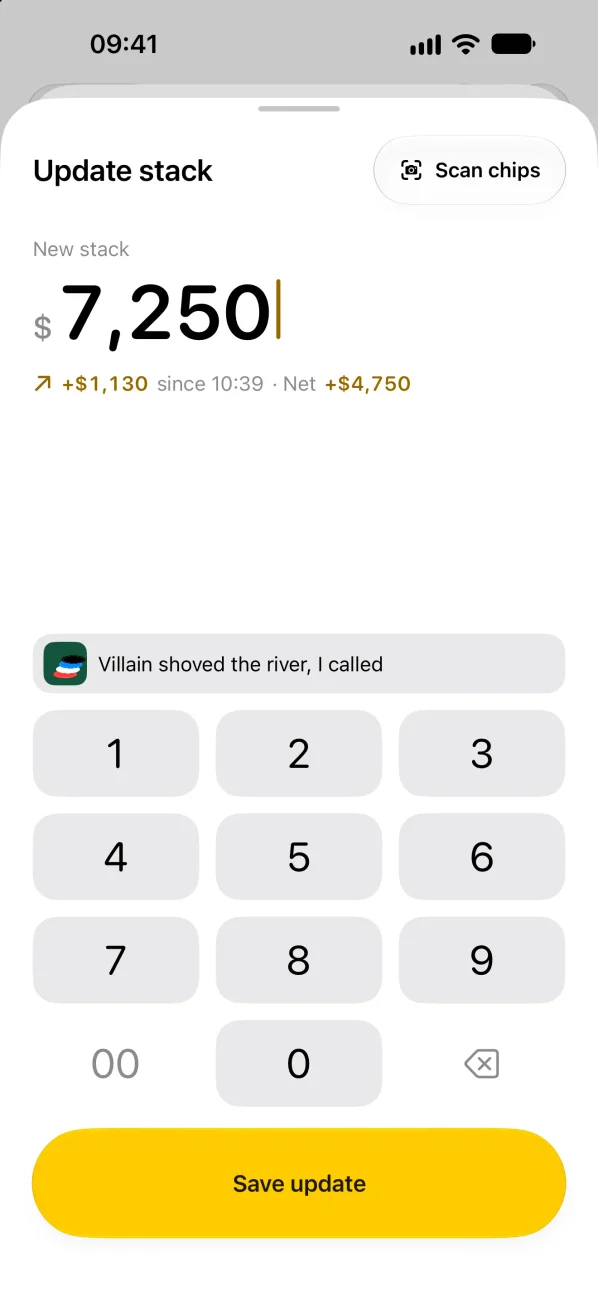
Use photo chip-count estimates and session photo autofill in the app. Review the result and keep the source photo with your session. Import and export completed sessions as CSV. Compatible assistants with file and image tools can also attach photos and transfer filtered history.
YOU CONTROL THE CONNECTION
Open Settings → Connect Chats → Allow connected chats, then connect from your assistant. Sign in to the same Overbet account and allow access. Zen and Hide Bankroll apply to connected chats. Turn off the setting to stop access.
Assistant features require remote MCP and OAuth support. Available connections, files and images vary by client and plan; the documented Gemini setup uses Gemini CLI. Third-party services may require a separate account or plan. Siri availability and recognition depend on your device and language. Core session tracking works without connecting an assistant.
Setup and examples: https://overbet.app/docs/mcp/
What’s new: https://overbet.app/updates/7-1/
What’s new
Version 7.3.0 · Nov 16, 2026
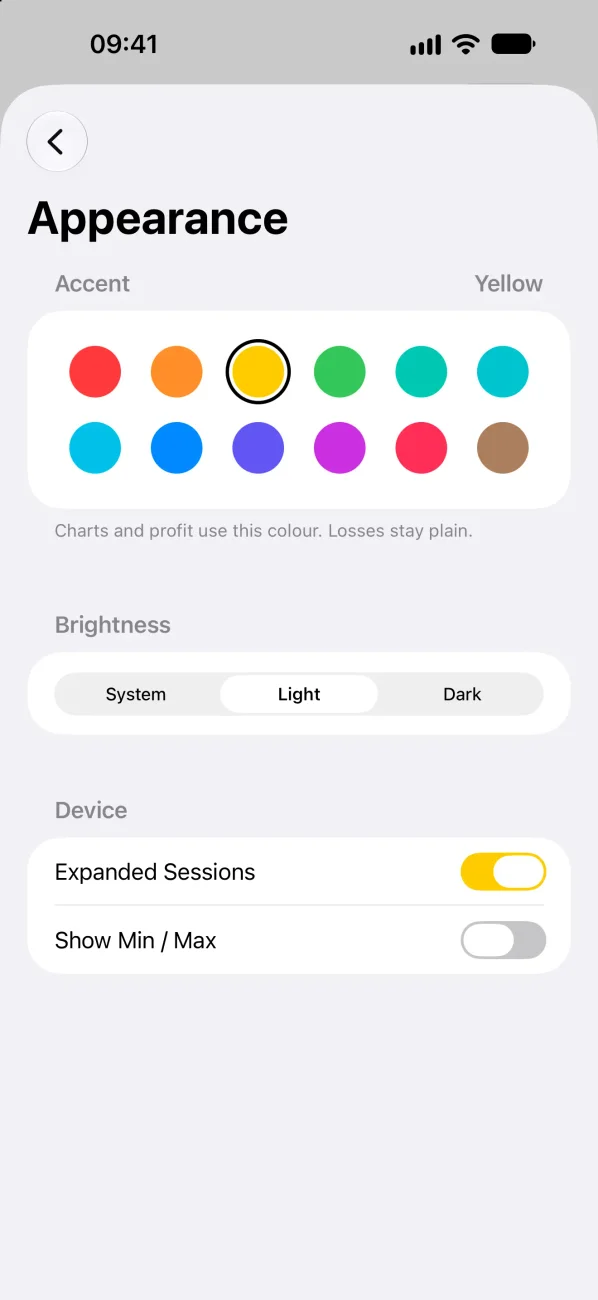
Overbet is rebuilt from the ground up with Liquid Glass navigation, cleaner charts, and twelve accent colors to make the ledger yours.
• Pick your accent in Settings → Appearance — your chosen color carries across charts, live session pills, widgets, and Lock Screen Live Activities, while losses stay calm and neutral.
• Home & Sessions: scrub across your bankroll curve from 1W to All, check By Year and Best/Worst session highlights, and fold or search session history with live filtered totals and year dividers.
• Reports: switch smoothly between Overview, Cash, and Compare under a Liquid Glass header, page through monthly results by year, see tournament Best Finish payouts, and view fractional stakes like .25/.50 in true big-blind order.
• Faster logging: attach a table photo and note right from the Update Stack keypad during live play, or prefill a new tournament session from a photo of the tournament clock or payout screen.
App privacy
What Alex Kotliarsky declares on the App Store about how this app handles data.
-
Data not linked to you
May be collected but is not linked to your identity.
- Location
- Contact info
- User content
- Usage data
- Diagnostics
Privacy practices may vary, for example with the features you use or your age.
Information
- Seller
- Alex Kotliarsky
- Category
- Finance
- Version
- 7.3.0
- Updated
- Nov 16, 2026
- Released
- Jun 22, 2021
- Size
- 53.7 MB
- Requires
- iOS 26.0 or later
- Age rating
- 12+
- Price
- $29.99
- In-app purchases
- Yes
- Languages
- English
- Copyright
- © Alex Kotliarsky
You might also like
-
 Nash Poker Bankroll ManagementTrack Every Session and Hand
-
 Poker StashPersonal poker records & tools
-
 Poler: Poker Tracker, BankrollLive Session Log, Stats, Hands
-
 Banky: A Bankroll TrackerTrack your winnings
-
 ThxBudSplit Bills With Your Buds
-
 Poker Stack - Bankroll TrackerLive Sessions, Stats & Profit
-
 Kill BillsSplit food bills with friends
-
 WelfiPlan your money, any currency
-
 MyPokerStatsRecord basic information
-
 BoKa - Loyalty WalletYour rewards. One pocket.