Overtime Live - Shift Tracker
Pay Calculator & Work Schedule
Designed for iPhone, iPad, iPod touch
Free · In-app purchases
- Age rating4+
- CategoryFinance
- DeveloperAndy Mesa
- LanguagesEnglish+ 4 more
- Size54.1 MB
Links to the official App Store page
Download.org hosts no file of Overtime Live - Shift Tracker. The button opens its official App Store page, published by Andy Mesa. Listing last checked on Nov 23, 2026.
Screenshots

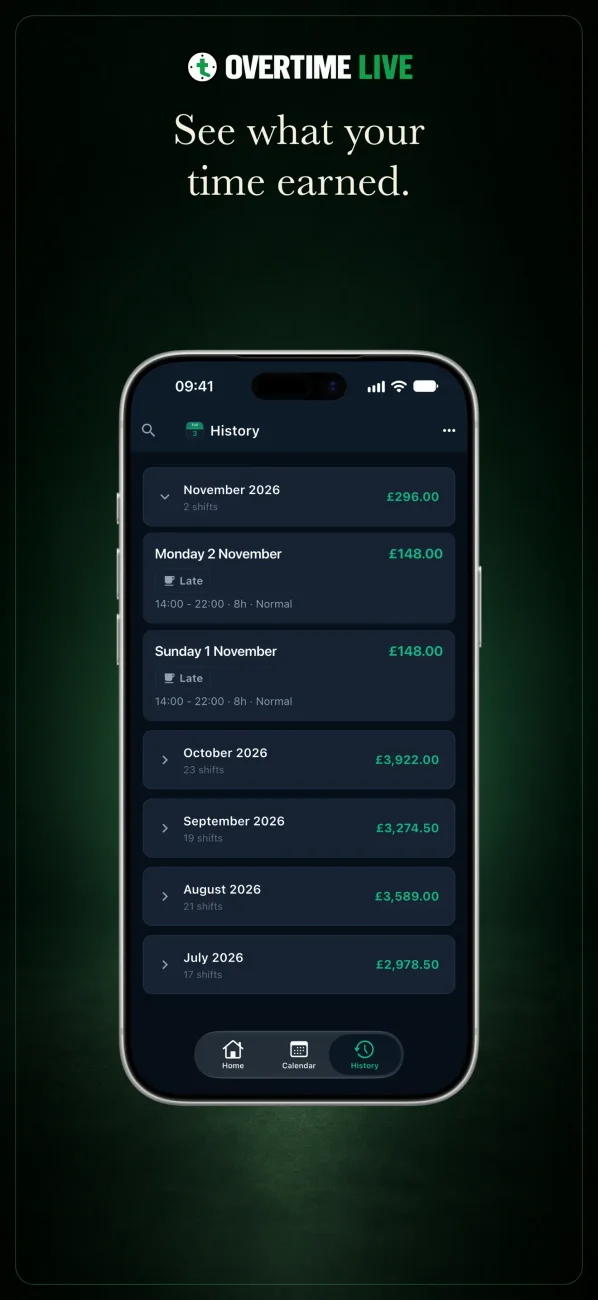
About
Know exactly what every shift is worth. Watch your pay tick up live on your Lock Screen, plan your work schedule in seconds and see your take-home pay before you say yes to overtime.
Built by a shift worker, for shift workers. Free, no subscription, no sign-up.
YOUR EARNINGS, LIVE ON THE LOCK SCREEN
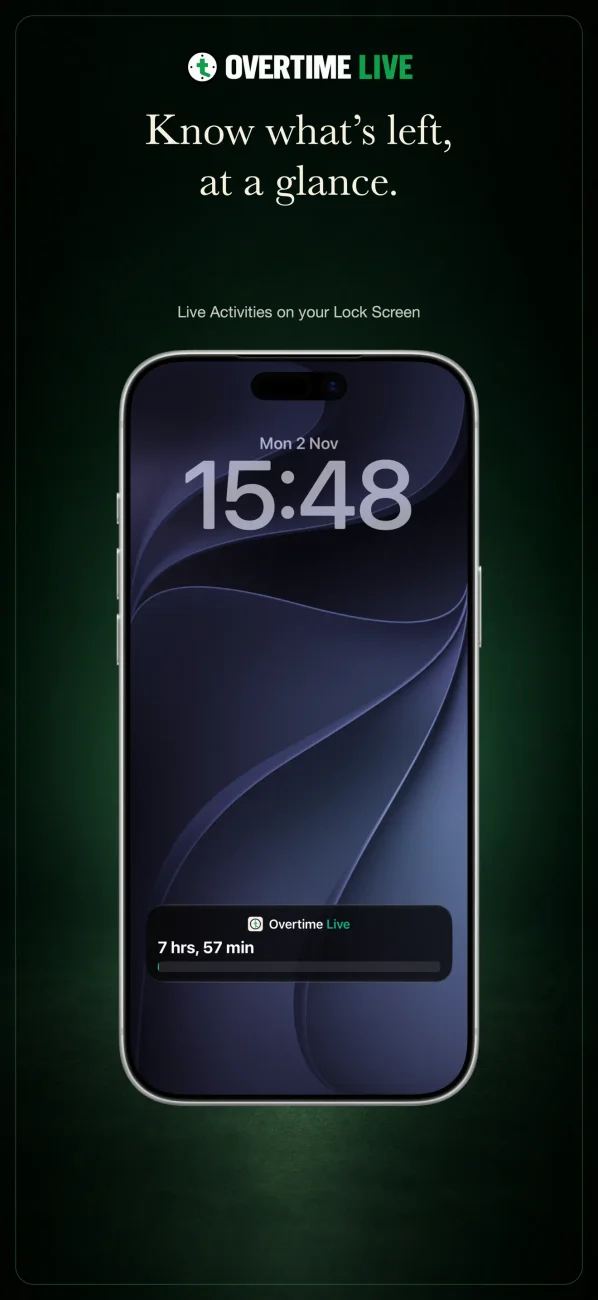
The moment you start a shift, a Live Activity shows your pay ticking up and the time left, without opening the app. On iPhone 14 Pro and later it appears in the Dynamic Island too.
WATCH YOUR PAY TICK UP
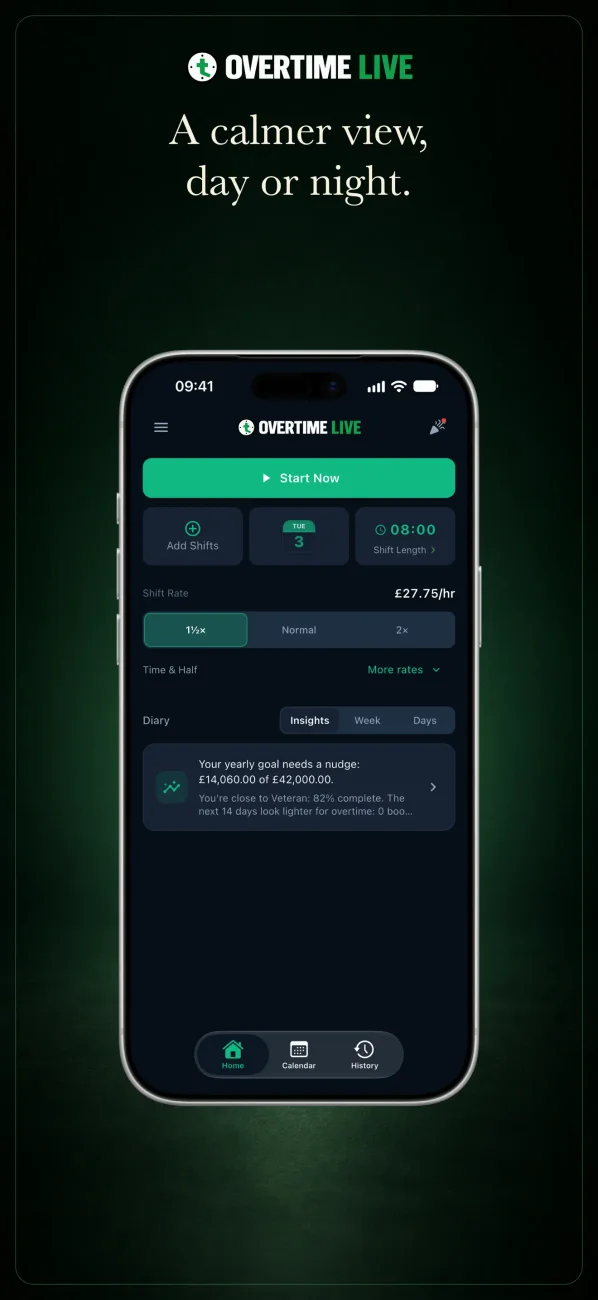
Enter your hourly rate and Overtime Live counts your earnings up second by second, with overtime tracked separately from regular hours.
KNOW YOUR REAL TAKE-HOME PAY
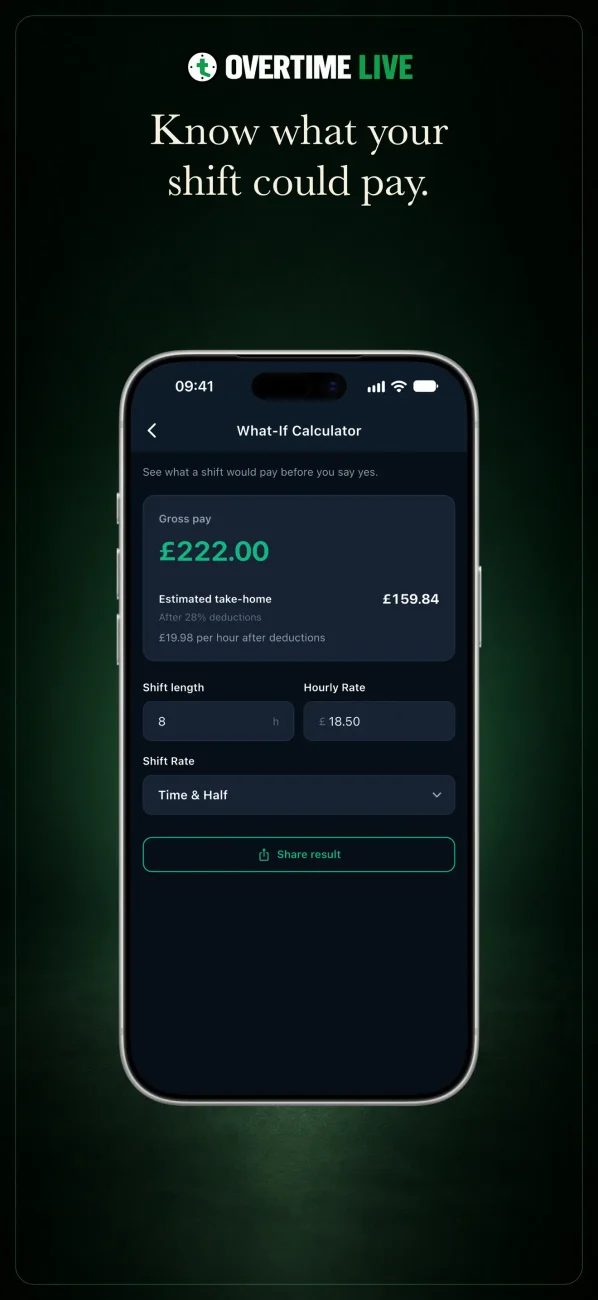
See past the gross figure. The What-If calculator compares hours, rate and estimated take-home pay before you accept a shift, and the Take Home Pay card estimates what you actually keep after tax. Set your pay period to weekly, biweekly, monthly or a custom date and track every payday.
BUILT FOR SHIFT WORK
Handle the pay that office apps ignore: overtime multipliers like time and a half and double time, shift differentials, on-call days with separate callback pay, flat-rate sleep-ins, shifts with no set end that count up until you finish, and custom rates for any arrangement. Split a shift across different rates or an unpaid break and track comp time. Add expenses and receipt photos to any shift.
PLAN YOUR SCHEDULE IN SECONDS
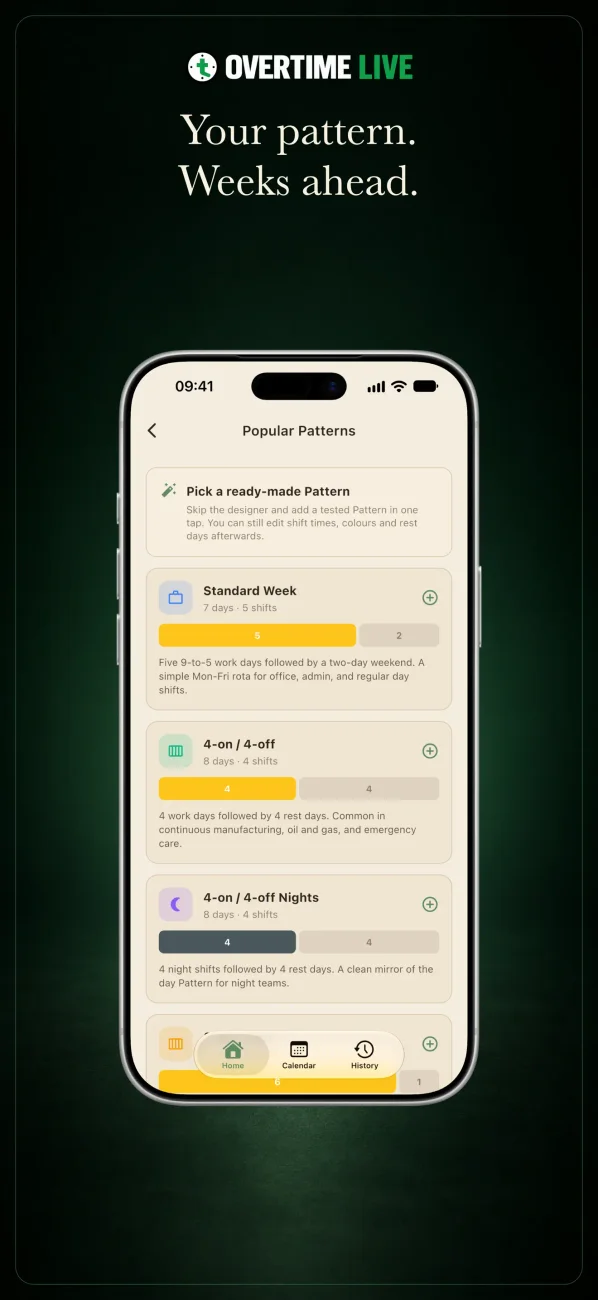
Pick a popular rotation such as DuPont, Pitman or 4 on 4 off, or build your own and fill in weeks or months ahead. Save your usual shifts as templates, set reminders and see everything in month, week, day, agenda or full-screen calendar views. Overlap warnings, schedule export and iPhone calendar sync included.
INSIGHTS, STATS & GOALS
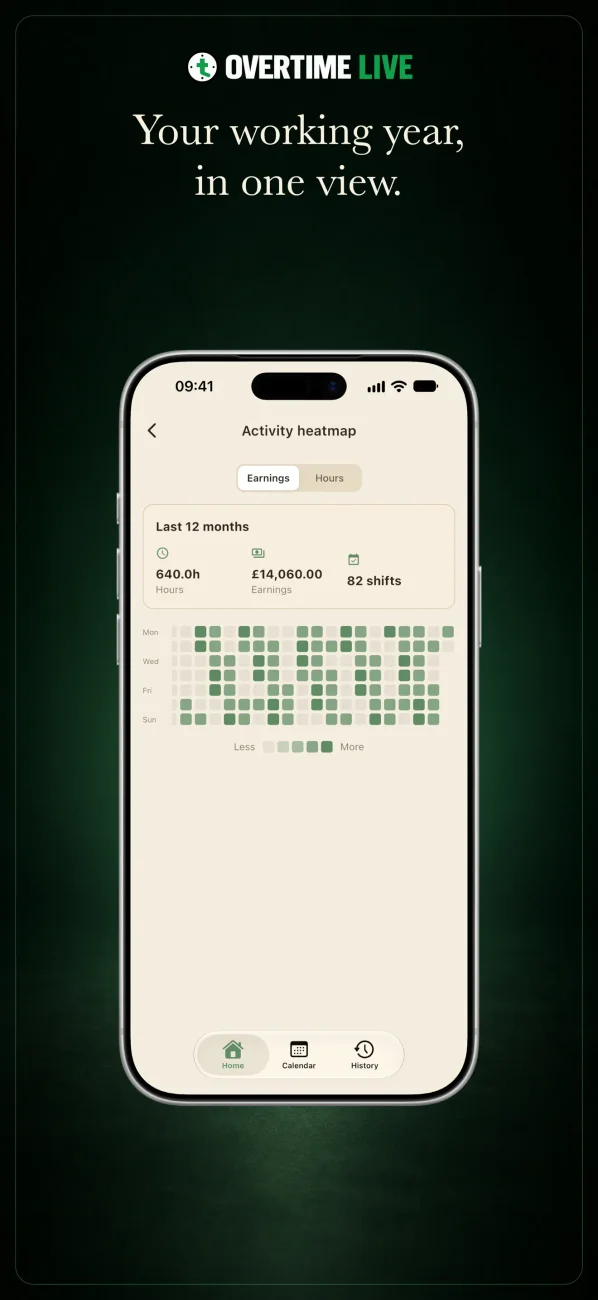
Explore a 12-month hours and earnings heatmap, track totals and averages, set a yearly goal and unlock achievements as your shifts add up. On compatible iPhones, optional Apple Intelligence creates a short personalized briefing on-device.
YOUR DATA, YOUR WAY
Your shift, pay and goal data stays on your device. Optional iCloud backup uses your personal iCloud account and keeps earlier copies automatically, so you can restore if you need to. Export your hours and pay history as CSV or a monthly PDF for taxes or bookkeeping.
FREE, WITH AN OPTIONAL ONE-TIME PRO UNLOCK
Shift tracking, live earnings, your schedule calendar, stats and iCloud backup are free. Your first 30 days include every Pro feature. After that, a one-time Pro purchase removes ads, adds the Apple Watch app and lifts the limits on What-If calculations, exports, expenses and pay period tracking. No subscription.
WHO IT'S FOR
Nurses, CNAs and caregivers. Police, EMTs and firefighters. Retail, restaurant and warehouse workers. Security, delivery drivers and gig workers. Anyone paid by the hour who wants to see what their time is really worth.
Available in English, German, Spanish and Chinese (Simplified and Traditional). Download Overtime Live and make every hour count.
What’s new
Version 5.2 · Nov 22, 2026
Built by a shift worker, for shift workers.
Fixed adding Popular Patterns.
Refs breaks can now changed from Paid to Unpaid.
Shift work is busy enough. I’ve given Overtime Live a calmer, clearer feel, so it’s easier to keep on top of your hours, your rota and your pay.
• Find your way faster with cleaner navigation and clearer shift controls.
• See more of your rota on iPad and an open iPhone Duo.
• Get to your usual pay rates faster with recent rate choices.
• Choose break timers and reminder sounds that suit your shift.
• Plan overtime with clearer take-home estimates.
Thanks for every suggestion. You’re helping me build a better app for the people doing the shifts.
App privacy
What Andy Mesa declares on the App Store about how this app handles data.
-
Data used to track you
May be used to track you across apps and websites owned by other companies.
- Identifiers
- Usage data
-
Data linked to you
May be collected and linked to your identity.
- Purchases
- Identifiers
- Usage data
- Diagnostics
Privacy practices may vary, for example with the features you use or your age.
Information
- Seller
- Andy Mesa
- Category
- Finance
- Version
- 5.2
- Updated
- Nov 22, 2026
- Released
- Nov 18, 2025
- Size
- 54.1 MB
- Requires
- iOS 15.6 or later
- Age rating
- 4+
- Price
- Free
- In-app purchases
- Yes
- Languages
- English, German, Simplified Chinese, Spanish, Traditional Chinese
- Copyright
- © 2026 Andy Enrique
You might also like
-
 Numilo - Personal FinanceSpending, budgets and assets
-
 SpendFlex: Spending TrackerTrack expenses, income, budget
-
 CashN: Live Earnings CounterTimelog & Shift Pay Tracker
-
 Wall Street StocksStock Picks, Alerts & News
-
 Mileglow: Mileage TrackerLog trips and get reimbursed
-
 CurrenX ·Live Currency & Calculator
-
 Subly: Subscription AssistantBill Manager & Trial Reminder
-
 BudgetGoal: Budget PlannerBeat Impulse Spending
-
 Mintseed - Daily BudgetsSpend Money Wisely
-
 Tallya: AI Money & BudgetTrack spending with Siri