
OwlPlot: Astro Photo Planner
Golden hour, Milky Way, Aurora
Designed for iPhone, iPad
Free
- Age rating17+
- CategoryPhoto & Video
- DeveloperMaplePlot Inc.
- Size26.2 MB
Links to the official App Store page
Download.org hosts no file of OwlPlot: Astro Photo Planner. The button opens its official App Store page, published by MaplePlot Inc. Listing last checked on Nov 20, 2026.
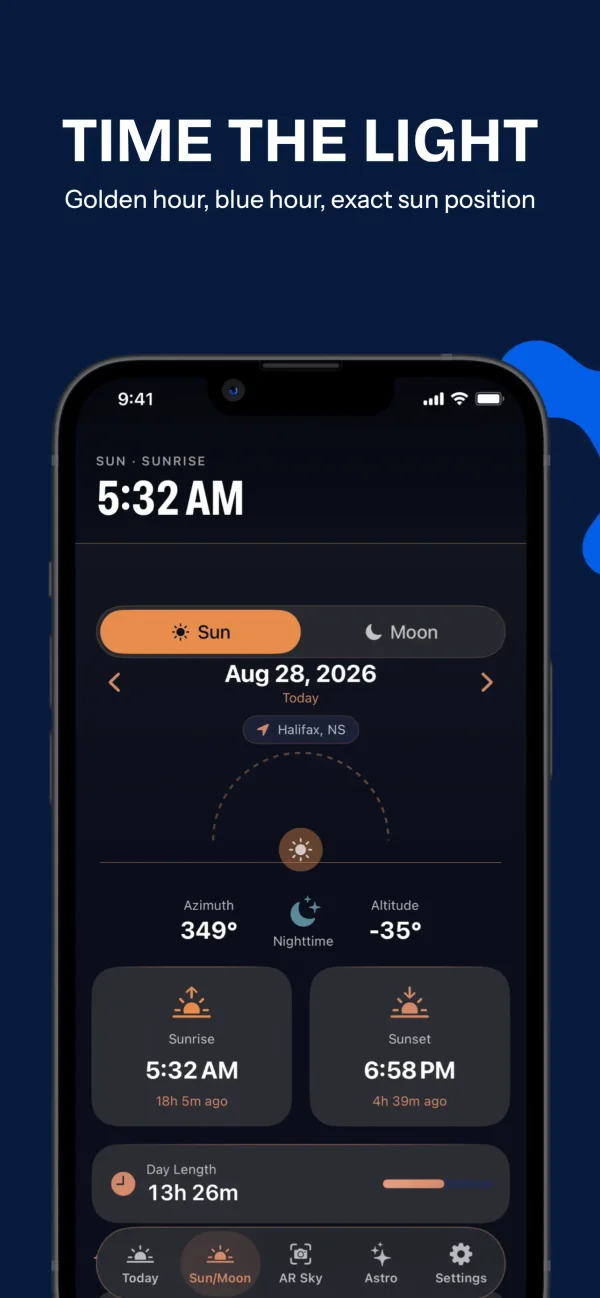
Screenshots
About
Plan the shot before you drive.
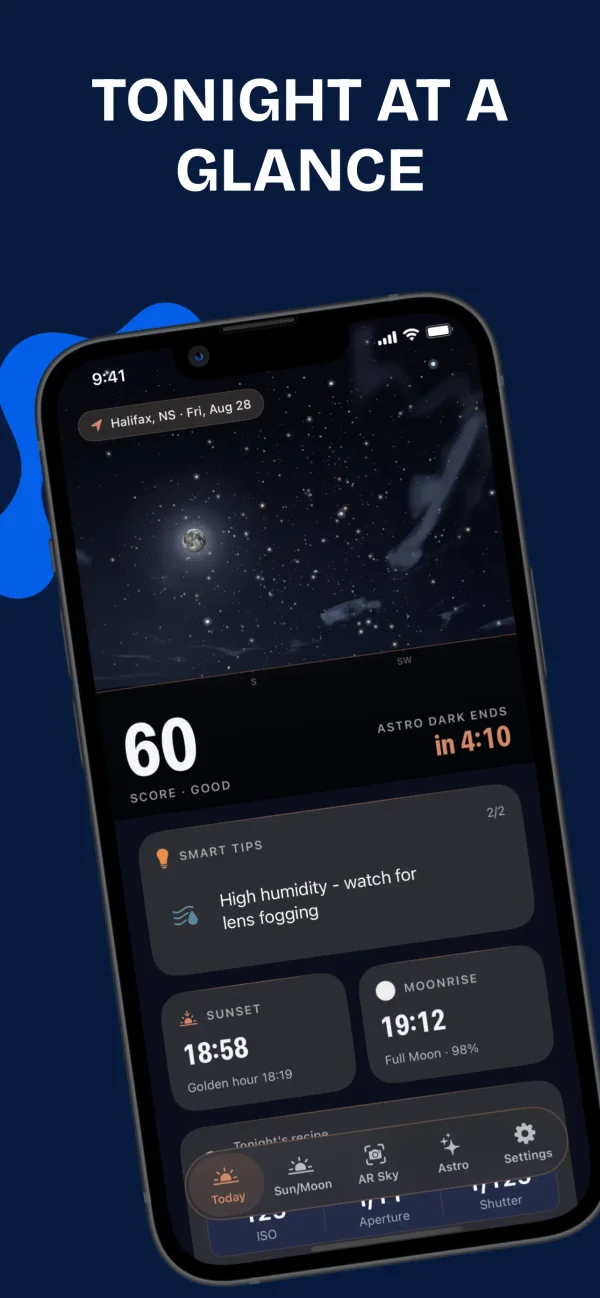
OwlPlot tells you when the light will be right, where the sun and moon will be standing, and whether tonight is worth staying up for. Free, with no account and no ads, and the astronomy works with no signal at all.
KNOW WHEN TO GO
• Golden hour and blue hour, morning and evening, to the minute
• Sunrise, sunset, solar noon and every twilight phase
• Moonrise, moonset, phase and illumination
• A 0-100 score for right now, from cloud, rain, visibility and wind
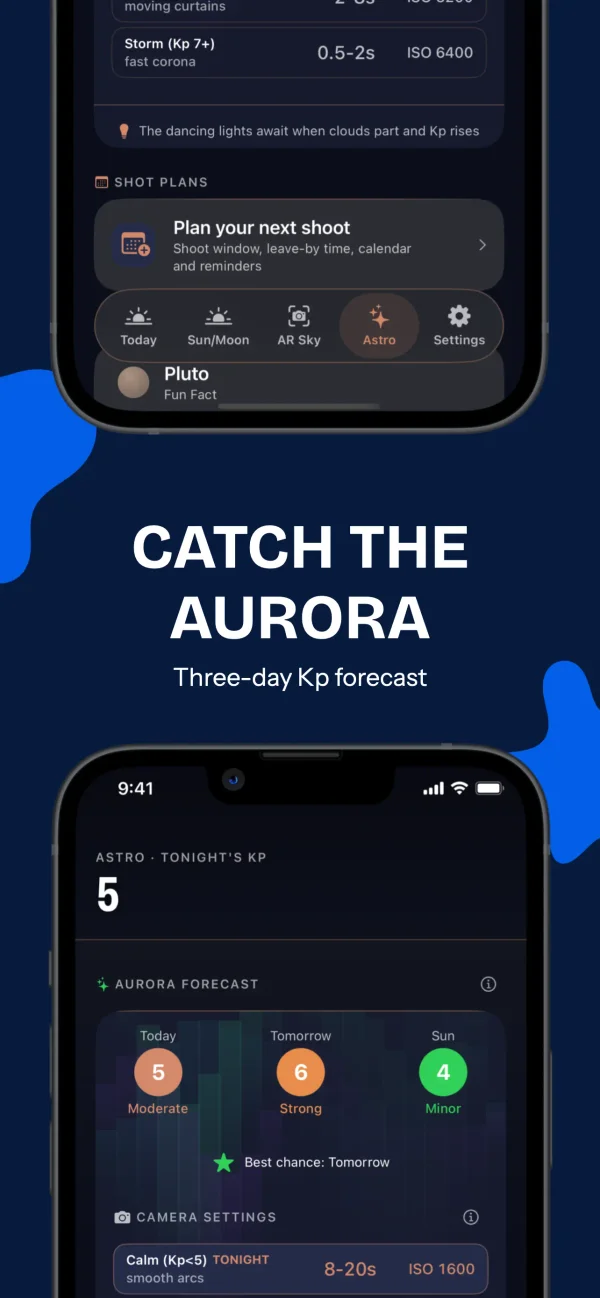
• The coming nights ranked, so you can pick the good one
FOR THE MILKY WAY
• When the galactic core rises, where it will be, and how high it gets
• Astronomical darkness — when the sky is genuinely dark, not just dim
• Moon interference, because a bright moon ends the session
• Bortle sky darkness estimated for every spot you save, from
satellite light-pollution data, so you know what you are working with
• Seeing and transparency worked out from the forecast model
POINT YOUR PHONE AT THE SKY
• AR view places the sun, moon, planets and the Milky Way on the real scene
• Scrub forward or back twelve hours and watch the arcs move
• Draw your lens's field of view on the sky before you unpack the bag
• Plan a panorama: overlap, frame count, sweep
WORK OUT THE SHOT
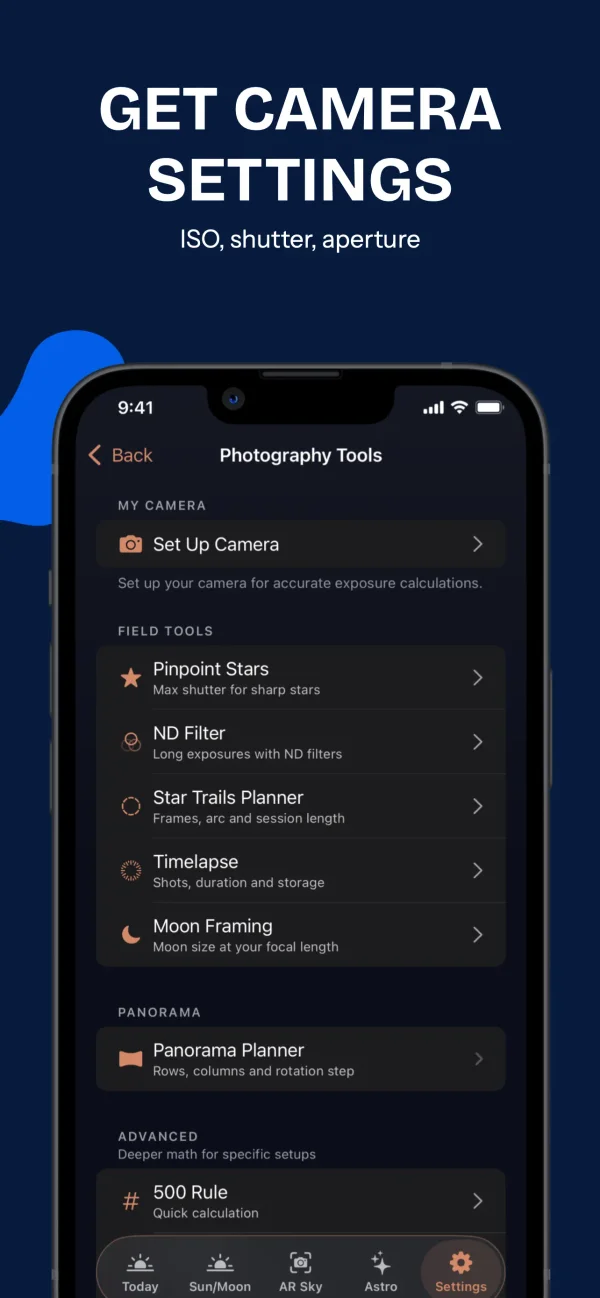
• Tonight's Recipe — ISO, aperture and shutter for what is actually up
• NPF and 500-rule star trails, ND filters, timelapse intervals
• Hyperfocal, depth of field and focus stacking
• Moon framing: how big the moon really is at your focal length
LINE IT UP
• Alignment planner: the next 30 days of the sun or moon behind a landmark
• Shot plans with a leave-by time, calendar export and a reminder
• Eclipses for two years, ISS passes, meteor shower peaks
ON YOUR WRIST AND HOME SCREEN
• Apple Watch app and complications with the next event
• Widgets in three sizes with a live countdown
• Live Activities on the Lock Screen through golden and blue hour
ON THE COAST
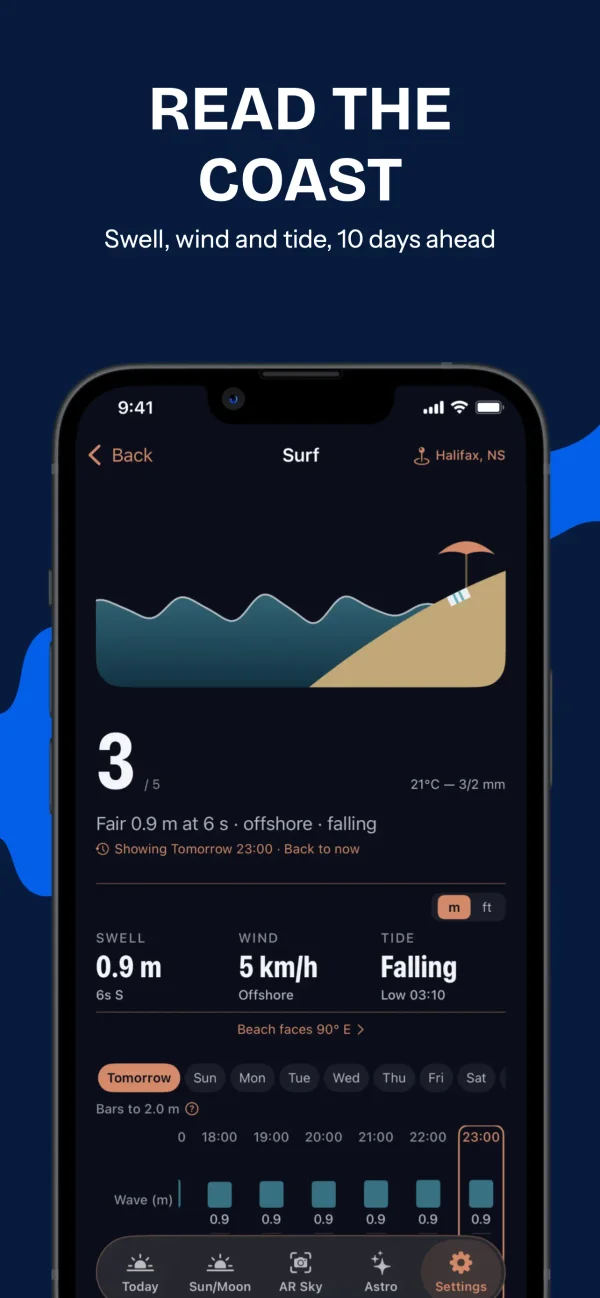
• Swell height, period and direction, with wind read against the beach
• Tide state and water temperature from the nearest reporting buoy
• Ten-day outlook, day and hour picking
BUILT FOR THE DARK
• Night vision turns the whole screen red so a glance at your phone does not cost you the half hour your eyes spent adapting
• Dark throughout, with extra dimming below the system minimum
HONEST BY DEFAULT
• Free. No account, no ads, no subscription
• Sun, moon and Milky Way maths runs on your device and works offline
• When the weather service is unavailable, OwlPlot says so rather than showing you yesterday's numbers as if they were today's
Weather by Open-Meteo. Light pollution from VIIRS / Earth Observation Group, Colorado School of Mines. Sky darkness is an estimate and you can override it on any location.
What’s new
Version 1.23.1 · Nov 7, 2026
Easier to read, easier to plan.
• Next 24 hours: each hour now sits in its own box, top to bottom: the time, the weather, the temperature, cloud and rain. Swipe for later hours.
• Times follow your phone's clock: 9pm or 21:00.
• Alignment planner: the CN Tower and other listed landmarks now start at their height in both modes, so Where to stand finds places straight away.
• Alignment planner: for any other landmark it asks "How tall is it?" and shows the ruler to set it.
• Heights in the planner show in feet when your units are imperial.
App privacy
What MaplePlot Inc. declares on the App Store about how this app handles data.
-
Data not linked to you
May be collected but is not linked to your identity.
- Location
- Identifiers
- Usage data
- Diagnostics
Privacy practices may vary, for example with the features you use or your age.
Information
- Seller
- MaplePlot Inc.
- Category
- Photo & Video
- Version
- 1.23.1
- Updated
- Nov 7, 2026
- Released
- Jan 26, 2026
- Size
- 26.2 MB
- Requires
- iOS 18.0 or later
- Age rating
- 17+
- Price
- Free
- Copyright
- © 2026 Glucoplate Inc.
You might also like
-
 Celeris – Photo PlannerNext-gen photo planning
-
 PhotoWeather AlertsWeather for photographers
-
 Astrian LightPlan your shots of the sky
-
 LumiQuest - SunChaseCapture the magic of sunset.
-
 Golden Hour Sunset CompassGolden Hour Sun Tracker Guide
-
 PrivacyCam: Safe RedactorBlur Faces, Text & Plates
-
 Lensage: Astro & Photo PlannerMilky Way, Golden Hour & DoF
-
 Star Exposure CalculatorPhoto & Video
-
 Skopos: Cine ScoutCinema viewfinder, sun tracker
-
 Viewpoint: Outdoor & Astro3D Planner, Sky & Conditions