
- Age rating4+
- CategoryMusic
- DeveloperFrancois Chabloz
- LanguagesEnglish
- Size6.0 MB
Links to the official App Store page
Download.org hosts no file of Oxo Steps. The button opens its official App Store page, published by Francois Chabloz. Listing last checked on Nov 14, 2026.
Screenshots
About
IMPORTANT: Oxo Steps is a MIDI AUv3 plugin and does not generate audio by itself. To use the plugin, load it in an AUv3 host such as AUM.
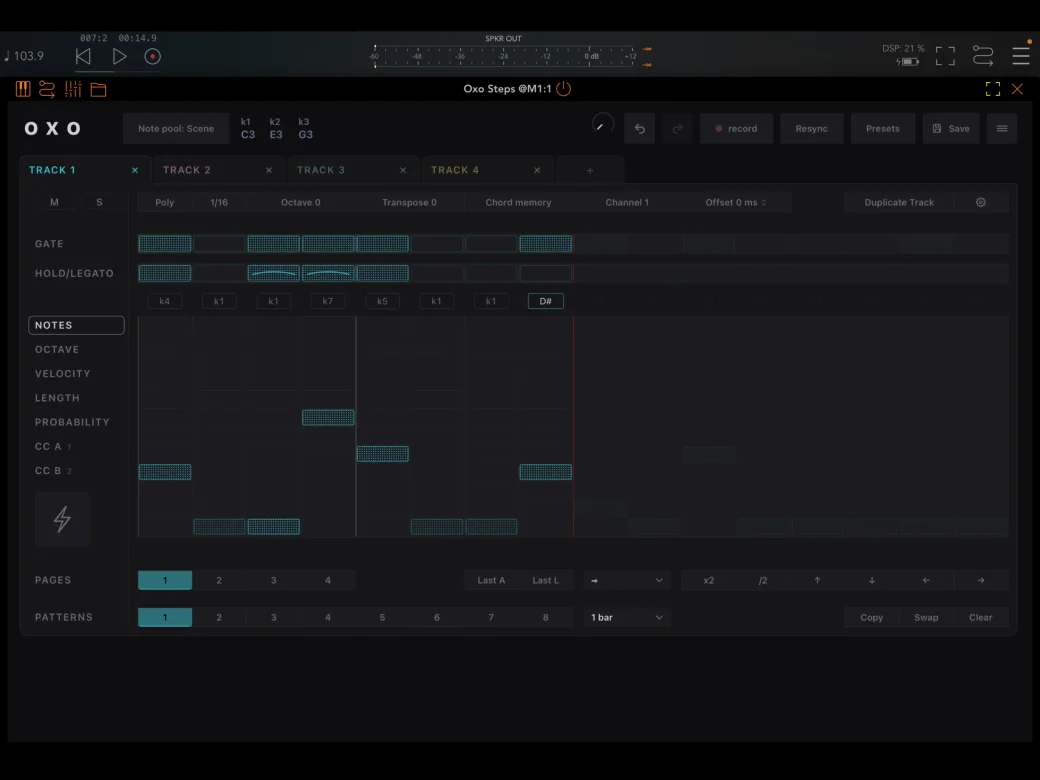
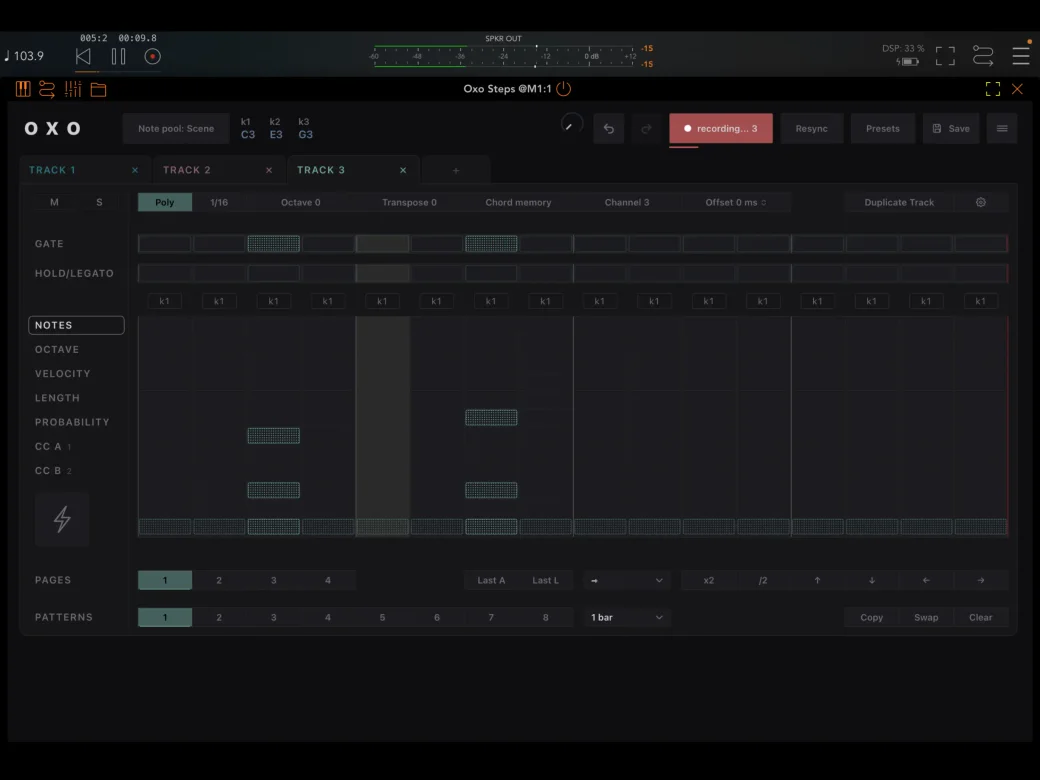
Oxo Steps combines a step sequencer and an arpeggiator in one MIDI performance tool.
Enter one chord and drive up to 6 independent tracks on 6 MIDI channels. For example:
- Track 1 (Channel 1): bass line from the chord's lowest note
- Track 2 (Channel 2): chord stabs from selected chord notes, or fixed notes if preferred
- Track 3 (Channel 3): full-note arpeggio motion using all notes
- Track 4 (Channel 2): random notes every now and then (Channel 2 = the same instrument playing the chord)
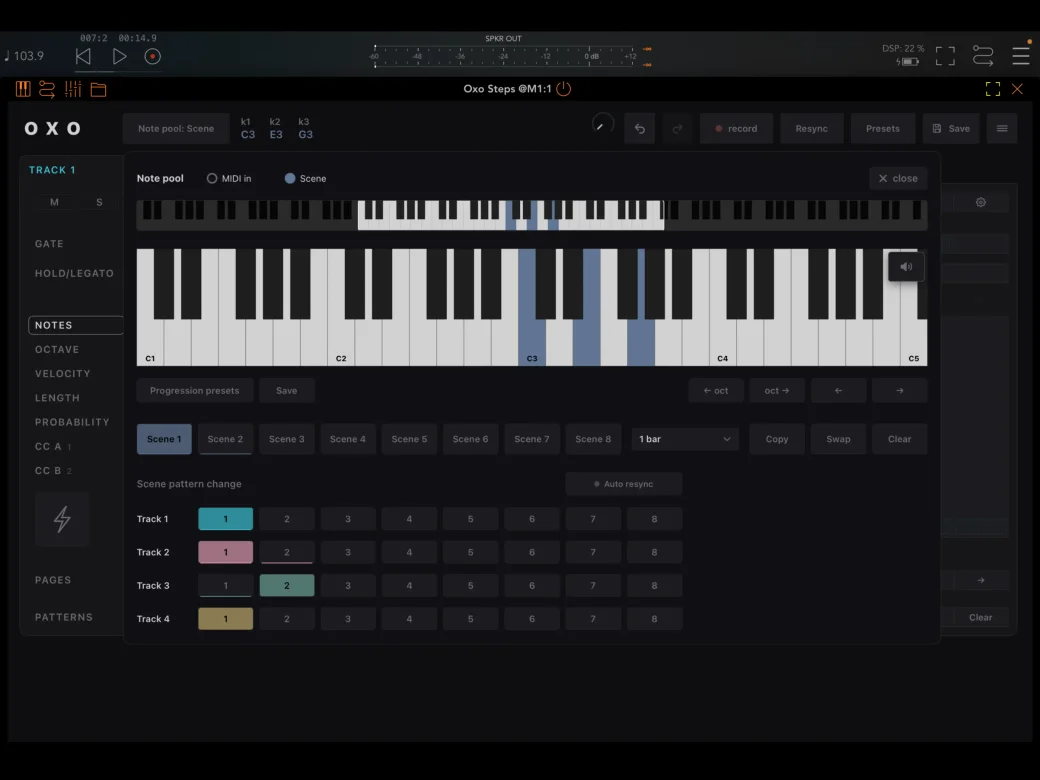
Change the chord, everything follows.
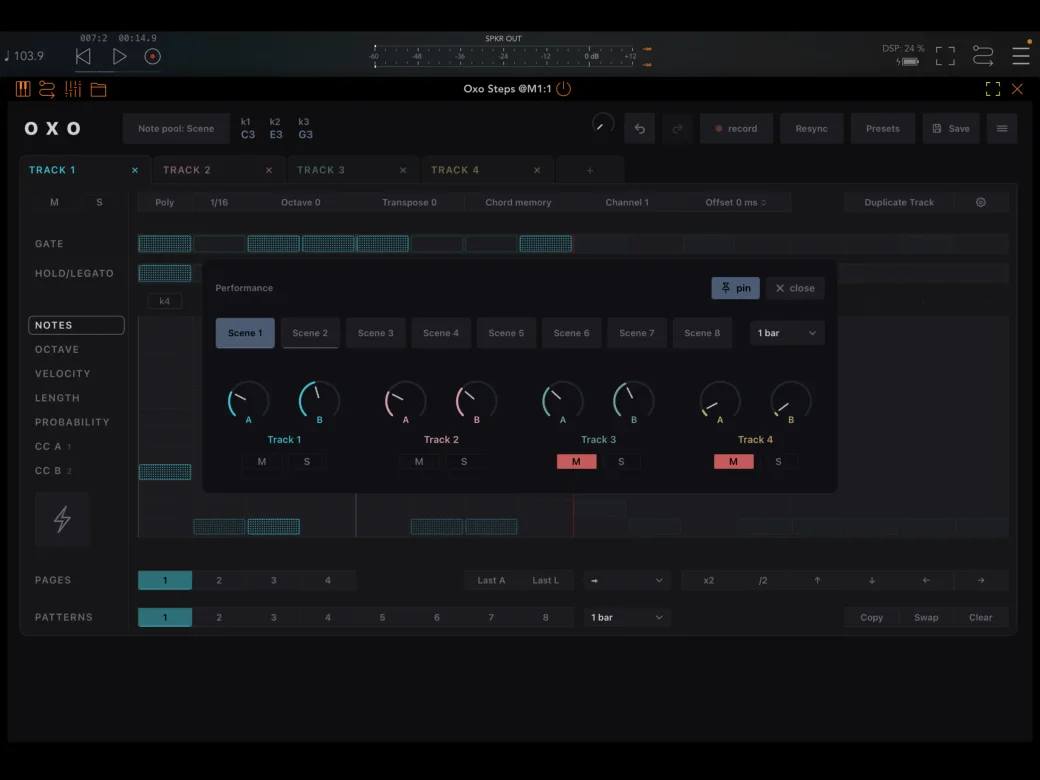
Build up to 8 scenes (each scene stores a chord plus pattern changes per track).
Record your performance as a MIDI file and continue the idea in your DAW.
Features include:
- Monophonic or polyphonic tracks
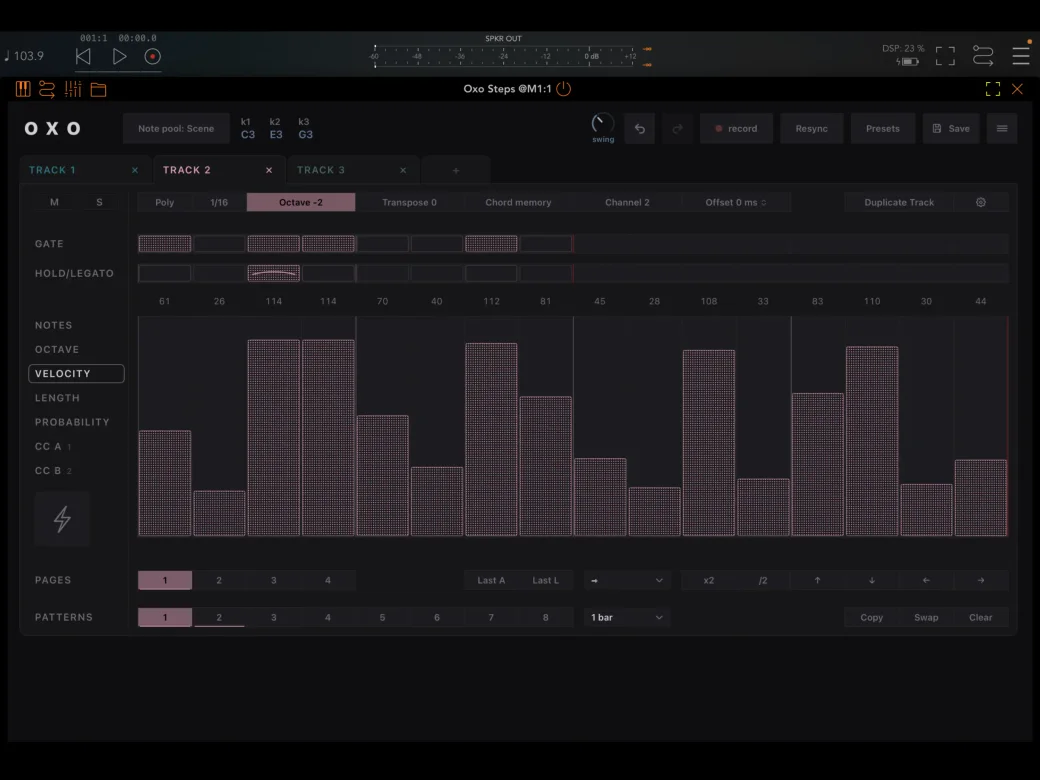
- Polymetric lanes (e.g. notes over 12 steps, octave over 6, gate over 16)
- Pattern direction: forward, backward, ping-pong, random
- Predictable probability lane controls (e.g. last bar of 4)
- Two CC lanes for sequencing MIDI CC modulation
- Chord memory
- Chord progression presets
- Track offset in milliseconds for tighter external hardware sync
- Cross-pattern hold/legato
- Performance window for live control (scene switching + CC knobs)
The free version includes 2 fully functional tracks. Unlock the full version to get all 6 tracks and MIDI file recording.
What’s new
Version 1.16 · Sep 9, 2026
- New "Send all CCs" button in the Performance window: sends every knob's current value to sync all connected instruments
- Sequenced CC lanes are now sent 5 ms ahead of the notes, giving instruments time to apply them before the note plays (e.g. hardware synths)
App privacy
What Francois Chabloz declares on the App Store about how this app handles data.
-
Data not collected
The developer does not collect any data from this app.
Privacy practices may vary, for example with the features you use or your age.
Information
- Seller
- Francois Chabloz
- Category
- Music
- Version
- 1.16
- Updated
- Sep 9, 2026
- Released
- Jul 17, 2026
- Size
- 6.0 MB
- Requires
- iOS 16.2 or later
- Age rating
- 4+
- Price
- Free
- In-app purchases
- Yes
- Languages
- English
- Copyright
- © 2026 OXO Music
You might also like
-
 mStepsGenerative MIDI Step Sequencer
-
 Little Arp MonsterGenerative MIDI Arpeggiator
-
 GraindadRealtime Granular FX
-
 Phase ChimesGenerative Musical Gears
-
 Reverie: Soundscape GeneratorAmbient drones & textures
-
 Grainsmith FieldGranular synth & AUv3 effect
-
 Sightlines - Harmonic FilterMusical resonant filter bank
-
 Transfigure - Redesign SoundTransfigure Your Audio
-
 Anima SynthesizerPhysical modeling instrument
-
 Noemi: AUv3 Generative MusicAUv3 plugin host & sequencer