
P++ PanDocument Edit Covert
Scan by Camera recognize text
Designed for iPhone, iPad
Free · In-app purchases
- Age rating4+
- CategoryUtilities
- Developer玺 章
- LanguagesEnglish+ 2 more
- Size4.7 MB
Links to the official App Store page
Download.org hosts no file of P++ PanDocument Edit Covert. The button opens its official App Store page, published by 玺 章. Listing last checked on Nov 17, 2026.
Screenshots

About
Main Features
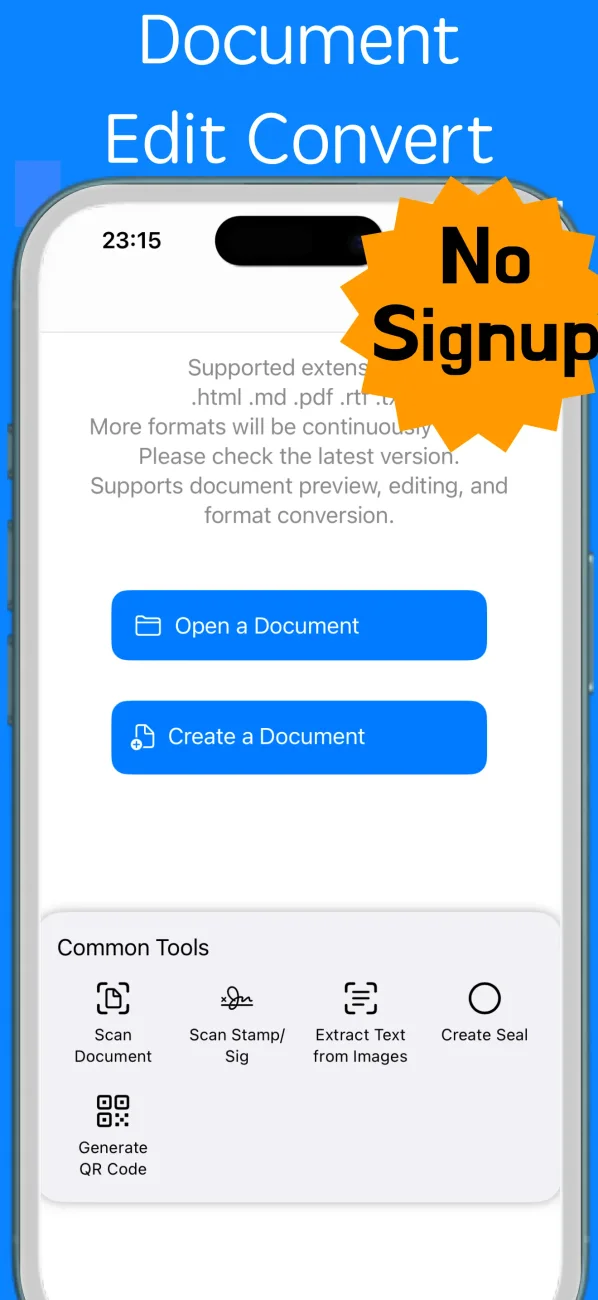
【Document Conversion】
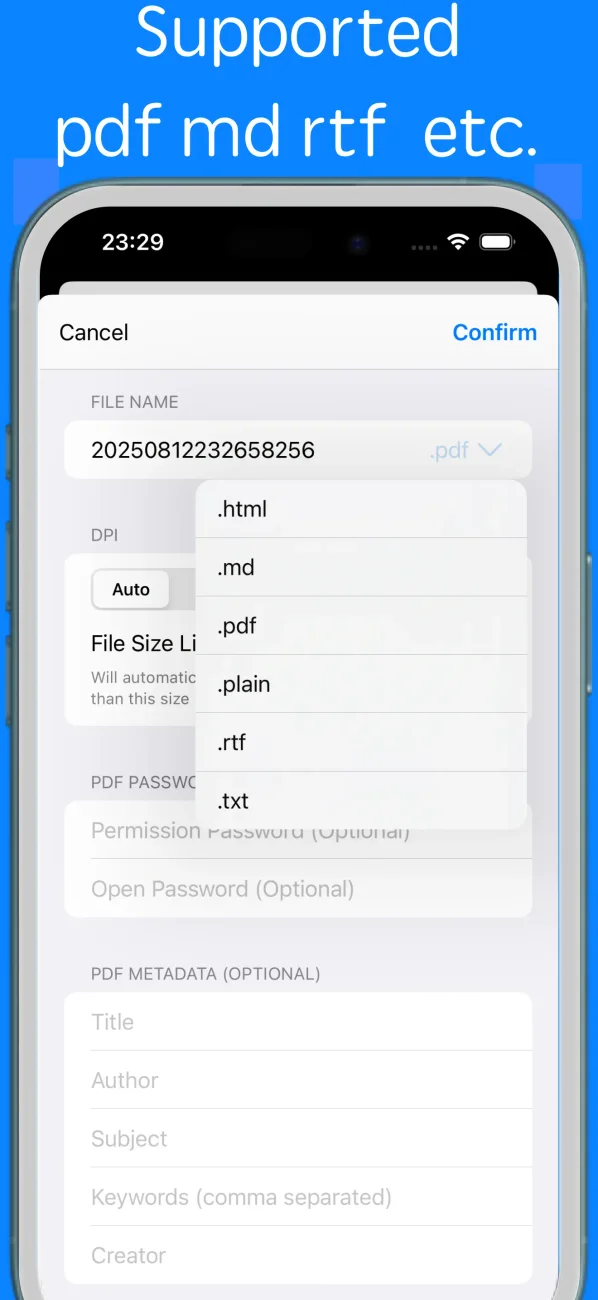
Convert between various document formats such as PDF, Markdown, RTF, images, etc.
Extract text from PDFs and batches of images using OCR.
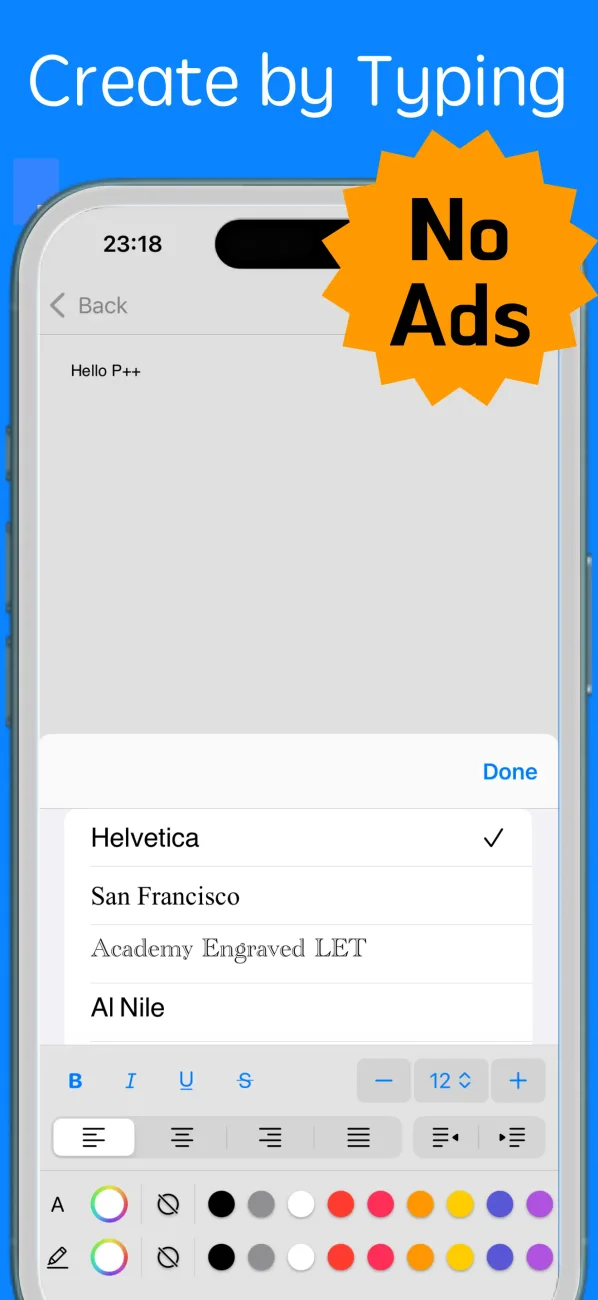
【Document Creation】
Create files like PDF, Markdown, RTF via keyboard input or images.
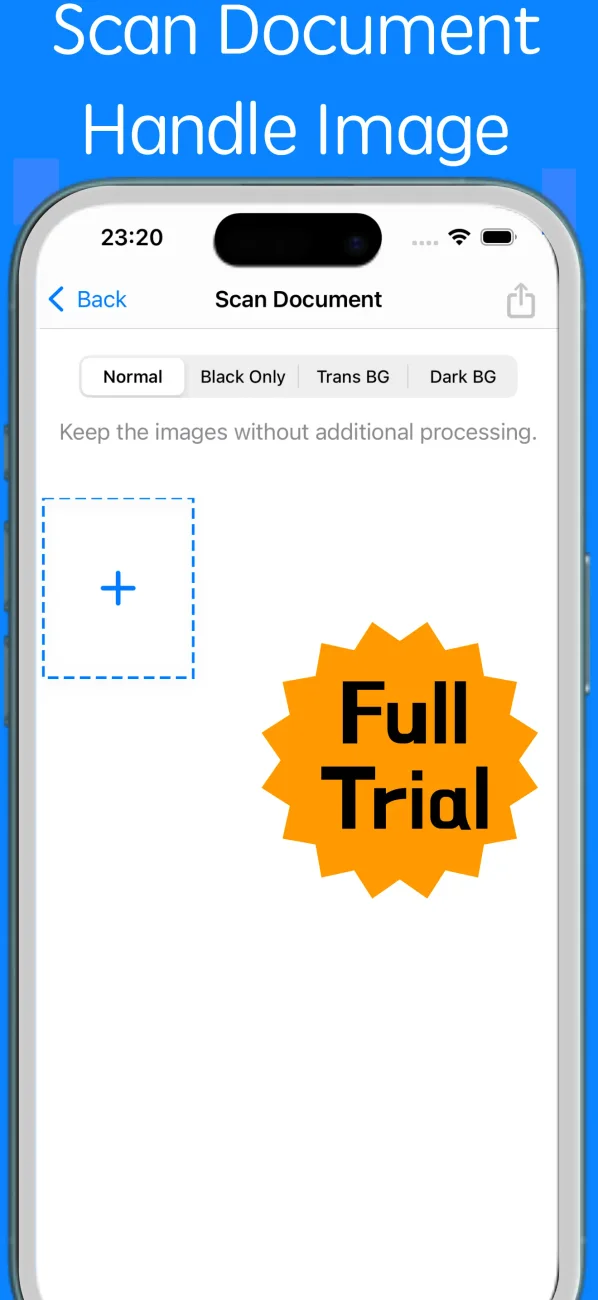
Process images with modes such as:
Retain only black (e.g., for removing colored highlights on exam sheets)
Transparent background (e.g., for stamp or signature overlays)
Dark-mode style (for reading on electronic devices)
Scan documents via camera, including the above image processing options.
【PDF Processing】
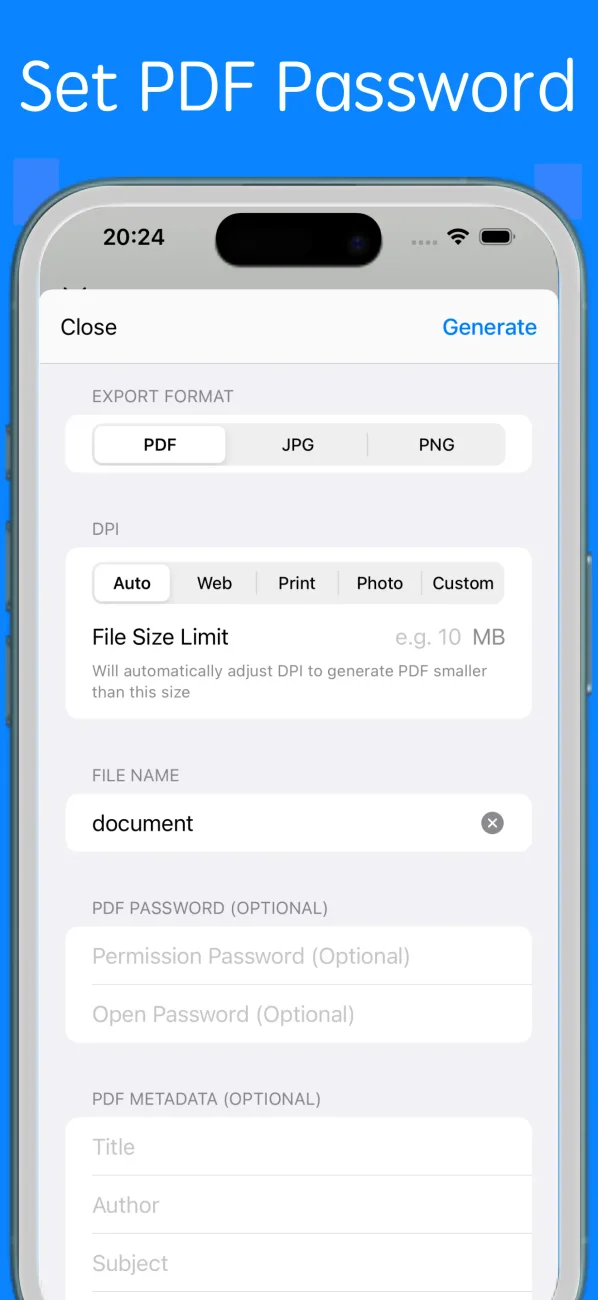
Custom DPI: manually or automatically adjust PDF resolution.
File size control: intelligently compress to meet size requirements.
Metadata support: add metadata like title, author, keywords.
Password protection: set open passwords and permissions passwords.
【Other Tools】
Create stamps.
Create watermarks.
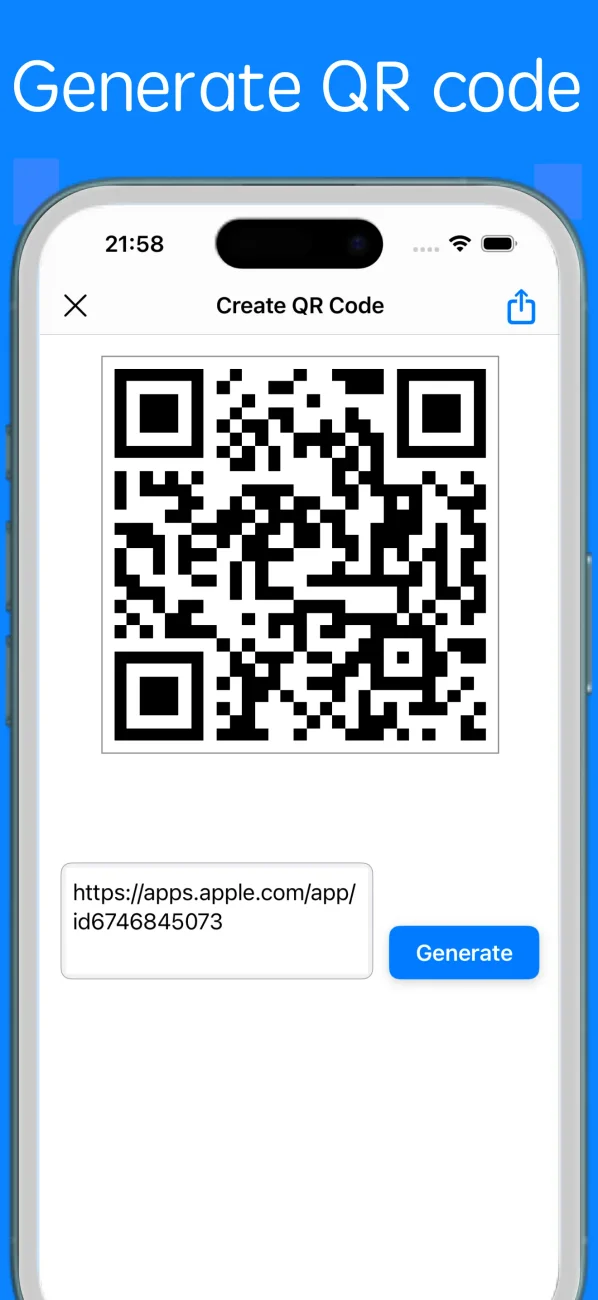
Generate QR codes.
【Keywords】
Document scanning, exam sheet scanning, color removal, stamp scanning, signature scanning, PDF generation, image-to-PDF, file management, image processing, office tools, document digitization, scanner, image editing, file conversion, remove color parts, transparent background, dark mode, image processing.
EULA https://github.com/SealSho/app/blob/main/eula.md
What’s new
Version 0.6.0 · Aug 15, 2025
OCR, Create Document by typing, Convert md,rtf,pdf etc
App privacy
What 玺 章 declares on the App Store about how this app handles data.
-
Data not linked to you
May be collected but is not linked to your identity.
- Purchases
- Identifiers
- Usage data
- Diagnostics
- Body
- Other data
Privacy practices may vary, for example with the features you use or your age.
Information
- Seller
- 玺 章
- Category
- Utilities
- Version
- 0.6.0
- Updated
- Aug 15, 2025
- Released
- Jul 1, 2025
- Size
- 4.7 MB
- Requires
- iOS 16.0 or later
- Age rating
- 4+
- Price
- Free
- In-app purchases
- Yes
- Languages
- English, Japanese, Simplified Chinese
- Copyright
- © 二進合同会社
You might also like
-
 AppmanCCA Simple and Efficient Toolkit
-
 CalcuMemMath & Memory Magic!
-
 PDF to Images ProPDF to Images Converter
-
 Poker Log & Calcポーカー勝率計算&ハンドログ
-
 OCR TextEasy Recognize Text
-
 Calculator AI: Math SolverPhoto Math & Homework Helper
-
 Sign Documents Signature MakerSign Forms Anytime, Anywhere
-
 AI Content to WordMarkdown to Word Format Fixer
-
 Ai Japan Lotto - Lotto ResultsLotto 6, Lotto 7 & Mini Loto
-
 Magnetide: Space WeatherKp Index & Geomagnetic Storms