
- Age rating4+
- CategoryNavigation
- DeveloperJacek Leszczynski
- LanguagesEnglish+ 1 more
- Size5.3 MB
Links to the official App Store page
Download.org hosts no file of Paceway. The button opens its official App Store page, published by Jacek Leszczynski. Listing last checked on Nov 18, 2026.
Screenshots
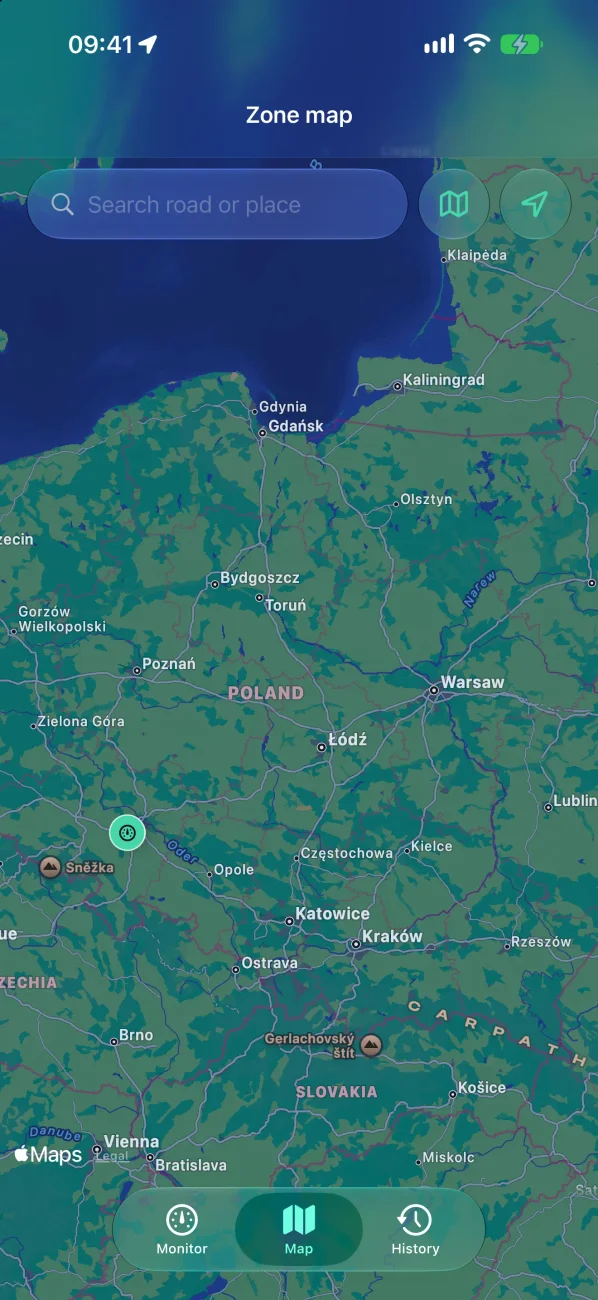
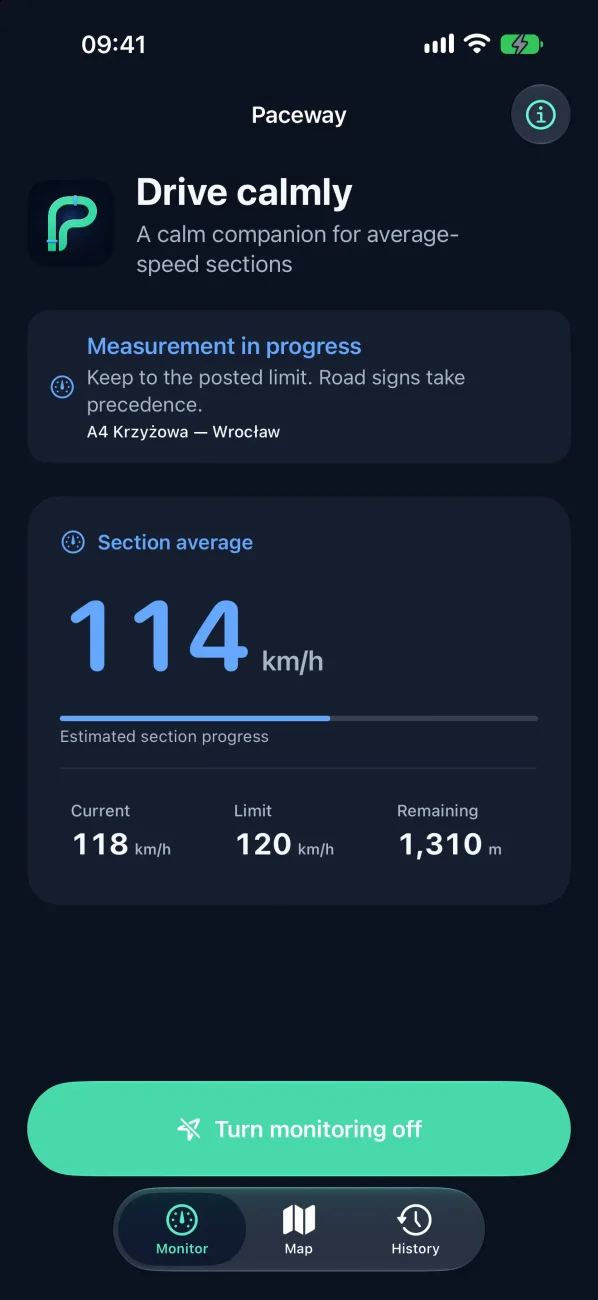
About
Paceway is a calm driving companion that watches for average-speed enforcement sections while you use your own navigation app.
Turn monitoring on, switch to Google Maps, Waze, or Apple Maps, and drive. Paceway speaks about 500 metres before a section starts, at the start gate, and when the measurement ends.
WHAT PACEWAY DOES
• Speaks in Polish or English, ducking over music and navigation.
• Shows your section average as the only large number on screen.
• Live Activity on the Lock Screen and in the Dynamic Island: average, limit, remaining distance.
• A separate, deliberately small CarPlay drive-status screen.
• A map of sections and a history of completed drives.
WHY THE AVERAGE MATTERS
An average-speed section does not take one photo at one point. It times you between a start gate and an end gate and works out your average across the whole stretch. Easing off near the end does not undo what happened earlier — and a speedometer never shows an average.
PRIVATE BY DESIGN
• Paceway does not send location to its author or a backend — matching and averaging happen on the device.
• No account, no ads, no analytics.
• History stores the result of a drive, never a GPS trail.
• Monitoring works offline: the section catalog ships inside the app.
HONEST DATA
The catalog is built from the official CANARD/GITD device map, and road geometry comes from OpenStreetMap. A direction that cannot be confirmed still appears on the map, but it never raises an alert.
SAFETY FIRST
Paceway helps you drive within the posted limit. It will not calculate how much you can get away with, show a "speed without a ticket" figure, or advise you on making up time. Road signs always take precedence, and the average shown in the app is a Paceway estimate, not the enforcement system's calculation.
REQUIREMENTS
iOS 26 or later. Location is used for monitoring and, optionally, to show your position on the map.
Paceway is not an official GITD or CANARD product.
Road geometry: © OpenStreetMap contributors, ODbL 1.0.
What’s new
Version 1.2 · Oct 31, 2026
What's new in Paceway 1.2:
• Siri and Shortcuts: start or stop monitoring and check its status.
• A Paceway control for Control Center, the Lock Screen and the Action button.
• Turn monitoring off straight from the Live Activity.
• Find sections in Spotlight.
• A two-pane layout on an unfolded iPhone Duo.
• More reliable spoken prompts after the system interrupts audio.
• An updated section catalog, including S17 Garwolin in both directions.
App privacy
What Jacek Leszczynski declares on the App Store about how this app handles data.
-
Data not collected
The developer does not collect any data from this app.
Privacy practices may vary, for example with the features you use or your age.
Information
- Seller
- Jacek Leszczynski
- Category
- Navigation
- Version
- 1.2
- Updated
- Oct 31, 2026
- Released
- Aug 19, 2026
- Size
- 5.3 MB
- Requires
- iOS 26.0 or later
- Age rating
- 4+
- Price
- Free
- Languages
- English, Polish
- Copyright
- © 2026 Jacek Leszczyński
You might also like
-
 Average Speed ControlTrack Live in Dynamic Island
-
 Kraków Park ExplorerExplore Kraków's Parks
-
 GROSIK TAXITravel
-
 Live Webcam HDPreview known places.
-
 Go2Africa Travel CompanionTravel
-
 Car Play Connect: Smart SyncPhone Link, Dashboard & Widget
-
 Speed Camera - Radar, mapSpeed Trap Detector & Alerts
-
 DriveDeck: Car Widgets & HUDSpeedometer, dashboard, sounds
-
 McParking | Parking AirportTravel
-
 iCar TAXI KrakówTravel