
Pack & Peek: Box Inventory
QR Labels for Moving & Storage
Designed for iPhone
Free · In-app purchases
- Age rating4+
- CategoryProductivity
- DeveloperOran Band
- LanguagesEnglish
- Size27.1 MB
Links to the official App Store page
Download.org hosts no file of Pack & Peek: Box Inventory. The button opens its official App Store page, published by Oran Band. Listing last checked on Nov 18, 2026.
Screenshots


About
Pack & Peek keeps a list of what is in every box, so you can find the coffee maker without opening five boxes first.
HOW IT WORKS
1. Add a box. It is numbered for you (Box-01, Box-02) or you use your own scheme, like KIT-03.
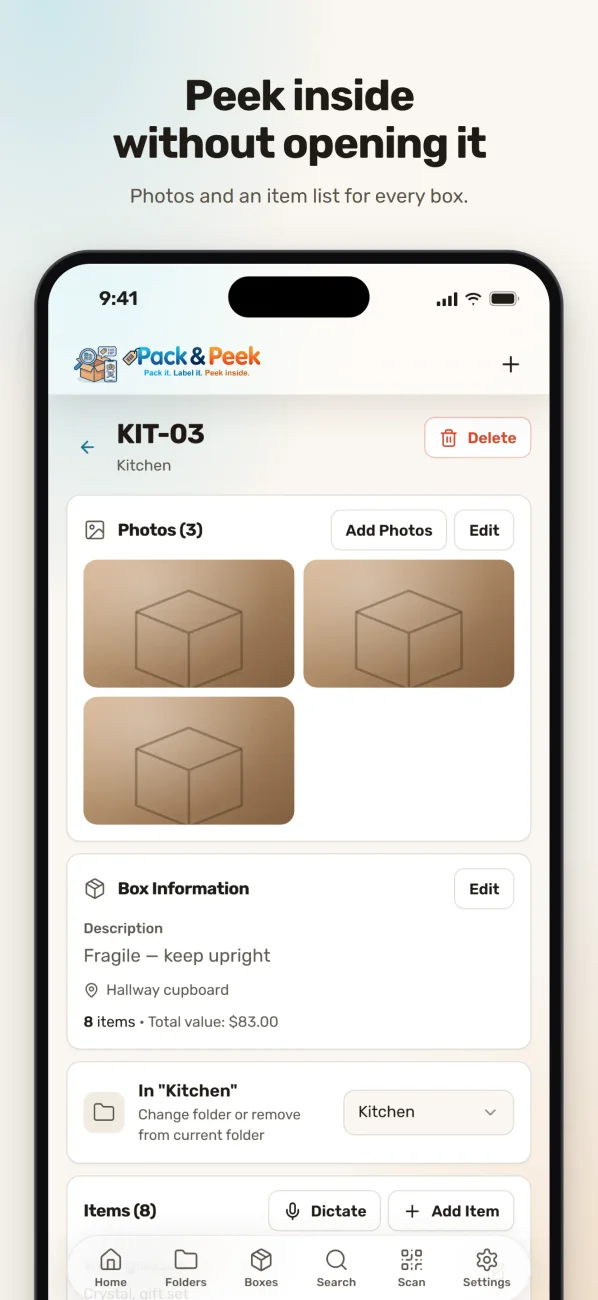
2. Take photos of the contents before you seal it, or pick them from your library.
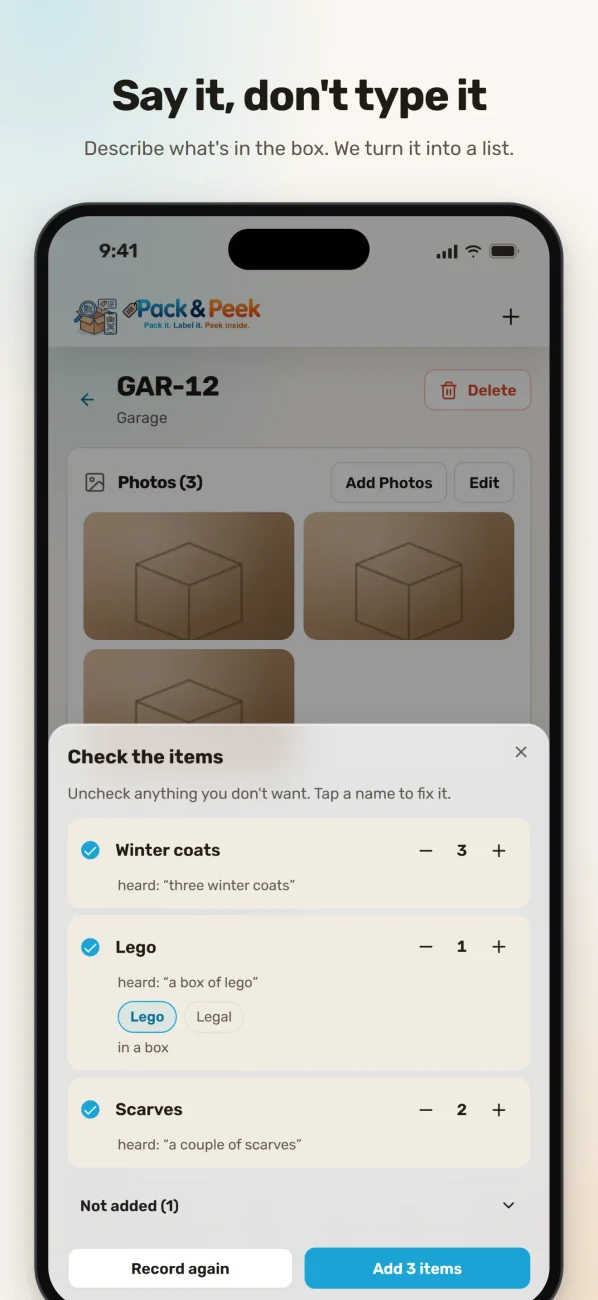
3. Add the items: type them, or tap Dictate and say what is inside.
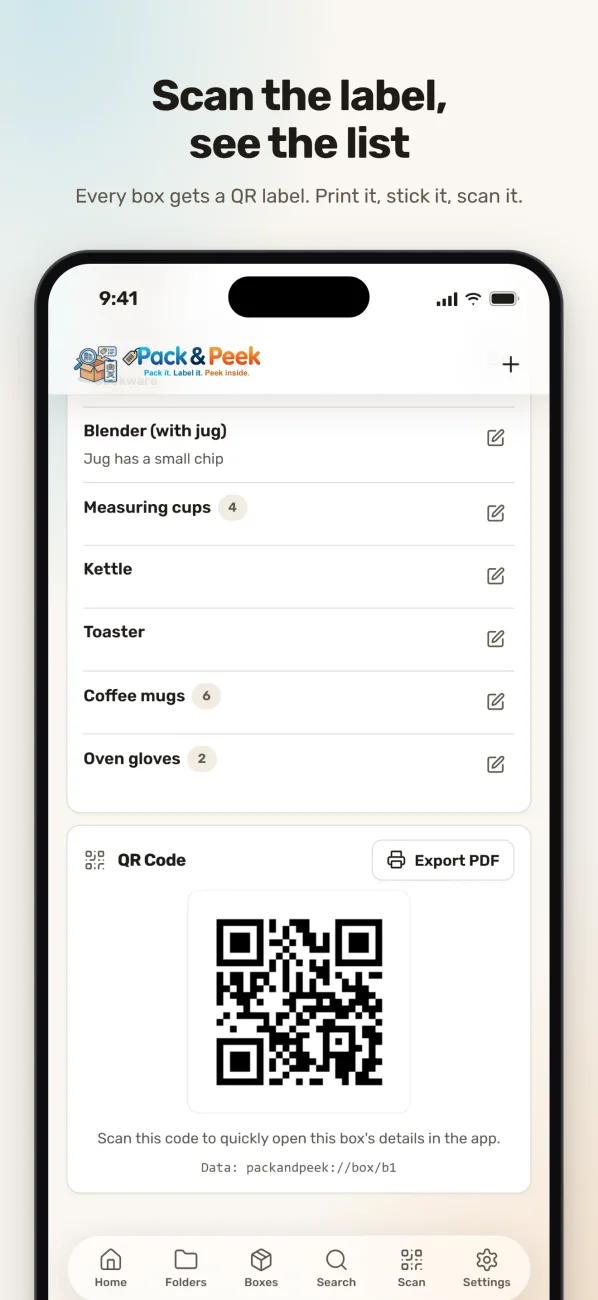
4. Export the box's QR label as a PDF, print it on plain paper and stick it on.
5. Later, scan the label in Pack & Peek and that box opens on your phone: its photos, items, description and folder.
FEATURES
Say it, don't type it
Tap Dictate on a box, or while adding one, and describe the contents in your own words for up to 2 minutes. Pack & Peek turns the note into an item list you check before saving: untick what you don't want, fix a name, change a quantity. "Six coffee mugs" becomes Coffee mugs ×6, and "actually, not the kettle" leaves the kettle out. Dictation works best in English and Hebrew; other languages can be chosen in Settings. Your note is processed by speech-to-text and AI service providers to build the list; Pack & Peek keeps the items you save, never the recording or the transcript.
QR labels for every box
Every box has its own QR code. Export a PDF label with the QR code, the box number, folder, date, description and item list, then print, save or share it from your phone. The code links to the box in the app, so you can change the contents later without reprinting. Only your account can open your boxes.
Photos of what's inside
Take photos with the camera or choose them from your library. Photos are compressed on your phone before they are uploaded.
Folders for rooms and places
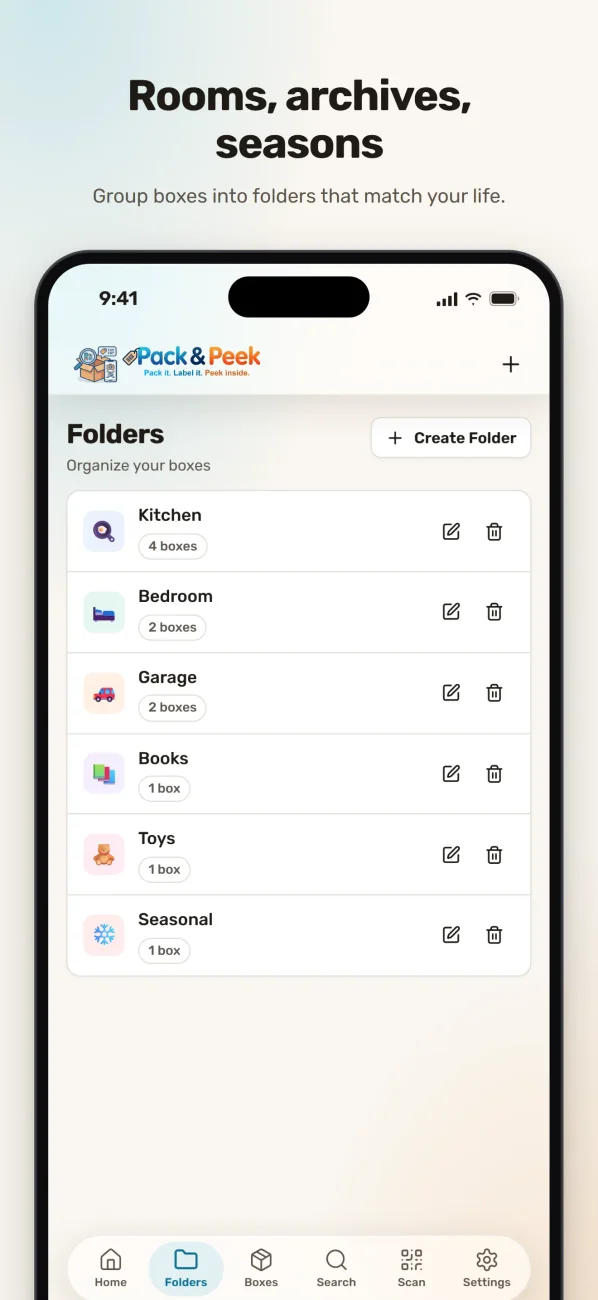
Group boxes into folders such as Kitchen, Garage or Books, each with one of 6 colors and 34 icons. You can create a folder right from the Add Box screen.
Search every box
Search by item name or note across all your boxes and folders. Each result shows its box number and opens the box.
A guided first box
Short intro slides show how it works, and new accounts get a guided tour that packs a first box with you. Replay the tour any time from Settings.
YOUR ACCOUNT, ON YOUR NEXT PHONE
Sign in with Apple or Google; there is no password to remember. Your inventory is kept in your account, so it is there when you sign in on another phone. An internet connection is needed to open a box.
PRIVACY
Your boxes and items are visible only to your account. Photos sit in private cloud storage, only your signed-in account is given links to them, and they are never sent to an AI service. Your data is not sold or used for advertising. You can delete your account and its data in Settings.
FREE AND PRO
Pack & Peek is free to download. A free account includes 4 folders, 10 boxes, 2 photos per box, 50 MB of photo storage, 10 dictations a month, and QR label PDFs for every box.
Pack & Peek Pro removes the folder, box and monthly dictation limits, allows up to 6 photos per box and 500 MB of photo storage, and adds a PDF report of your whole inventory. Hourly and daily dictation caps apply to every account. If you go back to the free plan, nothing is taken away: every box stays readable, searchable and deletable, and boxes over the limit become read-only.
SUBSCRIPTIONS
Pack & Peek Pro is an optional auto-renewable subscription, billed monthly or yearly. Prices are shown in the app and under In-App Purchases on this page.
Payment is charged to your Apple Account at confirmation of purchase. The subscription renews automatically unless it is canceled at least 24 hours before the end of the current period. Your account is charged for renewal within 24 hours before the end of the current period. You can manage or cancel your subscription in your App Store account settings.
Terms of Use (EULA): https://www.apple.com/legal/internet-services/itunes/dev/stdeula/
Privacy Policy: https://packandpeek.com/privacy
What’s new
Version 1.7.1 · Nov 14, 2026
• Pack & Peek can now tell you when an important update is needed.
• No other changes in this version.
App privacy
What Oran Band declares on the App Store about how this app handles data.
-
Data linked to you
May be collected and linked to your identity.
- Purchases
- Contact info
- User content
- Identifiers
- Usage data
- Diagnostics
Privacy practices may vary, for example with the features you use or your age.
Information
- Seller
- Oran Band
- Category
- Productivity
- Version
- 1.7.1
- Updated
- Nov 14, 2026
- Released
- Apr 7, 2026
- Size
- 27.1 MB
- Requires
- iOS 16.0 or later
- Age rating
- 4+
- Price
- Free
- In-app purchases
- Yes
- Languages
- English
- Copyright
- © Oran Band
You might also like
-
 What's in that Box?Smart storage for every space
-
 Where Is My ThingSnap once, find anything.
-
 Box Organizer BuddyOrganize Your Storage Boxes
-
 Storage Box - For Your ThingsPhotos of your stuff by box
-
 StashMap — Home InventoryKnow where everything is
-
 Storage Tracker ProProductivity
-
 Storage LoggerA simple way to organize items
-
 Find It FastProductivity
-
 Resume AI - CV BuilderTailor Your Resume to Any Job
-
 Box Catalog: Storage OrganizerQR Labels · Attic & Basement