
PacketPuffin
Private speed test & tools
Designed for iPhone, iPad
Free · In-app purchases
- Age rating4+
- CategoryUtilities
- DeveloperDaniel Klaver
- LanguagesEnglish
- Size2.1 MB
Links to the official App Store page
Download.org hosts no file of PacketPuffin. The button opens its official App Store page, published by Daniel Klaver. Listing last checked on Nov 20, 2026.
Screenshots
About
PacketPuffin is a fast, beautiful internet speed test that respects your privacy. No accounts. No tracking. No ads. Your results stay on your device.
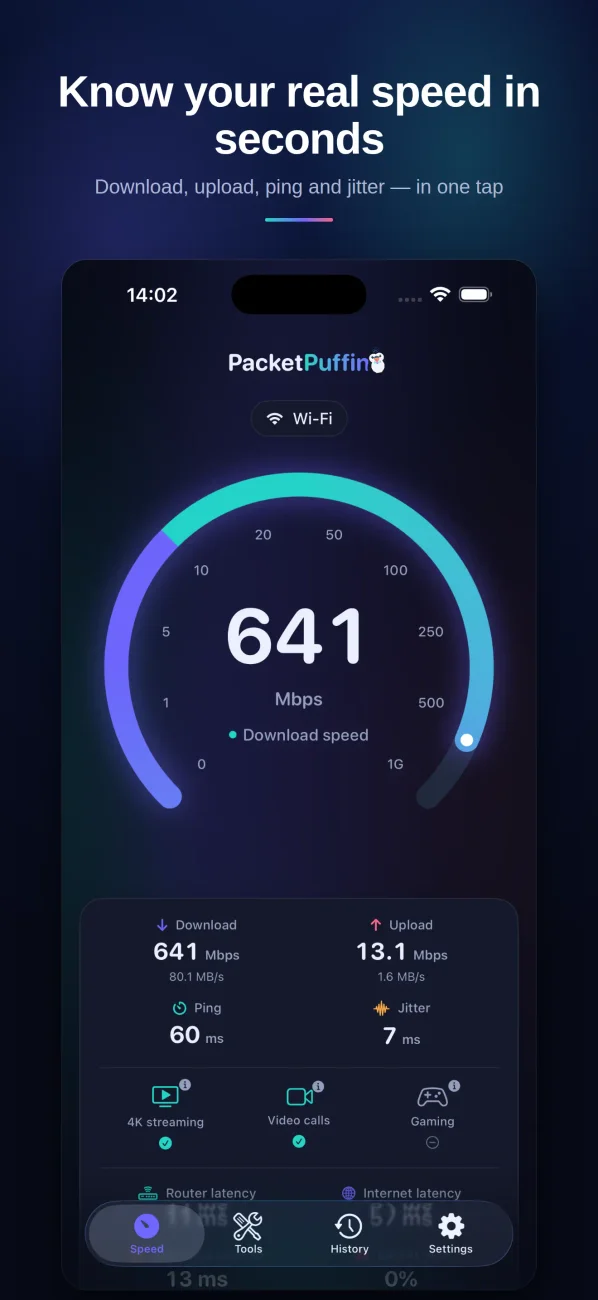
Tap once and see exactly what your connection is doing — download and upload speeds, ping, and jitter — with a clear read on whether it's fast enough for 4K streaming, video calls, and gaming.
WHY PACKETPUFFIN
- Truly private — no sign-up, no analytics, no data collection. Results are stored only on your device, and you can delete them anytime.
- Honest results — real measurements built to handle everything from slow cellular to multi-gigabit Wi-Fi.
- Beautiful and simple — a clean, modern design that makes your network easy to understand.
MORE THAN JUST SPEED
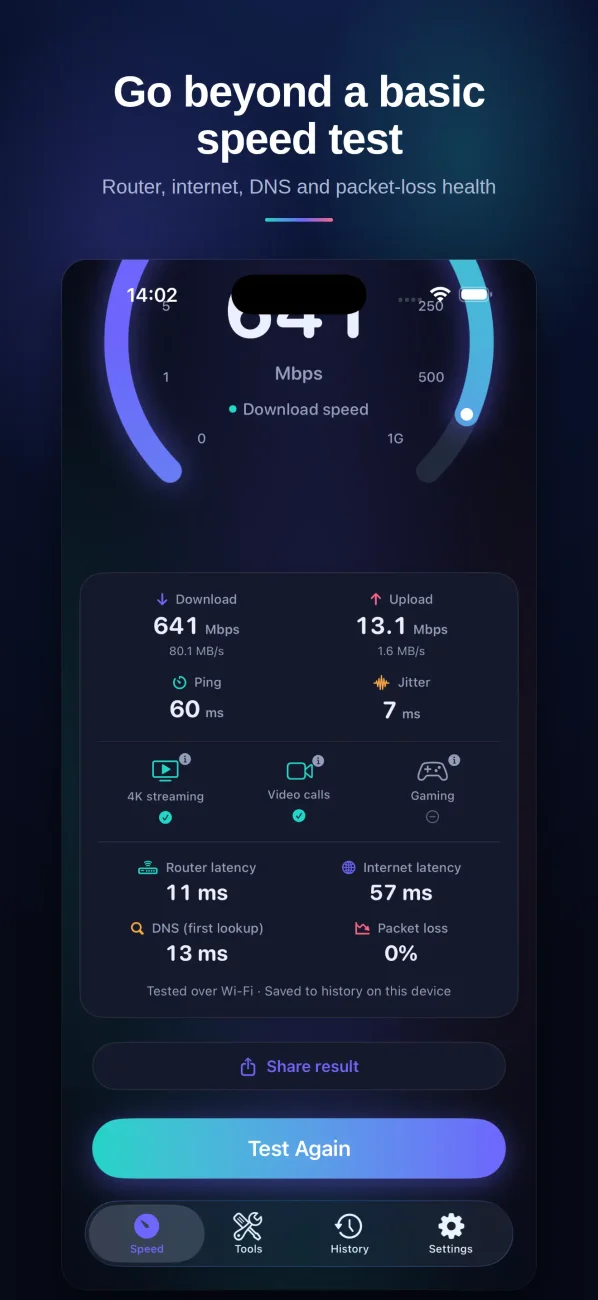
Every test also checks the health of your connection:
- Router latency — how fast your own router responds
- Internet latency — round-trip time to the wider internet
- DNS lookup — how quickly names resolve
- Packet loss — the dropped packets behind stutters and lag
NETWORK TOOLS (PacketPuffin Pro)
Go deeper with tools usually reserved for desktop apps:
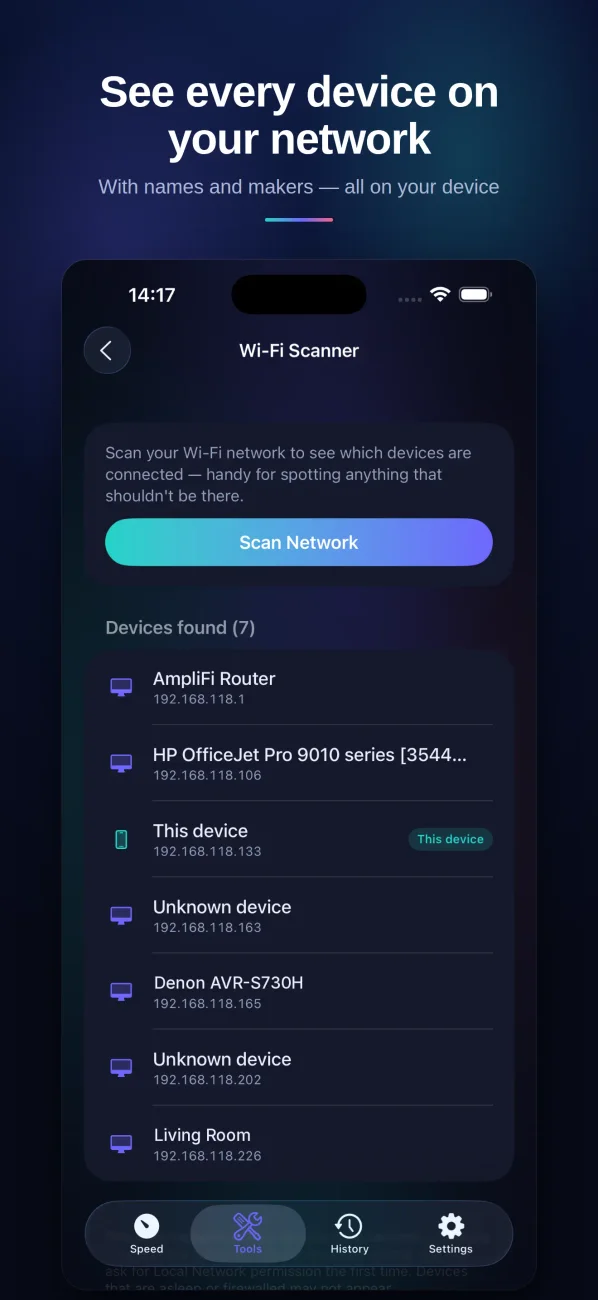
- Wi-Fi Scanner — see every device on your network, with names and makers, so you can spot anything that shouldn't be there
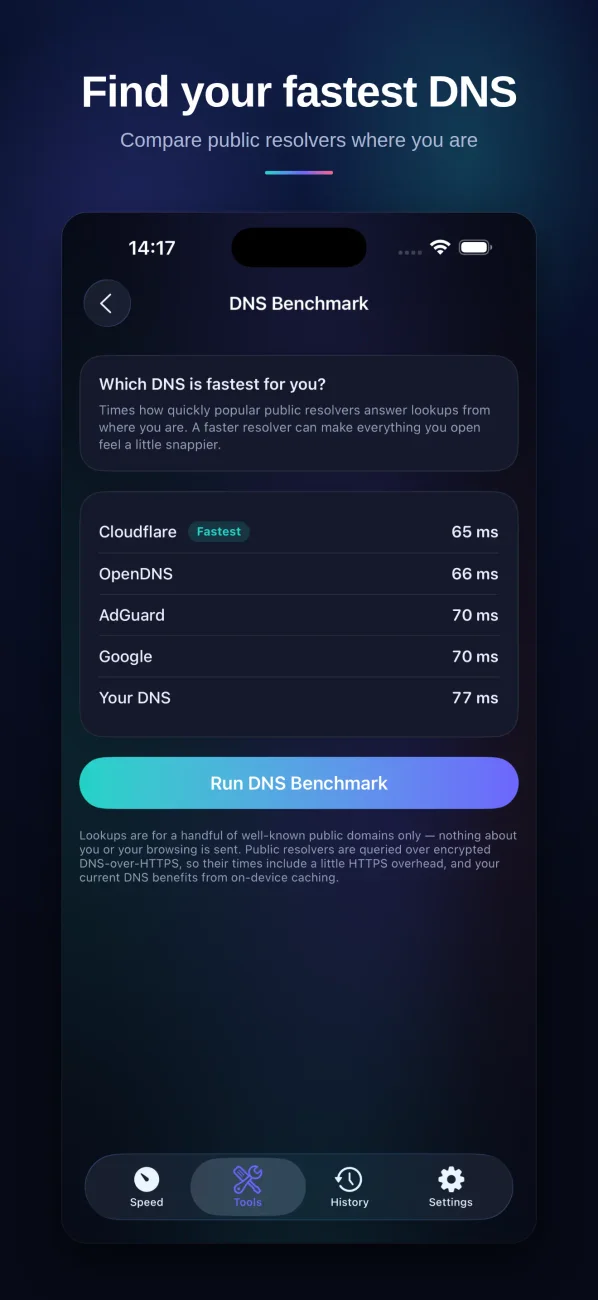
- DNS Benchmark — find the fastest DNS resolver for where you are
- Ping & Bufferbloat tests — measure latency under load, the thing that actually ruins calls and games
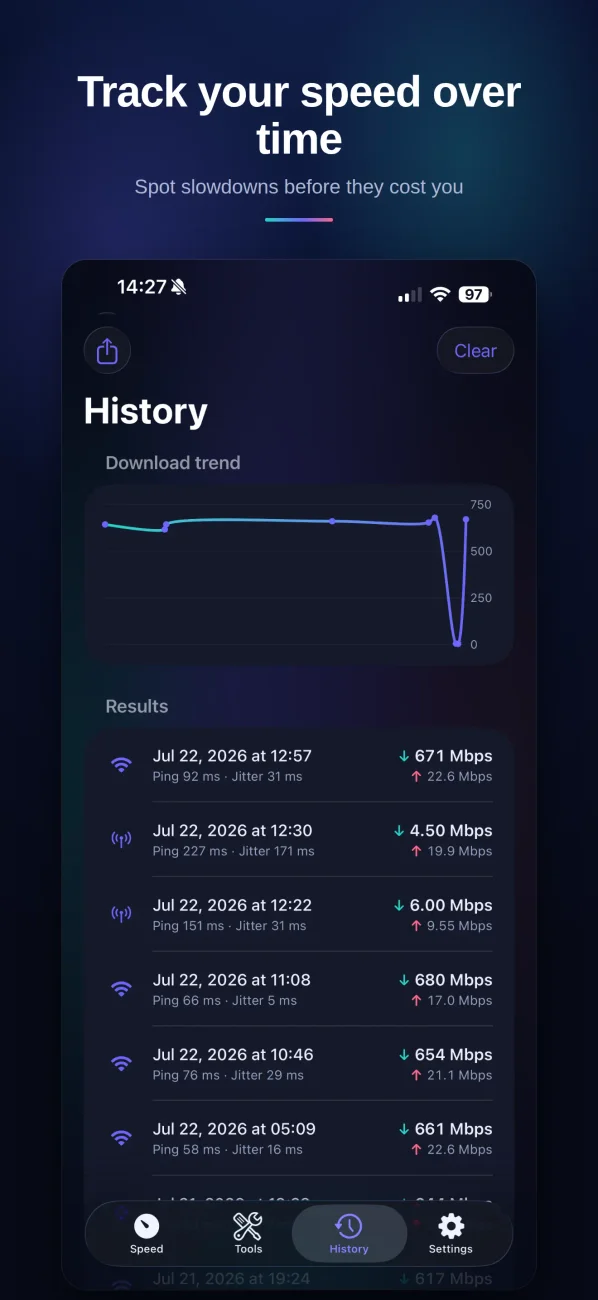
- Full history and trends — track your speed over time and catch problems before they cost you
PRIVATE BY DESIGN
Most speed tests upload your results to a server and build a profile around your IP address. PacketPuffin doesn't. Your results are never uploaded — each test is written to your device and nowhere else, and you can delete them anytime. Tests work by exchanging meaningless random data with PacketPuffin's own test endpoints, which count the bytes and throw them away. No account, no analytics, no profile.
PACKETPUFFIN PRO — PRICING
- Pro Monthly — $1.99 per month
- Pro Annual — $14.99 per year
- Pro Lifetime — $39.99, a one-time purchase (not a subscription)
Subscriptions renew automatically at the price above unless cancelled at least 24 hours before the end of the current period. Manage or cancel anytime in your Apple Account settings. Payment is handled by Apple — the app never sees your payment details.
Terms of Use (EULA): https://www.apple.com/legal/internet-services/itunes/dev/stdeula/
Privacy Policy: https://dklaver15.github.io/packetpuffin-privacy/
What’s new
Version 1.3 · Aug 7, 2026
This update is all fixes, mostly for connections that aren't fast.
Upload results on slow connections
On a slow cellular link the upload test could stall and give up with "the upload test couldn't complete", even though the connection was working fine. Uploads are now measured in a way that holds up at any speed, so you get a real number instead of an error.
The VPN label
The connection chip could show "VPN" on an ordinary cellular connection when no VPN was running at all. It now appears only when your traffic is genuinely going through a tunnel. It also catches VPNs running over cellular, which it used to miss entirely.
Bufferbloat test
The bufferbloat tool had stopped reaching the test server and reported an error every time. It works again, and it now measures latency over a separate connection from the one carrying the load, which makes the result more trustworthy.
As always: no ads, no accounts, no tracking, and your results never leave your device.
App privacy
What Daniel Klaver declares on the App Store about how this app handles data.
-
Data not collected
The developer does not collect any data from this app.
Privacy practices may vary, for example with the features you use or your age.
Information
- Seller
- Daniel Klaver
- Category
- Utilities
- Version
- 1.3
- Updated
- Aug 7, 2026
- Released
- Jul 27, 2026
- Size
- 2.1 MB
- Requires
- iOS 17.0 or later
- Age rating
- 4+
- Price
- Free
- In-app purchases
- Yes
- Languages
- English
- Copyright
- © 2026 Fortis Development
You might also like
-
 GBoy Speed TestUtilities
-
 OpenPacketLoss-ServerPacket Loss Test Server
-
 LagOpsCheck Ping, Jitter & Loss
-
 WiFi Security: Network ScannerPublic WiFi Scan & Protection
-
 Speed Test & WiFi Analyzer 5GPing Tracker & Network Signal
-
 SpeedChecker EngineerWireless network drive test
-
 Wifi Check UtilityWiFi Quality Monitor
-
 Forward SMS | SMS ForwarderAuto-forward sms to email
-
 Wifi Speed Test - WiScanTest Your Network Speed
-
 Battery Charge Monitor - AlarmSmart Battery Notifications