
Packlin
Packing list for trips & camps
Designed for iPhone, iPad
Free · In-app purchases
- Age rating4+
- CategoryProductivity
- DeveloperAzukid.com
- LanguagesEnglish+ 7 more
- Size10.9 MB
Links to the official App Store page
Download.org hosts no file of Packlin. The button opens its official App Store page, published by Azukid.com. Listing last checked on Nov 15, 2026.
Screenshots


About
Packlin is a packing list app that helps you get ready for trips, business travel, camping, and more by checking things off as you go. For each pack, choose Tags to sort items freely, or Groups to organize them in layers.
■ Tags and Groups
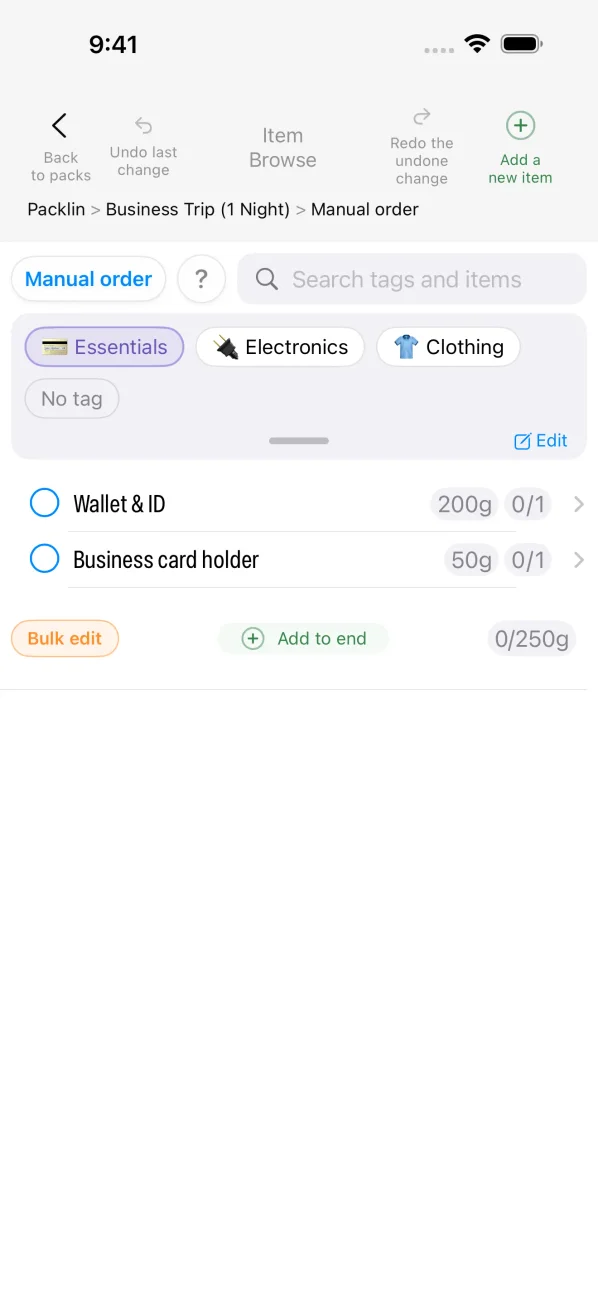
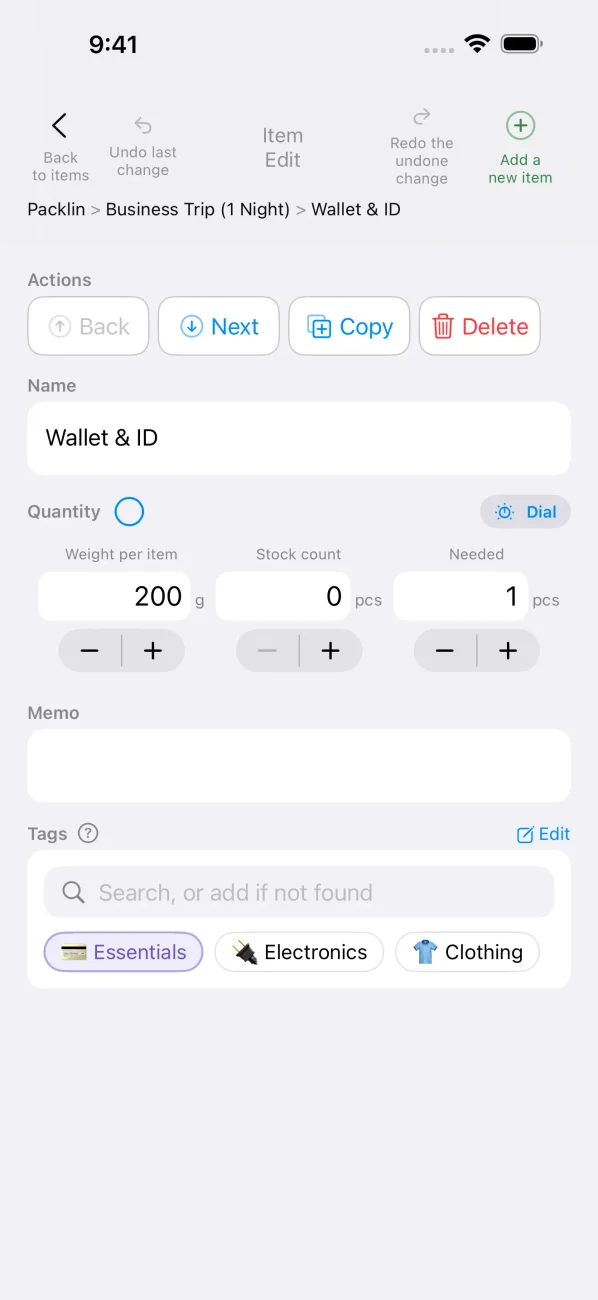
With Tags, all items sit in one list and you sort them loosely by attaching tags. One item can have several tags.
With Groups, you sort strictly in three layers: Pack (bag), Group (pouch), and Item.
New packs start with Tags, and you can switch at any time. When you switch from Groups to Tags, each group name is attached to its items as a tag.
■ Filter by tag
In Item browse, choose a tag to narrow down the list, or search by tag and item name. Sort by unchecked, shortage count, shortage weight, or stock weight, in ascending or descending order. The total weight of the items shown is always at a glance.
■ Bulk edit
Select items and add or remove tags, copy them to another pack, or delete them, all at once.
■ Checking and quantity management
Check off each item and record required and stock counts. Add a per-item weight (g) and the app automatically totals the weight of your whole load. Weights of 1,000 g or more can be shown in kg.
Adjust counts with a stepper or a dial, or tap a number to type it on a keypad with a built-in calculator.
■ Undo / Redo
No confirmation dialogs and no Save button, so you can work fast. Made a mistake? Undo up to 10 steps back.
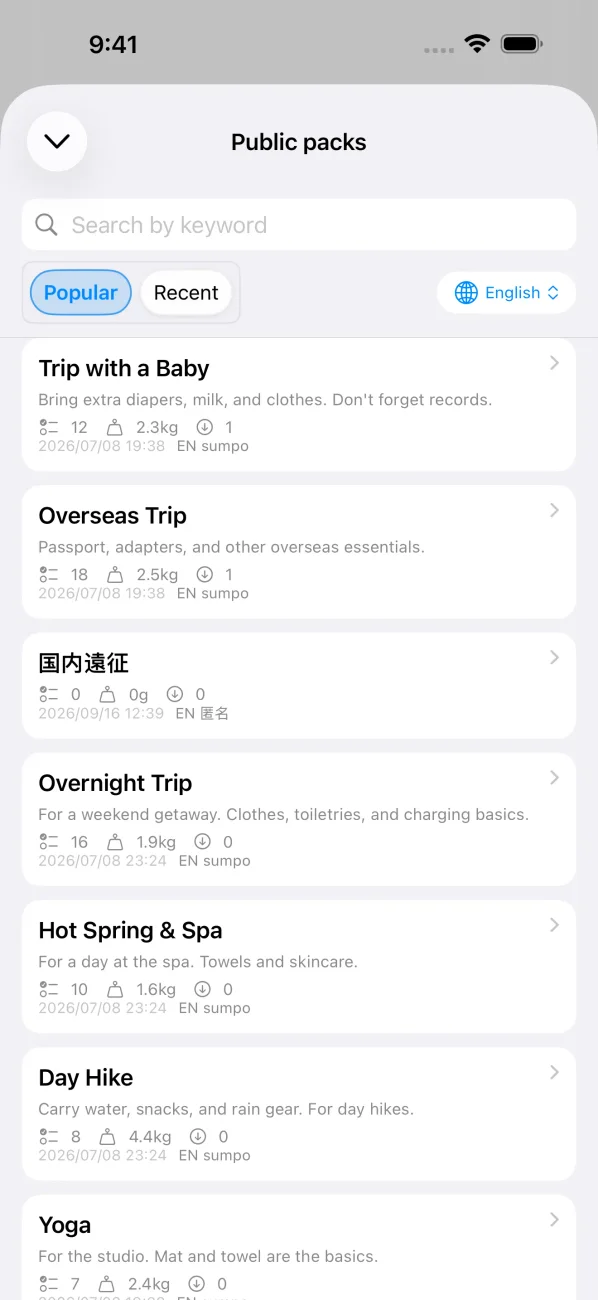
■ Public packs
Publish your packs, and import packs published by other users. You can search by tag name too.
■ Sharing and backup
Export a single pack as a .packlin file and share it via AirDrop or email. Back up and restore all packs at once, so switching devices is worry-free.
■ 8 languages
Available in English, Japanese, German, Spanish, French, Italian, Korean, and Traditional Chinese.
What’s new
Version 3.5.0 · Nov 2, 2026
■ New "Tags" sorting style
You can now choose between the classic "Groups" and the new "Tags" for each pack.
- Groups: sort items strictly in layers of Pack, Group, and Item
- Tags: keep all items in one flat list and sort them loosely with tags
■ Share public packs with a link
Paste a share link (URL) into an email or social post and send it.
When the recipient taps the link, the public pack is imported into Packlin.
■ Easier input
- The keypad now has a built-in calculator
- Enter weights and counts with either a dial or a stepper
- Tapping outside the keyboard now closes it throughout the app
■ 6 new languages
Added German, Spanish, French, Italian, Korean, and Traditional Chinese.
■ Other
- Supports iOS 27
- Chappy: AI tickets are no longer sold. We're considering a new AI service.
App privacy
What Azukid.com declares on the App Store about how this app handles data.
-
Data not collected
The developer does not collect any data from this app.
Privacy practices may vary, for example with the features you use or your age.
Information
- Seller
- Masakazu Matsuyama
- Category
- Productivity
- Version
- 3.5.0
- Updated
- Nov 2, 2026
- Released
- Mar 27, 2012
- Size
- 10.9 MB
- Requires
- iOS 18.0 or later
- Age rating
- 4+
- Price
- Free
- In-app purchases
- Yes
- Languages
- English, French, German, Italian, Japanese, Korean, Spanish, Traditional Chinese
- Copyright
- © 2010 sumpo@azukid
You might also like
-
 ピックリスト - 写真とカテゴリで管理できる買い物リストProductivity
-
 DIGITAL TAGProductivity
-
 PrepChecklist - To-Do ListMake a preparation list!
-
 Just Tap Shopping ListSuper easy and straightforward
-
 Blackout: Screen Time ControlLock In & Focus
-
 PhotoCheckListSmart organization made easy
-
 Deeping - Deep with Friends!How about deeping today?
-
 SMART LOTTO - 내가 만드는 스마트한 로또Productivity
-
 シフトタイム/縦型カレンダーであなたの時間を一括管理Productivity