
PagePing: Auto Refresh Page
Website Monitor & Stock Alert
Designed for iPhone, iPad
$0.99
- Age rating4+
- CategoryUtilities
- DeveloperXu Wang
- LanguagesEnglish+ 8 more
- Size1.0 MB
Links to the official App Store page
Download.org hosts no file of PagePing: Auto Refresh Page. The button opens its official App Store page, published by Xu Wang. Listing last checked on Nov 12, 2026.
Screenshots
About
Automatically Refresh and Monitor Safari Web Pages
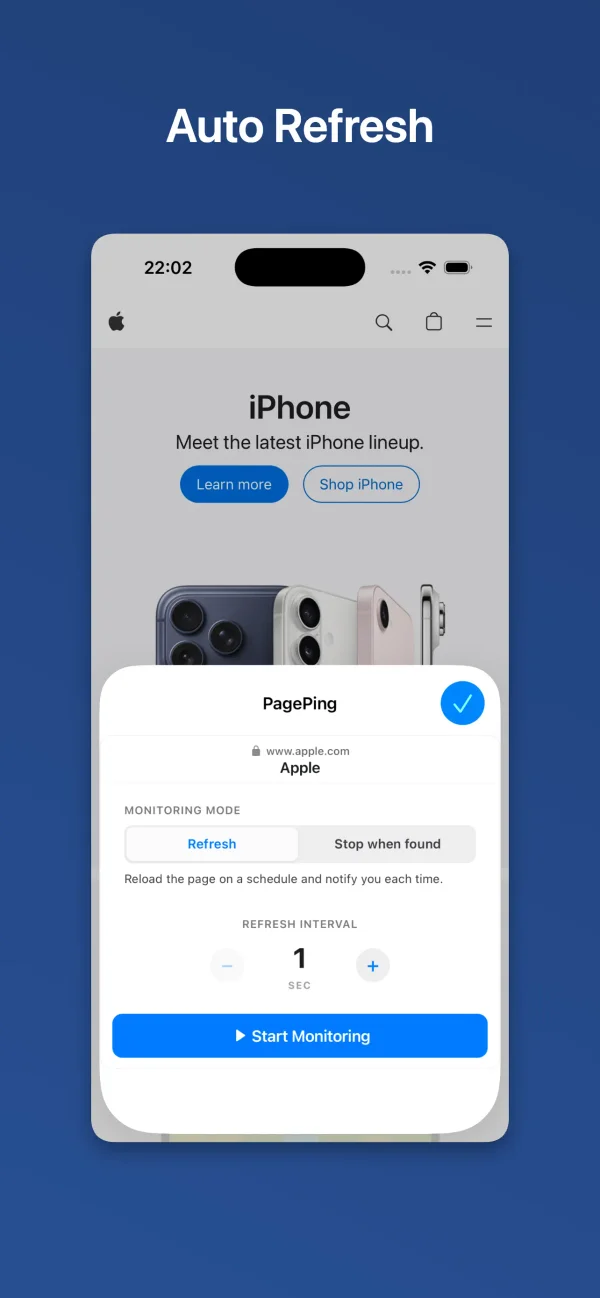
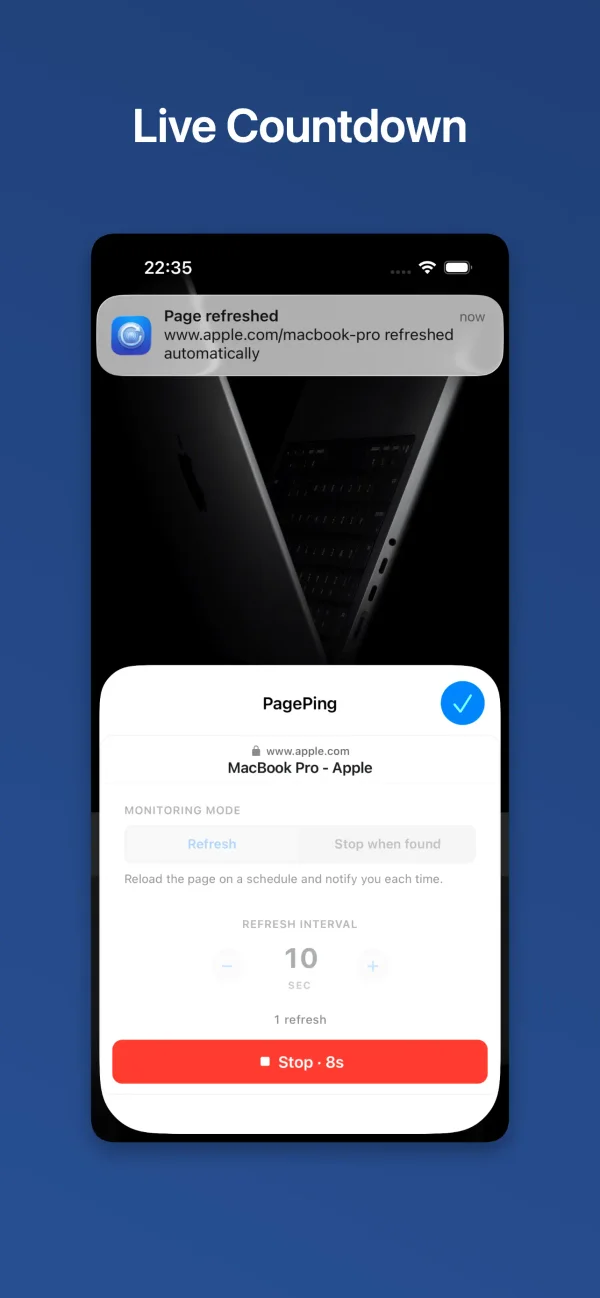
PagePing automatically refreshes web pages in Safari and notifies you when the content you're waiting for appears. Instead of manually refreshing the same page over and over, let PagePing monitor it for you.
Whether you're waiting for ticket sales, product restocks, appointment availability, exam results, waiting lists, or status updates, PagePing helps you stay informed without constantly checking the page yourself.
Key Features
• Automatically refresh the current Safari webpage
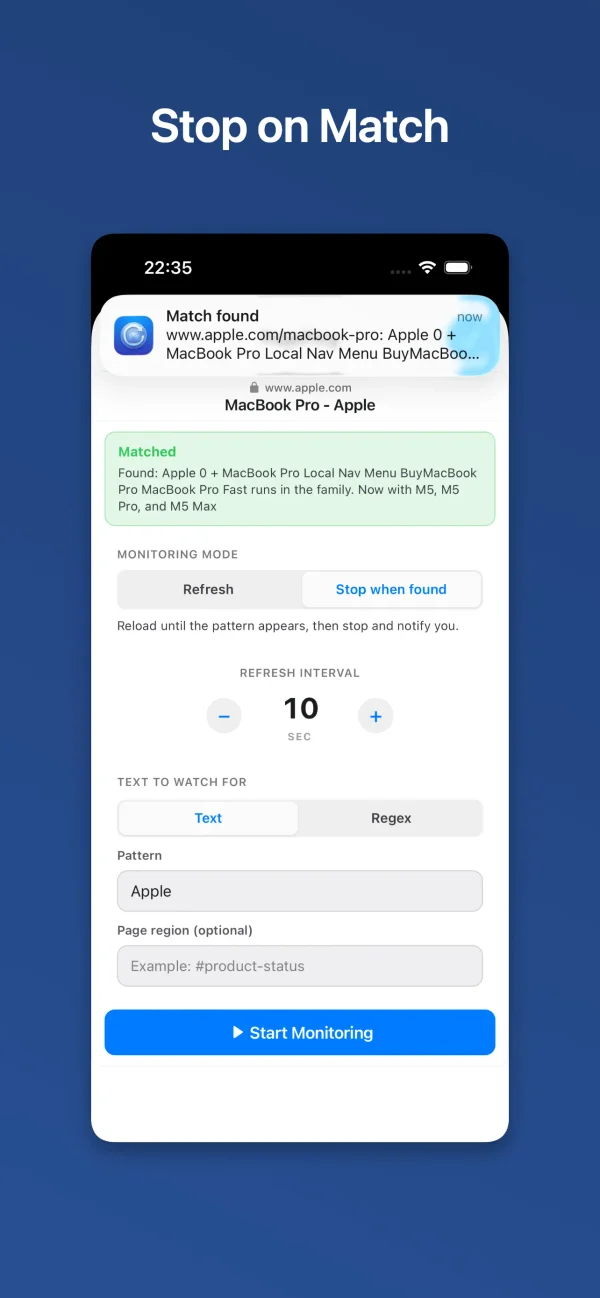
• Stop refreshing automatically when target content is detected
• Monitor using plain text or regular expressions (Regex)
• Optional CSS Selector support for monitoring specific page sections
• Instant local notifications when content changes
• Lock settings while monitoring to prevent accidental changes
• Works seamlessly with Safari Extensions on iPhone, iPad, and Mac
• No account required
Perfect For
• Ticket sales and event releases
• Product restocks
• Appointment availability
• Waiting lists
• Exam and application results
• Order and delivery status
• Forum replies and community updates
• Any webpage that changes over time
Private by Design
Your monitoring runs primarily on your device.
• No account
• No cloud syncing
• No external servers
• No personal data collection
Simple to Use
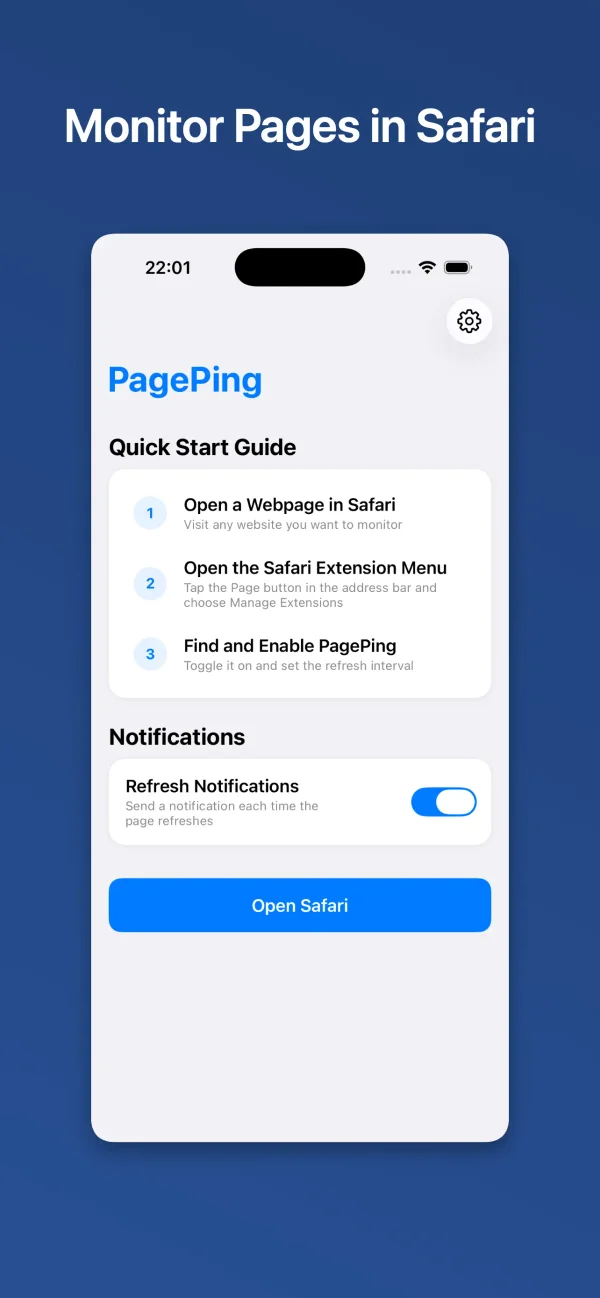
1. Open any webpage in Safari.
2. Launch the PagePing Safari Extension.
3. Choose a refresh interval.
4. Optionally add text, Regex, or a CSS Selector to monitor.
5. Start monitoring and receive a notification when your target content appears.
Why Choose PagePing?
Many websites don't provide alerts when information changes. Whether you're waiting for limited products, appointments, reservations, or important updates, PagePing keeps watching the page so you don't have to.
Stop waiting.
Stop refreshing.
Never miss what matters.
What’s new
Version 1.0.7 · Oct 25, 2026
• Stop when found can now stop when text Disappears, not just when it Appears. Great for watching a "Sold out" label go away
• You'll get a notification as soon as the text is gone
• Minor bug fixes and performance improvements
App privacy
What Xu Wang declares on the App Store about how this app handles data.
-
Data not collected
The developer does not collect any data from this app.
Privacy practices may vary, for example with the features you use or your age.
Information
- Seller
- Xu Wang
- Category
- Utilities
- Version
- 1.0.7
- Updated
- Oct 25, 2026
- Released
- Jun 1, 2026
- Size
- 1.0 MB
- Requires
- iOS 17.6 or later
- Age rating
- 4+
- Price
- $0.99
- Languages
- English, French, German, Japanese, Korean, Portuguese, Simplified Chinese, Spanish, Traditional Chinese
- Copyright
- © PagePinger2026
You might also like
-
 RefreshMateAuto Refresh & Page Monitor
-
 Globo X - Web language menuSimplify language switching
-
 Auto Refresh BrowserReload tabs on a timer
-
 Dosier Jiu JitsuUtilities
-
 Auto Refresh XL for SafariPage Monitor, Timer & Alerts
-
 Prowl - Web MonitorTrack changes, get notified
-
 Easy Mailer Japanese KeyboardNice to use Arrow Keys
-
 Web Scout - AI Site MonitorMonitor page changes smartly
-
 TidyBox+ | AI Smart SortingSmart organizing & storage!
-
 Auto Refresh++ for SafariAutomatic Page & Tab reload