
Pages: Create Documents
Write, layout, and design
Designed for iPhone, iPad, Mac
Free · In-app purchases
- Age rating4+
- CategoryProductivity
- DeveloperApple
- LanguagesEnglish+ 32 more
- Size700.3 MB
Links to the official App Store page
Download.org hosts no file of Pages: Create Documents. The button opens its official App Store page, published by Apple. Listing last checked on Nov 23, 2026.
Screenshots





About
Create beautiful documents with Pages on iPhone, iPad and Mac. Start with an Apple-designed template for a report, resume, poster, or digital book. Easily add images, movies, audio, tables, charts, and shapes. Use comments, change tracking, and highlights to review your work. Screen View optimizes your document view with a focus on text, making it easier to edit.
Get Started Quickly
• Work from iPhone, iPad, Mac, or even a PC with iCloud.com
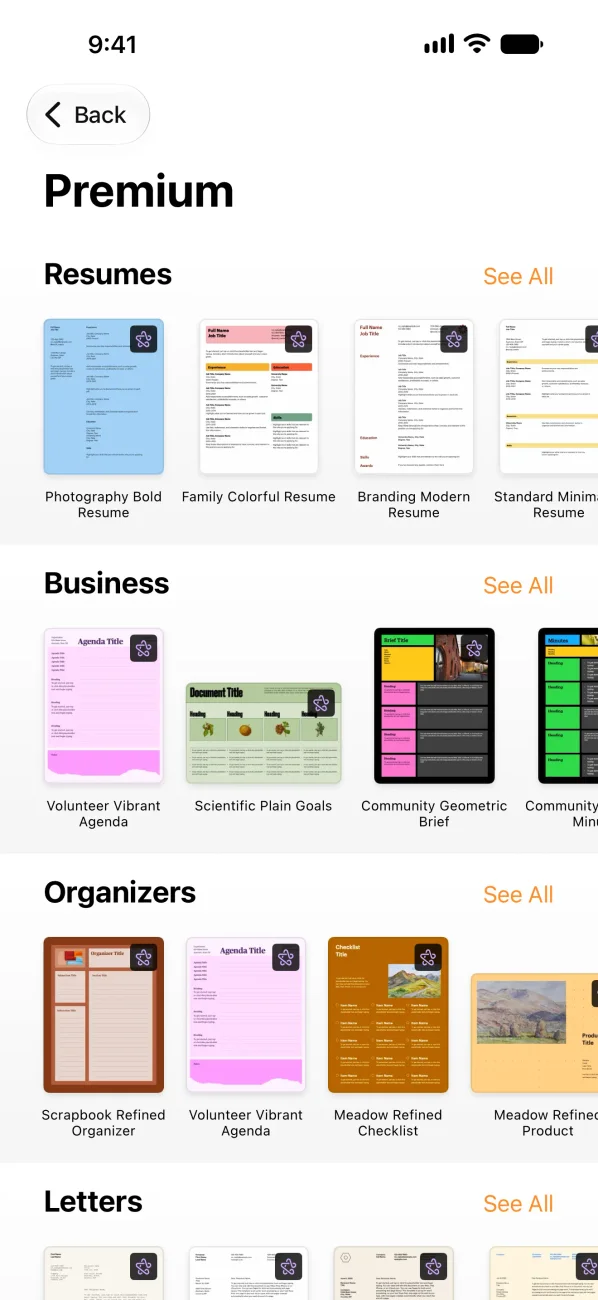
• Select from a wide variety of Apple-designed templates
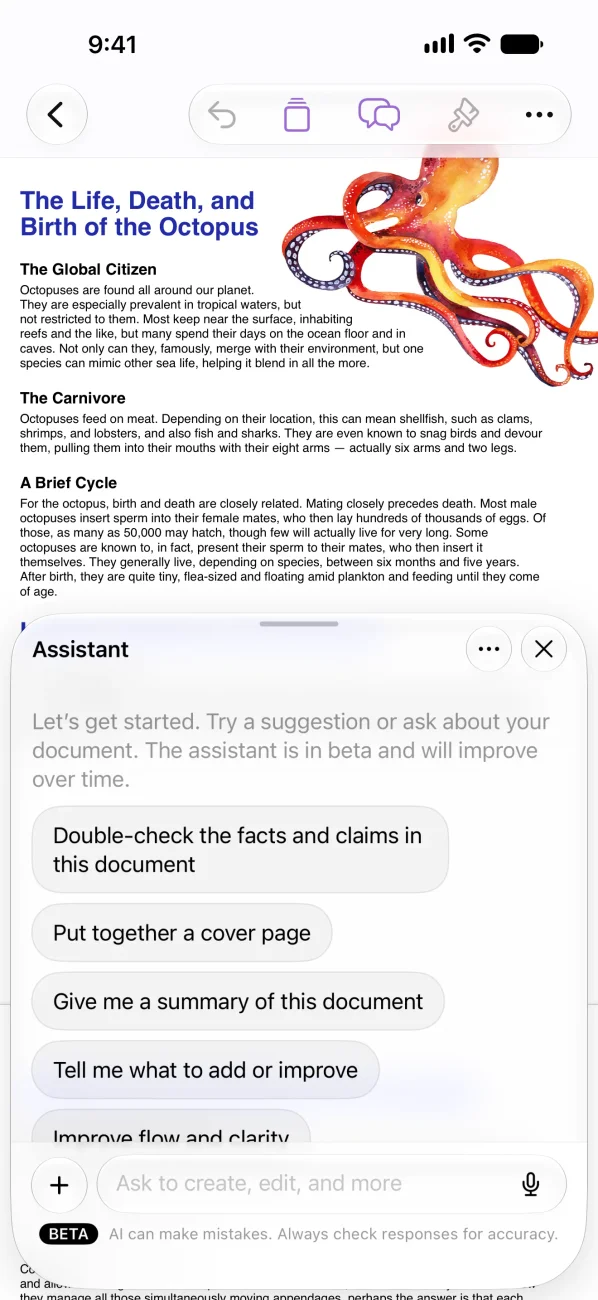
• Draft, restructure, and fine-tune your writing with an intelligent assistant that knows your document (beta)*
• Add from a library of shapes, tables, and charts with pre-defined styles
• Import and edit Microsoft Word and text files
Create Beautiful Documents
• Format your document with gorgeous styles, fonts, and textures
• Browse the Content Hub for a curated collection of videos, images, backgrounds, and more*
• Make your content more engaging with your own recorded audio, video, and image galleries
• Create images and custom, editable shapes from a text description*
• Create page templates to keep the design consistent across your page layout document
• Use powerful graphics tools including image background removal and masking
• Design interactive EPUB books that can be shared with others or published to Apple Books
• Draw, write or annotate with Apple Pencil on iPad
Advanced Tools
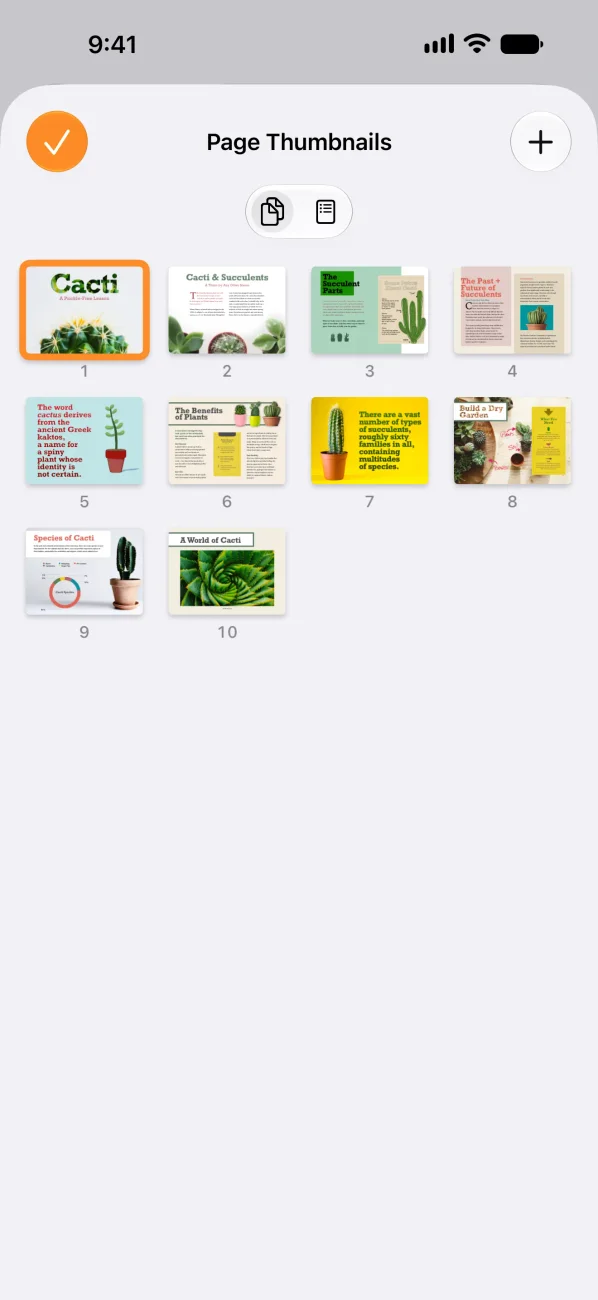
• Use the table of contents view to easily navigate your document or book
• Add comments and join threaded conversations
• Turn on change tracking to mark up a document as you edit it
• Create footnotes and endnotes and view character, word, and paragraph counts
• Add elegant mathematical equations using LaTeX or MathML notation
• Use presenter mode on iPhone and iPad to auto scroll text while giving a speech
Share with Anyone
• Share your document publicly or collaborate with specific people using iCloud or Box
• Make changes from any device and see a list of changes from others in real-time
• Export your document in EPUB, Microsoft Word, RTF, TXT, and PDF format
Apple Intelligence
• Use Writing Tools to proofread, rewrite, summarize, and compose text
• Create your own fun images with Image Playground based on a description
Pages is now part of Apple Creator Studio, an amazing collection of Apple’s most powerful creative apps designed to help you bring your ideas to life. The suite includes Final Cut Pro, Logic Pro, Pixelmator Pro, Motion, Compressor, and MainStage — plus premium content and intelligence features in Keynote, Pages, Numbers, and Freeform, all in one simple plan. Creating, viewing, and editing documents in Pages, as well as collaborating with others in real time, does not require a subscription.
* Requires an Apple Creator Studio subscription.
Some features of Apple Creator Studio require an Apple Intelligence–capable device. For full system requirements and usage limits for Apple Creator Studio intelligence features, see Apple Support articles 125029 and 127888.
What’s new
Version 16.0 · Nov 18, 2026
For Apple Creator Studio Subscribers:
Intelligent Assistant (Beta)*
• Start a first draft, then edit, organize, and elevate your writing with an assistant that understands your document
• Get guidance on where to start, learn how to use advanced features, or try a suggestion to see what's possible
• Draft a section, adjust your tone, or generate images and shapes using natural language
• Search for up-to-date information on a topic and incorporate it into your document
New Premium Content
• Make your work stand out with a new collection of professionally-designed templates
• Browse the Content Hub to find curated videos that add motion and depth to your document
For Everyone:
• Additional bug fixes and performance improvements
* US English only. Requires an Apple Intelligence-capable device with iOS 27, iPadOS 27 or later.
App privacy
What Apple declares on the App Store about how this app handles data.
-
Data linked to you
May be collected and linked to your identity.
- Purchases
- Financial info
- Contact info
- User content
- Identifiers
-
Data not linked to you
May be collected but is not linked to your identity.
- Usage data
- Diagnostics
- Other data
Privacy practices may vary, for example with the features you use or your age.
Information
- Seller
- Apple Inc.
- Category
- Productivity
- Version
- 16.0
- Updated
- Nov 18, 2026
- Released
- Apr 1, 2010
- Size
- 700.3 MB
- Requires
- iOS 26.0 or later
- Age rating
- 4+
- Price
- Free
- In-app purchases
- Yes
- Languages
- English, Arabic, Catalan, Croatian, Czech, Danish, Dutch, Finnish, French, German, Greek, Hebrew + 21 more
- Copyright
- Copyright © 2026 Apple Inc. All rights reserved.