PageShelf: Study PDF Reader
Scan Textbook, Note & Revision
Designed for iPhone, iPad
Free · In-app purchases
- Age rating4+
- CategoryEducation
- DeveloperPiyush Korat
- LanguagesEnglish
- Size26.0 MB
Links to the official App Store page
Download.org hosts no file of PageShelf: Study PDF Reader. The button opens its official App Store page, published by Piyush Korat. Listing last checked on Nov 23, 2026.
Screenshots




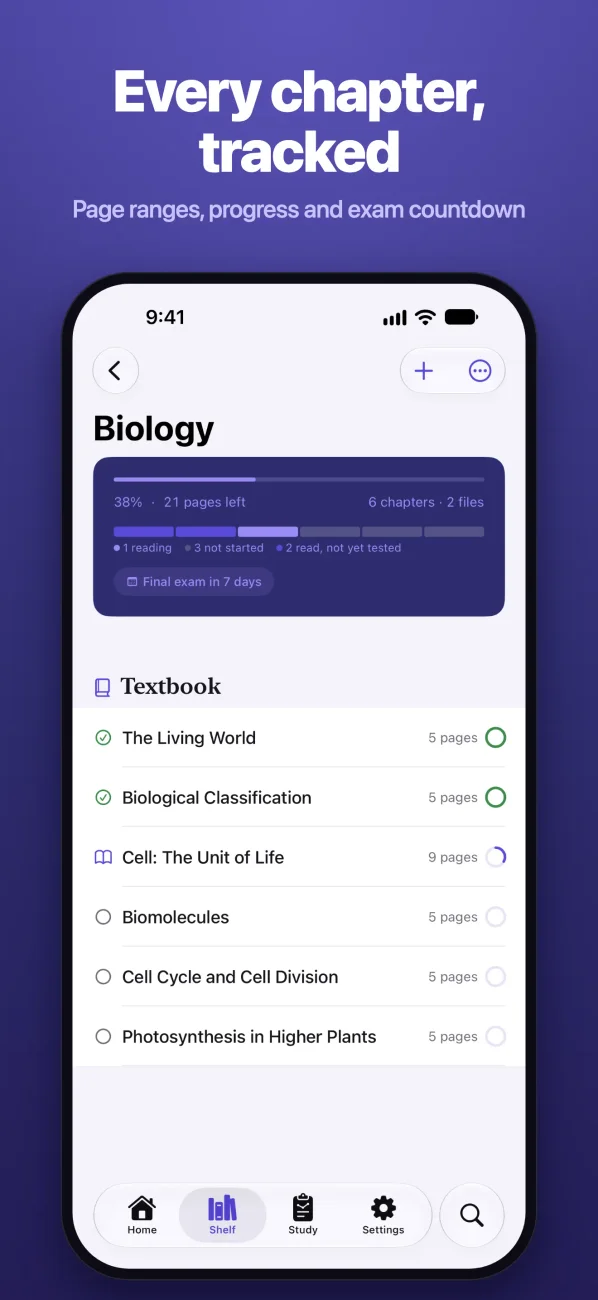
About
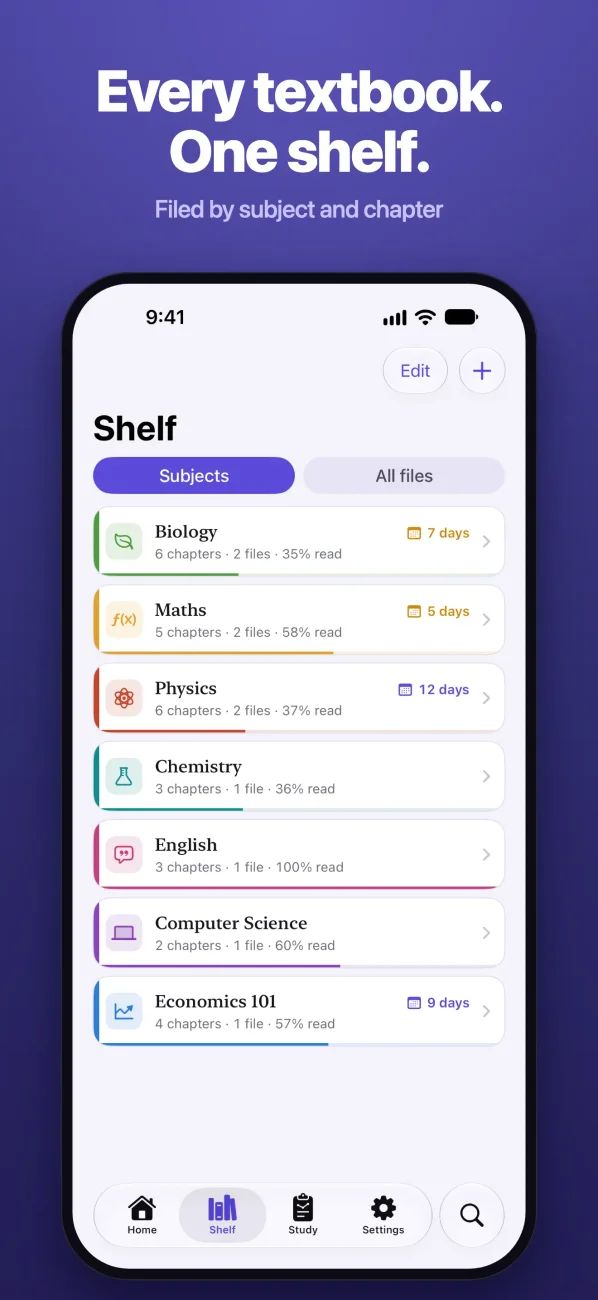
Turn your textbooks, class notes and handouts into one searchable library on your iPhone and iPad. Scan pages with the camera or import PDFs, and PageShelf files them by subject and chapter so every page is a tap away. No account, and it works offline.
DIGITIZE YOUR STUDY MATERIAL
• Scan notes, worksheets and book pages with the camera. Edges are found and straightened for you; review, reorder and pick a filter before saving.
• Import PDFs and photos from Files, WhatsApp, email or Safari. Password-protected PDFs open too.
• Scanned more pages on Wednesday? Add them to the end of Monday's notes instead of starting a new file.
• File a 700-page textbook into its chapters without splitting the PDF.
FIND ANY PAGE
• Text recognition runs on your device and turns scans into searchable PDFs.
• Search inside one book or across your whole library.
• Page numbers match the printed book, not the PDF.
READ AND HIGHLIGHT
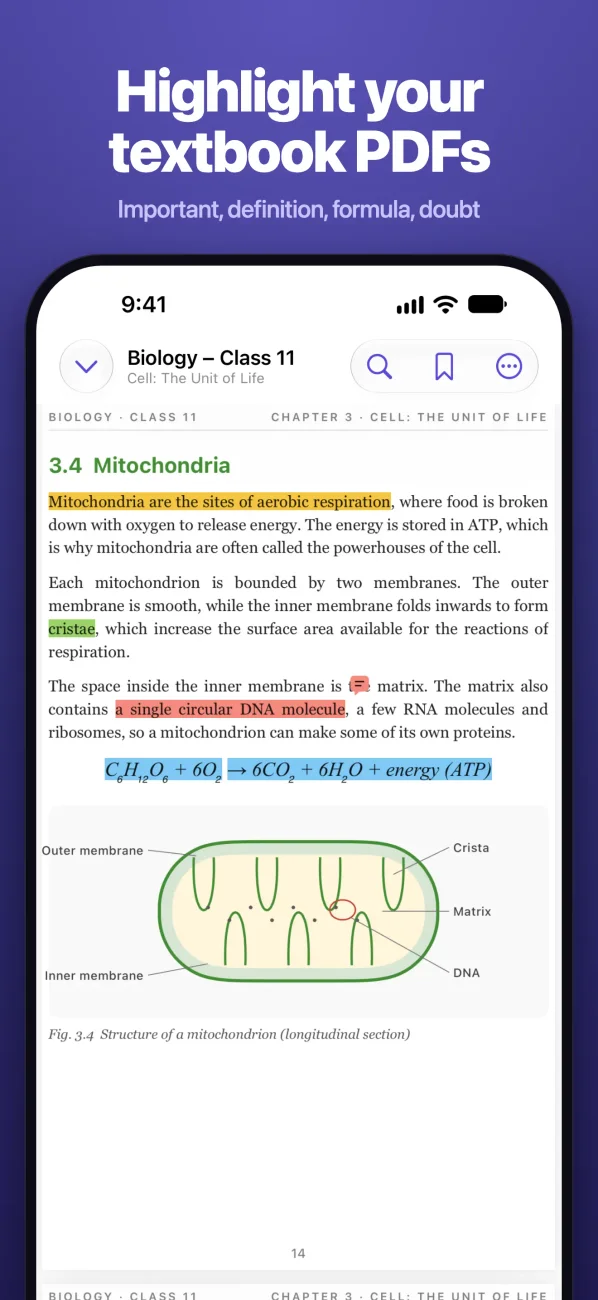
• Highlight in five colors with a meaning you can rename: important, definition, formula, doubt, example.
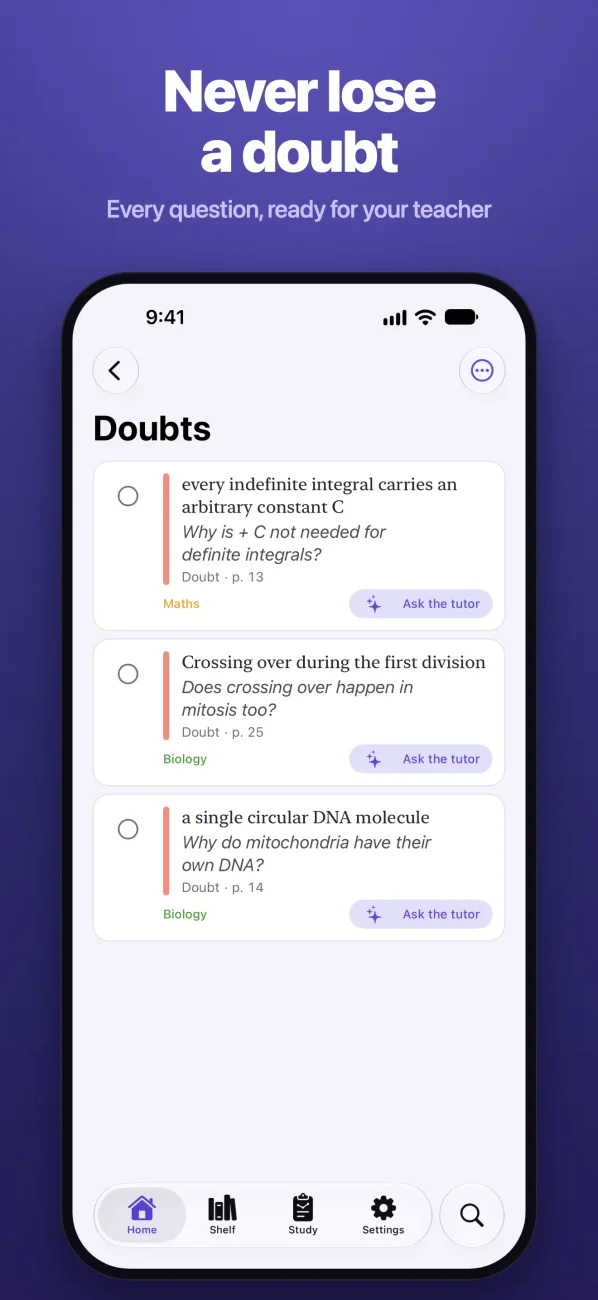
• Every "doubt" collects in one list to take to your teacher.
• Night paper tones, margin cropping for scans, bookmarks, dictionary, translation and read aloud.
• Copy a passage with its book and page reference.
• On iPad: your textbook and your notes side by side, and Apple Pencil ink.
REVISE WHAT YOU READ
• Add an exam date and PageShelf works out how many pages a day keep you on track, and tells you honestly when you're behind.
• Chapters come back for revision after 1, 3, 7, 21 and 60 days.
• A reading streak that forgives one missed day a week.
• Widgets, a study timer on the Lock Screen, and Siri shortcuts.
WITH APPLE INTELLIGENCE
On supported devices: ask the tutor about the pages you have open, summarize a chapter, take a quick check-up and collect questions from past papers. With Pro, it can also turn highlights into flashcards you review before saving.
PRIVATE BY DESIGN
• No account, no ads, no tracking.
• Your library stays on your device, with backups to your own iCloud Drive (automatic every day with Pro) and a one-file backup you can keep anywhere.
• Text recognition, search and read aloud run on your device. Apple Intelligence features run on your device. No third-party AI service is used. On devices that can't run Apple's model, they use Apple's Private Cloud Compute only if you allow it.
FREE AND PRO
Free: 3 subjects per term, 50 scanned pages a month, 10 highlights per document, page search in 2 documents and a plan for 1 subject. Importing, reading, bookmarks, backing up by hand, restoring and library export are always free.
PageShelf Pro (monthly, yearly or one-time) unlocks unlimited subjects, scans, highlights and search, plans for every subject, flashcards, revision-sheet export, full stats and an automatic daily iCloud backup.
PageShelf is for organizing your own study materials. It has no sharing between users, and you are responsible for the content you add.
Disclaimer for auto-renew subscription:-
◦ Subscription payments will be charged via Apple ID account at purchase confirmation.
◦ Subscription auto-renews unless canceled at least 24 hours prior to the current billing period.
◦ Manage subscriptions and turn off auto-renew in App Store Account Settings after purchase.
◦ Prices may vary by location.
◦ Family sharing is not supported.
Terms of Use: https://apps.bitclone.in/pageshelf/terms
Privacy Policy: https://apps.bitclone.in/pageshelf/privacy
What’s new
Version 1.1 · Nov 16, 2026
- bug fixes
App privacy
What Piyush Korat declares on the App Store about how this app handles data.
-
Data not linked to you
May be collected but is not linked to your identity.
- Purchases
- Identifiers
- Usage data
- Diagnostics
Privacy practices may vary, for example with the features you use or your age.
Information
- Seller
- Piyush Korat
- Category
- Education
- Version
- 1.1
- Updated
- Nov 16, 2026
- Released
- Nov 2, 2026
- Size
- 26.0 MB
- Requires
- iOS 18.0 or later
- Age rating
- 4+
- Price
- Free
- In-app purchases
- Yes
- Languages
- English
- Copyright
- © @DECMAC SOLUTIONS
You might also like
-
 Kids Drawing & Art - DrawlyEducational Time for Children
-
 Math Learner - Easy MathsMath Made Simple & Fun!
-
 NCERT & GSEB AI StudySathiBooks Solutions AI Tutor
-
 AI Math Solver Tutor: MathlyStep-by-Step Algebra & Calc
-
 All UPSC Papers Prelims & MainGet All Prelims & Main Papers
-
 Hindi-English TranslatorTranslate,Dictionary&Synonyms
-
 Easy Study - Timetable PlannerCollege Scholl Tasks Organizer
-
 Edunext ParentStay Updated, Stay Connected
-
 Baby Panda's Town: LifeWhat Do You Want To Be ?
-
 My Panda Chef KitchenSuper Panda Cooking Game