
- Age rating4+
- CategoryFinance
- DeveloperNicolas Elliot Christopher
- LanguagesEnglish
- Size36.4 MB
Links to the official App Store page
Download.org hosts no file of pagu — expense tracker. The button opens its official App Store page, published by Nicolas Elliot Christopher. Listing last checked on Nov 12, 2026.
Screenshots

About
pagu is a very simple expense tracker. Type what you bought, type the amount, tap add. That's the whole app.
No sign-up. No bank connection. No budget wizard standing between you and writing down a ¥400 coffee. Just a fast way to record what you spent and an honest running total.
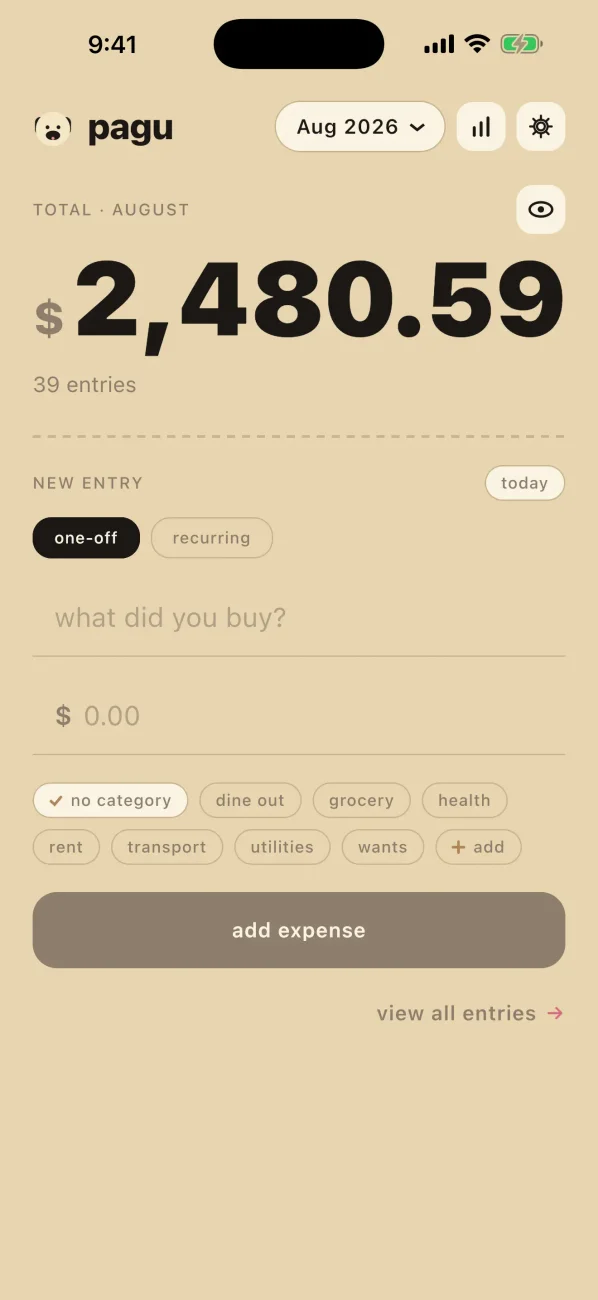
THE MONTH TOTAL, IN HUGE NUMBERS
The first thing you see is what you've spent this month, set in type big enough to be slightly uncomfortable. Everything else serves it: a title field, an amount field, a date chip, a category chip, and one big "add expense" button.
ADD AN EXPENSE IN SECONDS
• Type, tap, done — no menus, no multi-step forms
• Backdate anything: tap the date chip and pick any day up to today
• Tag it with a category, or don't — categories are optional
• Switch months from the chip in the corner to review or fill in the past
SEE WHERE IT ACTUALLY WENT
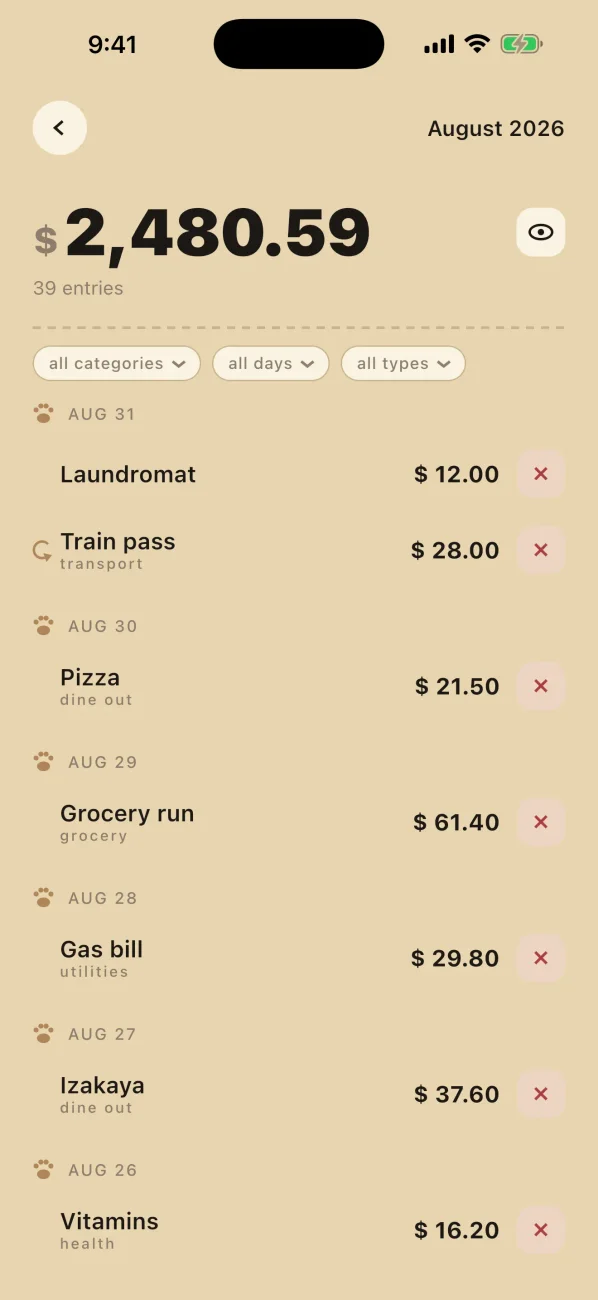
• Every entry for the month, grouped by day, newest first
• Filter by category, or down to a single day
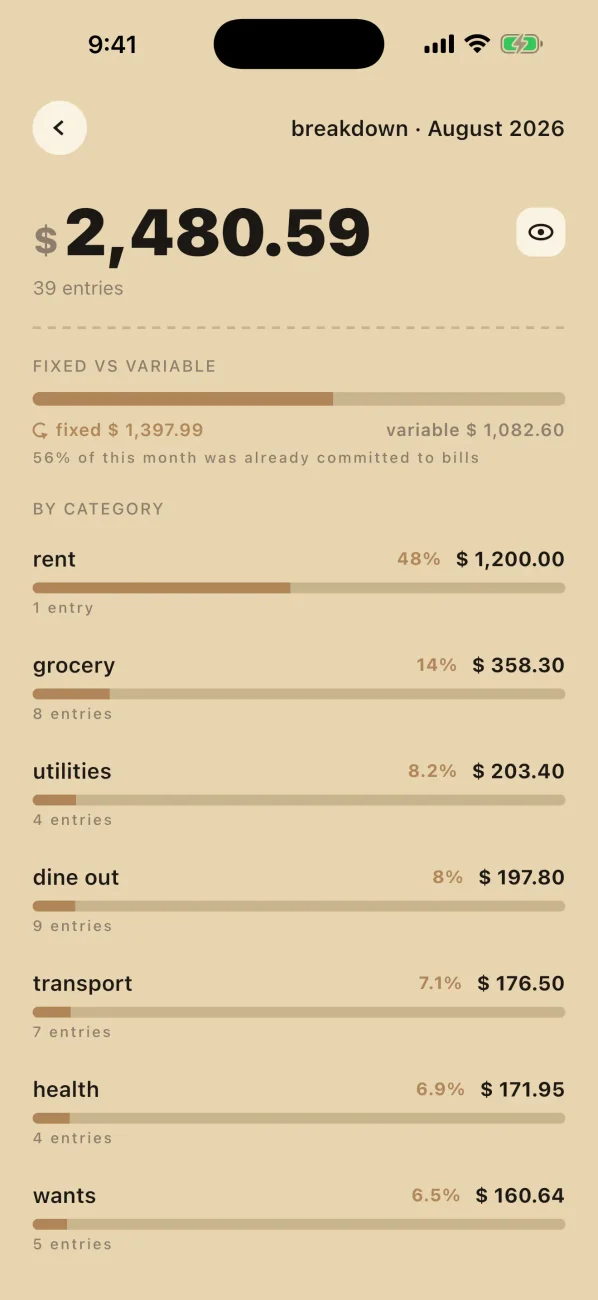
• A by-category breakdown with percentage bars, so the surprise is visible
• Delete any entry with one tap
MAKE IT YOURS
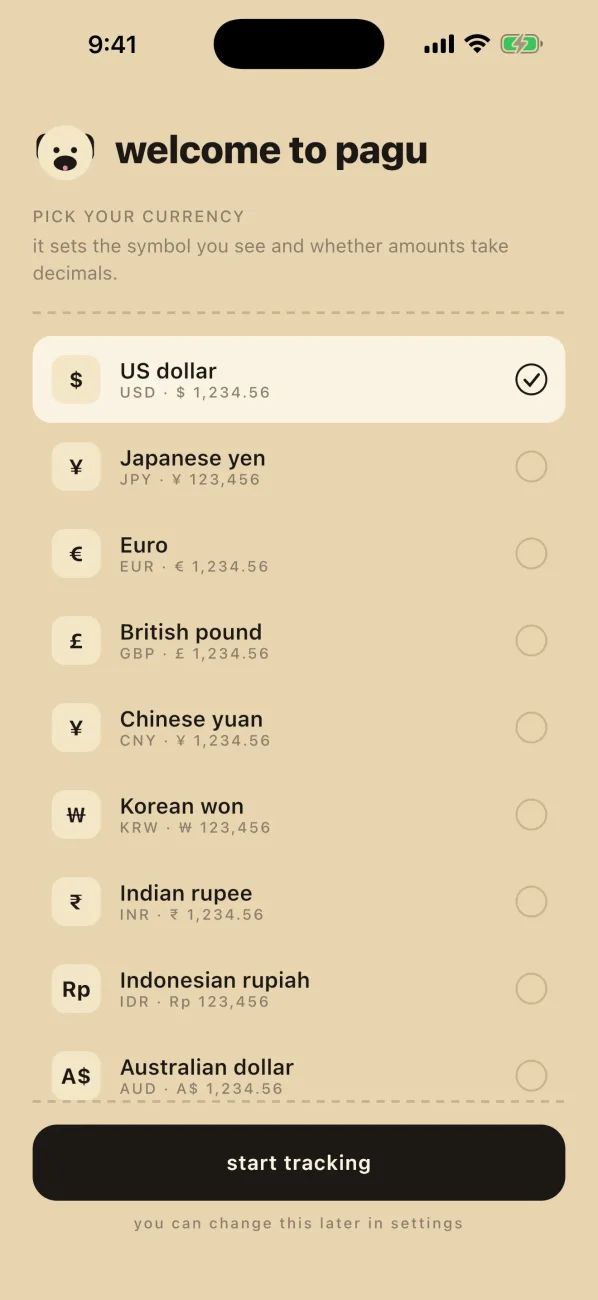
• 15 currencies — yen, US dollar, euro, pound, yuan, won, rupee, rupiah, Australian and Canadian dollars, Swiss franc, Mexican peso, Brazilian real, Singapore dollar — plus a no-symbol mode for people who just want numbers
• Categories are yours: eight to start (grocery, dine out, transport, utilities, wants, health, rent, and none), add your own, delete the ones you'll never use
PRIVATE BY DEFAULT
There's no account because there's no server. Your expenses live in one database file on your device. They are never uploaded to us, never synced, never sold, never shown to an advertiser. pagu asks for no location, contacts, camera, photo or storage access — it doesn't need any of it.
The app sends anonymous crash reports and basic usage analytics (which screens get opened) so bugs can be found and fixed. Amounts, titles and your category names are never included in any of it.
Because everything is local, there's no sync between devices — your phone's copy is the copy. If you use iPhone's built-in backup, your expense file rides along with it and comes back when you set up a new phone.
ABOUT THE PUG
"pagu" (パグ) is Japanese for pug, so the app is dressed as one. Fawn coat background, mask-black ink, tongue-pink accents, a small pug face beside the wordmark, and a paw print marking each day in your list. The "add expense" button is the pug's face.
WHO IT'S FOR
People who installed a full-featured finance app, linked the accounts, set up the categories, and quietly stopped opening it three weeks later. If what you actually wanted was a notebook that adds things up, this is that.
Free. No ads. No in-app purchases. No account.
What’s new
Version 1.1.0 · Sep 3, 2026
- New features
- Currency selection on first launch
- Hide expense amount feature
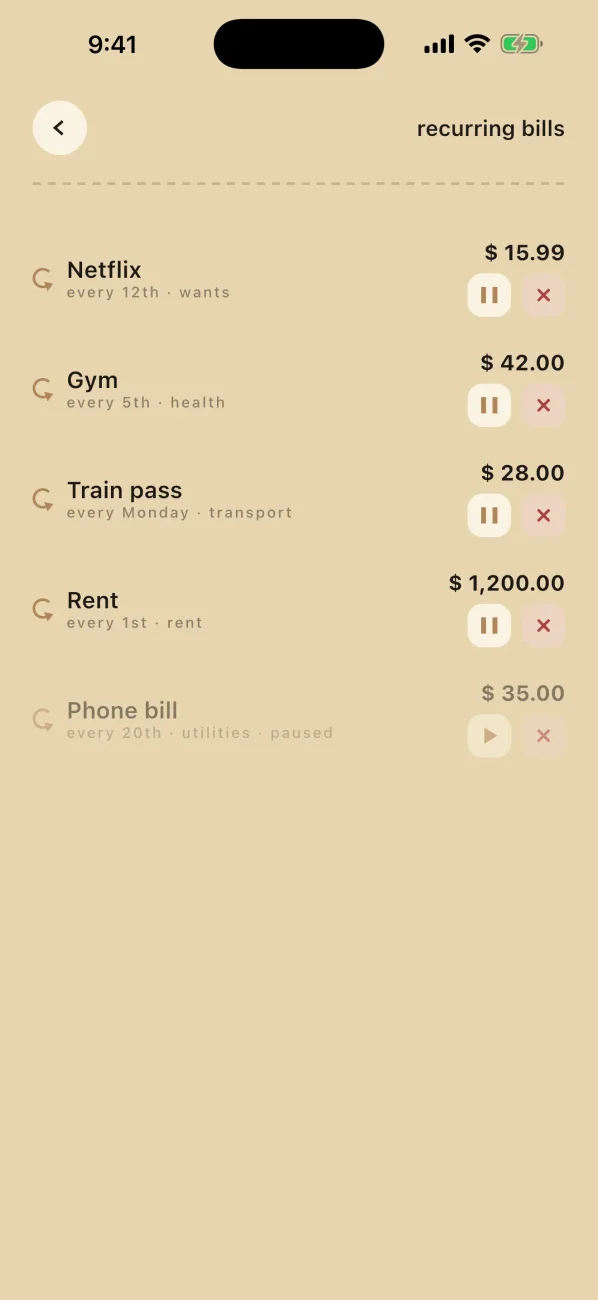
- Recurring bills feature
- Minor bug fixes
- UI enhancements
App privacy
What Nicolas Elliot Christopher declares on the App Store about how this app handles data.
-
Data not linked to you
May be collected but is not linked to your identity.
- Usage data
- Diagnostics
Privacy practices may vary, for example with the features you use or your age.
Information
- Seller
- Nicolas Elliot Christopher
- Category
- Finance
- Version
- 1.1.0
- Updated
- Sep 3, 2026
- Released
- Aug 31, 2026
- Size
- 36.4 MB
- Requires
- iOS 17.0 or later
- Age rating
- 4+
- Languages
- English
- Copyright
- © 2026 Nicolas Elliot
You might also like
-
 Daily Spend AppDaily Spend
-
 GlanceBookManage Finances in 10 Seconds
-
 BudpressStress-Free Budgeting
-
 KaBuddy: Budget & KakeiboExpense tracker & savings
-
 WeekSpendWeekly Budget, Daily Spend
-
 Pocket Piggy BankYour piggy bank in your pocket
-
 Budgetelo: Envelope Budget AppZero-Based Planner & Tracker
-
 Mooney: Expense TrackerSave money the simple way
-
 Expense+ : Feel RefreshingOffline Tracker. No Ads.