
Pane: VNC Remote Desktop
Screen Sharing Viewer & Client
Designed for iPhone, iPad
Free · In-app purchases
- Age rating4+
- CategoryProductivity
- DeveloperJan Jiran
- LanguagesEnglish
- Size48.0 MB
Links to the official App Store page
Download.org hosts no file of Pane: VNC Remote Desktop. The button opens its official App Store page, published by Jan Jiran. Listing last checked on Nov 28, 2026.
Screenshots

About
Pane turns your iPhone and iPad into a remote desktop for your Macs. It speaks VNC, the protocol behind macOS Screen Sharing, so there is nothing to install on the Mac: turn on Screen Sharing in System Settings and you are in.
What you need: a Mac with Screen Sharing on. Away from home, Pane Relay on the Mac, or any VPN. The app is free, with no account and no time limit.
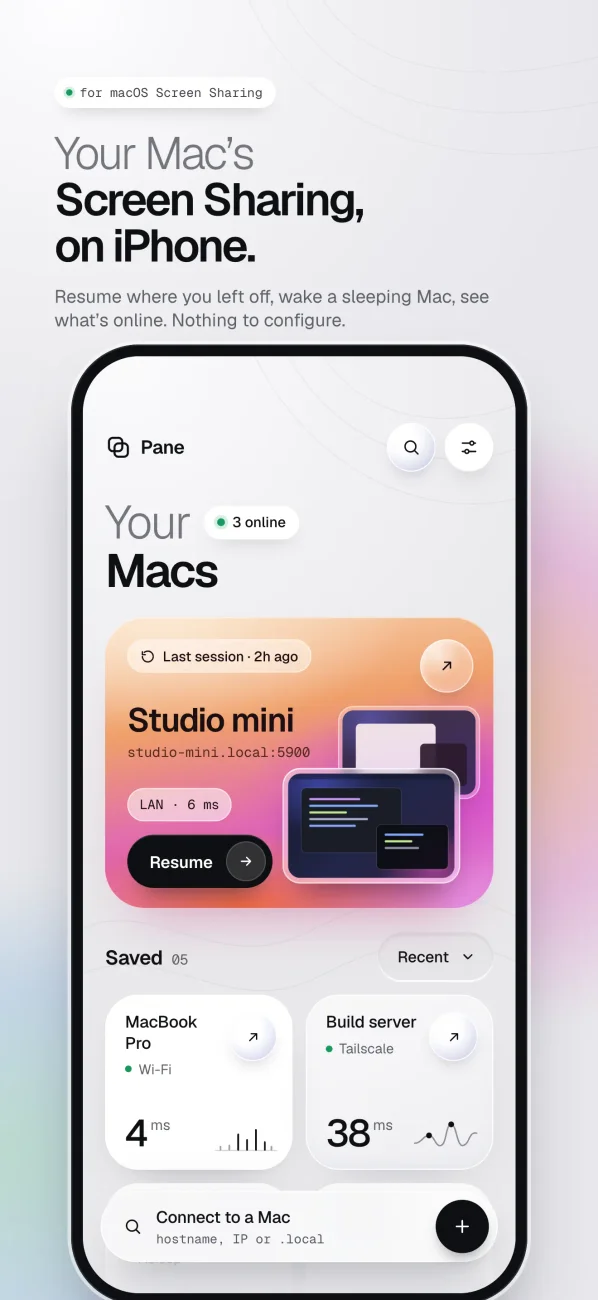
YOUR MACS, ONE TAP AWAY
Saved Macs show up on the home screen with their status. Resume where you left off, wake a sleeping Mac, and see what is online at a glance. Nothing to configure.
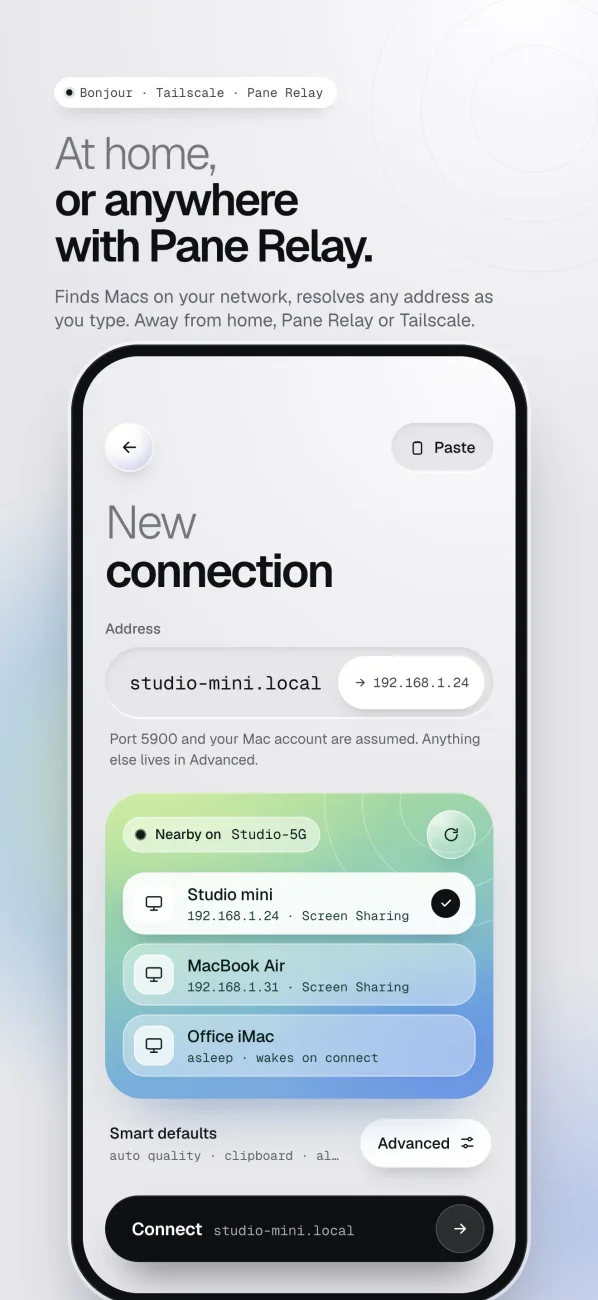
TYPE A NAME, YOU'RE IN
Pane finds Macs on your network with Bonjour, resolves the address as you type and picks sensible defaults. Pair with Pane Relay on the Mac and it is reachable from anywhere.
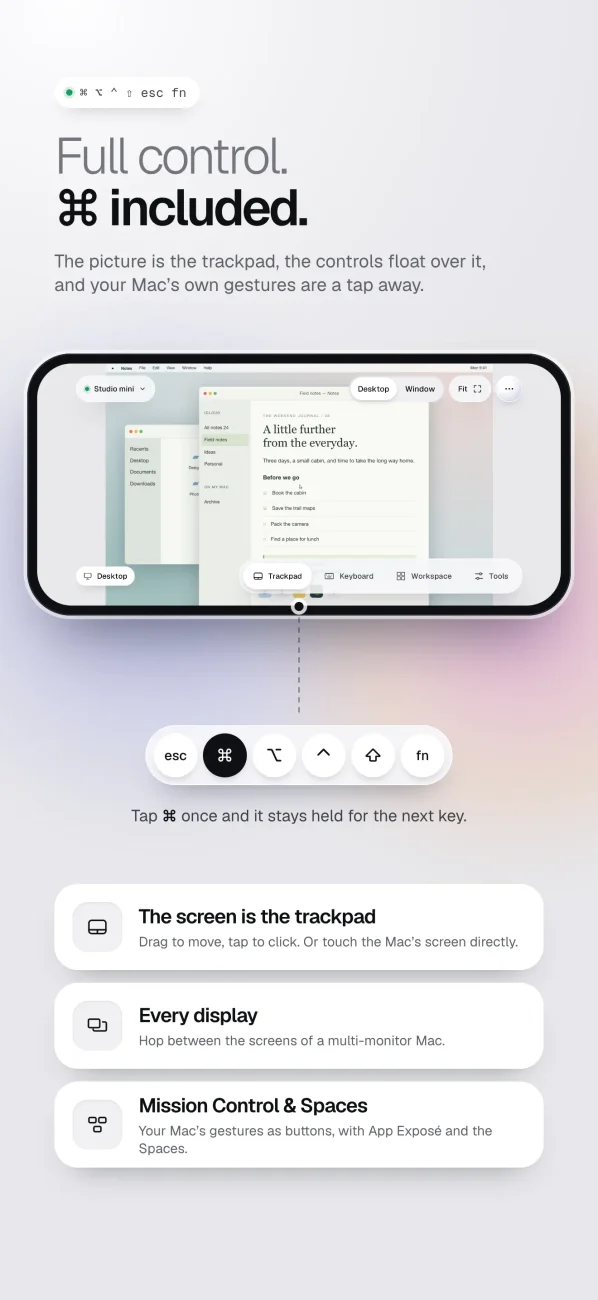
THE SESSION: FULL CONTROL, ⌘ INCLUDED
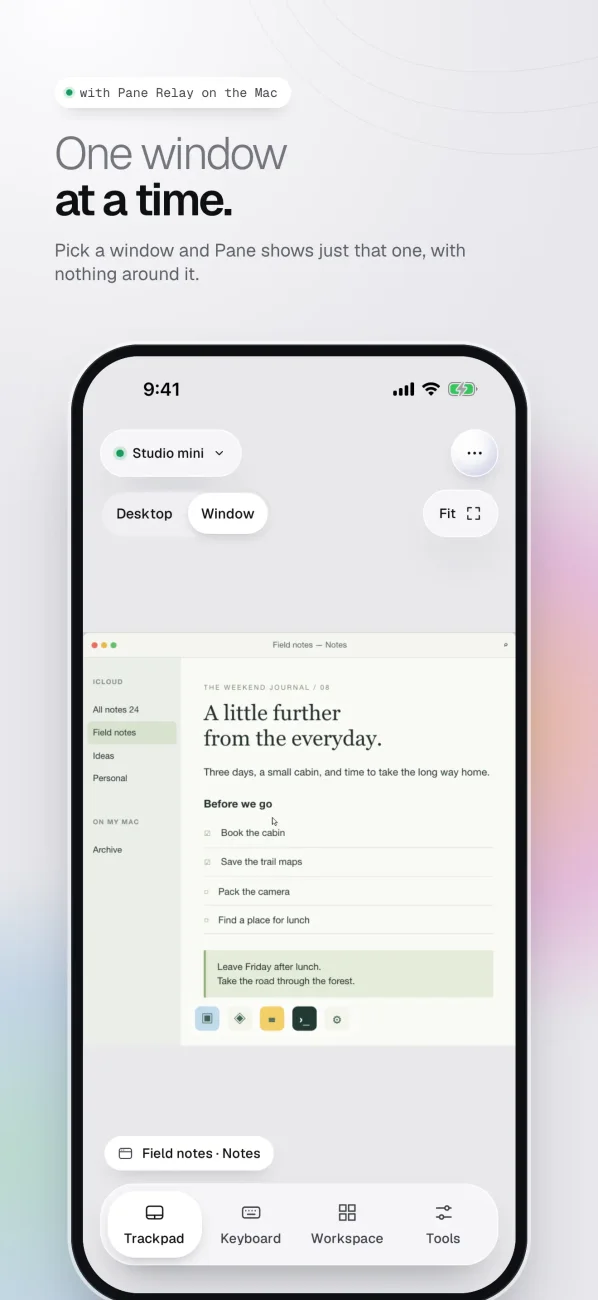
On iPhone the picture takes the screen and the controls float over it. Use it as a trackpad or touch the screen directly, with ⌘ ⌥ ⌃ ⇧, esc, fn and the keyboard a tap away. Tap a modifier once and it stays held for the next key. Hop between every display of a multi-monitor Mac, zoom and pan, and paste what you copied on your iPhone. With Pane Relay, Mission Control, App Exposé and the Spaces are buttons. Light or dark, with your iPhone.
ONE WINDOW AT A TIME
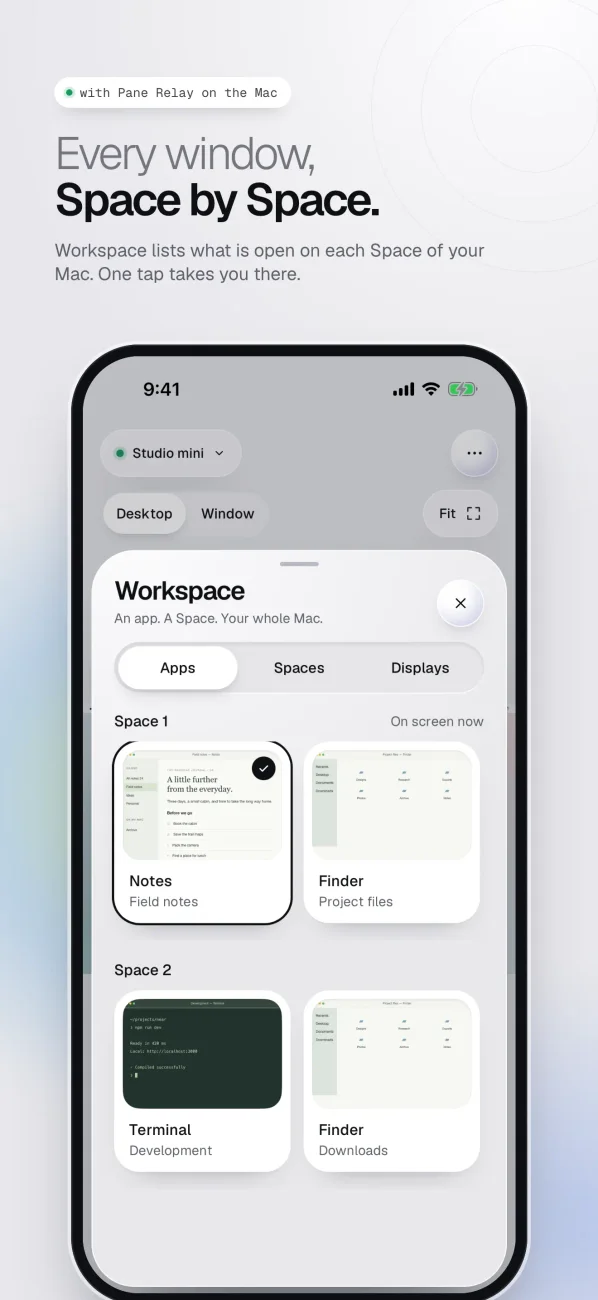
With Pane Relay on the Mac, Workspace lists every window by Space. Pick one and Pane shows just that window, with nothing around it. The whole screen is one tap away.
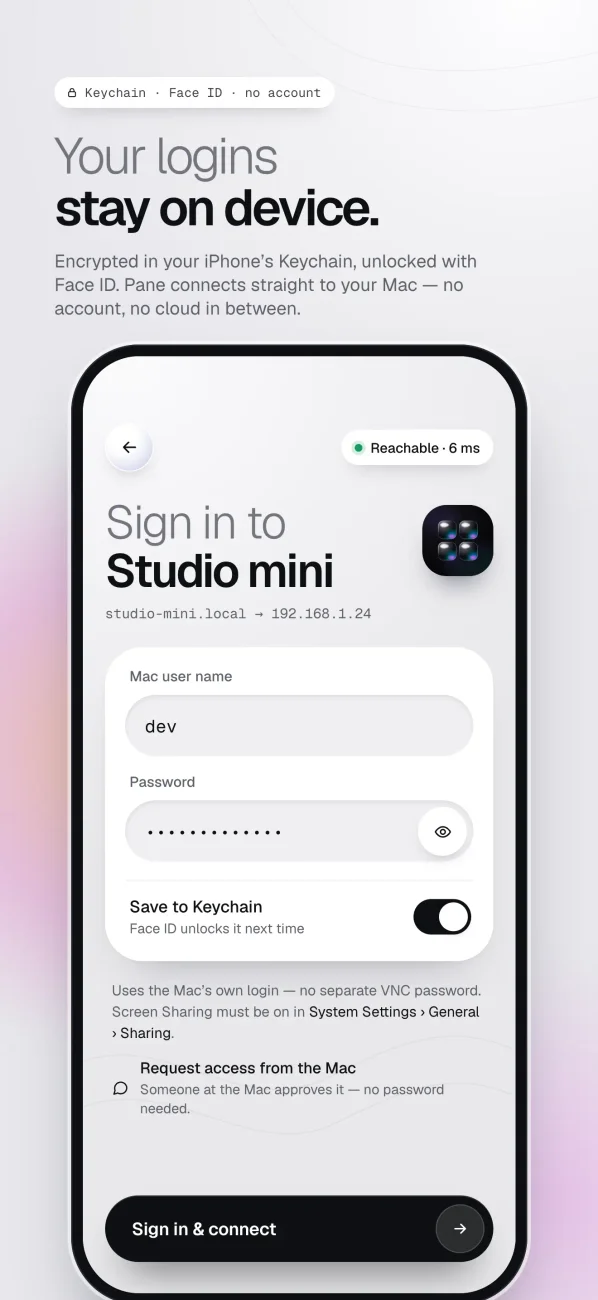
YOUR LOGINS STAY ON DEVICE
Usernames and passwords are encrypted in your device's Keychain and unlocked with Face ID or Touch ID. Pane connects straight to your Mac: no account, no cloud in between.
PANE RELAY, OPTIONAL
A small Mac app that makes the Mac reachable from any network and powers Window view and Workspace. Free for 14 days on the Mac, then a yearly subscription for each Mac, which you can start in Pane. It renews automatically unless cancelled at least 24 hours before the end of the year; manage it in your Apple Account settings. Terms of Use: https://www.apple.com/legal/internet-services/itunes/dev/stdeula/
Pane works with any VNC server, but it is built for the Mac.
What’s new
Version 1.5.0 · Nov 26, 2026
Connecting is easier to get right.
• One address field: type a name or an IP and Pane suggests your Macs as you type, and tells you whether Screen Sharing is on before you connect.
• When a Mac doesn't answer, Pane says why (Screen Sharing off, asleep, on another network) and what to do, and connects by itself once the Mac is there.
• Nearby shows every Mac on your network, with search.
• A saved login can be changed or forgotten.
Pane Relay is quicker to set up: from a session, Pane opens the download on your Mac and pairs by itself as soon as Pane Relay shows its code.
App privacy
What Jan Jiran declares on the App Store about how this app handles data.
-
Data not linked to you
May be collected but is not linked to your identity.
- Identifiers
- Usage data
Privacy practices may vary, for example with the features you use or your age.
Information
- Seller
- Jan Jiran
- Category
- Productivity
- Version
- 1.5.0
- Updated
- Nov 26, 2026
- Released
- Oct 31, 2026
- Size
- 48.0 MB
- Requires
- iOS 16.4 or later
- Age rating
- 4+
- Price
- Free
- In-app purchases
- Yes
- Languages
- English
- Copyright
- © 2026 Understudios
You might also like
-
 Vanishing NotesTemporary, Self-Destruct Memos
-
 Seetrol DESKSeetrol DESK Remote Control
-
 QuietSession: Haptic TimerVibrating timer for meetings
-
 HushNote RecorderPrivate Meeting Notes
-
 Timer - TimeloVisual focus timer
-
 TAPRODProductivity
-
 Netweak - Monitoring & UptimeMonitoring made for humans
-
 My Local VoicePrivate AI Voice & Chat
-
 Ctrl+All+DataWidgets, Dashboard & HA
-
 Markdown Note WidgetsInteractive Task Checklists