
Yorilo: Remote Desktop
Your computer, on any device
Designed for iPhone, iPad
Free · In-app purchases
- Age rating4+
- CategoryProductivity
- DeveloperA2GROUP LLC
- LanguagesEnglish+ 10 more
- Size23.3 MB
Links to the official App Store page
Download.org hosts no file of Yorilo: Remote Desktop. The button opens its official App Store page, published by A2GROUP LLC. Listing last checked on Nov 23, 2026.
Screenshots

About
The Mac stays on the desk. You don't.
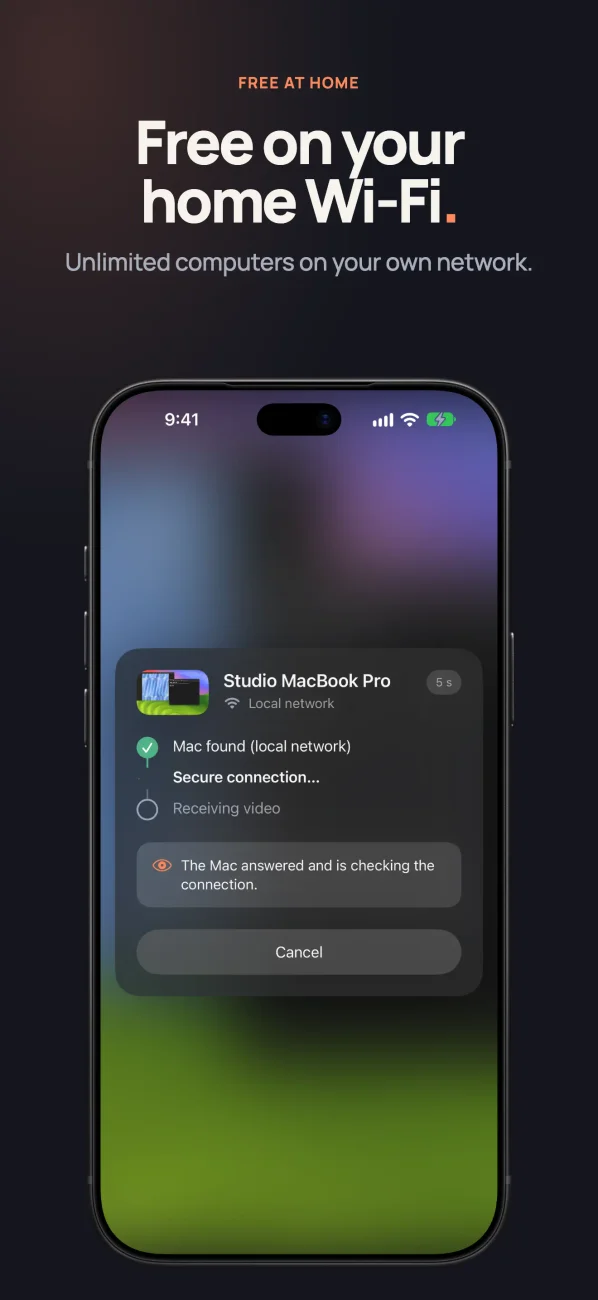
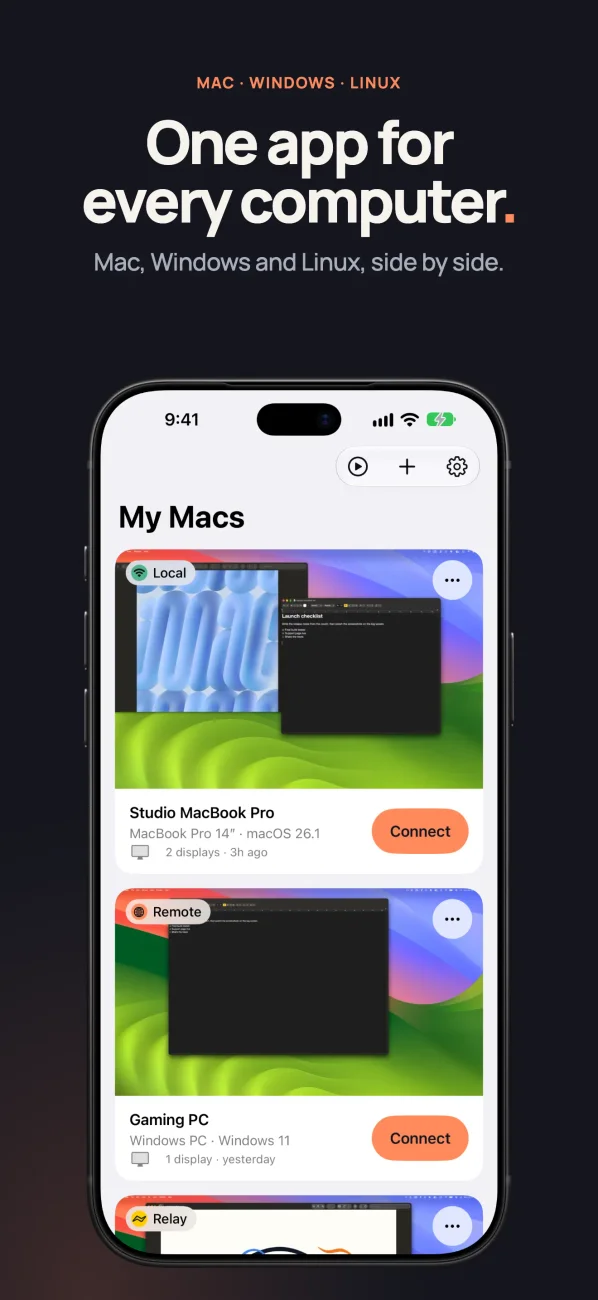
Yorilo puts your Mac's screen on your iPad or iPhone and hands you the controls. It's remote desktop for Mac: free on your home network and, with Yorilo Pro, over the internet too. No account, no sign-in.
Check on a long export from the kitchen. Stand the iPad next to you as a side screen for the Mac. On iPad, Apple Pencil is a precise pointer. It clicks, drags, selects text and sketches straight into Mac apps.
On iPhone, Yorilo is a Mac remote for your pocket. Your thumb moves the pointer and a tap clicks.
WHAT YOU GET
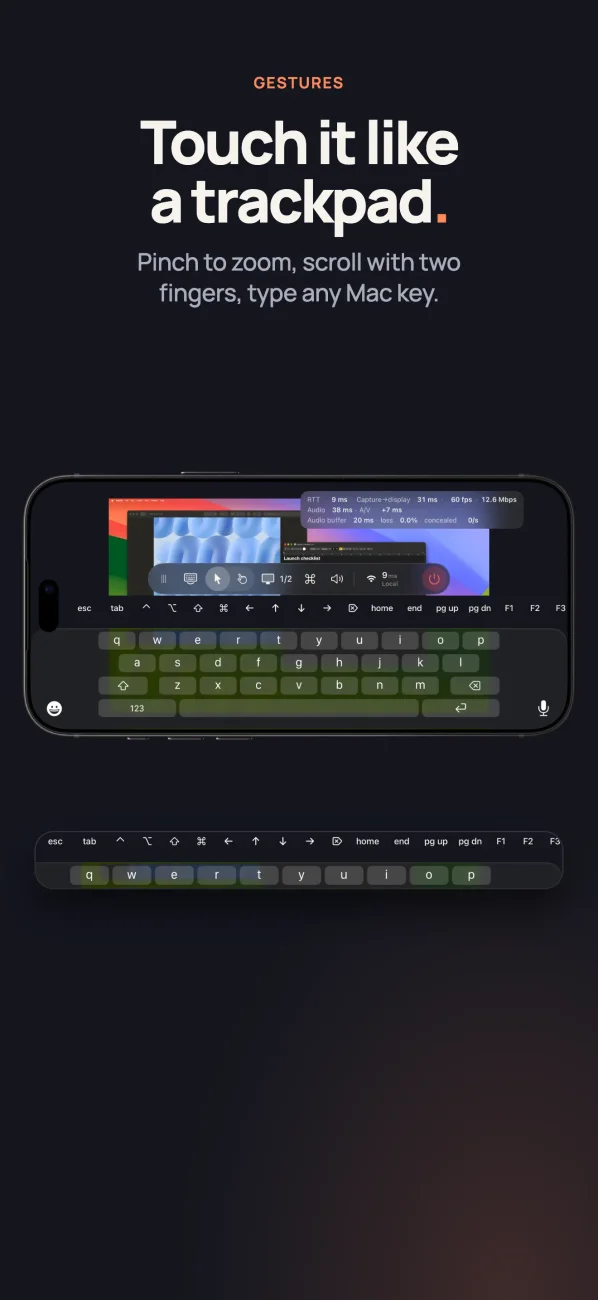
• Tap to click, two-finger tap to right-click, two-finger scroll
• Direct touch or a trackpad-style pointer, set separately for iPad and iPhone
• Trackpad and mouse on iPad
• Hardware or on-screen keyboard, with Mac shortcuts and key remaps
• Three-finger swipes for Mission Control, switching spaces and other Mac actions
• Apple Pencil as a precise pointer for clicking, dragging and sketching (iPad)
• Mac sound on your iPad or iPhone, on the Mac, or on both
• An optional latency readout, for the curious
• Split View and Stage Manager on iPad
• A built-in demo, so you can try the controls before installing anything on the Mac
YORILO PRO
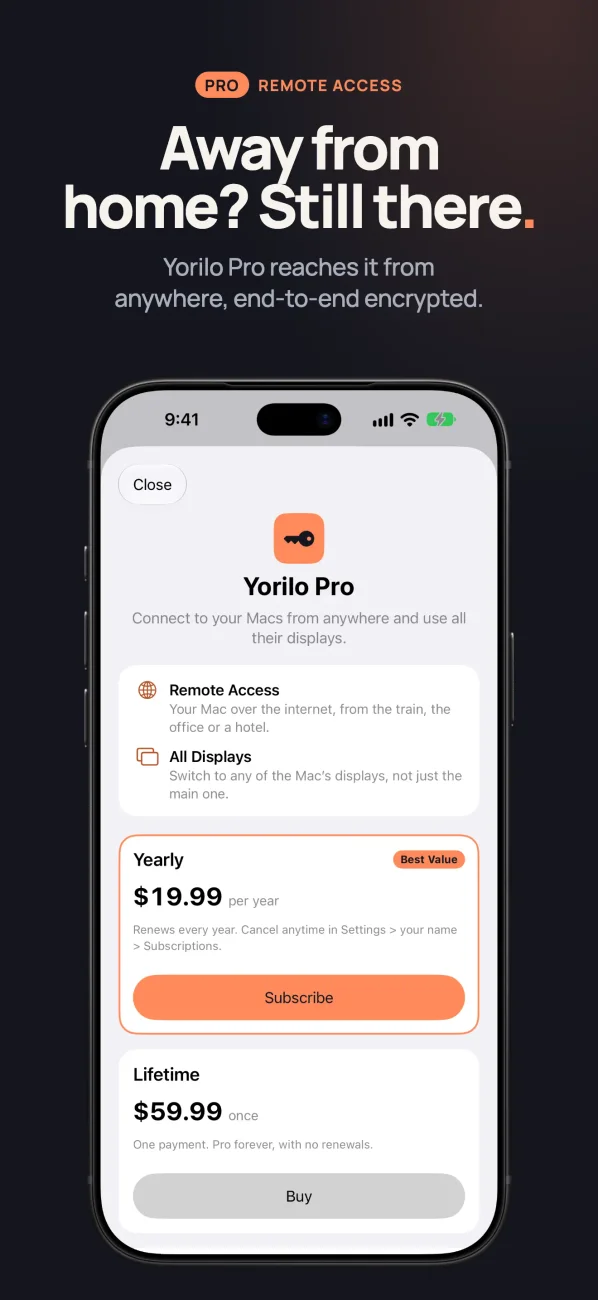
Free covers your home network and your Mac's main display. Pro adds:
• Remote Access: reach your paired Mac over the internet, away from home, with no VPN and no port forwarding
• Every display your Mac has, at home too
Choose Pro Yearly, Pro Lifetime, a 30-Day Pass or a 7-Day Trip Pass. A pass is a single payment and never renews; buying another one adds its days. Pro Lifetime lasts for as long as we offer Yorilo Pro, and at least 5 years from purchase. Pro goes with your Apple Account, on your iPads and iPhones; Yorilo for Mac stays free and never needs an account.
Pro Yearly renews automatically each year until you cancel it in your Apple Account settings at least 24 hours before the end of the period. Restore Purchases is in the paywall and in Settings.
Terms of Use: https://www.apple.com/legal/internet-services/itunes/dev/stdeula/
Privacy Policy: https://yorilo.app/privacy/
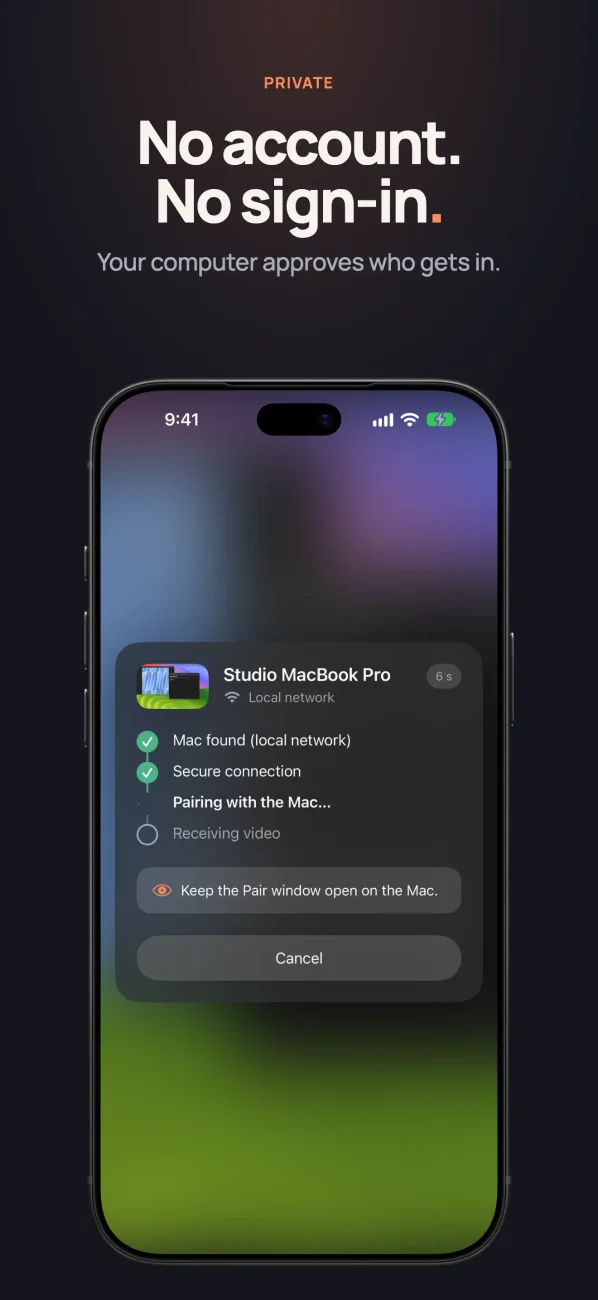
YOUR MAC DECIDES WHO GETS IN
Pairing starts on the Mac. Yorilo for Mac shows a QR code. You scan it, check that the fingerprint matches on both screens, and the Mac approves the device. Nothing connects without that yes, at home or away.
HOW IT WORKS
1. Get Yorilo for Mac. It's free at yorilo.app/download
2. Open Yorilo on your iPad or iPhone, on the same network as the Mac.
3. In the Yorilo menu on your Mac, choose "Pair an iPad or iPhone…", scan the QR code and approve the device.
4. With Pro, the paired Mac is also there when you're away from home.
THE FINE PRINT
Without Pro, Yorilo works on your home or local network and shows your Mac's main display. Pair at home first. Remote Access needs an internet connection on both devices, and the Mac must be awake and running Yorilo for Mac. Requires a Mac with macOS 14.5 or later and an iPad or iPhone with iPadOS or iOS 17.5 or later.
What’s new
Version 1.4 · Nov 21, 2026
Connects on the first try even when your Mac is behind a VPN or far away, and stays connected when the connection path changes.
App privacy
What A2GROUP LLC declares on the App Store about how this app handles data.
-
Data linked to you
May be collected and linked to your identity.
- Purchases
- Contact info
- Identifiers
Privacy practices may vary, for example with the features you use or your age.
Information
- Seller
- A2GROUP LLC
- Category
- Productivity
- Version
- 1.4
- Updated
- Nov 21, 2026
- Released
- Nov 1, 2026
- Size
- 23.3 MB
- Requires
- iOS 17.5 or later
- Age rating
- 4+
- Price
- Free
- In-app purchases
- Yes
- Languages
- English, Dutch, French, German, Italian, Japanese, Korean, Portuguese, Simplified Chinese, Spanish, Traditional Chinese
- Copyright
- © 2026 A2GROUP LLC
You might also like
-
 Syncra - Cloud ClipboardClipboard Sync Across Devices
-
 Narro: Curate Social MediaSocial media curation app
-
 Pop: Clipboard ManagerCopy History, Cloud Sync, Tags
-
 Periscope by DuetVPN to your home, not ours
-
 Rclone GUIEncrypted multi-cloud client
-
 ClipboardFusionProductivity
-
 Bookmark App: DoubleMemorySave links, images & notes
-
 Helium Mobile BuilderProductivity
-
 Helium HotspotApp for HNT and Hotspots
-
 EtherMailReimagining Email for Web3