PanicBank: Med Exam Prep
Turn lectures into SBA & OSCE
Designed for iPhone, iPad, iPod touch
Free · In-app purchases
- Age rating17+
- CategoryEducation
- Developerlouaa Ismeil
- LanguagesEnglish
- Size21.4 MB
Links to the official App Store page
Download.org hosts no file of PanicBank: Med Exam Prep. The button opens its official App Store page, published by louaa Ismeil. Listing last checked on Nov 29, 2026.
Screenshots



About
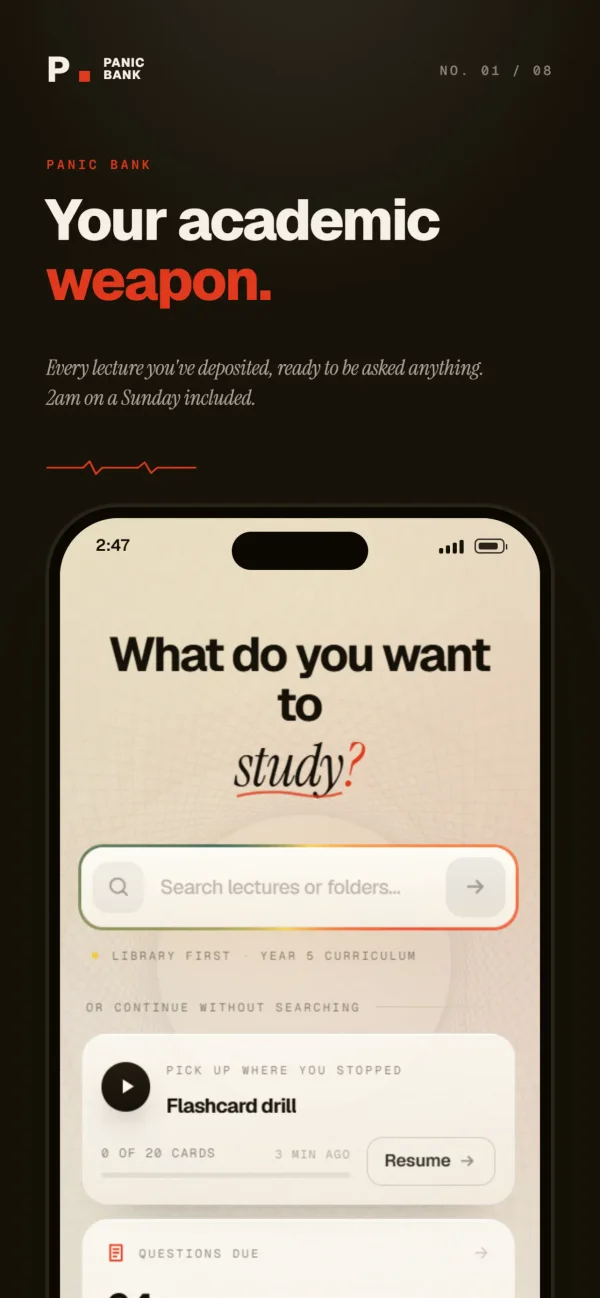
For medical students who study at 2am and would rather not.
Drop any lecture into PanicBank and it turns it into SBAs, flashcards, a written summary and an AI patient you can rehearse your OSCE with, out loud. Every question and card cites the exact slide it came from, so you always know where the exam is drawing from. Nothing skipped.
SBAs
Exam-style single-best-answer questions dealt from your own lectures, not a generic bank. Lockdown mode keeps the choices hidden until you commit an answer from memory. Every question comes with the why and the source slide, one tap away. The exam won't be this polite.
OSCE DESK
Rehearse the consultation out loud. Bring your marking scheme, meet an AI patient who talks back, and watch the checklist tick as you go. 70+ stations shared by students in your year.
THE STATEMENT
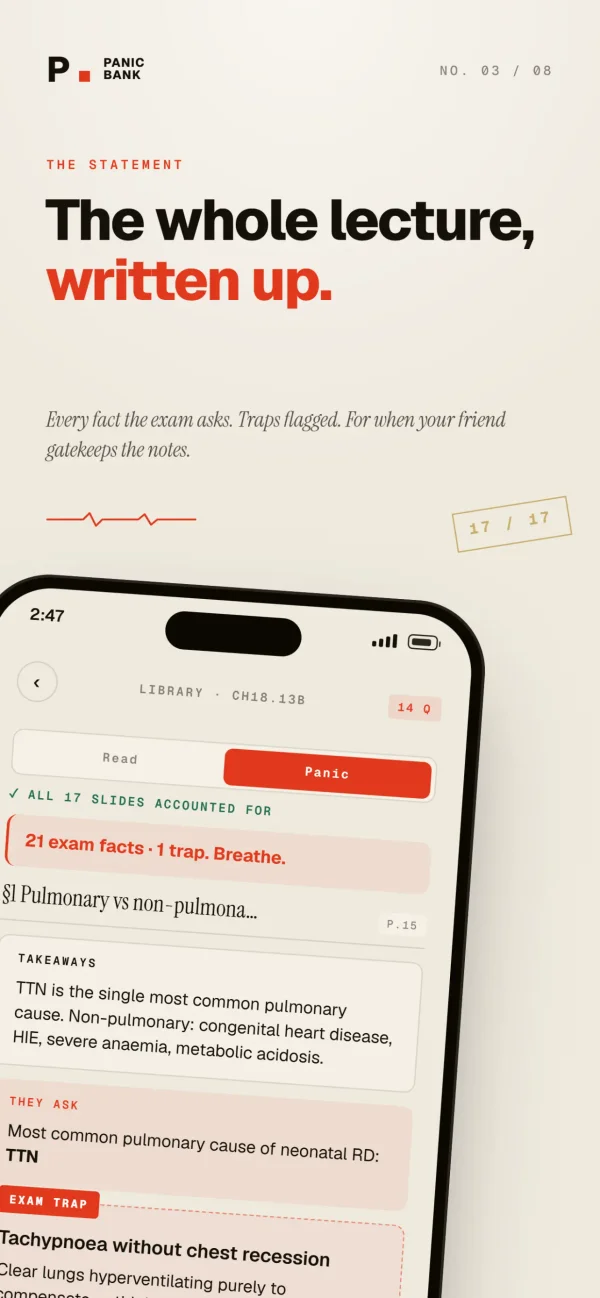
The whole lecture, written up. Every fact the exam actually asks, section by section, each one citing the slide it came from. Exam traps flagged before they catch you. Plus a five-minute Recap for the corridor outside the exam hall. For when your friend gatekeeps the notes.
FLASHCARDS
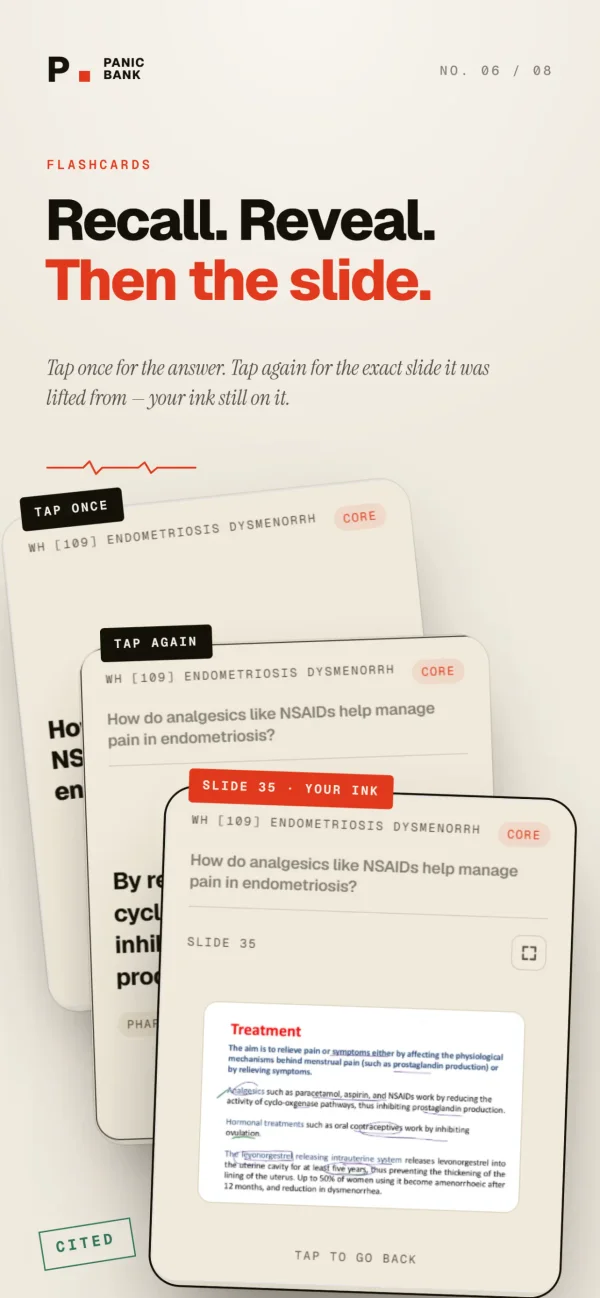
Recall, then reveal. In that order. Tap once for the answer, tap again for the exact slide it was lifted from, with your own ink still on it. Spaced repetition decides when you see it next.
THE TELLER
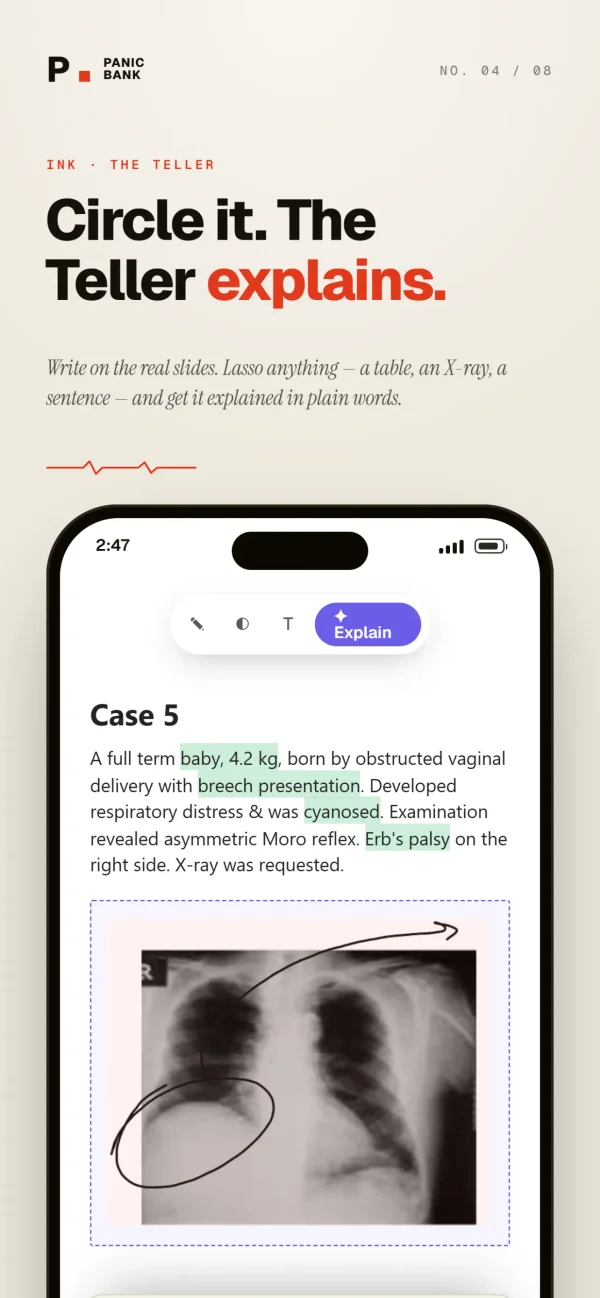
Circle anything — a table, an X-ray, a sentence — and the Teller explains it in plain words. Ask follow-ups. Challenge an answer option. It knows which lecture, which question and which slide you're on.
INK
Write on the lecture itself. Pen, highlighter and text on the real slides, with a ruled margin beside every page for your own notes. Your annotations stay attached to the source.
MOCK EXAMS
Build a timed paper from your own folders or the curriculum. Retake the questions that caught you before. Study Hall tracks lecture mastery, question accuracy, weak modules and your next useful action, in one place.
THE ARENA
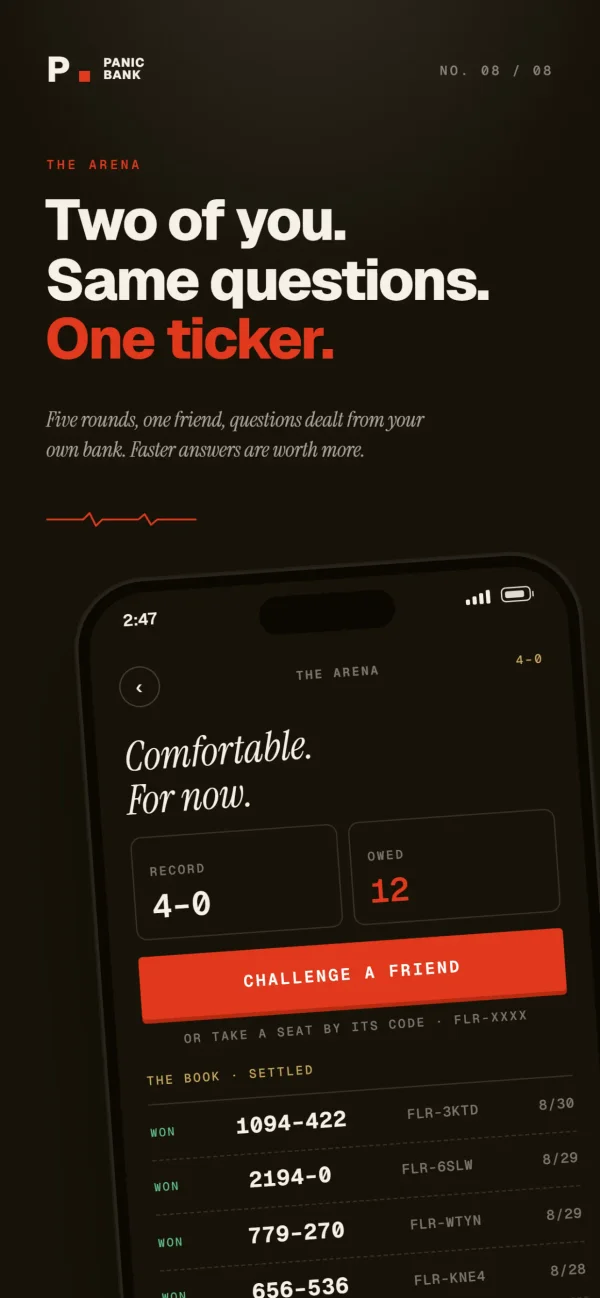
Two of you. Same questions. One ticker. Put up five questions from your own library and challenge a friend by name, or leave the seat open for anyone in your year. Faster answers are worth more. The book keeps score.
—
Deposit a PDF, a slide deck or a photo. Free to open. No card. You can close it whenever the panic passes.
PanicBank is a study aid for medical education only. It is not a substitute for professional clinical training and does not provide medical advice, diagnosis, or treatment.
Questions or feedback? Email us at Panicbankai@gmail.com.
Terms of Use (EULA): https://app.panicbank.com/terms
Privacy Policy: https://app.panicbank.com/privacy
What’s new
Version 2.2.1 · Nov 28, 2026
What's new in PanicBank
• The Stress Test: one hard clinical case a day, built from your own lectures. Varied patients, two hints per case, and the hints never give the answer away.
• A redesigned Week: see what's next at a glance, and look back at past weeks with the lectures you studied ticked off.
• A new Home: the Study view opens first and shows what you know, plus which students at your university are studying this week.
• Friends and Library: a new friends feed, share lectures with friends, see what was added recently, and add a classmate's timetable to yours.
• Class reminders switch on by themselves once you allow notifications. Manage them in Profile → Notifications.
• Superfocus: shows why a session paused, and you can finish together with friends.
• Lots of fixes and polish.
App privacy
What louaa Ismeil declares on the App Store about how this app handles data.
-
Data linked to you
May be collected and linked to your identity.
- Purchases
- Contact info
- User content
- Identifiers
- Usage data
- Diagnostics
- Other data
Privacy practices may vary, for example with the features you use or your age.
Information
- Seller
- louaa Ismeil
- Category
- Education
- Version
- 2.2.1
- Updated
- Nov 28, 2026
- Released
- Jun 26, 2026
- Size
- 21.4 MB
- Requires
- iOS 15.0 or later
- Age rating
- 17+
- Price
- Free
- In-app purchases
- Yes
- Languages
- English
- Copyright
- © 2026 PanicBank
You might also like
-
 PharmingoLearn Pharmacology,the Fun Way
-
 AcadAINotes, Flashcards, Quizzes
-
 Medical AI: chat with evidenceup to date clinical guidelines
-
 Bites: AI-Powered Studying!Study, Revise, and Master!
-
 Quranify: Quran Audio PlayerIslamic Audio for Focus&Sleep
-
 Flashka - AI Flashcards MakerStudy with Flashcard & Quiz
-
 MedMastersBest medical courses
-
 MedSafeAI: AI Doctor Assistant80+ Pro Medical AI Assistants
-
 Learn English Easily - iStoriaThe World of Oxford Stories
-
 FivePrayer - Pray on TimeMuslim Prayer & App Blocker