
PanoSlicer
Share panoramas on Instagram
Designed for iPhone, iPad, iPod touch
Free · In-app purchases
- Age rating4+
- CategoryPhoto & Video
- DeveloperDr. Tae
- LanguagesEnglish
- Size10.0 MB
Links to the official App Store page
Download.org hosts no file of PanoSlicer. The button opens its official App Store page, published by Dr. Tae. Listing last checked on Nov 12, 2026.
Screenshots

About
PanoSlicer is the easiest way to share your panoramas on Instagram! Check out @PanoSlicer on Instagram to see PanoSlicer in action.
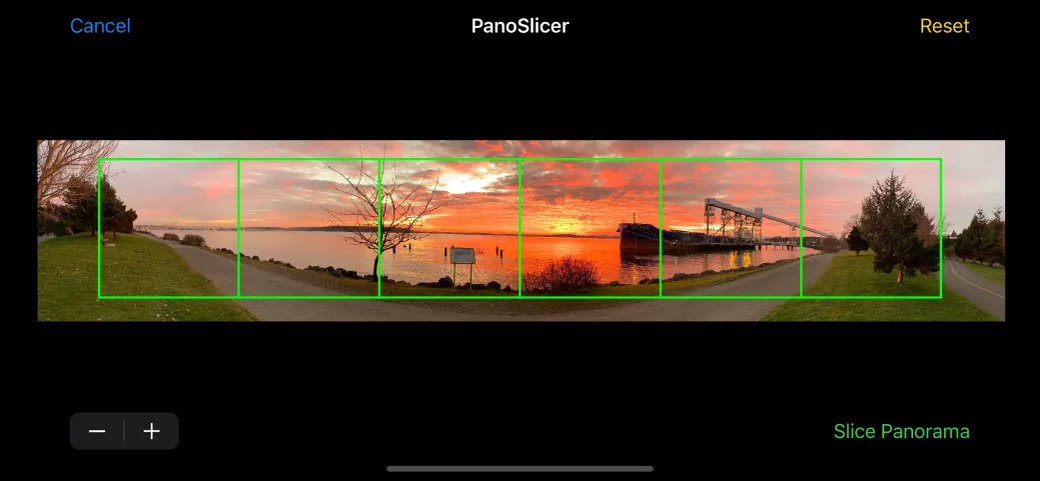
PanoSlicer helps you take advantage of Instagram's multi-image posts by slicing your panoramas into square pieces that can be uploaded at the same time into a seamless panorama that can swiped through on Instagram.
1) PanoSlicer displays thumbnails of all the panoramas* in your photo library. Simply tap the panorama you want to upload to Instagram, and customize the slicing by choosing the number of slices you want (up to Instagram's limit of 10) and which part of the panorama to slice by scrolling and zooming. After tapping on the "Slice Panorama" button, PanoSlicer slices your panorama into squares (keeping the original intact, of course), saves those slices to your photo library, and then automatically opens the Instagram uploader for you.
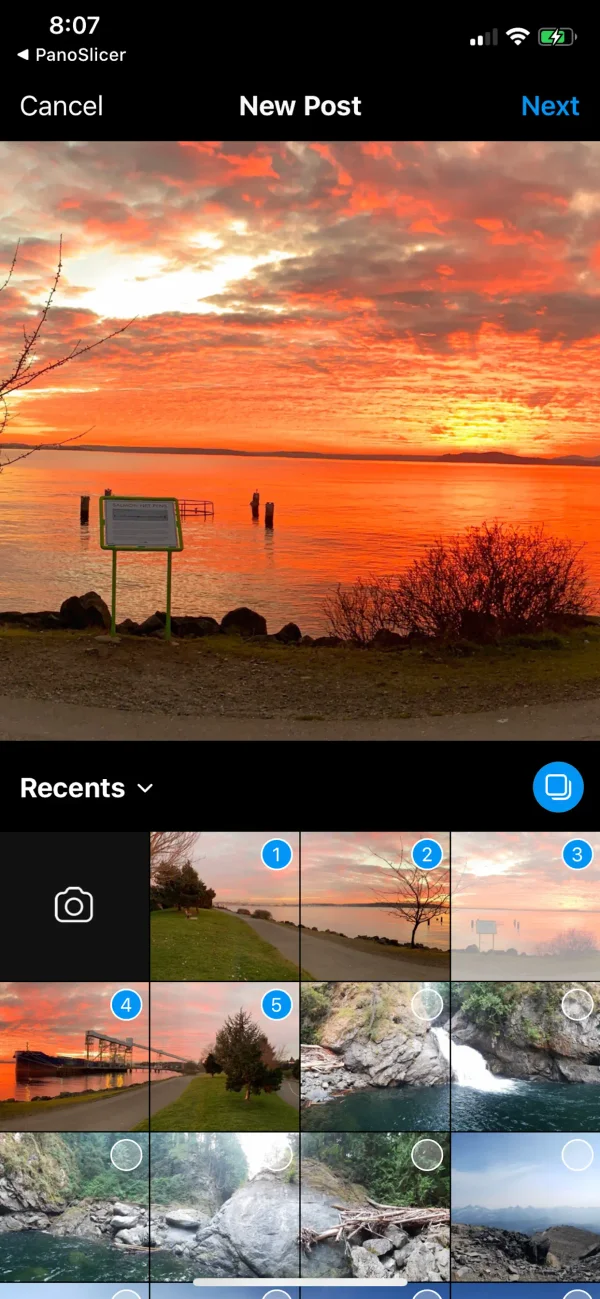
2) Use Instagram's "select multiple" option to upload your sliced panorama. PanoSlicer saves the slices to your photo library so that it's easy to select them in the correct order in Instagram's uploader.
3) Finish your upload and enjoy sharing your full panorama on Instagram!
PanoSlicer is free to try before you buy and initially adds a watermark to the images it creates. If you decide that PanoSlicer suits your needs, you can make an in-app purchase to unlock PanoSlicer so that it slices your panoramas without adding the watermark.
*Panoramas are defined as images with a height of more than 800 pixels and an aspect ratio (width/height) of at least 2.75. If you want to slice images that aren't recognized as panoramas, tap the "All Photos" button to browse your entire photo library.
What’s new
Version 2.1 · Sep 14, 2025
Updated for iOS 26
App privacy
What Dr. Tae declares on the App Store about how this app handles data.
-
Data not collected
The developer does not collect any data from this app.
Privacy practices may vary, for example with the features you use or your age.
Information
- Seller
- YUNG KIM
- Category
- Photo & Video
- Version
- 2.1
- Updated
- Sep 14, 2025
- Released
- Mar 17, 2017
- Size
- 10.0 MB
- Requires
- iOS 12.0 or later
- Age rating
- 4+
- Price
- Free
- In-app purchases
- Yes
- Languages
- English
- Copyright
- © 2017 Dr. Tae
You might also like
-
 SwiPic - Panoramic Photos -A Panoramic Photo Slicer App
-
 Panomate : panorama to peopleSlice panoramas and not only!
-
 PanoSplit for InstagramShare your photo as a panorama
-
 PanoraVideo for InstagramConvert Any Photo to Video
-
 STP Swipeable panorama & gridCrop image for Instagram post
-
 Panorama Split: Photo EditorCreate Perfect Swipeable Post!
-
 Panoslice: Carousel Post MakerPhoto Collage, Design & Layout
-
 Panorama Grid Maker: PanoGridCarousel, Photo Split Layout
-
 PanoraSplit for InstagramPhoto to Swipeable Panorama
-
 Panorama - Photo StitcherMerge Photo & Image Stitch