- Age rating4+
- CategoryProductivity
- DeveloperKevin Hudson
- LanguagesEnglish
- Size15.8 MB
Links to the official App Store page
Download.org hosts no file of PaperToPlan. The button opens its official App Store page, published by Kevin Hudson. Listing last checked on Nov 12, 2026.
Screenshots

About
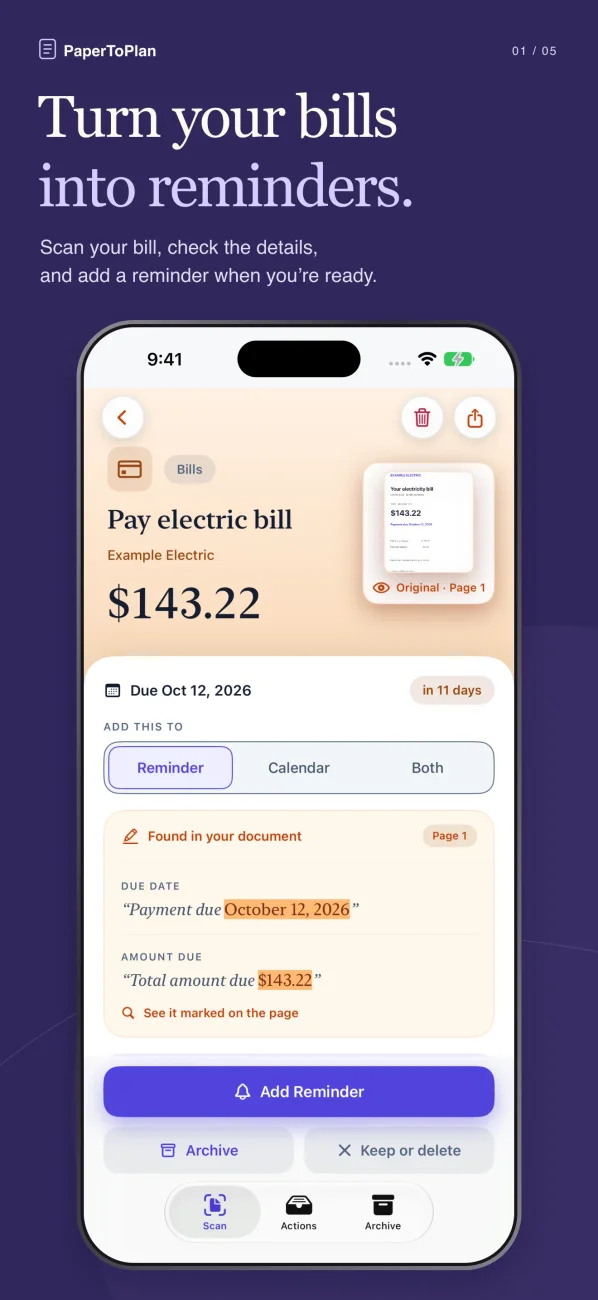
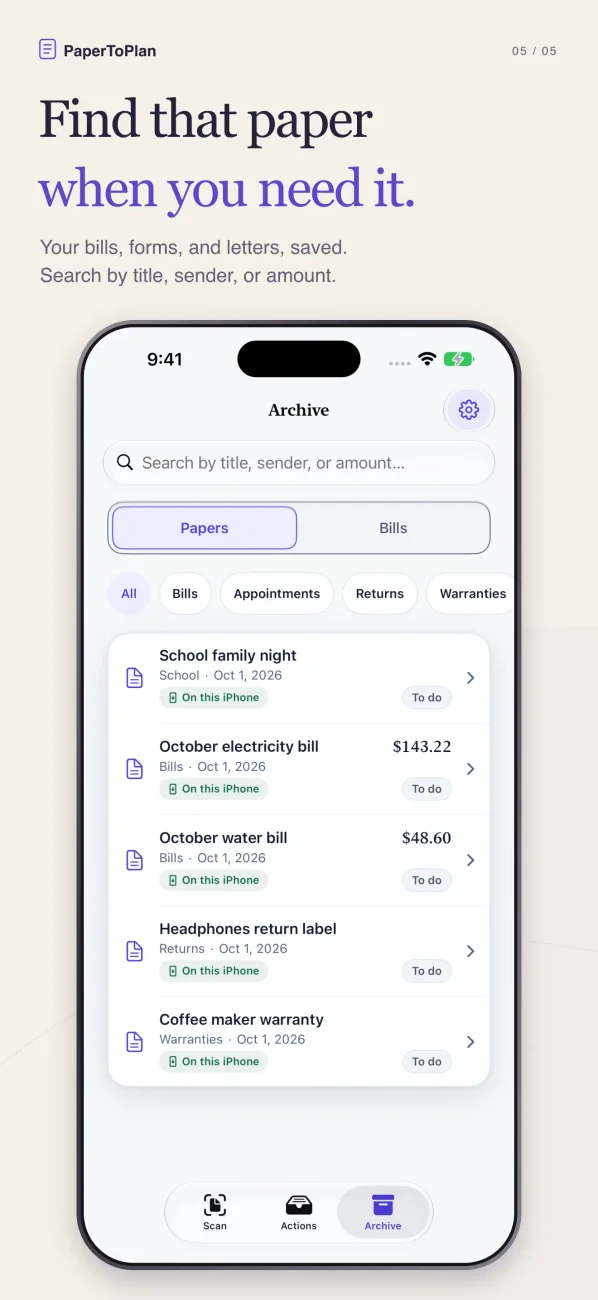
PaperToPlan turns household paperwork into one clear next step you can check and edit.
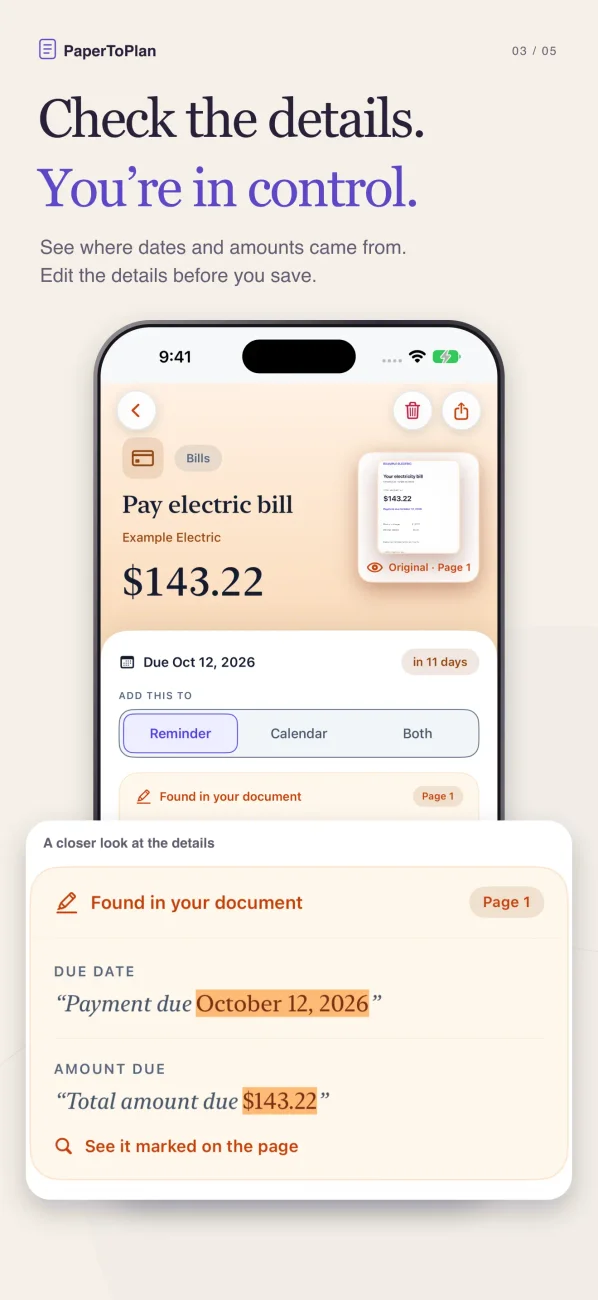
Scan with your camera, choose a photo or PDF, or send a document from the Share sheet. PaperToPlan reads the paper and drafts the details that matter, such as a due date, amount, contact, or instruction. It also shows the matching words from the paper so you can compare them before you act.
MAKE THE PAPER USEFUL
• Edit the suggested title and details.
• Add a reminder or calendar event only when you confirm.
• Ask questions about a saved paper.
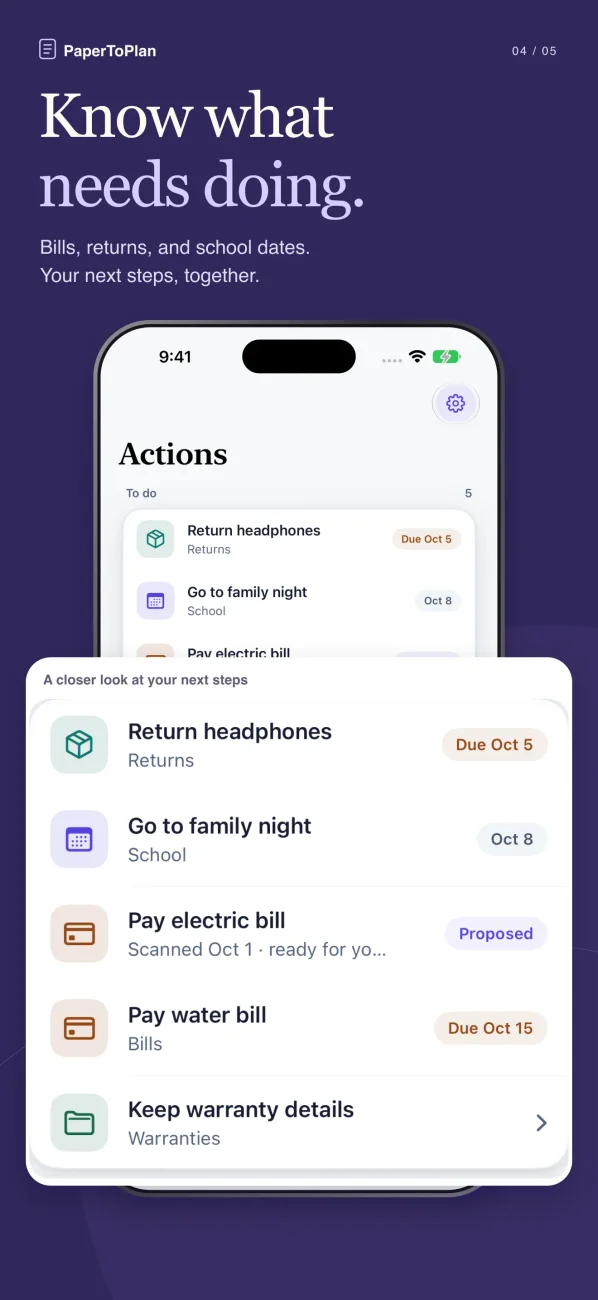
• Mark work handled and keep the paper in a searchable archive.
• Reopen, share, save a copy, or delete saved papers whenever you choose.
• Keep a history of recurring bills you decide to track.
MADE FOR EVERYDAY PAPERWORK
Use PaperToPlan for bills, appointment letters, school forms, renewal notices, invitations, reservations, return labels, and other household documents. The app can miss or misunderstand details, so always check important dates, amounts, and instructions against the original.
CHOOSE HOW PAPERS ARE READ
Online sends only the paper's text and the information needed for your request. Your original photo or PDF stays on your iPhone. Before the first Online request, PaperToPlan shows the text and asks for your permission. It hides most digits in recognized card, account, and Social Security numbers before sending. When you ask about a saved paper, the request may also include your question and recent questions and answers about that paper.
On this iPhone sends none of the paper's text. When this option is available on your device, the paper is read on your iPhone. Some financial, medical, legal, or very long papers may need you to fill in details yourself.
YOUR PAPERS STAY YOURS
PaperToPlan does not require an account and does not show ads. You can save a copy of your archive or delete it from the app. Saved papers stay readable and you can still save a copy if your subscription ends.
PAPERTOPLAN PLUS
Your first completed paper can be reviewed and saved without a subscription. After that, reading new papers or asking new questions requires PaperToPlan Plus.
In the U.S., Plus is $2.99 per month or $24.99 per year. Eligible new subscribers receive one week free. Prices and eligibility may vary by region. Both plans include the same features; only the billing period is different. Online reading has safeguards against unusually heavy use. On supported iPhones, On this iPhone remains available while Plus is active.
Payment is charged to your Apple Account after confirmation. The subscription renews automatically unless canceled at least 24 hours before the current period ends. Manage or cancel it in your Apple Account subscription settings.
Privacy: https://papertoplan.app/privacy
Terms: https://papertoplan.app/terms
What’s new
Version 1.2.1 · Nov 3, 2026
Updated App Store screenshots and previews.
App privacy
What Kevin Hudson declares on the App Store about how this app handles data.
-
Data linked to you
May be collected and linked to your identity.
- Purchases
- Identifiers
- Usage data
- Diagnostics
-
Data not linked to you
May be collected but is not linked to your identity.
- User content
Privacy practices may vary, for example with the features you use or your age.
Information
- Seller
- Kevin Hudson
- Category
- Productivity
- Version
- 1.2.1
- Updated
- Nov 3, 2026
- Released
- Sep 14, 2026
- Size
- 15.8 MB
- Requires
- iOS 26.0 or later
- Age rating
- 4+
- In-app purchases
- Yes
- Languages
- English
- Copyright
- © 2026 Kevin Hudson
You might also like
-
 EchoNote: AI Note Taker & MemoVoice to Text, Record Meetings
-
 Bill Organizer & Tracker PlusBills Manager - PennyBill
-
 Plato by SitereconYour scribe in the field
-
 Shadow PCShadow PC mobile access
-
 Tom VPN - Fast Secure ProxyPrivate Shield for Public WiFi
-
 Diary With PasswordNo Ads Journal Diary Notebook
-
 Trello: Daily Task TrackerTrack & Manage To Do Lists
-
 Fraction Calculator Plus #1Decimal Converter,Construction
-
 minical - Planner & CalendarSchedule Organizer with Widget
-
 Google Gemini EnterpriseYour enterprise AI assistant