
- Age rating4+
- CategoryProductivity
- DeveloperFieldKo Mobility Pty Ltd
- LanguagesEnglish+ 1 more
- Size28.3 MB
Links to the official App Store page
Download.org hosts no file of Parker Mobile. The button opens its official App Store page, published by FieldKo Mobility Pty Ltd. Listing last checked on Nov 25, 2026.
Screenshots



About
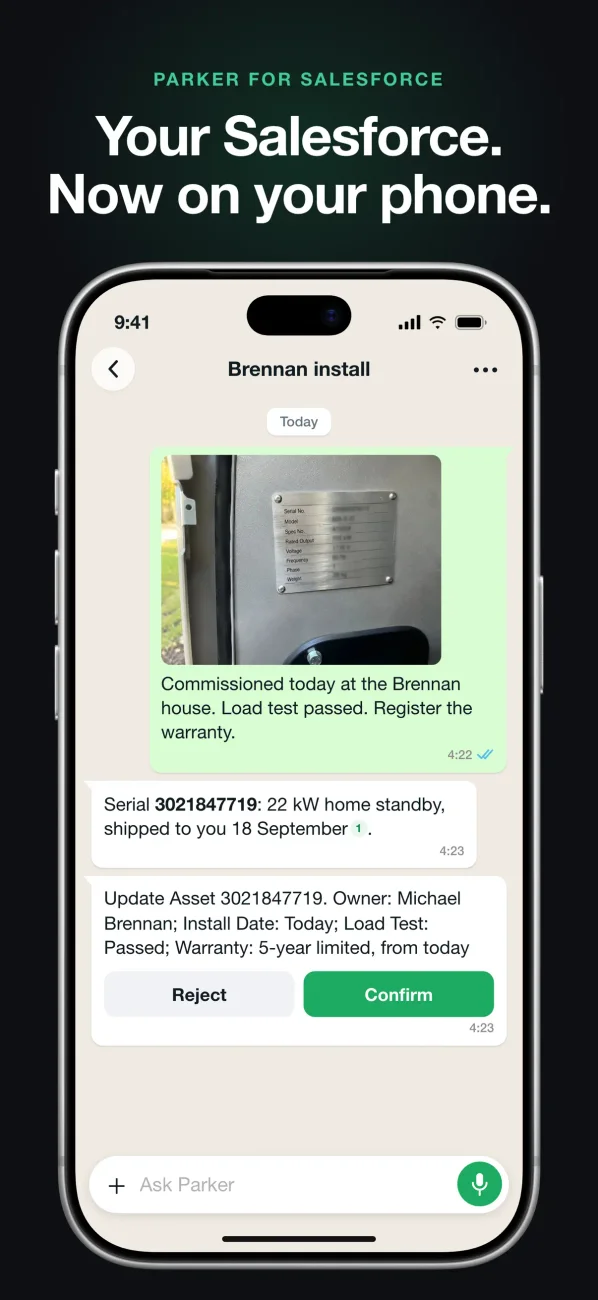
Parker brings your Salesforce to your phone. Send a message, a photo or a voice note, and Parker does the Salesforce work in one chat, under the permissions and rules you already have.
LOG IT
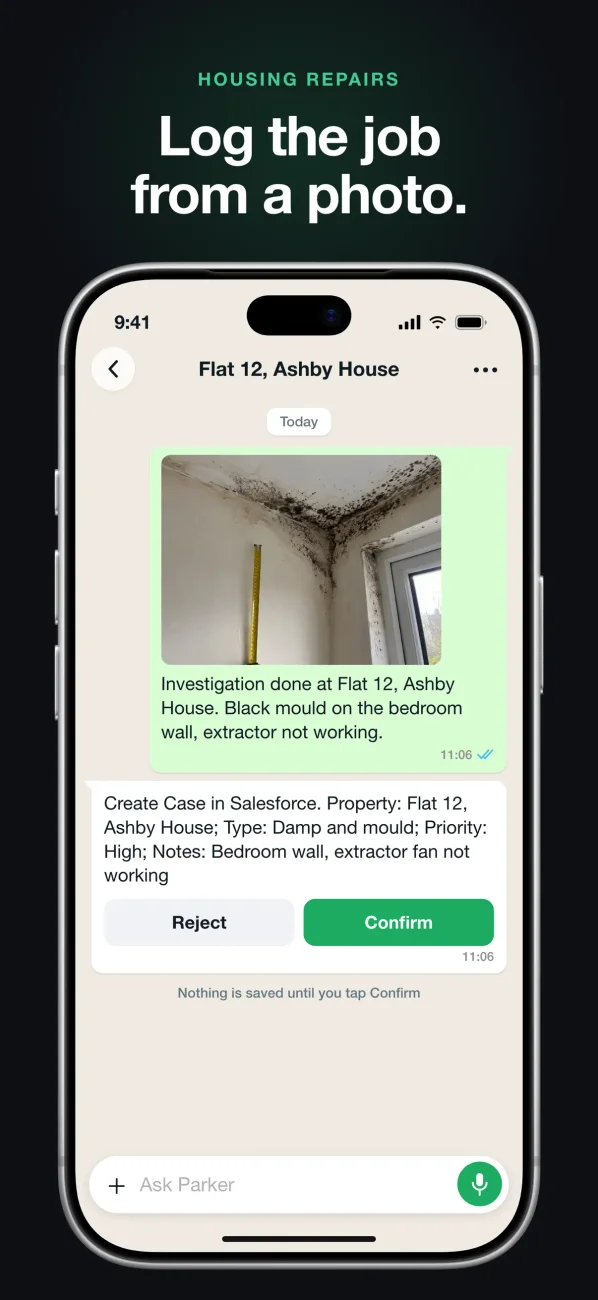
• Send a photo and a line about what happened. Parker reads the photo, finds the record, and drafts the case or update for you.
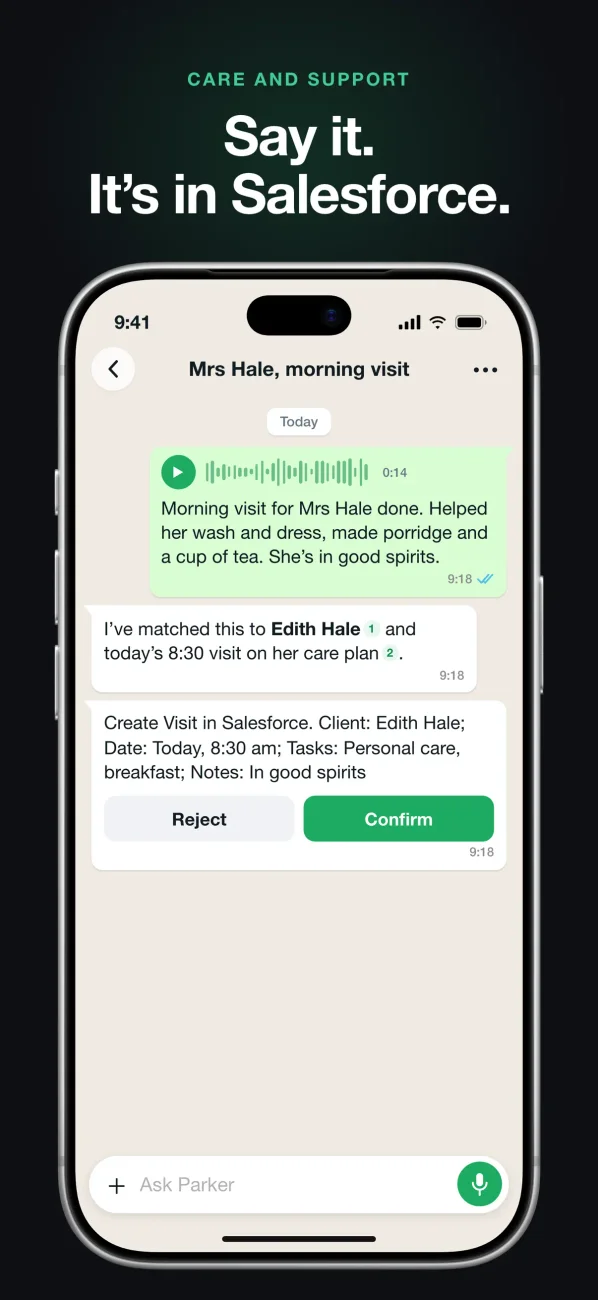
• Hold the microphone and say it. Your voice note becomes a visit, a call or a job update.
ASK IT
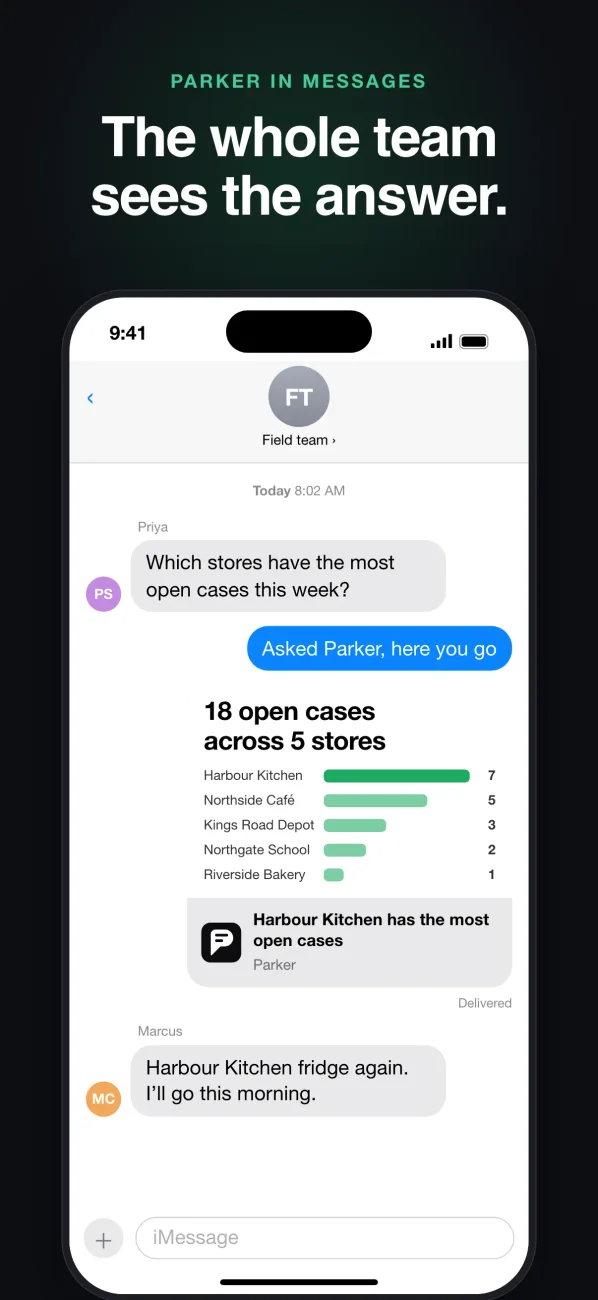
• Ask about any account you can see in Salesforce: history, warranty, open cases, who visited last.
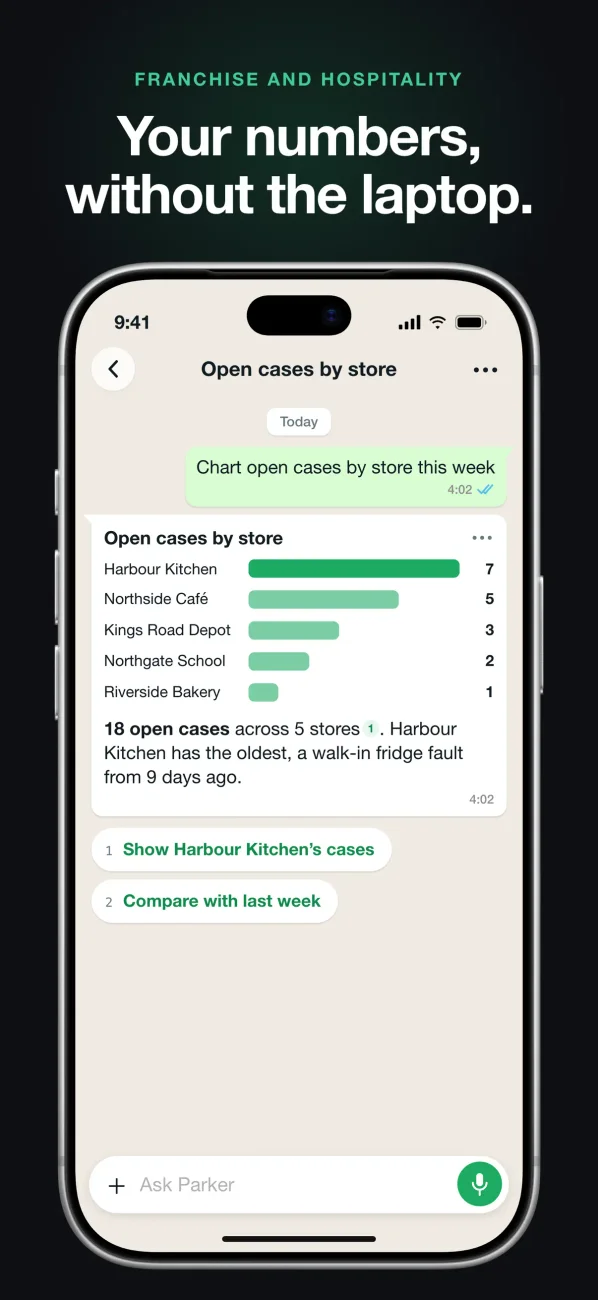
• Get tables, charts and maps in the chat. Sort a table with a tap and export it.
• Tap a source to open the Salesforce record behind an answer.
UPDATE IT
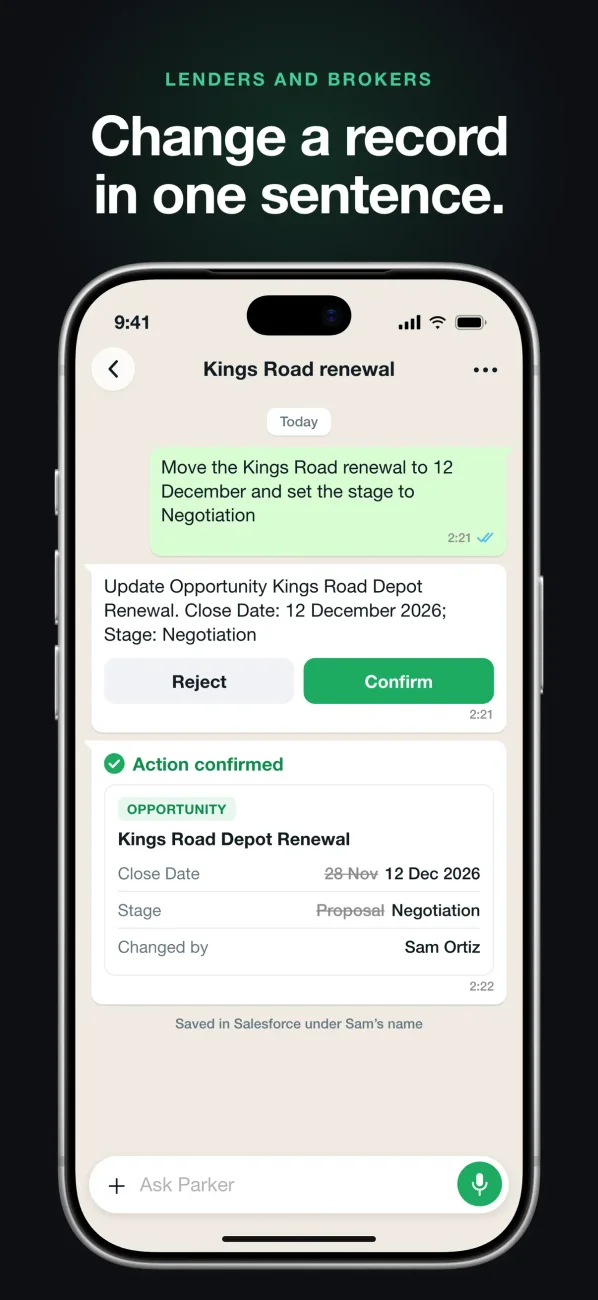
• Change a record in one sentence. Parker shows exactly what it will save.
• Nothing is written to Salesforce until you tap Confirm.
• Every change is saved under your name, so Salesforce history stays accurate.
BUILT FOR THE FIELD
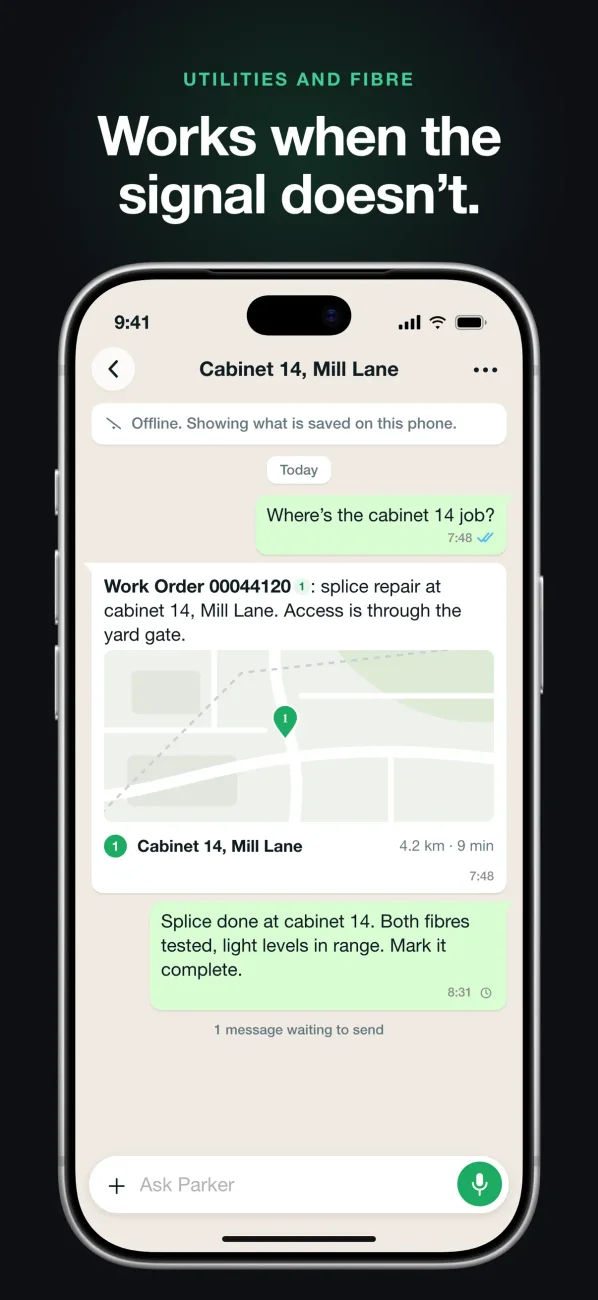
• Works offline: recent chats, photos and records open without a connection, and messages you write are sent when you are back in range.
• Lock Parker with Face ID.
• Pick up the same conversations on the web when you are back at a desk.
BUILT FOR YOUR SALESFORCE RULES
• Parker runs as you. It sees and changes only what your own Salesforce login allows.
• Your validation rules, required fields and sharing settings apply in every chat.
Used by sales and service teams in housing repairs, field service, utilities, lending, insurance, field sales, franchise and hospitality, and care.
Parker needs an account set up by your company, and your own Salesforce login. If your team does not use Parker yet, ask your Salesforce administrator or visit parker.work to book a demo.
What’s new
Version 1.0.22 · Nov 24, 2026
Parker has a new look and works when you're offline.
• Sign in with your mobile number.
• Write messages with no signal. They send themselves when you're back online, with ticks to show where each one has got to.
• Your recent chats, photos and records open without a connection.
• A new Settings screen: switch organisation, manage notifications, and turn on Face ID.
• Faster to open and faster to answer.
App privacy
What FieldKo Mobility Pty Ltd declares on the App Store about how this app handles data.
-
Data linked to you
May be collected and linked to your identity.
- Contact info
Privacy practices may vary, for example with the features you use or your age.
Information
- Seller
- FieldKo Mobility Pty Ltd
- Category
- Productivity
- Version
- 1.0.22
- Updated
- Nov 24, 2026
- Released
- Aug 28, 2026
- Size
- 28.3 MB
- Requires
- iOS 18.0 or later
- Age rating
- 4+
- Price
- Free
- Languages
- English, Spanish
- Copyright
- Copyright © 2026 FieldKo Mobility Pty Ltd
You might also like
-
 JoyfillInspections, Forms, and more!
-
 InspectMind AIConstruction report generation
-
 SoundExtremeProductivity
-
 Empathy - Loss SupportFull-circle bereavement care
-
 Aqua Voice: AI DictationSpeech to Text Keyboard
-
 QRQR - QR Code® ReaderQR Code® and Barcode Reader
-
 Raycast: Keyboard, AI and moreProductivity on the go
-
 Granola - AI Meeting NotesAI notes with Google Calendar
-
 Superhuman MailAI-native email client