
PasoPaso: Goal & Task Planner
Big goals. One step today.
Designed for iPhone
In-app purchases
- Age rating4+
- CategoryProductivity
- DeveloperHIROTO KADOTA
- LanguagesJapanese+ 1 more
- Size68.9 MB
Links to the official App Store page
Download.org hosts no file of PasoPaso: Goal & Task Planner. The button opens its official App Store page, published by HIROTO KADOTA. Listing last checked on Nov 23, 2026.
Screenshots

About
Big goals. One step today.
PasoPaso is a goal and action planning app that helps you break ambitious goals down into milestones and actionable TODOs.
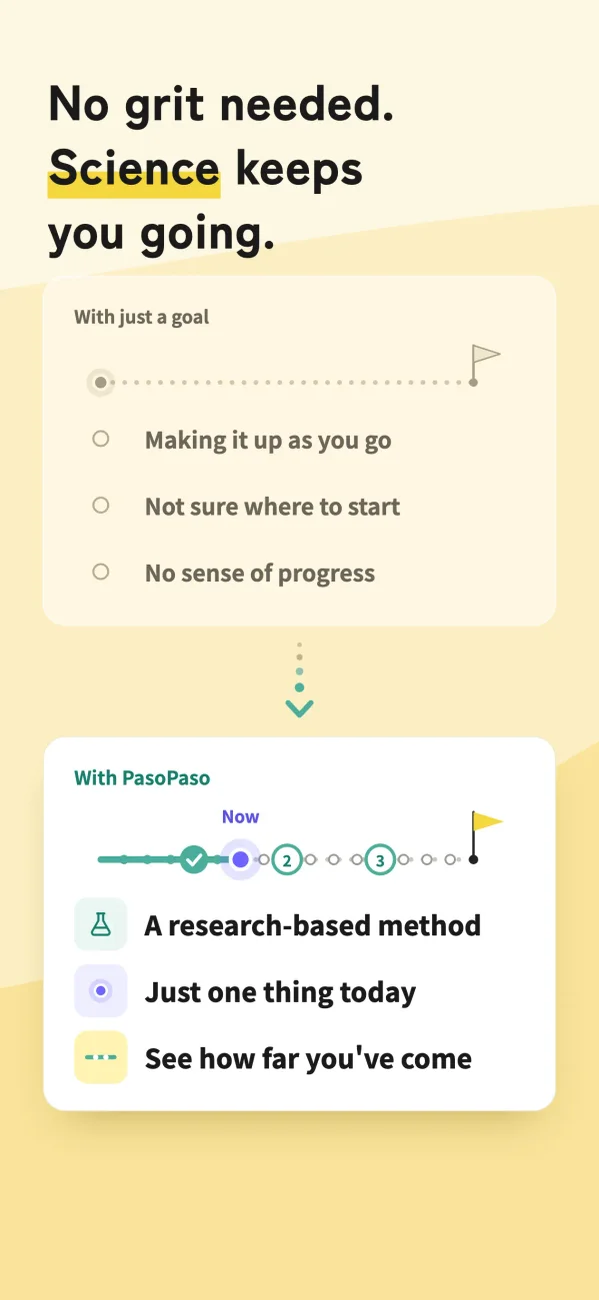
“I have a goal, but I don’t know where to start.”
“I make plans, but I’m never sure what to do next.”
“I’m making an effort, but I can’t see my progress.”
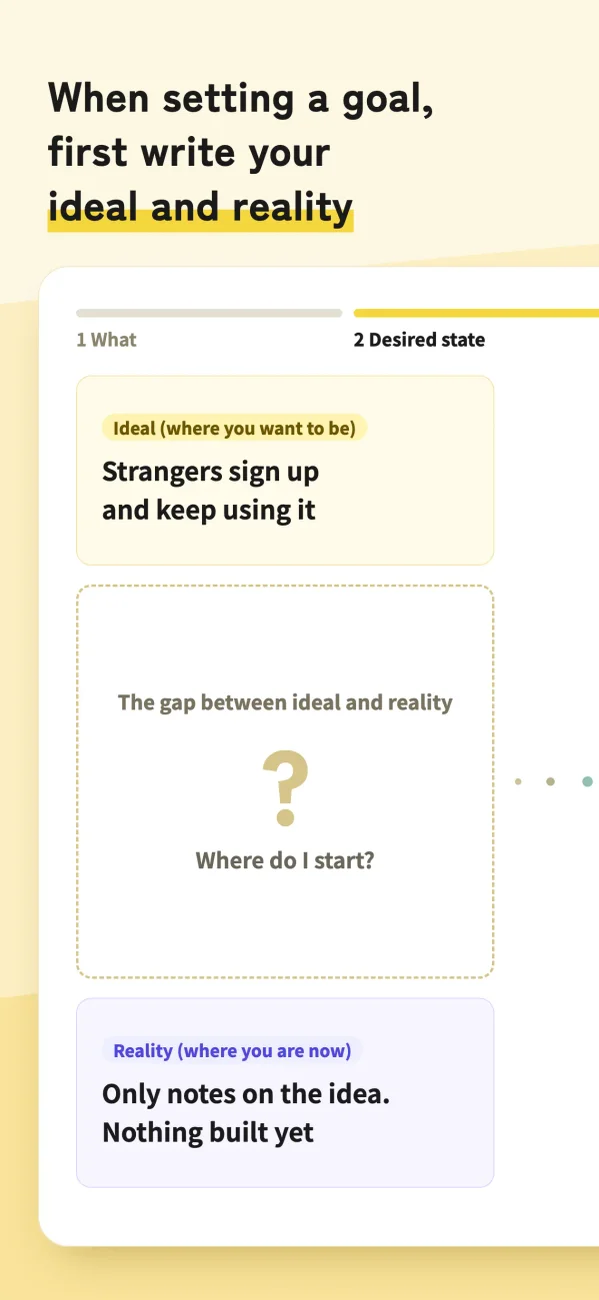
PasoPaso turns large goals into smaller, manageable steps and makes your next action clear.
Using AI and principles from behavioral science, PasoPaso helps you spend less time hesitating, start taking action, and build momentum through consistent progress.
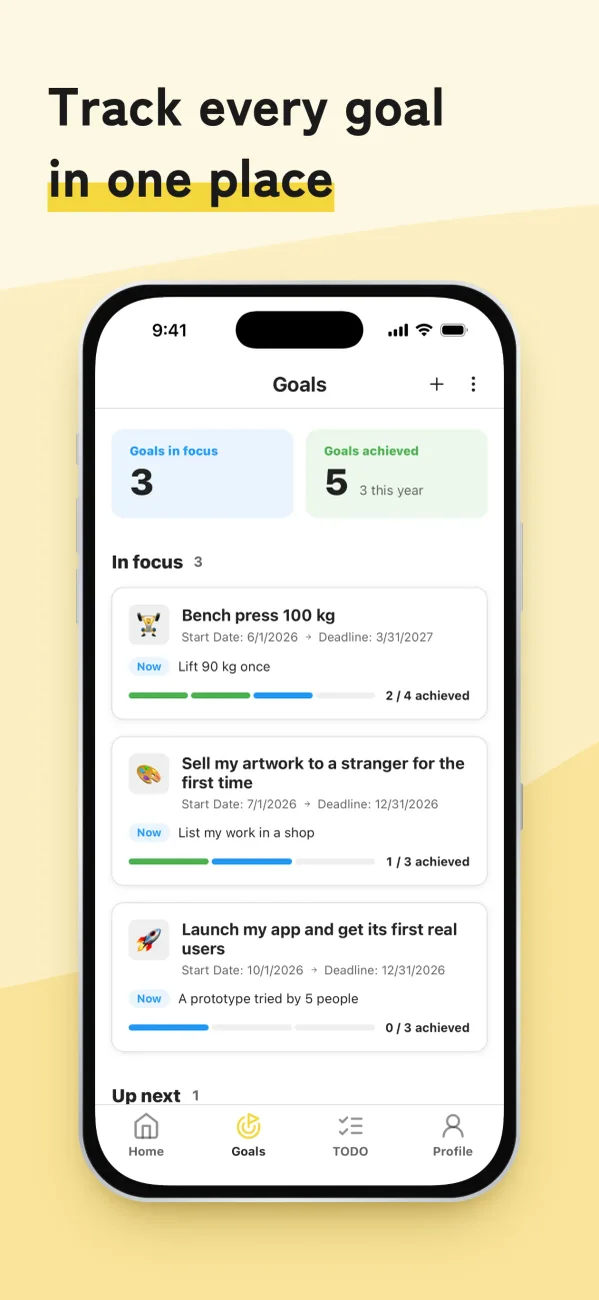
■ ORGANIZE GOALS AND VISUALIZE PROGRESS
• Add an emoji, status, start date, and deadline to each goal
• Organize goals as Planned, Active, or Completed
• Track achievement with clear progress indicators
• Archive goals you have completed or no longer need to manage actively
■ BREAK LARGE GOALS DOWN INTO ACTIONABLE TODOS
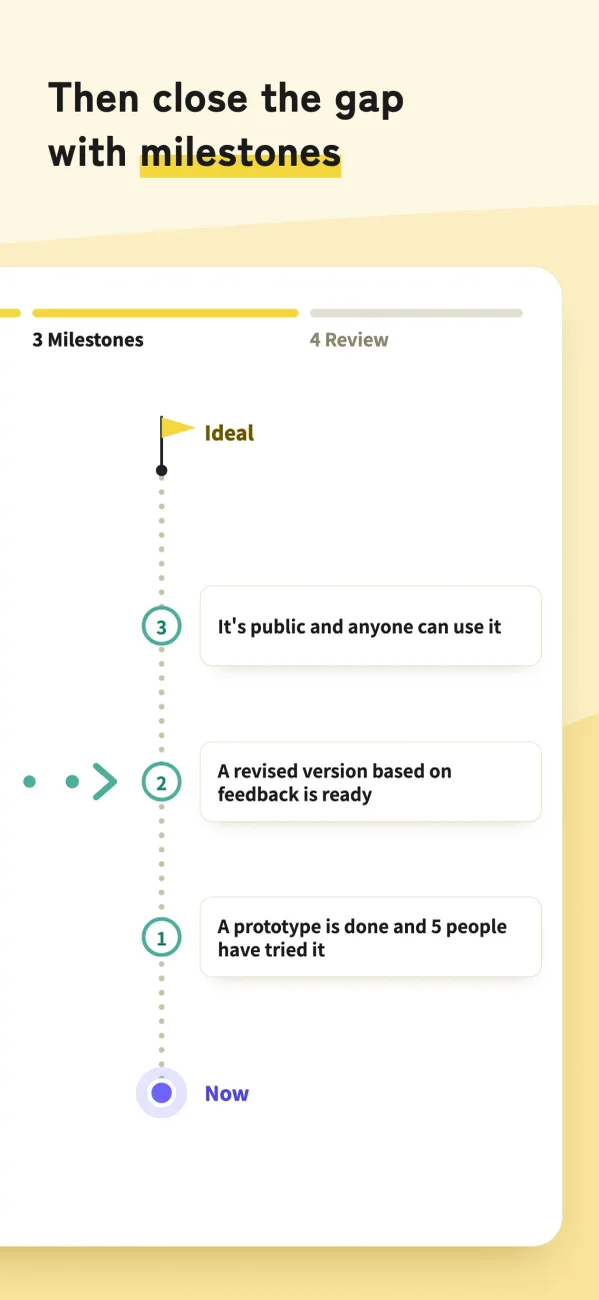
Organize your plans in three levels:
Goals → Milestones → TODOs
• Define milestones as meaningful stages toward a goal
• Break each milestone down into TODOs you can start right away
• Connect every TODO to the goal and milestone it supports
• Turn overwhelming goals into realistic, manageable actions
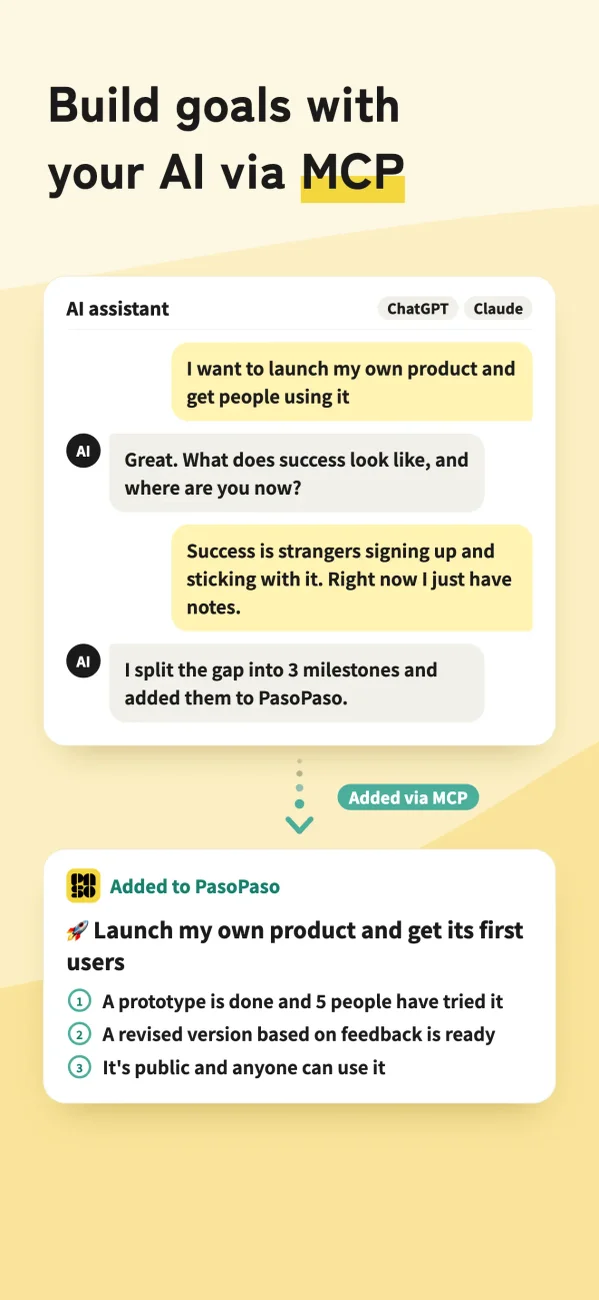
■ CREATE PLANS AND TODOS WITH AI
• Generate milestones and TODOs based on your goal
• Create specific TODO suggestions from individual milestones
• Spend less time figuring out how to begin
• Review and adjust generated plans to fit your needs
AI availability and usage limits vary between Guest, Free, and Plus plans.
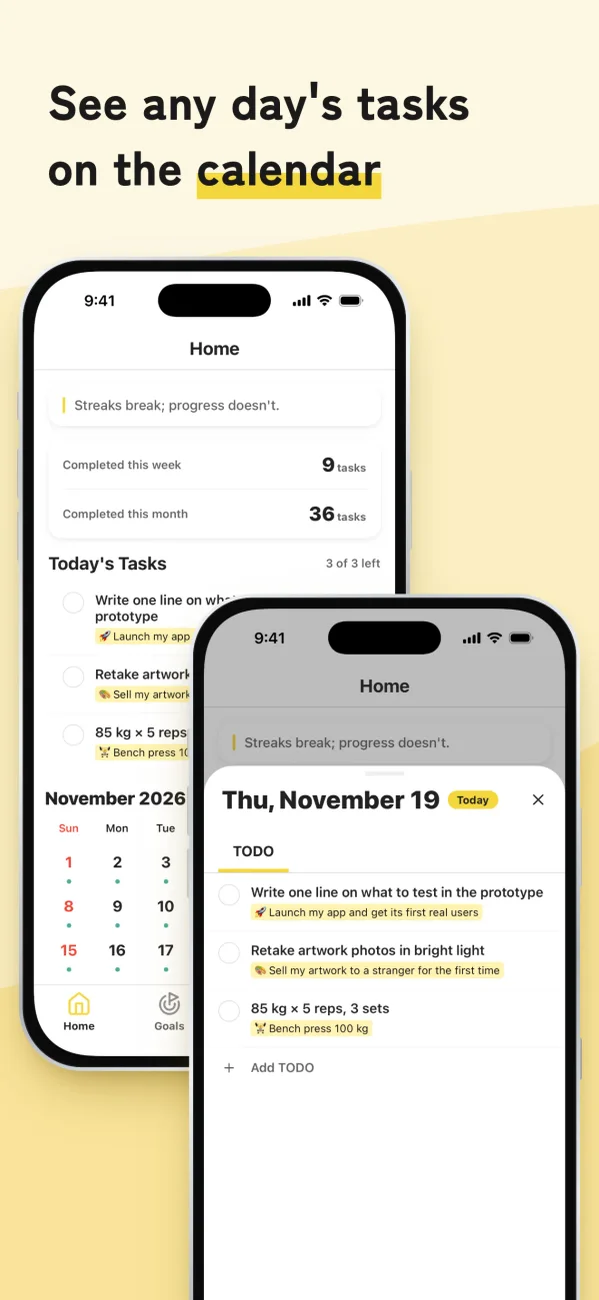
■ SEE TODAY’S ACTIONS AND PROGRESS AT A GLANCE
• View today’s TODOs and the number of tasks remaining
• Check how many tasks you completed this week and this month
• See how many tasks you completed today
• Get a special completion view when all of today’s tasks are done
• Keep unfinished TODOs without deadlines organized
■ VIEW YOUR SCHEDULE AND PROGRESS ON A MONTHLY CALENDAR
• Review scheduled TODOs on the calendar
• Distinguish planned, completed, and overdue items by color
• Select a date to view all TODOs scheduled for that day
• Add a new TODO directly to a selected date
• Move between months to review upcoming plans and past progress
■ MANAGE DATES AND RECURRING TODOS
• Add start dates and deadlines to goals, milestones, and TODOs
• Create recurring TODOs for studying, exercise, creative work, and other routines
• Connect your daily schedule with your long-term goals
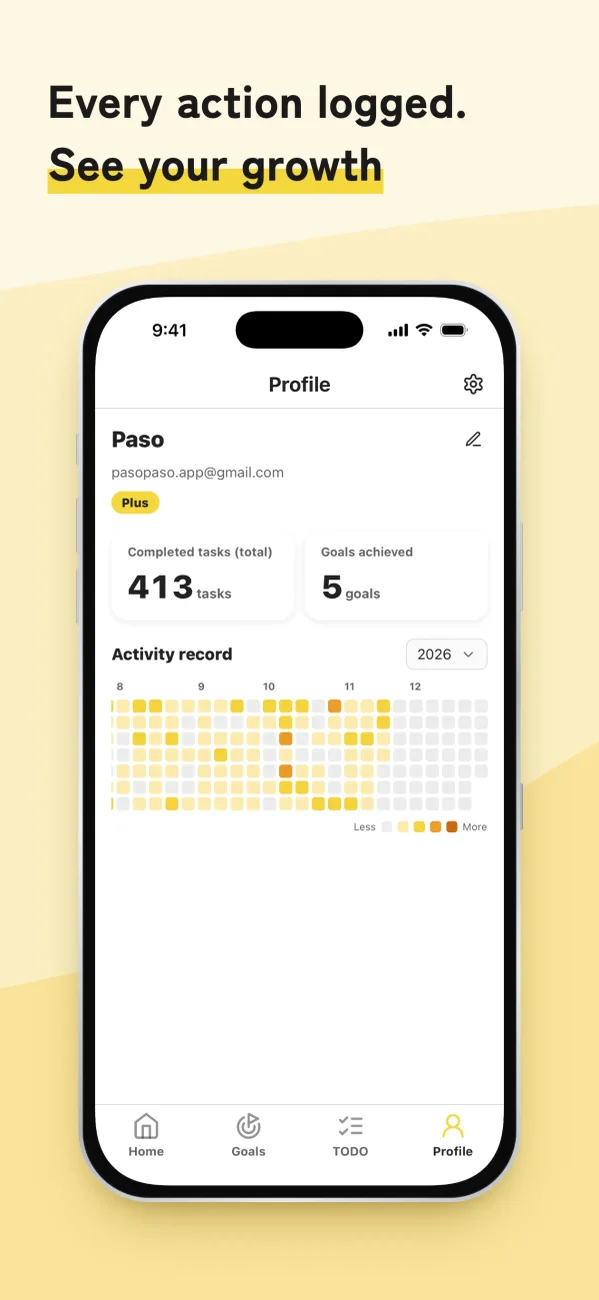
■ REFLECT ON YOUR PROGRESS
• See the total number of TODOs you have completed
• See how many goals you have achieved
• Visualize daily TODO completions in your Activity Record
• Review your consistency through a yearly activity chart
• More completed TODOs create stronger color levels
• Switch between years to look back on your previous activity
■ START WITHOUT CREATING AN ACCOUNT
• Start immediately in Guest mode
• Sign in to save your data to the cloud
• Upgrade to PasoPaso Plus for expanded goal and AI usage limits
Guest data is stored only on the device and cannot be transferred to an account or synchronized with the cloud.
■ IDEAL FOR
• Breaking ambitious goals down into realistic actions
• Planning study sessions and certification preparation
• Managing personal or professional projects
• Completing a portfolio or creative project
• Building consistent study, exercise, or work routines
• Making today’s next action clear
• Visualizing schedules and progress on a calendar
• Looking back on your daily accomplishments
• Using AI to make planning faster and easier
Turn “someday” into something you can do today.
Move your goals forward with PasoPaso—one small step at a time.
■ SUPPORT AND POLICIES
Terms of Service:
https://support.paso-paso.workers.dev/terms
Privacy Policy:
https://support.paso-paso.workers.dev/privacy
What’s new
Version v1.7.0 · Nov 20, 2026
Your goal list now has three sections, "In focus", "Up next", and "Achieved", so your progress is clear at a glance. New users get a new tutorial that leads straight into creating a first goal.
- Pick dates for goals, milestones, and TODOs from one calendar, adding a start date only when needed
- See a notice at the top of the screen when you're offline
Other minor improvements and bug fixes.
App privacy
What HIROTO KADOTA declares on the App Store about how this app handles data.
-
Data linked to you
May be collected and linked to your identity.
- Contact info
- Identifiers
- Usage data
-
Data not linked to you
May be collected but is not linked to your identity.
- Diagnostics
Privacy practices may vary, for example with the features you use or your age.
Information
- Seller
- HIROTO KADOTA
- Category
- Productivity
- Version
- v1.7.0
- Updated
- Nov 20, 2026
- Released
- Apr 24, 2026
- Size
- 68.9 MB
- Requires
- iOS 16.4 or later
- Age rating
- 4+
- In-app purchases
- Yes
- Languages
- Japanese, English
- Copyright
- © 2026 PasoPaso Team
You might also like
-
 HayaFlow : Flowchart ToolFlowchart-Style Brainstorming
-
 LifeVision - 目標を毎日の一歩に変えるProductivity
-
 The Todo - Simple Task, RemindSimple and intuitive ToDo app.
-
 Shopping memo -日常のお買い物のためのメモ-Productivity
-
 トークメモ - 自分に送るメモ帳Productivity
-
 なんでも進捗管理|タスク管理Productivity
-
 まにあうくんProductivity
-
 LinkMemo: Social BookmarksSave Reels, Videos & Posts
-
 習慣帳|シンプルな自己管理ツールProductivity
-
 見える化タイマー - 他のアプリを開いても残り時間を表示Productivity