- Age rating4+
- CategoryProductivity
- DeveloperTaichi Kasugai
- LanguagesJapanese
- Size2.0 MB
Links to the official App Store page
Download.org hosts no file of Paste to PDF. The button opens its official App Store page, published by Taichi Kasugai. Listing last checked on Nov 12, 2026.
Screenshots


About
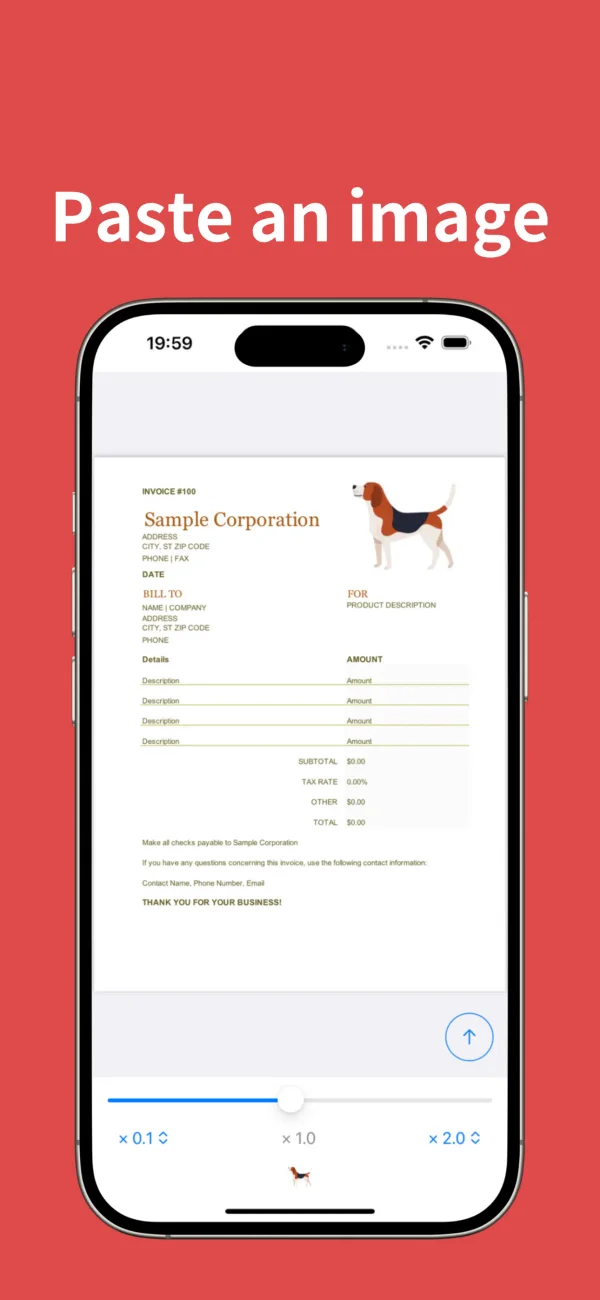
Paste an image into a PDF file easily!
1) Import a PDF from the Files app.
2) Choose an image from the Photos app.
3) Paste the image, then adjust its size and position.
4) Save the updated PDF back to the Files app.
Need to add more images? Simply save your updated PDF, re-import it, and paste additional images.
What’s new
Version 1.5.0 · Sep 15, 2025
Thanks for using Paste to PDF! This update contains several bug fixes and performance improvements. Enjoy the latest and greatest version of our app.
App privacy
What Taichi Kasugai declares on the App Store about how this app handles data.
-
Data not collected
The developer does not collect any data from this app.
Privacy practices may vary, for example with the features you use or your age.
Information
- Seller
- Taichi Kasugai
- Category
- Productivity
- Version
- 1.5.0
- Updated
- Sep 15, 2025
- Released
- Aug 5, 2024
- Size
- 2.0 MB
- Requires
- iOS 17.0 or later
- Age rating
- 4+
- Price
- $0.99
- Languages
- Japanese
- Copyright
- © Taichi Kasugai