
Pathnote — Map Where You Went
Records only while you say so
Designed for iPhone
In-app purchases
- Age rating4+
- CategoryNavigation
- DeveloperTakashi Yamamoto
- LanguagesJapanese+ 1 more
- Size3.7 MB
Links to the official App Store page
Download.org hosts no file of Pathnote — Map Where You Went. The button opens its official App Store page, published by Takashi Yamamoto. Listing last checked on Nov 11, 2026.
Screenshots
About
The walk you took, drawn on a map.
Pathnote records your route only between the moment you tap Start and the moment you tap Stop. It never looks at your location in between. Keep what you want to keep, without being watched the rest of the time.
Records only while you say so
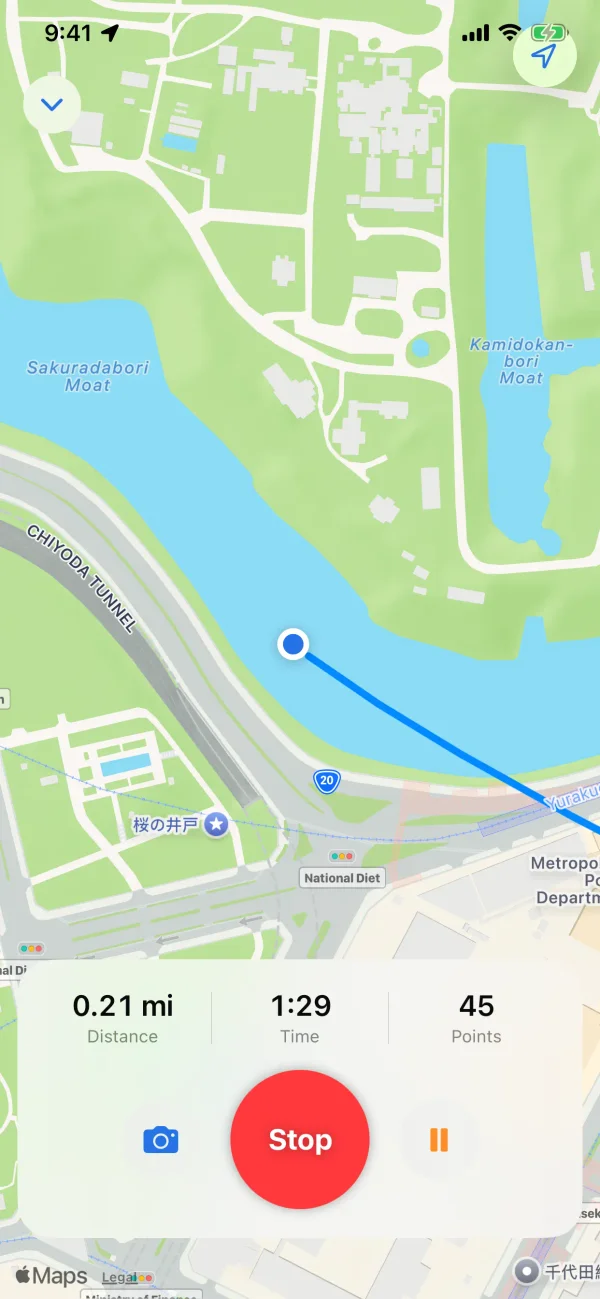
One button starts the recording and opens the map. It keeps going with the screen off or while you use another app. Pause, and the distance you cover meanwhile is not counted.
See how you travelled
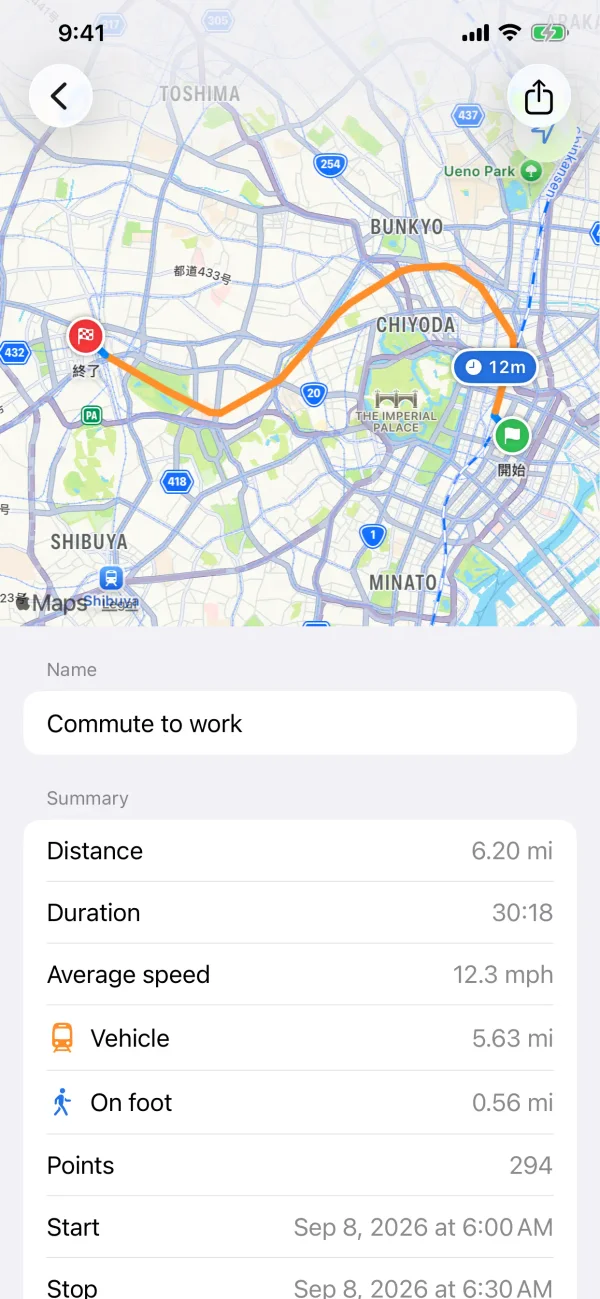
Walking, cycling and vehicles are told apart automatically and drawn in different colours. Two kilometres on foot, the rest by train, at a glance.
Pins where you stayed a while
Time spent standing still is worked out and pinned on the map. Nothing to tap, the places you stopped at are simply there afterwards.
Your regular places, mapped
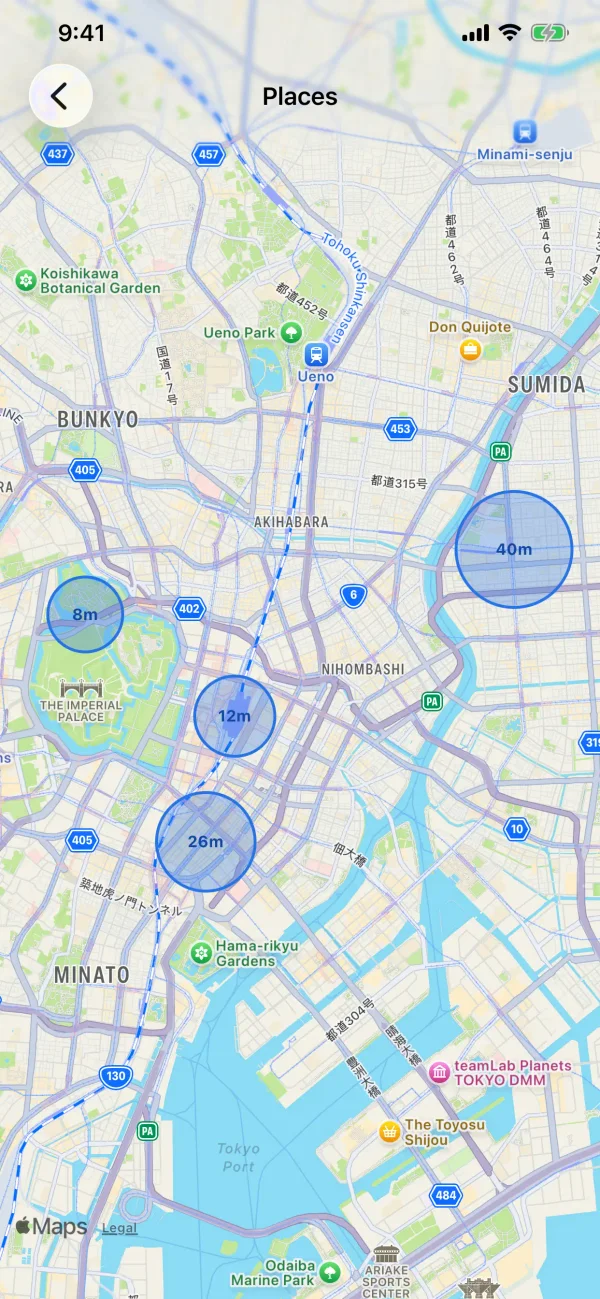
Every recording is pooled to show the places you go often, sized by how long you spend there. Your everyday map, drawn by itself.
Photos stay where you took them
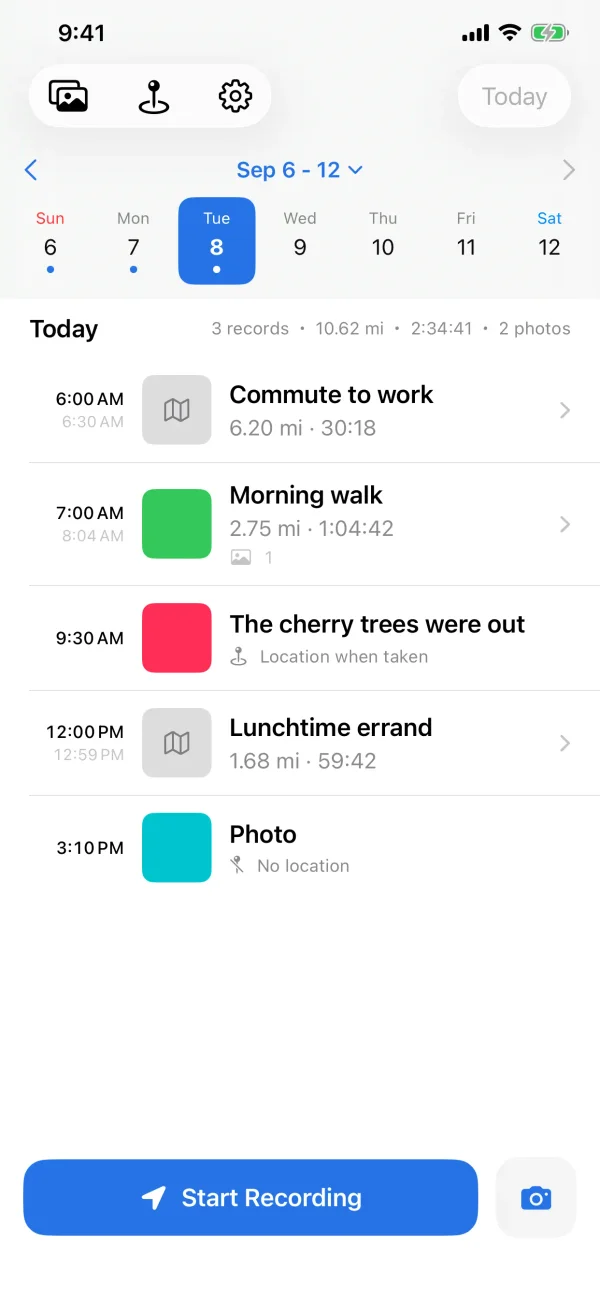
Photos taken during a recording are pinned at the spot they were taken. You can also keep a photo without recording a route, and browse every photo on a map.
Control it from Apple Watch
Start, pause and stop from your wrist with the iPhone still in your pocket. Distance and elapsed time show on the Watch too.
Start from the Lock Screen
Begin a recording without opening the app, from a Lock Screen control, Control Center, or the Action button. While recording, elapsed time and distance appear on the Lock Screen.
Your data stays on your device
Recordings and photos live only on your iPhone. Nothing is uploaded. No analytics, no advertising.
Pathnote Pro (one-time purchase)
- Unlimited photos per recording (a few per recording when free)
- Back up and restore everything
- Export as GPX or JSON to hand to other apps
There is no limit on how many recordings you keep. Recording itself is never restricted.
Step counts need permission for Motion & Fitness. The same permission improves how accurately travel modes are identified.
Location is requested as "Always" so a recording survives the screen turning off. Your location is never read while you are not recording.
App privacy
What Takashi Yamamoto declares on the App Store about how this app handles data.
-
Data not collected
The developer does not collect any data from this app.
Privacy practices may vary, for example with the features you use or your age.
Information
- Seller
- Takashi Yamamoto
- Category
- Navigation
- Version
- 1.0
- Updated
- Sep 11, 2026
- Released
- Sep 11, 2026
- Size
- 3.7 MB
- Requires
- iOS 18.0 or later
- Age rating
- 4+
- In-app purchases
- Yes
- Languages
- Japanese, English
- Copyright
- © 2026 Takashi Yamamoto
You might also like
-
 Place History MapMovement & Photo Locations
-
 Direction NaviWalk your way with a compass
-
 SpotlineTravel
-
 Yoshi's GPS TrackerGPX logging for photos & trips
-
 すとろりあTravel
-
 mapic - 地図SNSTravel
-
 Loci: Auto Route Tracker & MapLocation history & trip log
-
 標高と距離Navigation
-
 ClearMap 霧が晴れる地図|行った場所・都道府県制覇Travel
-
 Pitstop: Toilet & Water FinderFind a loo or public restroom