
Pathpin – Photo Field Notes
Map pins, tracks, GPX & KML
Designed for iPhone
Free · In-app purchases
- Age rating4+
- CategoryNavigation
- DeveloperKUNWOO KIM
- LanguagesEnglish+ 5 more
- Size69.2 MB
Links to the official App Store page
Download.org hosts no file of Pathpin – Photo Field Notes. The button opens its official App Store page, published by KUNWOO KIM. Listing last checked on Nov 27, 2026.
Screenshots



About
One photo, one tap, and your field note is done.
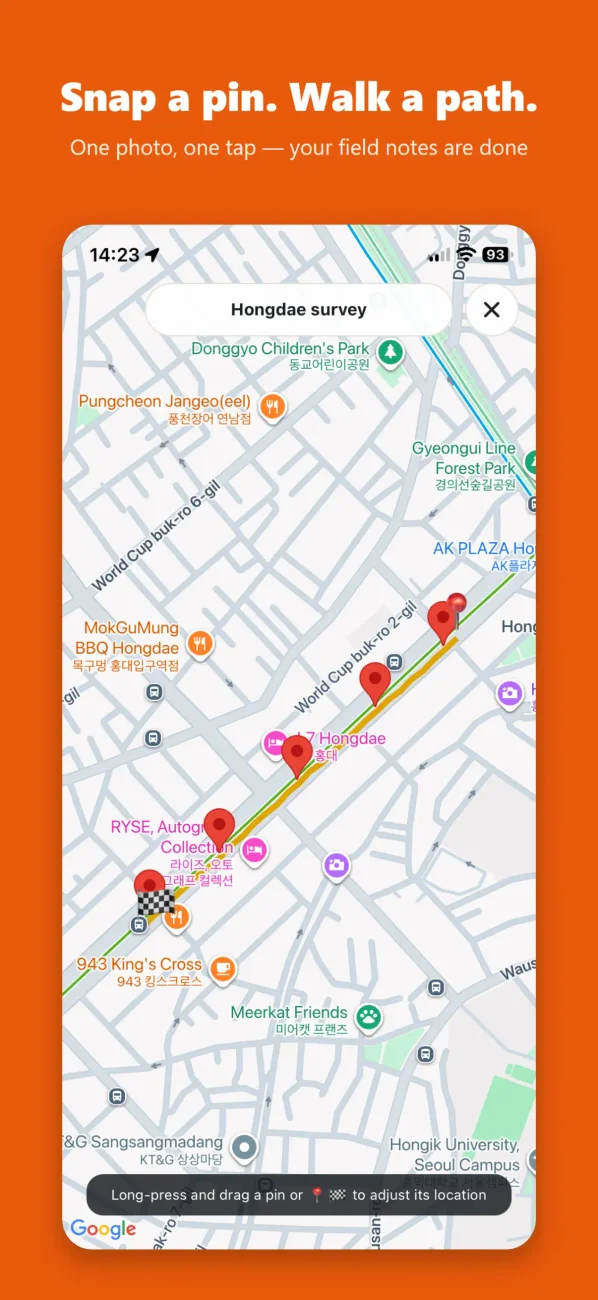
Each shot gets the location, time and a number and a pin on the map, and the path you walk becomes a line. Export it all for Google My Maps, spreadsheets, or any hiking or map app that accepts GPX.
WHO IT'S FOR
• On-site work: site visits, field surveys, facility inspections, property viewings
• Travel, hikes and city walks you want to keep on a map
HOW IT WORKS
1. Tap the camera button and shoot. The location, time and a number are added automatically.
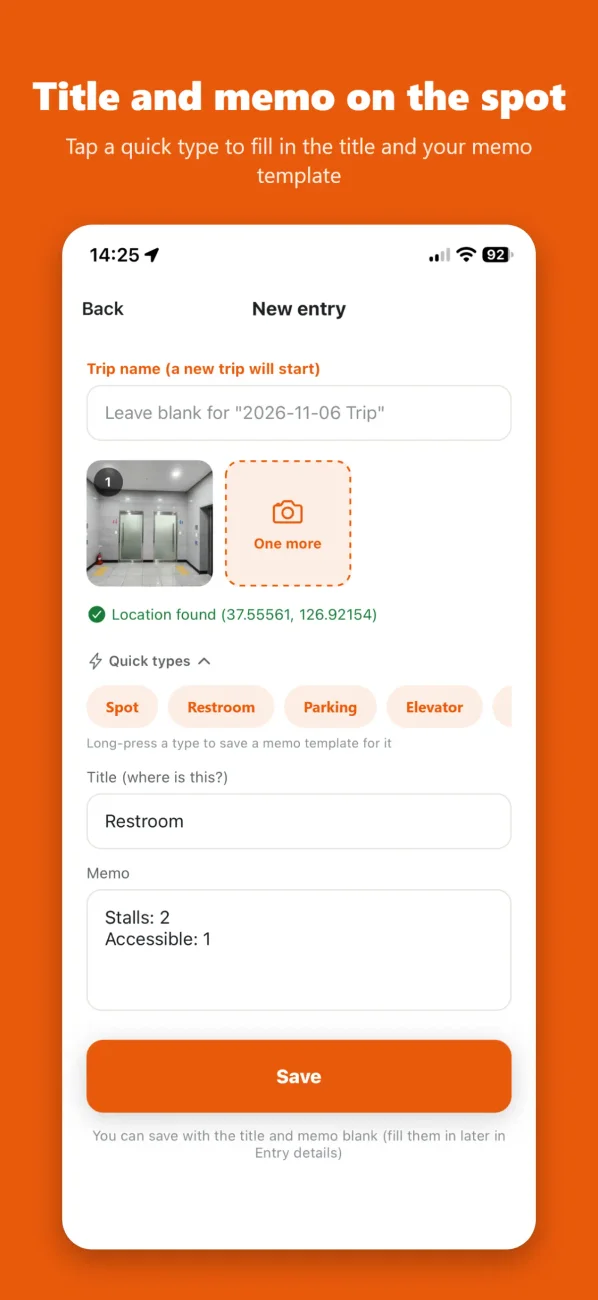
2. Add a title and memo. Quick types like "Restroom" or "Parking" (or your own) fill in a numbered title, and a memo template per type pre-fills the items you note every time.
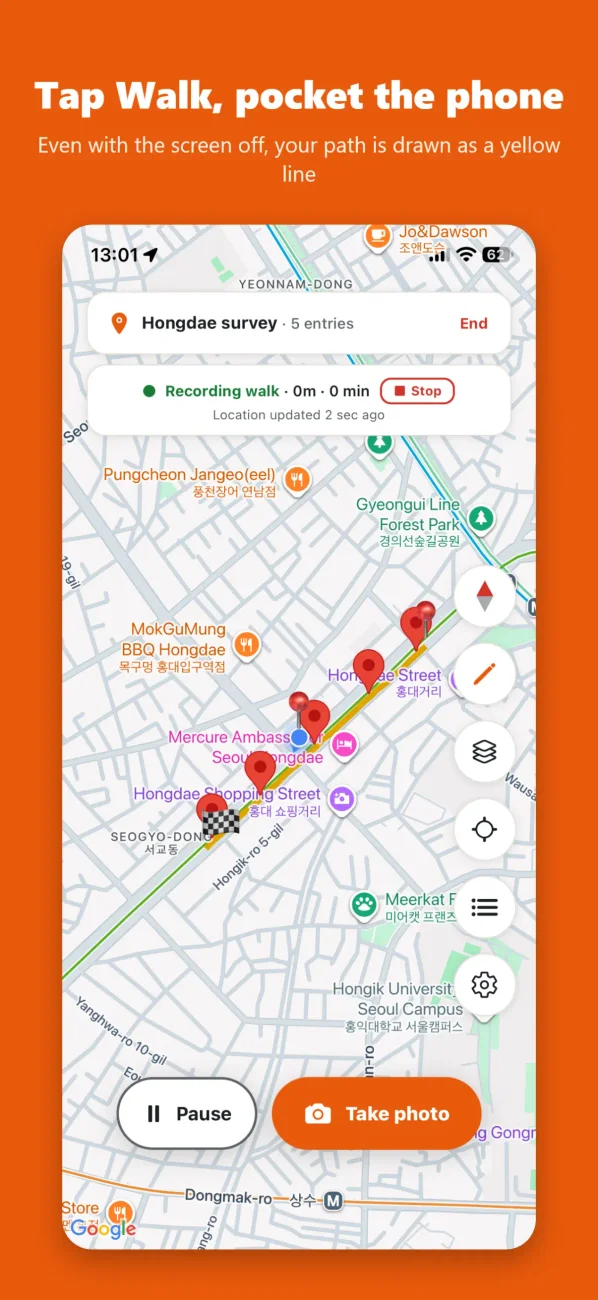
3. Tap "Walk" and put your phone in your pocket. Even with the screen off, your path is drawn as a yellow line.
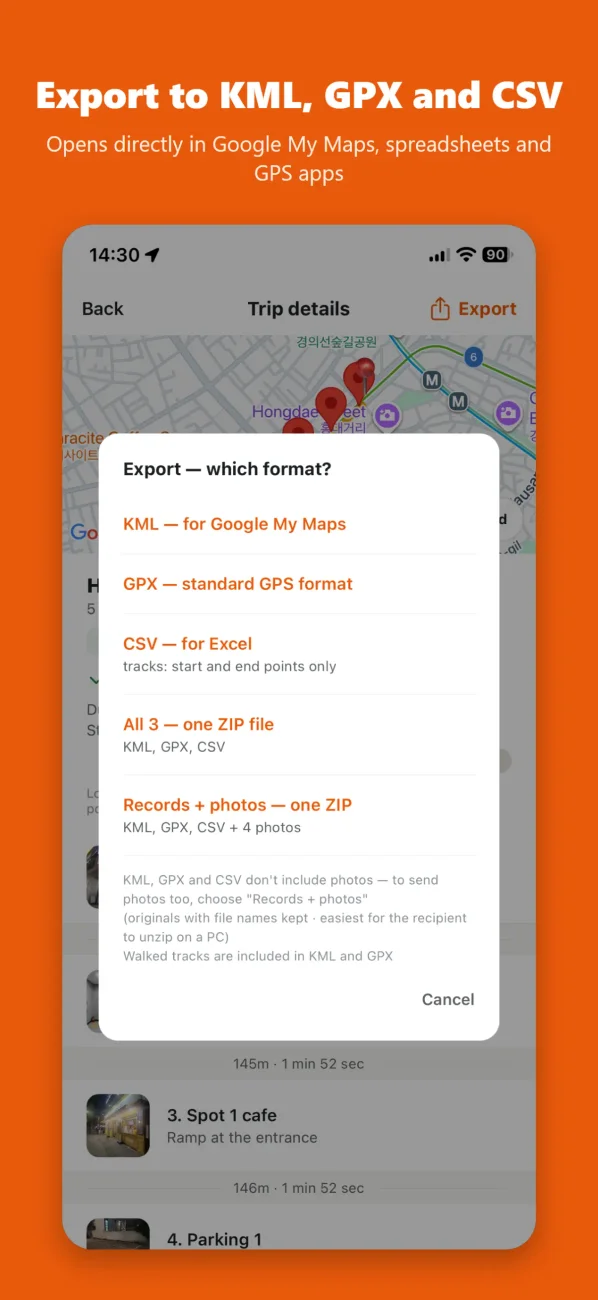
4. Export as KML, GPX or CSV, or all 3 in one ZIP. "Records + photos" adds the original photos.
KEY FEATURES
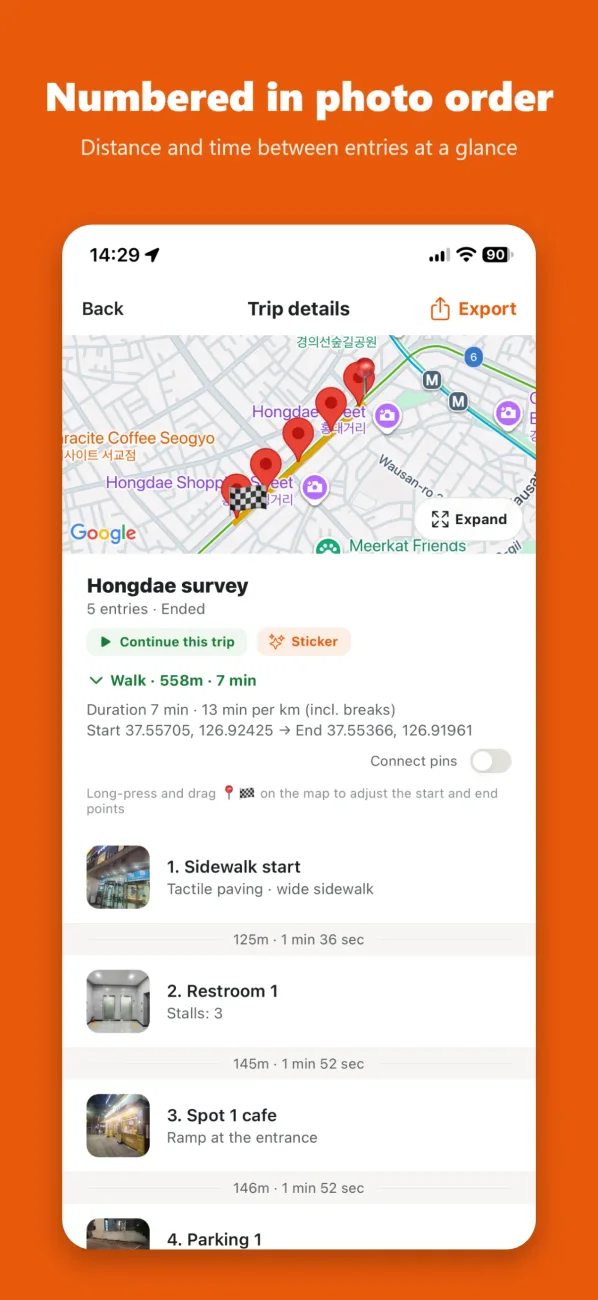
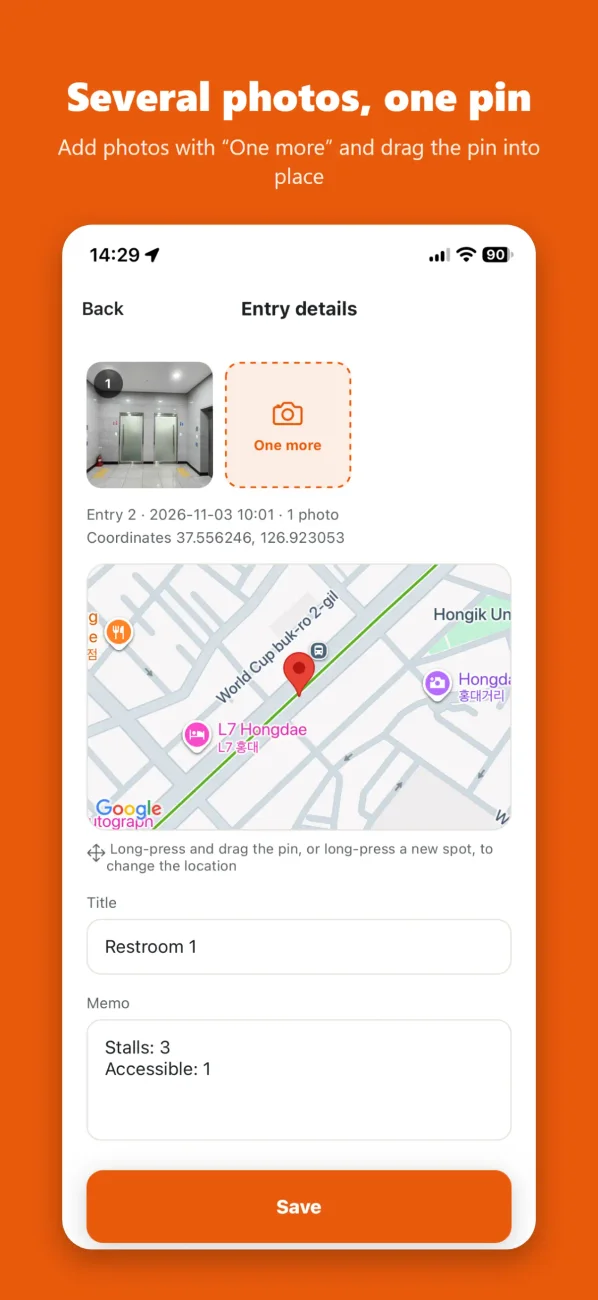
• Every shot is an entry: photo, coordinates, time, number, title and memo together
• Several photos per entry · add photos from your album
• One outing is one trip, with entries numbered in the order you shoot
• Export: KML (Google My Maps, Google Earth) · GPX (hiking and GPS apps) · CSV (spreadsheets) · ZIP (all 3) · Records + photos (files and original photos in one ZIP)
• Full backup & Restore (free): all trips in one file, restored on a new phone
• Import: Pathpin files (ZIP, GPX, KML, CSV) from a colleague open as a trip; GPX courses from other apps show as a blue dashed planned route.
• Connect pins: no walk recorded? Join pins with a line (per trip)
• Trail map: hiking trails and contour lines. Areas you zoom in on stay on the phone for 30 days and show without internet.
• Draw route (free): sketch a planned route. Saving its trail map in advance needs a subscription after the free trial.
• Elevation: ascent, descent, highest point and a graph for each walk (approximate)
• Trip sticker: your track, entries and dates as a transparent sticker in 3 styles.
• Photos go to the "Pathpin" album in the Photos app and stay even if you delete the app.
• Map images load only for display or when you save a trail map. Nothing sends your coordinates anywhere.
WHAT MAKES IT DIFFERENT
Many apps record only a track, or only stamp coordinates on photos. Pathpin ties photos, coordinates, notes, numbers and your track together and exports them as files: shoot on site, sort it out at your desk. Built from more than two years of visiting tourist sites, parks, walking paths and hiking trails in person.
PRIVACY
• No server, no sign-up. Everything you record is stored only on this phone.
• Location is used only to show where you are and to record where you shoot and walk. We don't share it or use it for ads.
FREE TRIAL AND SUBSCRIPTION
• Free for 3 days from first launch, with no card required. Nothing is charged automatically afterward.
• After that, a subscription is needed to start a new trip, continue a finished trip, add photos to existing entries, or save a trail map for a route.
• Viewing, editing, exporting and deleting what you've recorded is always free.
• Subscriptions: 1 month · 6 months · 1 year, auto-renewing (prices shown in your local currency; plans on sale may vary by country)
• Payment is charged to your Apple Account. Subscriptions renew automatically unless canceled at least 24 hours before the next period begins. To cancel, go to Settings → your name → Subscriptions.
PERMISSIONS
• Location (while using the app): for pins and the path you walk, also with the screen off while "Walk" is on
• Camera: to take entry photos
• Photos: to save to the "Pathpin" album and show them again
• Notifications (optional): to remind you before a subscription renews
GOOD TO KNOW
• Walk recording starts from the app screen. Swiping the app away to close it completely stops recording.
Terms of Use: https://kimkunwoo0817-cmd.github.io/picroute-privacy/en/terms.html
Privacy Policy: https://kimkunwoo0817-cmd.github.io/picroute-privacy/en/
What’s new
Version 0.9.0 · Nov 27, 2026
Version 0.9.0
• Full backup & Restore: in Settings, under "Backup · Moving to a new phone", put all your trips and records into a single file for safekeeping. On a new phone, tap "Restore from backup" in the same section and pick that file to bring everything back. Choose "Records only" or "Records + photos"; trips already on the phone are skipped. It works without a subscription.
• Pause a walk: tap "Pause" while walking to stop recording, then "Resume" to continue on the same track. Rest time is left out of the duration. "Stop" is now a small button on the card at the top.
• Subscription screen: if the store can't be reached, the app says so and lets you "Try again".
• Pins on the Trail map now look the same as on the other maps.
• The Terms of Use and Privacy Policy changed on November 27, 2026, to cover "Full backup" and "Restore". This update doesn't reduce your rights or add to your obligations for features you already use. You can read them at the bottom of Settings.
App privacy
What KUNWOO KIM declares on the App Store about how this app handles data.
-
Data linked to you
May be collected and linked to your identity.
- Identifiers
- Other data
-
Data not linked to you
May be collected but is not linked to your identity.
- Usage data
- Diagnostics
Privacy practices may vary, for example with the features you use or your age.
Information
- Seller
- KUNWOO KIM
- Category
- Navigation
- Version
- 0.9.0
- Updated
- Nov 27, 2026
- Released
- Oct 26, 2026
- Size
- 69.2 MB
- Requires
- iOS 16.4 or later
- Age rating
- 4+
- Price
- Free
- In-app purchases
- Yes
- Languages
- English, French, German, Japanese, Korean, Spanish
- Copyright
- © 2026 WATSI
You might also like
-
 街うめNavigation
-
 Yoruk – Offline GPS TrackerFind your way back offline
-
 Drawing by GPSTravel
-
 House Number Map -Pro DeliverySee every building's number
-
 Balades en Pays FouesnantaisTravel
-
 地図メモ~自分だけの行きたい場所リストを作成~Travel
-
 Oise rando – GPS randonnéeTravel
-
 Geotag Photos: GPS Map CameraGPS Location stamp camera Pic
-
 NomadTracks: GPS Map TrackerOffline navigation & recording
-
 MushTrail: Forest NavigatorMorel foraging: find your way