
- Age rating4+
- CategoryProductivity
- DeveloperInchan Baek
- LanguagesEnglish
- Size12.2 MB
Links to the official App Store page
Download.org hosts no file of PAULGA Studio. The button opens its official App Store page, published by Inchan Baek. Listing last checked on Nov 15, 2026.
Screenshots


About
The developer has not provided this text in your language.
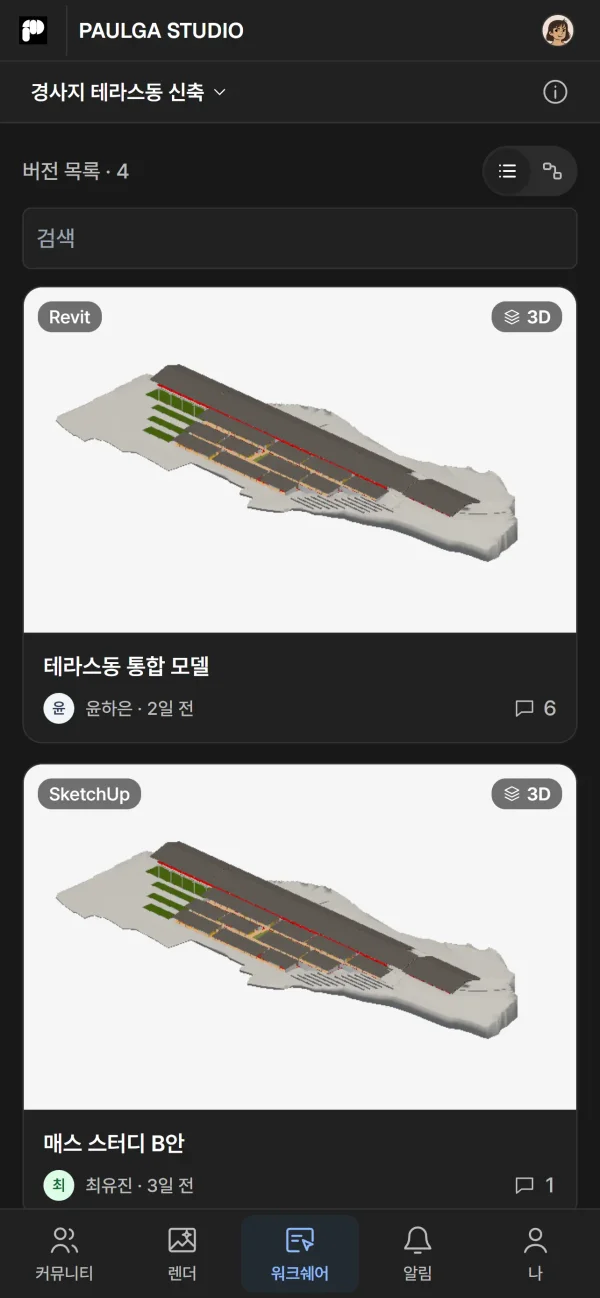
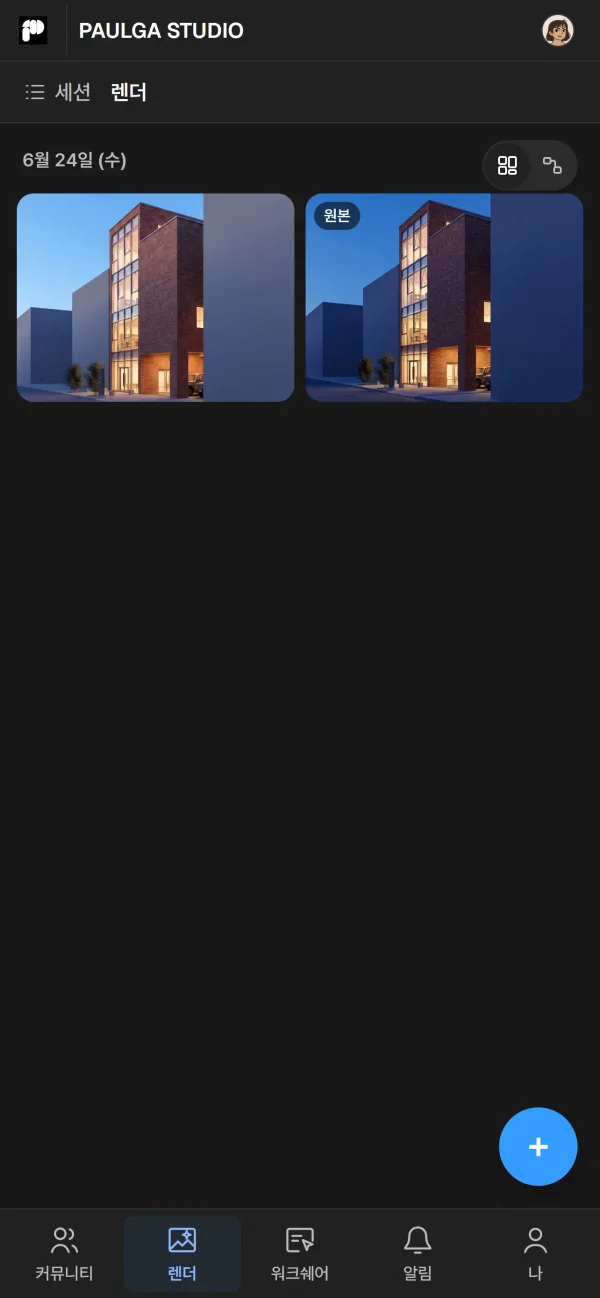
PAULGA Studio는 건축·인테리어 설계자를 위한 검토·협업 앱입니다. Windows용 PAULGA Studio에서 올린 모델과 렌더를 iPhone과 iPad에서 열고, 자리를 떠나서도 팀과 의견을 나누세요.
워크쉐어
• SketchUp, Rhino, AutoCAD, Revit에서 올린 버전을 한 목록에서 봅니다.
• 3D 모델을 손가락으로 돌려 보고, 레이어와 태그를 켜고 끄며 살핍니다.
• 모델 위에 남긴 핀 코멘트를 읽고 답합니다.
렌더
• 사진이나 설명으로 클라우드에서 이미지를 만들고, 바꾸고 싶은 부분만 다시 만듭니다.
• 지난 결과와 작업 기록을 한곳에서 봅니다.
커뮤니티
• 설계자들이 올린 질문, 작업 과정, 프롬프트를 보고 댓글을 남깁니다.
• 불편한 글은 신고하거나 작성자를 차단할 수 있습니다.
이용 안내
• Apple 또는 Google로 로그인해 사용합니다.
• 프로젝트와 모델은 Windows용 PAULGA Studio에서 올린 것을 봅니다. 설계 프로그램 연결과 모델 작업은 PC에서 이루어집니다.
• 이미지 생성은 계정의 크레딧을 사용합니다.
• 계정은 앱의 프로필에서 언제든 삭제할 수 있습니다.
What’s new
Version 0.1.74 · Nov 8, 2026
- 재질: 3D 뷰어에서 고른 곳에 재질을 바로 입힙니다. 재질 라이브러리는 아래에서 올라오는 창으로 열리고, 재질을 만들 때 카메라로 바로 찍을 수 있습니다.
- 주간: 주간호 서가와 읽기 화면이 생겼습니다.
- 업데이트: 새 버전이 나오면 App Store 업데이트로 바로 안내합니다.
- 화면: 상태 표시줄 아래 겹치던 로고, 3D 방향 큐브 위치, 아래 탭 막대에 가리던 목록을 고쳤습니다.
- 커뮤니티: 등급이 닉네임 글자색으로 표시됩니다.
App privacy
What Inchan Baek declares on the App Store about how this app handles data.
-
Data linked to you
May be collected and linked to your identity.
- Purchases
- Contact info
- User content
- Identifiers
- Usage data
- Diagnostics
Privacy practices may vary, for example with the features you use or your age.
Information
- Seller
- Inchan Baek
- Category
- Productivity
- Version
- 0.1.74
- Updated
- Nov 8, 2026
- Released
- Oct 1, 2026
- Size
- 12.2 MB
- Requires
- iOS 26.2 or later
- Age rating
- 4+
- Languages
- English
- Copyright
- © 2026 PAULGA
You might also like
-
 타임박싱Productivity
-
 PassionFruits: Focus & TimeFulfill Your Day with Fru
-
 onbidinfoProductivity
-
 Fluxketch: Field CAD & MarkupEdit DWG & DXF Mark up on site
-
 FolderWorkEasy to use but powerful note
-
 키링 - 나만의 비서Productivity
-
 MandaPlan - MandalartBreak Big Goals into Action
-
 JustGarage - Car & Bike LogsTrack service, fuel, MPG, mods
-
 FolderStoryWrite novel, Create World
-
 BizCrushYour In-Person Meeting Agent