Pause Camera Video Recorder
Splice Vlogs, Subtitle Cap Cut
Designed for iPhone, iPad
Free · In-app purchases
- Age rating4+
- CategoryPhoto & Video
- DeveloperSaturday Technologies, Inc
- LanguagesEnglish+ 8 more
- Size122.1 MB
Links to the official App Store page
Download.org hosts no file of Pause Camera Video Recorder. The button opens its official App Store page, published by Saturday Technologies, Inc. Listing last checked on Nov 23, 2026.
Screenshots

About
Pause your camera while recording. Edit videos without complex controls.
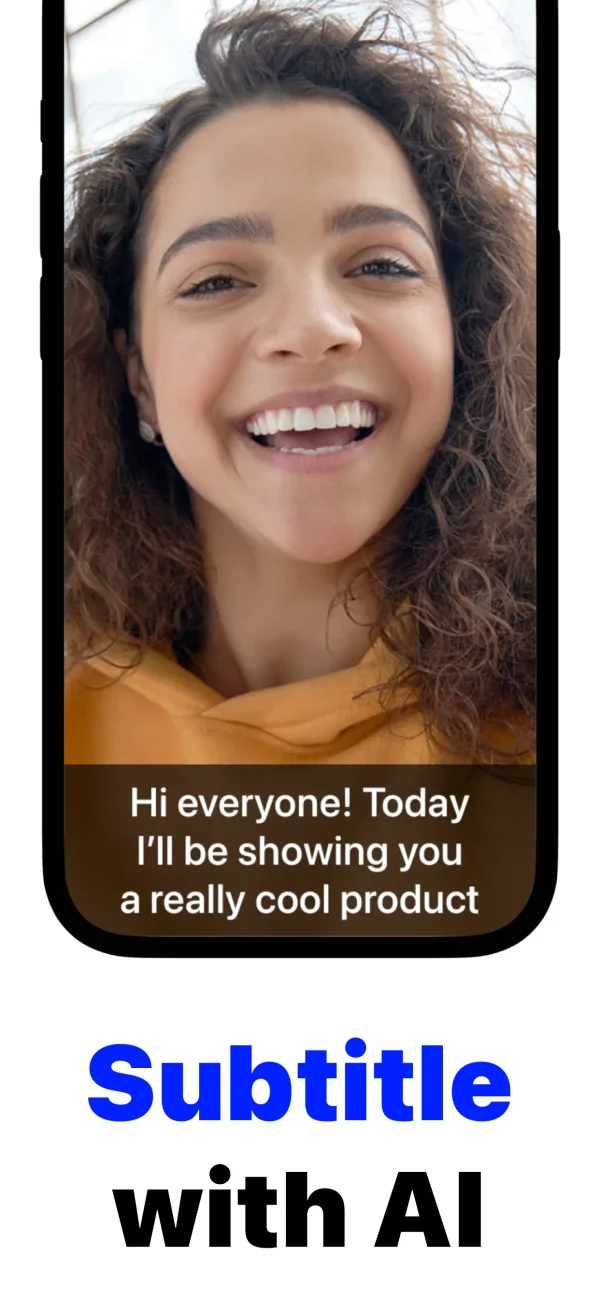
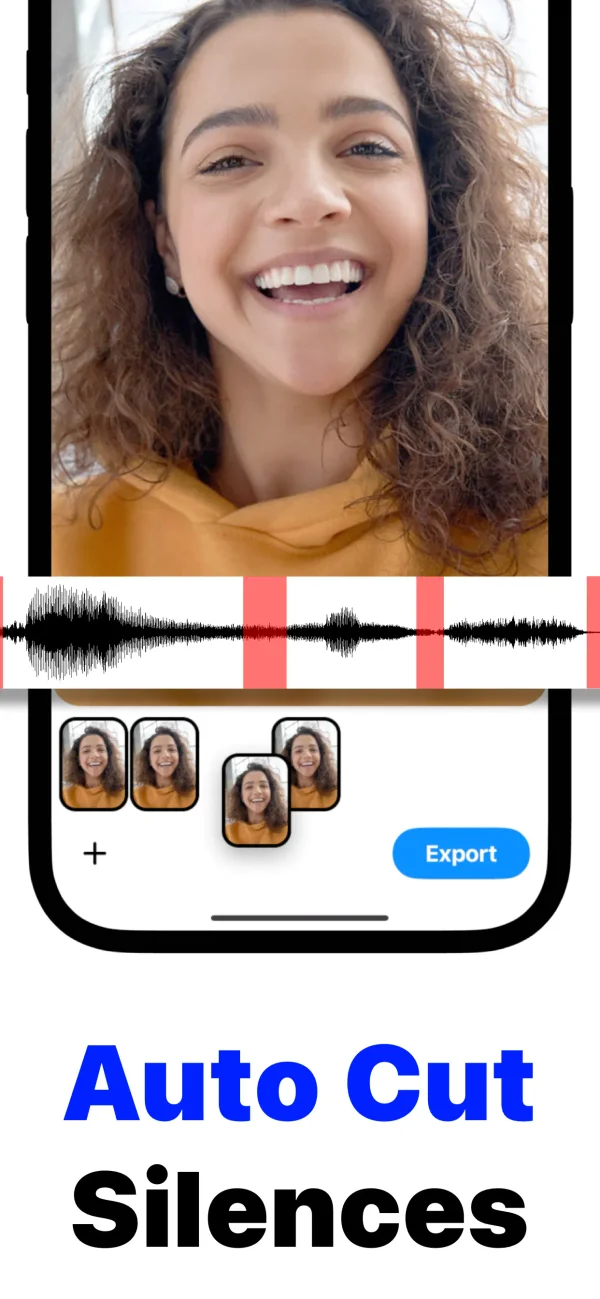
Pause Cam is a powerful video editing tool, yet delightfully easy to use. Just record video segments, and then splice them together. Use Dual Cam to record from both the front and the back cameras: you can render split screen or picture-in-picture videos. You can also trim and cut individual video segments. Use the power of AI to automatically subtitle your video & remove silent gaps.
But wait, there's more:
• Perfect your videos with easy-to-use pause and resume recording.
• Dual Camera — record both front and back camera at the same time.
• Add text, video, and photo overlays
• 4k HDR Video Recording
• Adjust frame rate to 24 fps, 30 fps, or 60 fps
• Trim, cut, and crop video segments effortlessly.
• Use AI to automatically add subtitles and remove silent gaps in your videos.
• Format your videos perfectly for TikTok, Instagram Reels, YouTube Shorts and more.
• Timer for hands-free stop recording
• Apply slow-mo & speed effects.
• Cinematic & professional-grade video stabilization.
• Rearrange or remove video segments for a smooth, seamless video.
• Enjoy high quality video output.
It makes editing a breeze:
• Add Accurate Subtitles: Use cutting-edge AI for a synchronized transcript of your videos.
• Magic Jumpcuts: Automatically remove mute sections or gaps in your videos.
• Crop Tool: Size your videos to finger-tip perfection on many platforms.
• Manage Video Segments: Reorder or delete parts with user-friendly controls.
Whether you're creating TikToks, vlogs, UGC, talking head style videos, montages, sales demos, or keeping a video journal, Pause Cam is the ultimate video recording tool for you.
Pause Cam Pro
• The app is free to use, but additional functionality requires a subscription to Plus. We offer a monthly and an annual subscription plan. See in-app for more information.
Privacy Policy: https://www.saturdaytechnologies.com/privacy
Terms of Use: https://www.saturdaytechnologies.com/terms
What’s new
Version 5.20 · Nov 10, 2026
Added iPhone Duo support
App privacy
What Saturday Technologies, Inc declares on the App Store about how this app handles data.
-
Data linked to you
May be collected and linked to your identity.
- Contact info
-
Data not linked to you
May be collected but is not linked to your identity.
- Usage data
Privacy practices may vary, for example with the features you use or your age.
Information
- Seller
- Saturday Technologies Incorporated
- Category
- Photo & Video
- Version
- 5.20
- Updated
- Nov 10, 2026
- Released
- Mar 21, 2022
- Size
- 122.1 MB
- Requires
- iOS 17.6 or later
- Age rating
- 4+
- Price
- Free
- In-app purchases
- Yes
- Languages
- English, French, German, Italian, Japanese, Portuguese, Simplified Chinese, Spanish, Traditional Chinese
- Copyright
- © Saturday Technologies Inc.
You might also like
-
 VideoCam+ Video RecorderVideo camera & editor
-
 Pause Camera: Video RecorderRecord, pause, edit and resume
-
 Nonstop Cam : Pause & SwitchResume where you left off
-
 Footage: Private Video JournalAutomatic shared movie maker
-
 PauseCam- Pause Video RecorderPhoto & Video
-
 MoviePro: Pro Video CameraCinematic Filmmaking Recorder
-
 Reelshot: Vlog Camera AppVlogging & Recap Video Maker
-
 OK Video - Clips CameraVlogs, stop motion, stories
-
 Continue CameraEdit during recording
-
 Mideo: Record Video With MusicPlay music while recording