
Pavloria: Background Eraser
Bulk product photos, white BG
Designed for iPhone, iPad
In-app purchases
- Age rating4+
- CategoryPhoto & Video
- DeveloperZEYNEP NUR ASKER
- LanguagesEnglish+ 18 more
- Size6.3 MB
Links to the official App Store page
Download.org hosts no file of Pavloria: Background Eraser. The button opens its official App Store page, published by ZEYNEP NUR ASKER. Listing last checked on Nov 10, 2026.
Screenshots


About
Two hundred photos. One catalogue that actually looks like one catalogue.
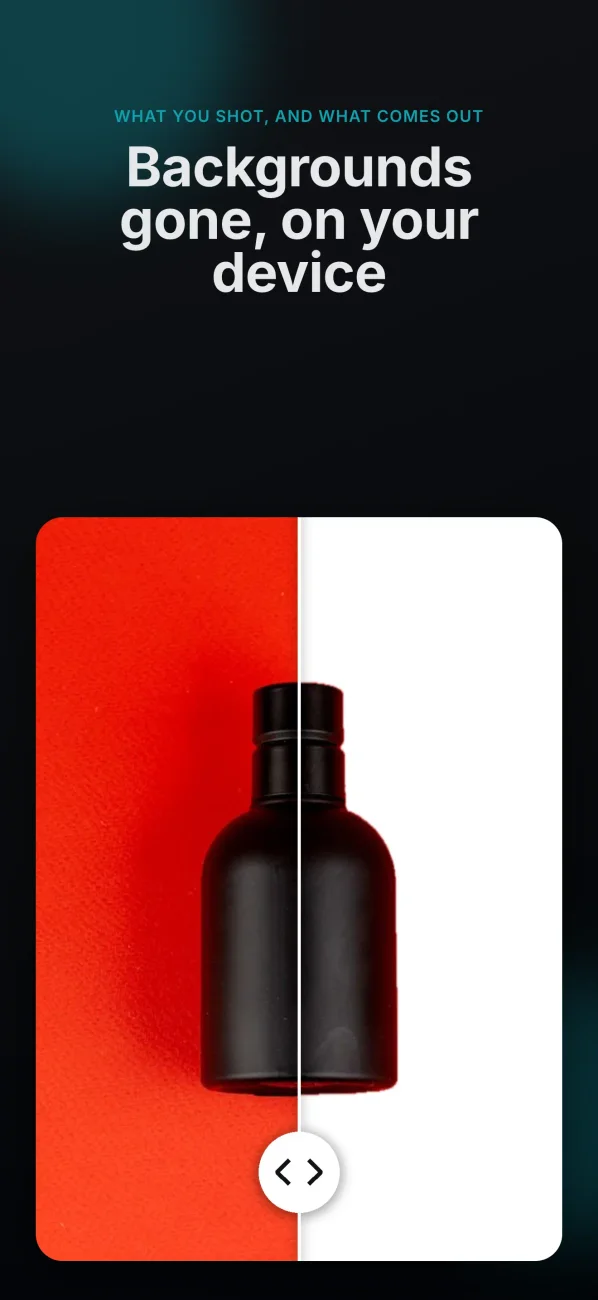
Pavloria cuts every product out of its background, places it at the same size on the same canvas, and exports the whole shoot in one run. The consistency is the point — a listing page where nothing jumps.
WHY IT IS DIFFERENT
• Unlimited exports. No monthly cap, not now and not later. The cutout runs on your device's own hardware, so letting you export as much as you like costs nothing to provide.
• One payment. Not a subscription. Nothing renews, nothing expires, there is nothing to cancel.
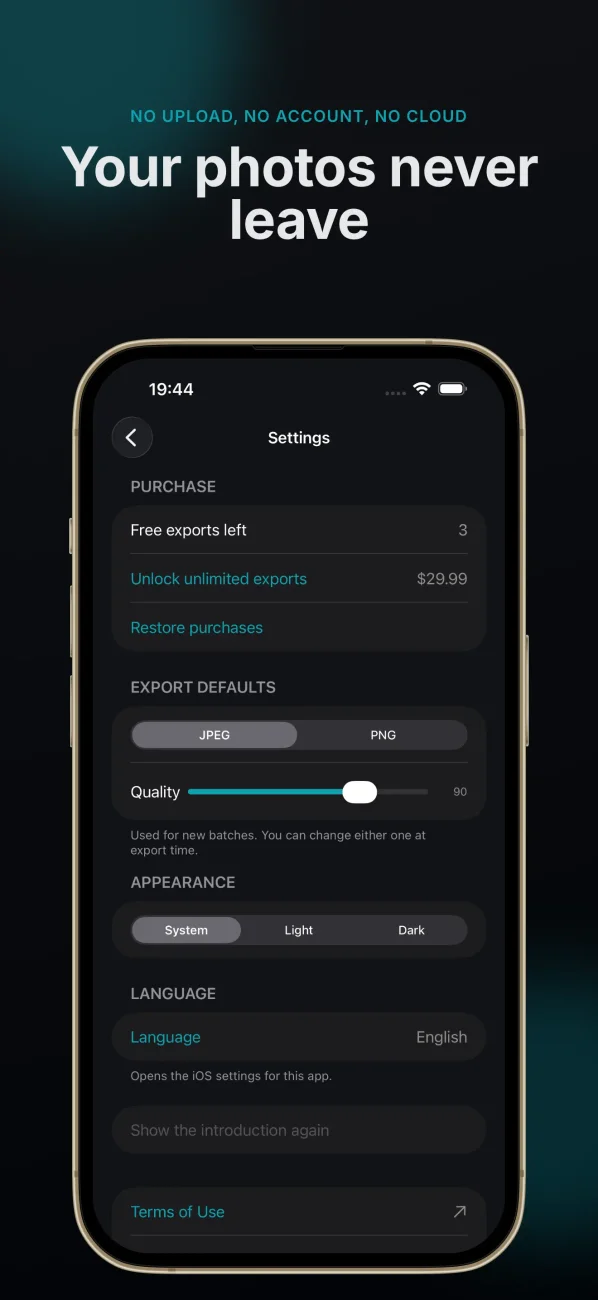
• Nothing leaves your device. No account, no sign-in, no upload. The whole app works in Airplane Mode — on a train, in a stockroom, wherever you actually photograph your work.
• Full size on iPad. Bulk photo work belongs on a big screen, and it behaves like it.
WHAT IT DOES
• Cuts the product out and drops the background, on the device, with no network.
• Puts it on white, on any colour you choose, or on nothing at all — a transparent PNG.
• Places every product at the same scale with the same margin, on the canvas size you choose — square, portrait or landscape, at the pixel dimensions your shop asks for.
• Adds a soft contact shadow so the result reads as a photograph rather than a paste-up. Or leaves it off.
• Writes numbered files from a name you type, previewed before anything is saved, as JPEG or PNG at the quality you set.
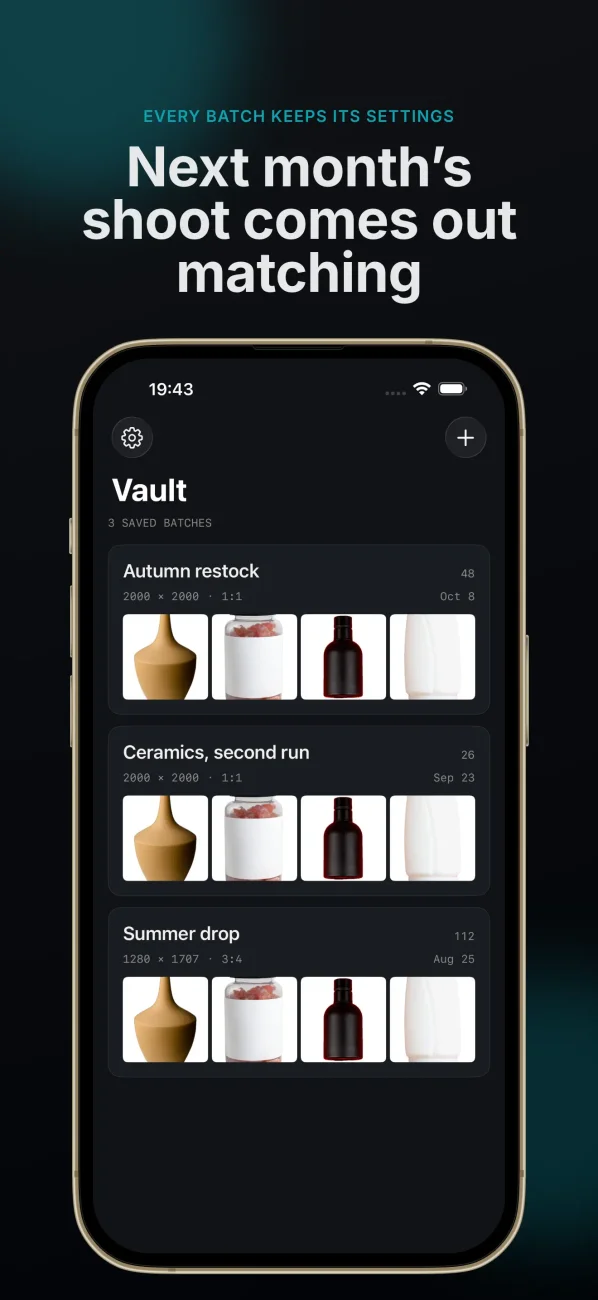
• Saves the whole recipe. Next month's shoot comes out matching last month's.
WHEN IT GETS ONE WRONG
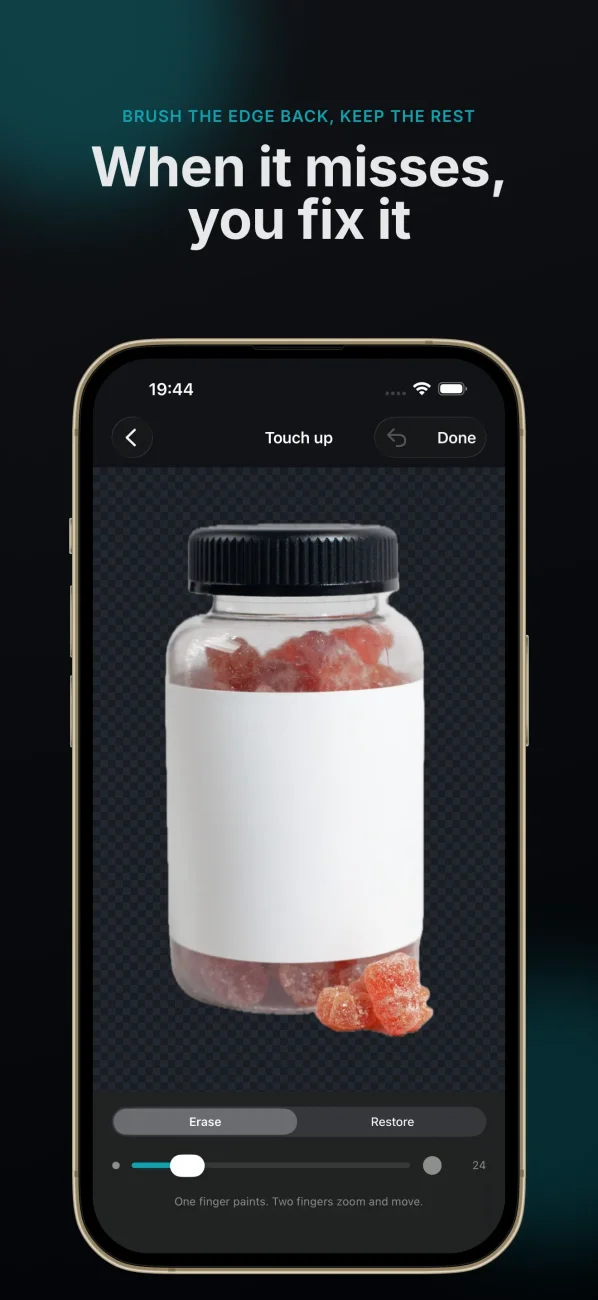
Automatic cutouts miss things — a thin handle, a wisp of hair, the gap inside a clip. Open that one photo, zoom in as far as you need, and paint the edge back or take it away. One finger paints, two fingers move. The corrected version is what gets exported.
GLASS AND CLEAR PRODUCTS
A tumbler photographed on a table keeps the table showing through it, because the cutout treats glass as solid. Turn on the clear-product setting and the surface behind is cleared from inside the product. Works on a plain surface; a patterned tablecloth will still show through.
TRY IT PROPERLY
Three exports are free and they are real exports — full quality, no watermark, yours to keep and to list. Run a batch you were going to run anyway and see whether the files are worth having.
PRIVACY
No account. No sign-in. No analytics, no tracking, no third-party kits, and no server of any kind — there is no network code in this app. Your photographs are read, processed and written on your device and nowhere else.
https://pavloria-app.web.app/privacy
What’s new
Version 1.1 · Oct 12, 2026
New
• Transparent backgrounds: export PNG with nothing behind the product.
• Any background colour, or white as before.
• The shadow can be switched off.
• Save to Photos, or to a folder in Files.
Fixed
• Corrections made with the touch-up brush are now in the exported file. In 1.0 they showed on screen and did not reach it.
• The glass and clear product setting now works on the product itself, not only on the background.
App privacy
What ZEYNEP NUR ASKER declares on the App Store about how this app handles data.
-
Data not collected
The developer does not collect any data from this app.
Privacy practices may vary, for example with the features you use or your age.
Information
- Seller
- ZEYNEP NUR ASKER
- Category
- Photo & Video
- Version
- 1.1
- Updated
- Oct 12, 2026
- Released
- Aug 24, 2026
- Size
- 6.3 MB
- Requires
- iOS 18.0 or later
- Age rating
- 4+
- In-app purchases
- Yes
- Languages
- English, Arabic, Dutch, French, German, Hindi, Indonesian, Italian, Japanese, Korean, Polish, Portuguese + 7 more
- Copyright
- © 2026 Zeynep Nur Asker
You might also like
-
 Batch CutBulk Background Remover
-
 Product Shot AI: Photo StudioProduct Photos for E-commerce
-
 Snippa: Background EraserRemove & change backgrounds
-
 Background Eraser - Remove BG+AI Object Remover & PNG
-
 SnapBackdrop - BG EraserAI photo background remover
-
 SellShot: Product Photo EditorRemove Backgrounds, Batch Edit
-
 Product Photo StudioBackground Remover for Sellers
-
 Clipping Camera: BG RemoverChange Remove Photo Background
-
 AI Ad Maker: Product Photo BGPoster, Banner & Background
-
 Studio Zero: AI Product PhotosAI Photoshoot for Sellers