
PayFlow Finance
Banking, budgets & invoices
Designed for iPhone
Free · In-app purchases
- Age rating4+
- CategoryFinance
- DeveloperDarshil Patel
- LanguagesEnglish
- Size54.8 MB
Links to the official App Store page
Download.org hosts no file of PayFlow Finance. The button opens its official App Store page, published by Darshil Patel. Listing last checked on Nov 18, 2026.
Screenshots


About
PayFlow Finance puts your money and your books in one place.
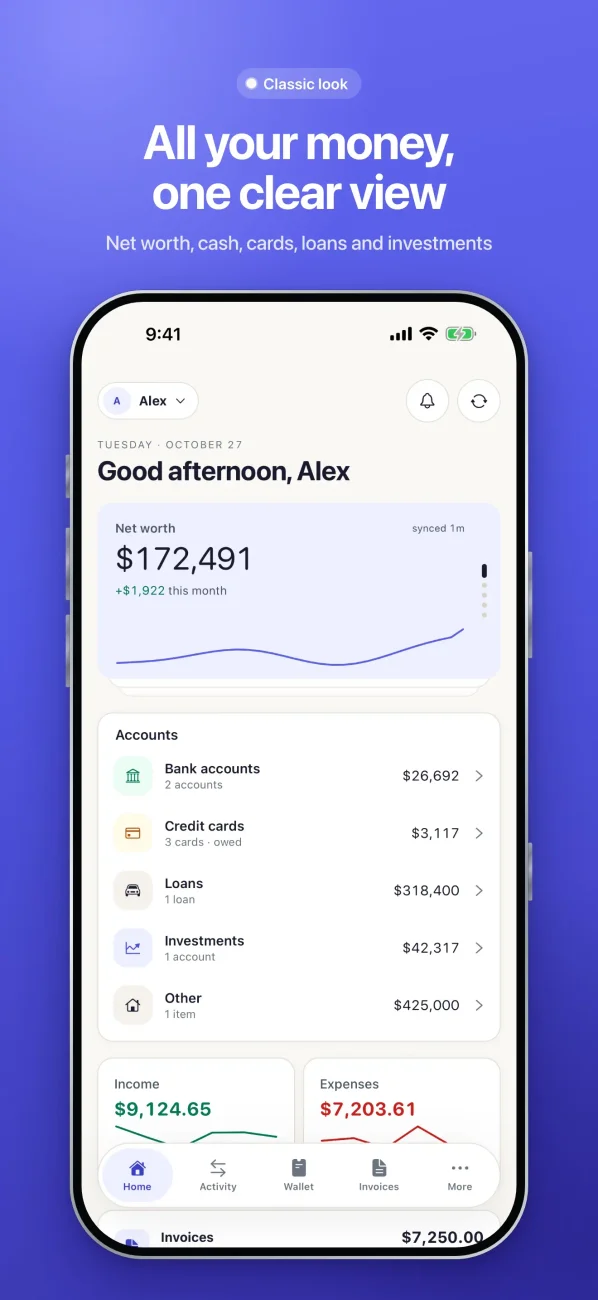
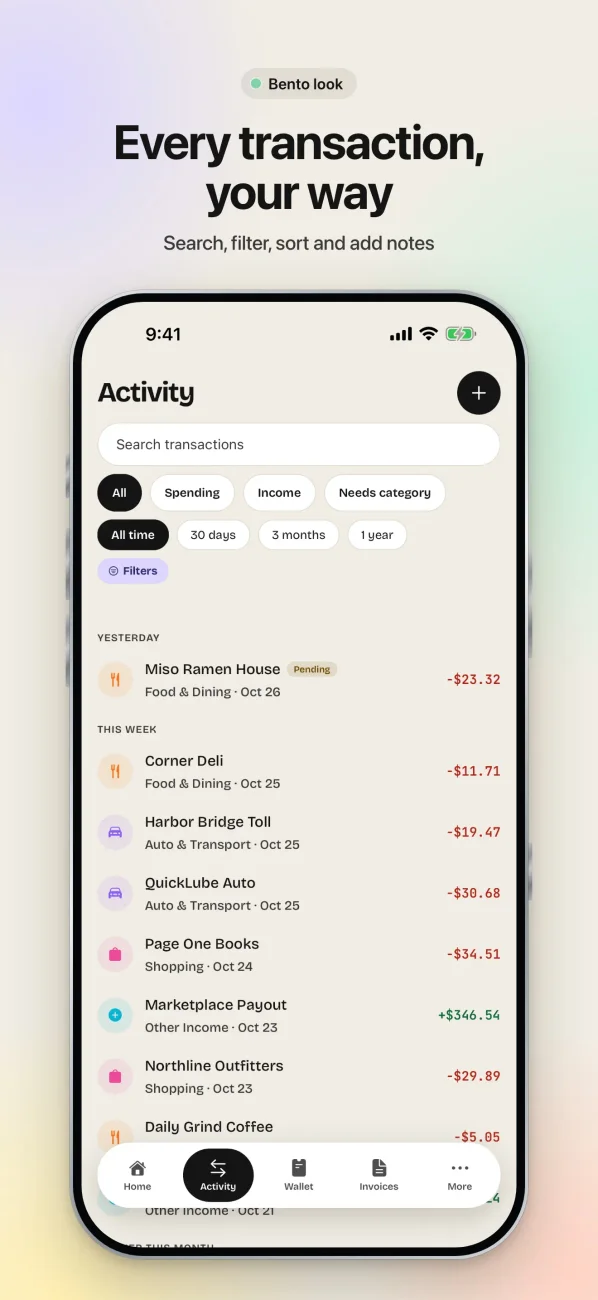
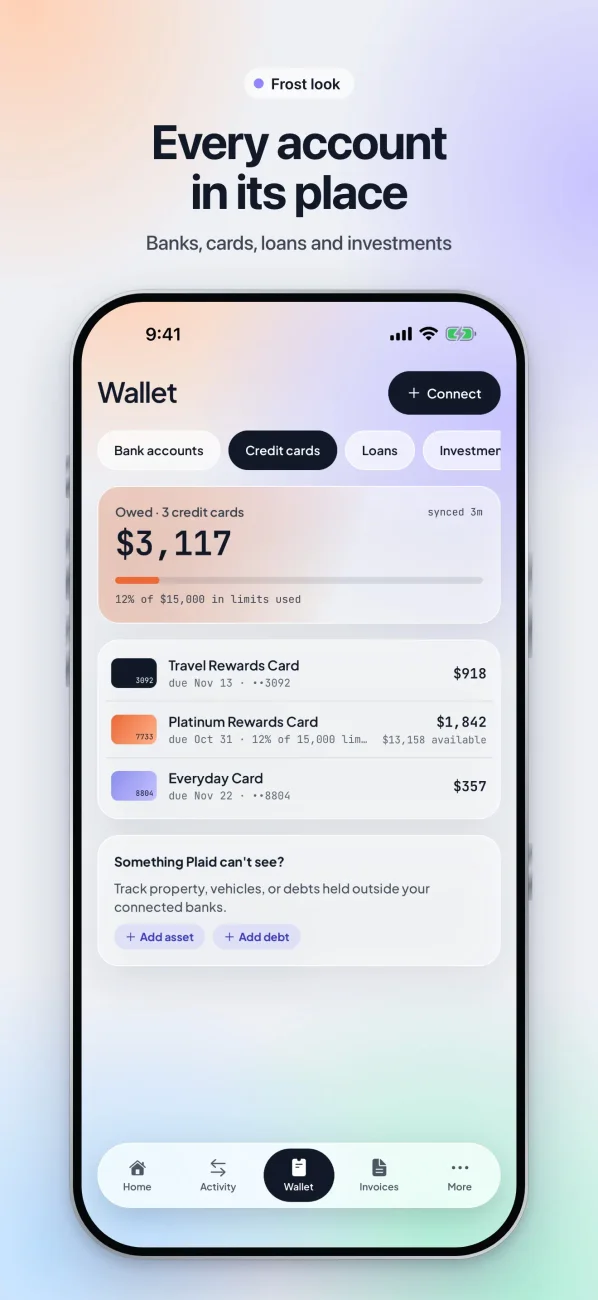
Link your bank accounts and credit cards in minutes, and every transaction flows into one timeline — categorized automatically and synced with your PayFlow account on the web.
KNOW WHERE YOU STAND
• Your net worth, tracked daily, with a trend line that grows on your dashboard
• Every account in one place — checking, savings, and credit cards, plus assets and debts you add yourself
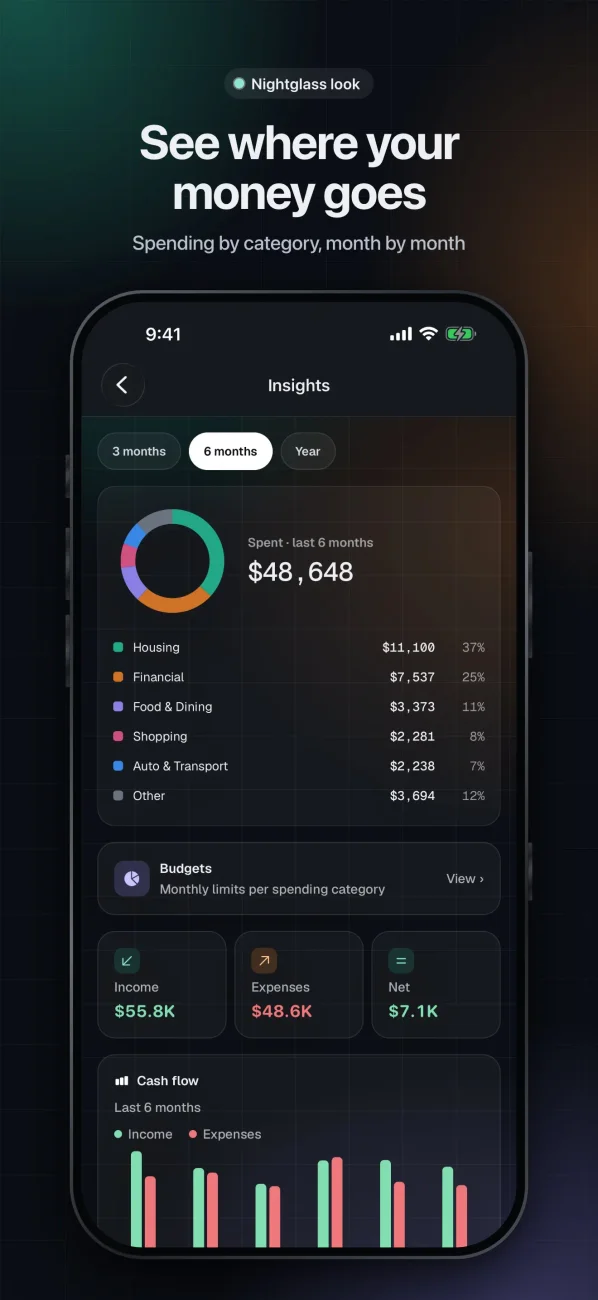
• Monthly cash flow and income vs. expenses at a glance
SEE WHERE MONEY GOES
• One searchable timeline for every account, with instant filters
• Tap any number — a category, a budget, a KPI — and see the exact transactions behind it
• Spending insights by category over 3, 6, or 12 months
STAY ON BUDGET
• Set monthly budgets by category and watch them fill in real time
• Catch overruns as they happen, not at the end of the month
RUN YOUR BUSINESS TOO
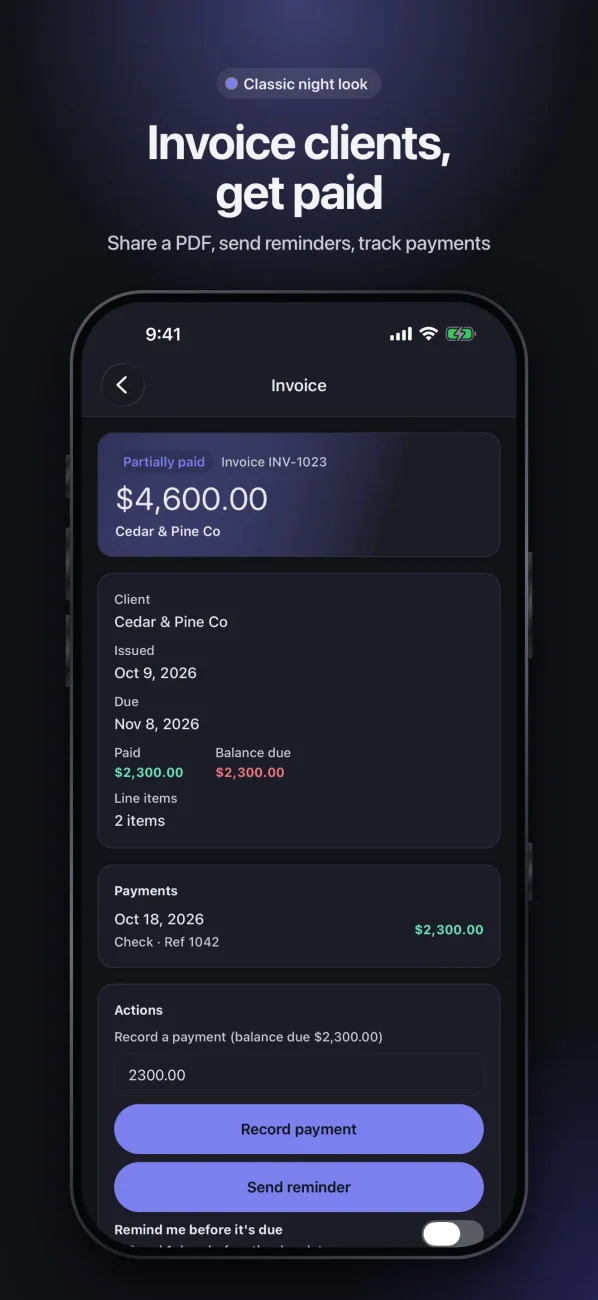
• Create and send invoices, then watch what's outstanding and what's paid
• Switch between personal and business finances in one tap
PRIVATE AND SECURE BY DESIGN
• Face ID or Touch ID lock and sign-in
• Read-only connections — PayFlow can never move your money, and your bank sign-in details are never shared with us
• Sign in with Apple, Google, or email
Create your account in the app or sign in with the one you already have — your data stays in sync on your phone and on the web.
Using PayFlow after the free trial requires a Personal or Business subscription. Subscriptions are billed monthly or yearly to your Apple Account and renew automatically unless cancelled at least 24 hours before the end of the current period. Manage or cancel anytime in Settings → your name → Subscriptions.
Terms of Use: https://payflowfin.com/terms-of-service
Apple Standard EULA: https://www.apple.com/legal/internet-services/itunes/dev/stdeula/
Privacy Policy: https://payflowfin.com/privacy-policy
What’s new
Version 1.0.3 · Nov 17, 2026
• Add a receipt photo to a transaction, from the camera or your photos.
• Banks that sign you in on their own site or app, like Chase, now finish connecting.
• Spending by category shows payments to people, and no longer counts moves between your own accounts.
• A screen opened from a link now has a Home button back into the app.
• Settings shows the app's version without the build number.
• At larger text sizes, the top of Home, Wallet, the tab bar, sign-in and sign-up no longer cut off their text.
• Changing your text size while the app is open no longer leaves screens stretched.
App privacy
What Darshil Patel declares on the App Store about how this app handles data.
-
Data linked to you
May be collected and linked to your identity.
- Purchases
- Financial info
- Contact info
- User content
- Search history
- Identifiers
Privacy practices may vary, for example with the features you use or your age.
Information
- Seller
- Darshil Patel
- Category
- Finance
- Version
- 1.0.3
- Updated
- Nov 17, 2026
- Released
- Oct 14, 2026
- Size
- 54.8 MB
- Requires
- iOS 16.4 or later
- Age rating
- 4+
- Price
- Free
- In-app purchases
- Yes
- Languages
- English
- Copyright
- © 2026 PayFlow Finance
You might also like
-
 SmileNGrowCongress, IndiaMPStockTracker
-
 Capitol Gains: Stock TrackerPolitician Trades & Alerts
-
 Interest Loan CalculatorsAPR, APY, Mortgage, CD & More
-
 ICCU VideoChatFinance
-
 Vita Flex MobileFinance
-
 Green Dot: Mobile BankingMobile bank and debit card
-
 Intuit Business Credit CardPayments, Balance & Rewards
-
 Trumark Credit UnionPersonal and Small Business
-
 Greenwood - Mobile BankingFinance
-
 FRED Economic DataFinance