
- Age rating+4
- CategoryFinance
- DeveloperPrabhat Gupta
- LanguagesEnglish
- Size45.8 MB
Links to the official App Store page
Download.org hosts no file of PayTappy. The button opens its official App Store page, published by Prabhat Gupta. Listing last checked on Nov 12, 2026.
Screenshots

About
Most expense trackers lose you at the third tap. PayTappy is built around one number and one tap.
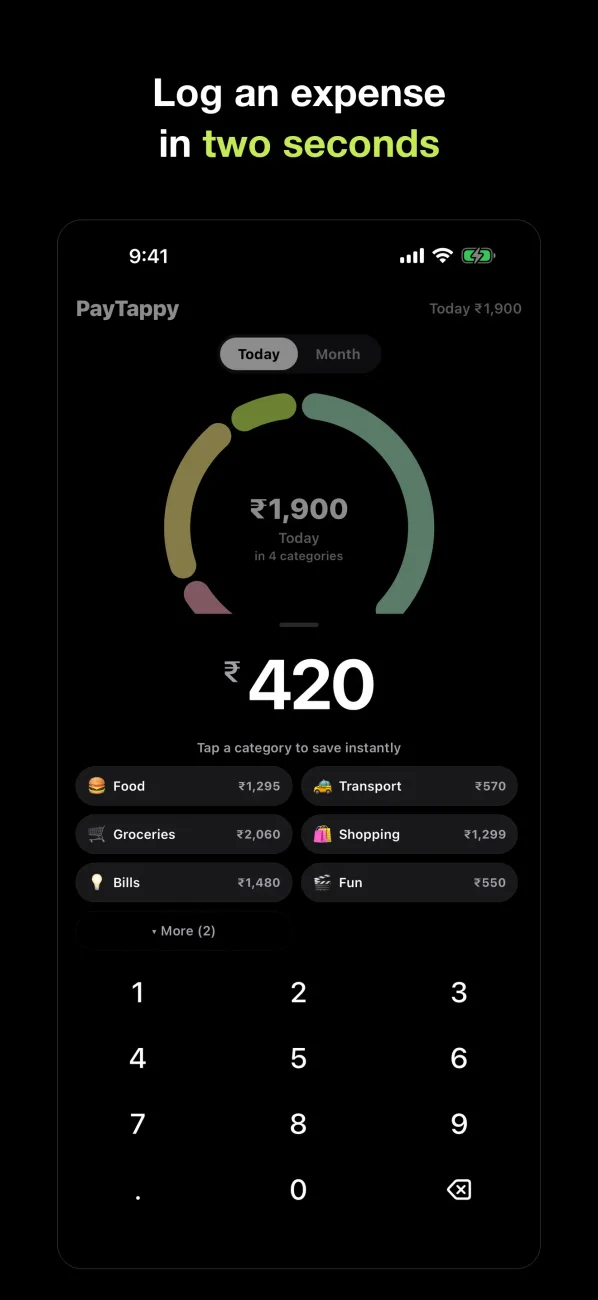
Type the amount. Tap a category. It is saved. No form, no save button, no date picker, no confirmation screen.
FAST BY DESIGN
- A keypad is the first thing you see, not a menu
- Tapping a category saves instantly, with an Undo if you fumbled
- Eight categories ready to go, and you can add your own with any emoji
- Today's total sits in the header, always
WITHOUT OPENING THE APP
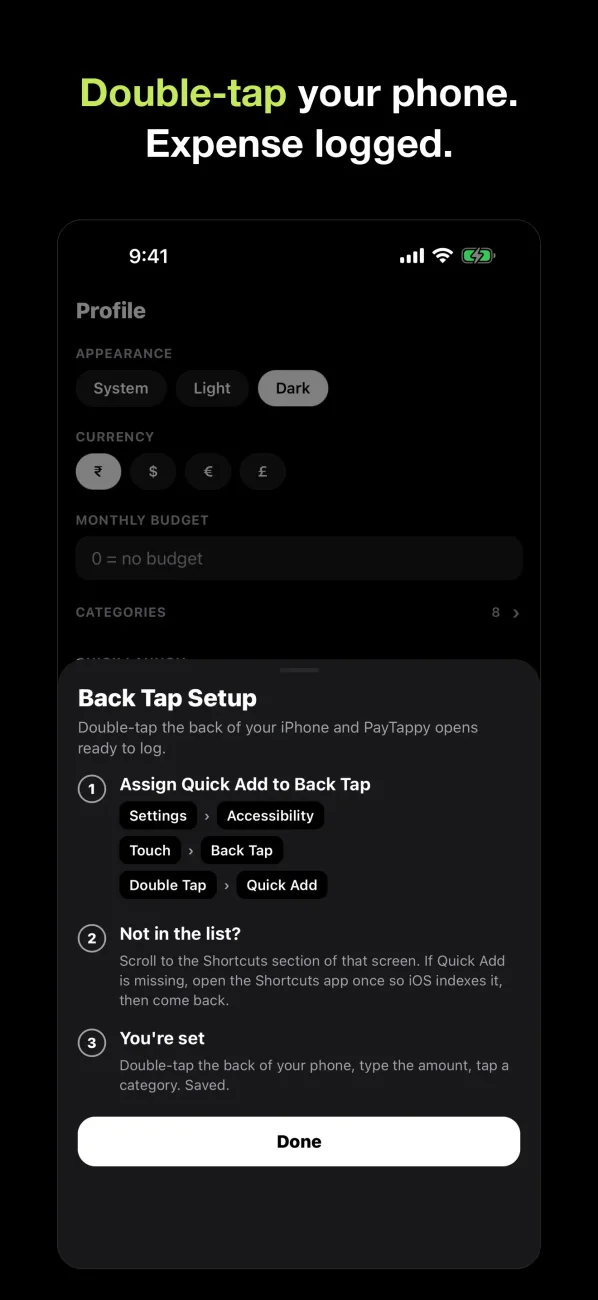
Nothing to install. PayTappy adds itself to the Shortcuts app, so you can reach it from:
- Back Tap, by double-tapping the back of your iPhone
- Siri: "Hey Siri, log an expense in PayTappy"
- A Lock Screen widget
- Spotlight search
KNOW WHERE THE MONTH WENT
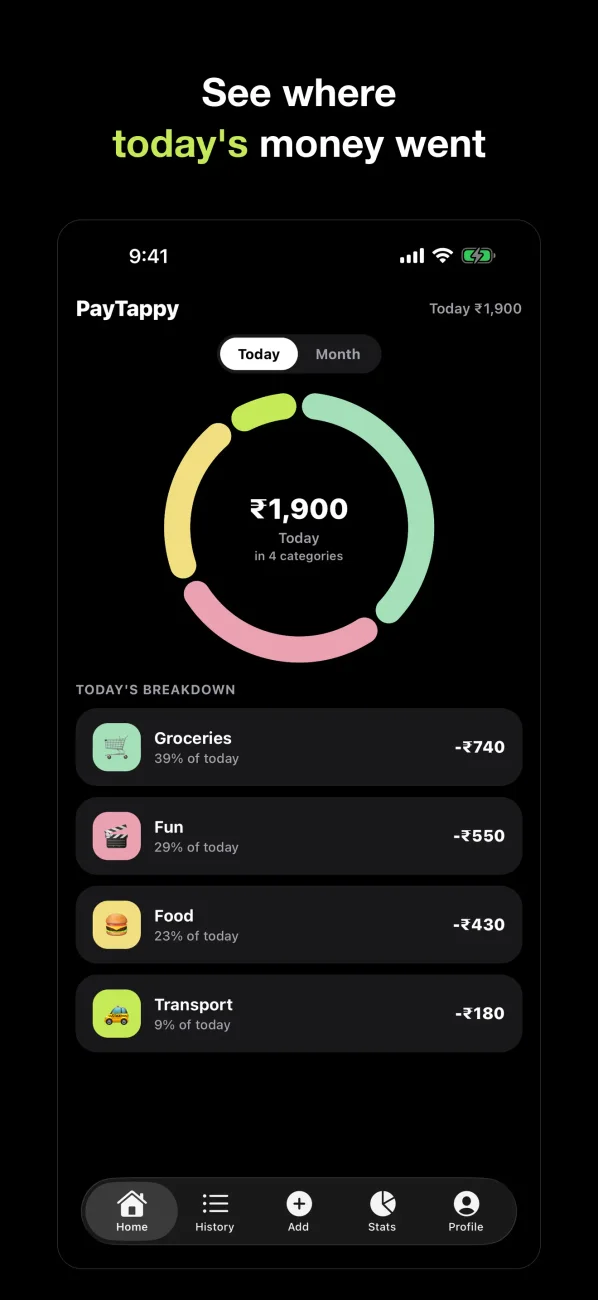
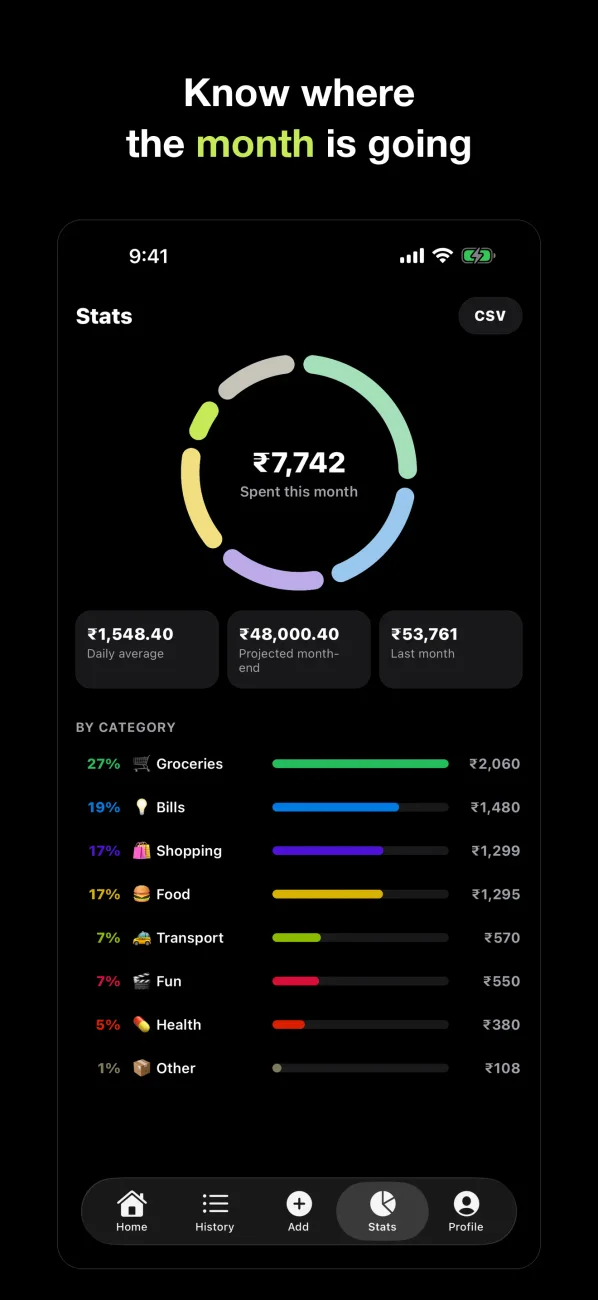
- A ring that breaks your spending down by category, for today or the month
- Set a monthly budget and the ring measures against it, so the arc left open is what you have not spent yet
- Daily average, projected month-end, and last month, side by side
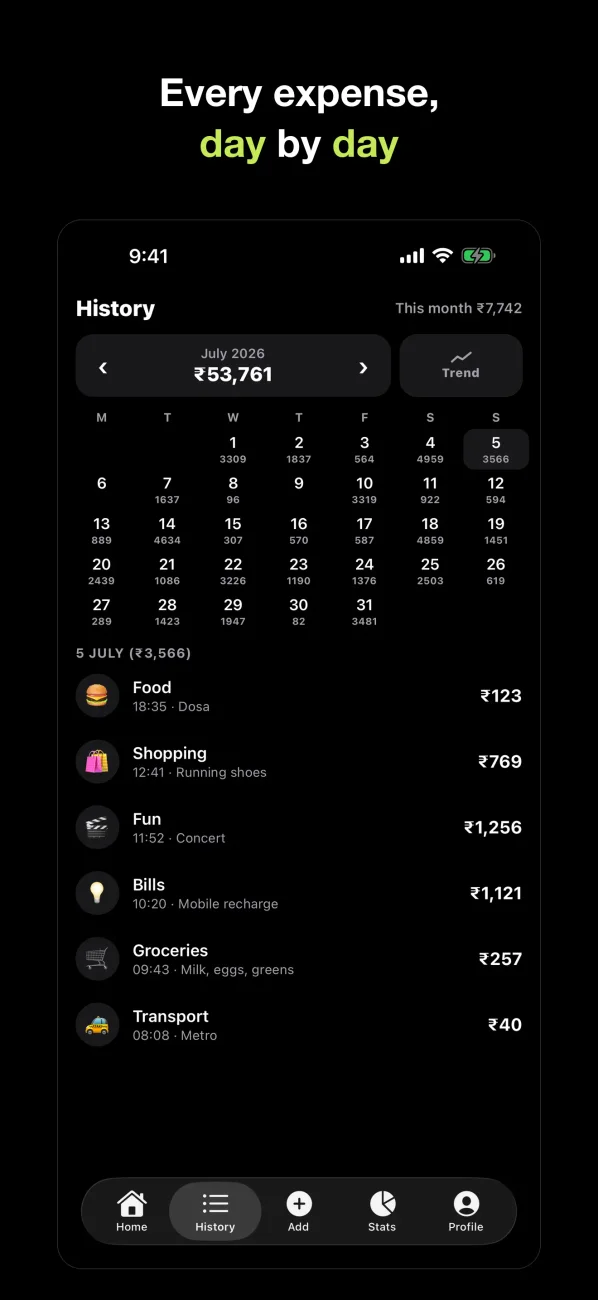
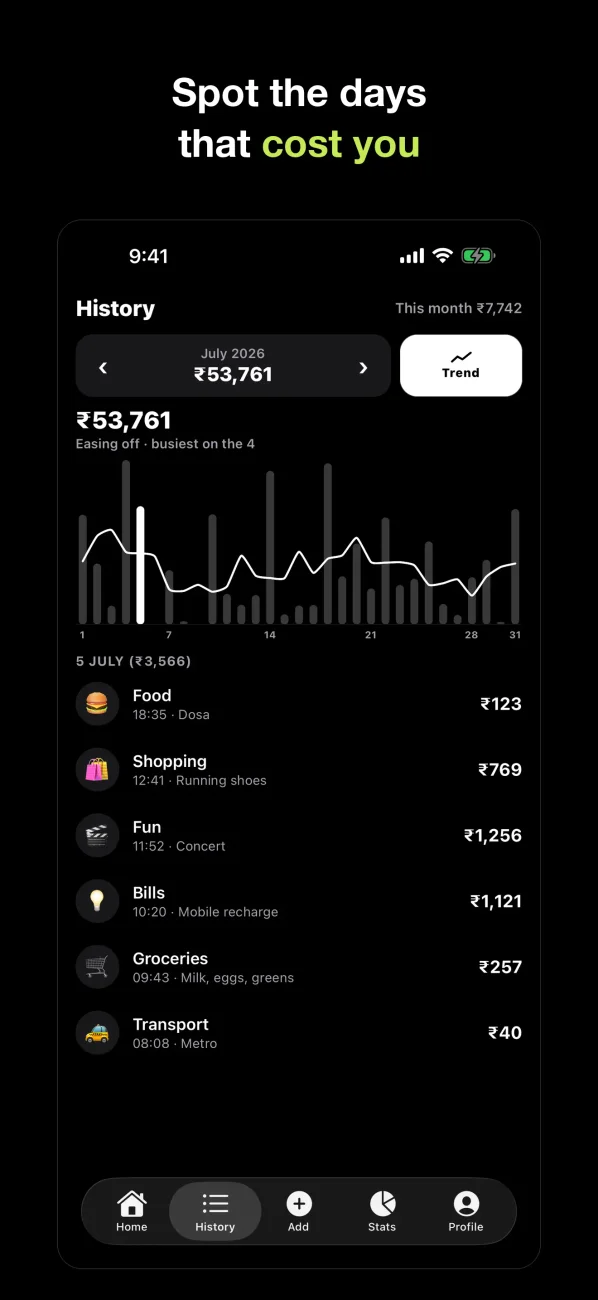
- A calendar of daily totals, or a trend line across the month
- Tap any slice to focus it and see its share
YOURS, ON YOUR DEVICE
PayTappy works with no account at all. Your expenses are stored on your phone, and nothing is uploaded unless you choose to.
If you want a backup, sign in with Apple or Google and turn backup on. Then, and only then, your expense data is copied to a private row readable by nobody but your account. You can delete that data, and your account, from inside the app.
- Export everything to CSV or JSON at any time
- Works fully offline
- Pure black and white, in light and dark
- Rupee, dollar, euro and pound
No ads. No tracking. No newsletter.
What’s new
Version 1.1.0 · Sep 18, 2026
Backup you can rely on.
• Signing in now turns backup on automatically, so your expenses are saved from the very first one.
• Fixed a problem where backup could quietly switch itself off and stay off.
• Clear your app storage or restore your phone, and your expenses now come back on their own.
• Restoring no longer resets your categories, budget or currency.
• Confirmation messages moved to the bottom of the screen, so they no longer cover your totals.
App privacy
What Prabhat Gupta declares on the App Store about how this app handles data.
-
Data linked to you
May be collected and linked to your identity.
- Financial info
- Contact info
- Identifiers
Privacy practices may vary, for example with the features you use or your age.
Information
- Seller
- Prabhat Gupta
- Category
- Finance
- Version
- 1.1.0
- Updated
- Sep 18, 2026
- Released
- Aug 26, 2026
- Size
- 45.8 MB
- Requires
- iOS 16.4 or later
- Age rating
- +4
- Languages
- English
- Copyright
- © 2026 Prabhat Gupta
You might also like
-
 TallyonnOffline Expense Tracker
-
 TalkLedgerThe SmartAI Ledger You Talk To
-
 ExLogExpense Tracker
-
 Finzo MoneyTrack UPI Payments
-
 PaysaTrack every paisa
-
 YooToo: UAE Budget TrackerTrack AED, Save & Plan
-
 MoneyTag: Income & ExpensesProjects · Tags · Report
-
 Leio: Budget Expense TrackerSpending & savings planner
-
 Kaspo: Budget Expense TrackerVoice & Receipt Money Manager
-
 TapExpense: Expense TrackerBudget, receipt scan, offline