- Age rating4+
- CategoryEducation
- DeveloperAhmad Byagowi
- LanguagesEnglish
- Size122.3 MB
Links to the official App Store page
Download.org hosts no file of PC 110. The button opens its official App Store page, published by Ahmad Byagowi. Listing last checked on Nov 18, 2026.
Screenshots

About
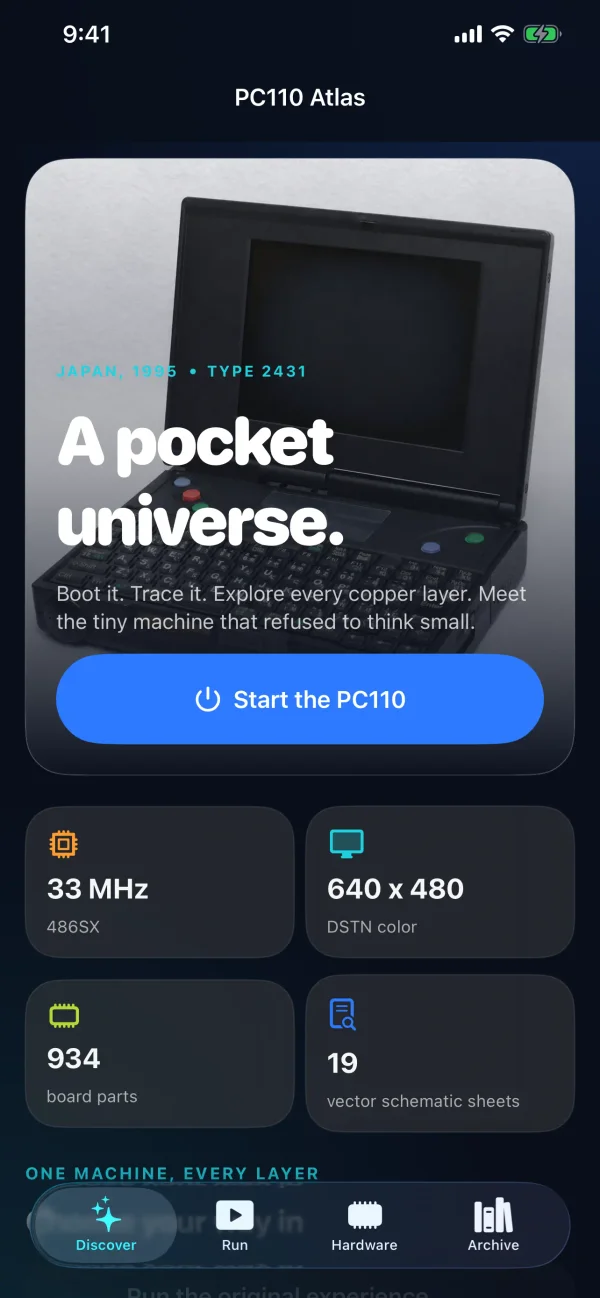
PC110 Atlas is an interactive museum, hardware explorer, and emulator host dedicated to the palm-size PC that arrived in 1995.
ADAPTS TO IPHONE DUO
Open the expanded console on iPhone Duo to align the PC110 hinges with the device fold. Switch between hinge lock and free zoom, move between the inner and outer displays, and keep the same console and keyboard state as the layout changes.
RUN YOUR OWN MACHINE
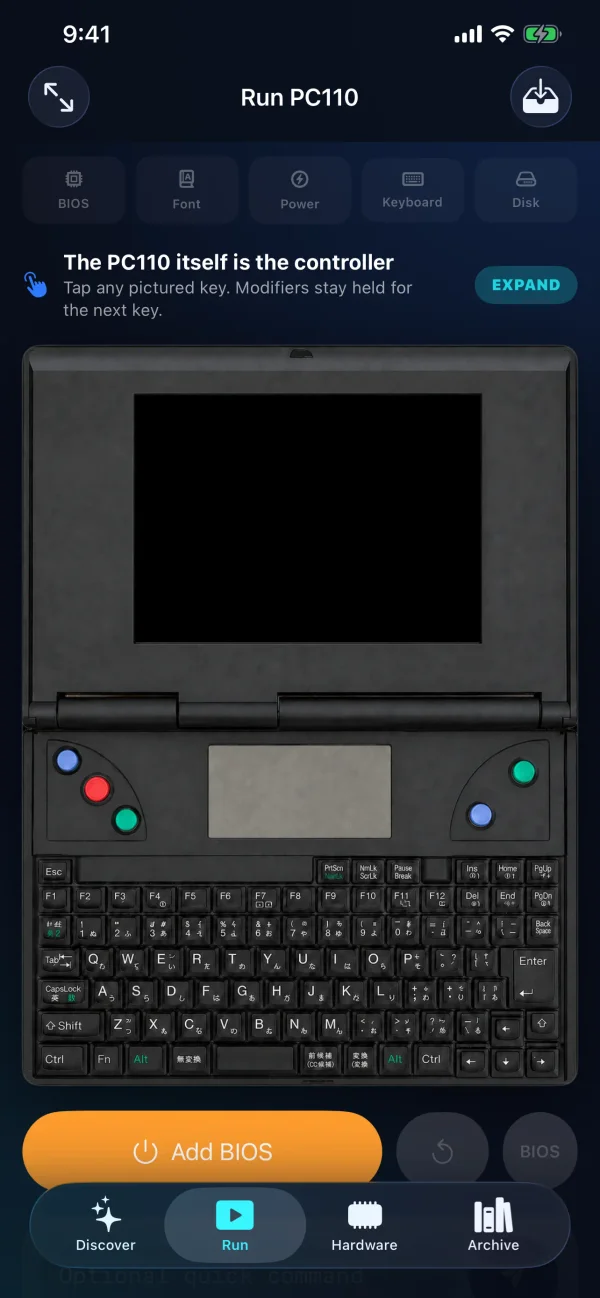
Bring firmware and system media that you lawfully obtained from your own hardware. Package Import verifies a single ZIP and installs all recognized files together. Advanced Import lets experienced users manage each file individually. No proprietary firmware, operating system, or PersonaWare image is included.
RUN IT ON MAC
Use the complete emulator and research library on macOS 14 or later. Select BIOS, hard-disk, floppy, and CD images with the standard Mac file picker. Imported media remains inside the app sandbox unless you choose another file.
USE THE WHOLE KEYBOARD
The full PC110 console becomes a touch surface. Every visible key and colored control maps to the emulated machine, including the distinctive Japanese key layout and two-part Enter key.
CONTROL IT FROM APPLE WATCH
The included Apple Watch companion mirrors the live PC110 display and guest audio from the paired iPhone, provides pointer and keyboard controls, and offers shortcuts for all sixteen original PersonaWare launcher applications. Fit shows the complete display, while zoom and pan make small guest controls easier to read. QEMU and imported media remain on the iPhone.
EXPLORE THE HARDWARE
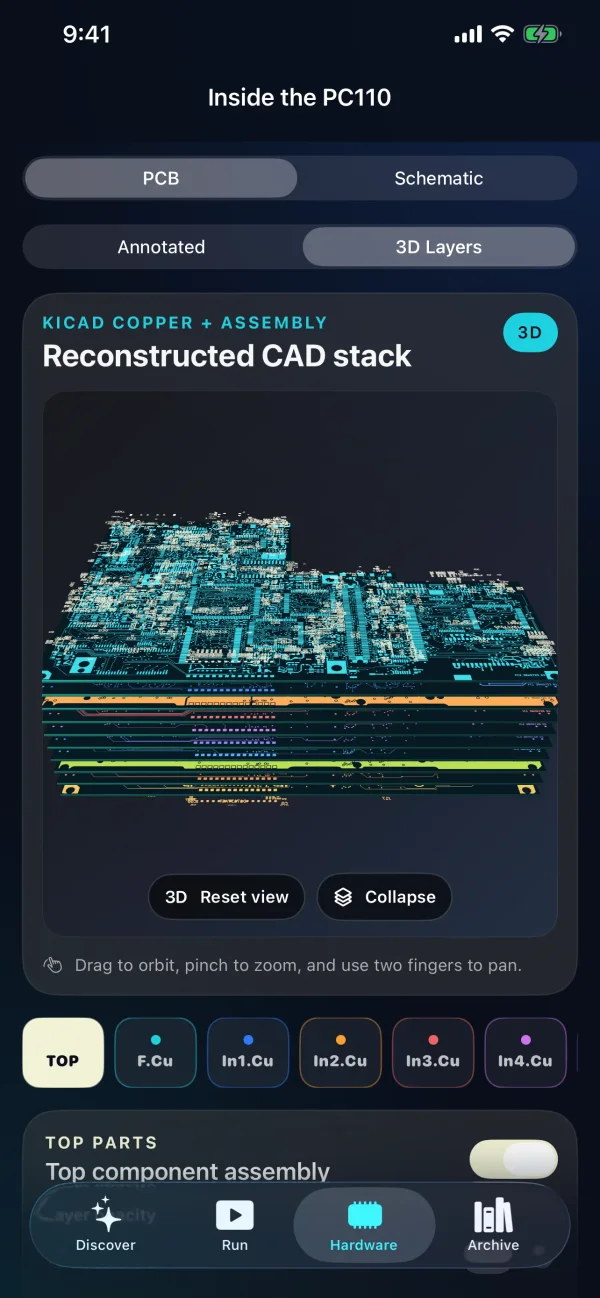
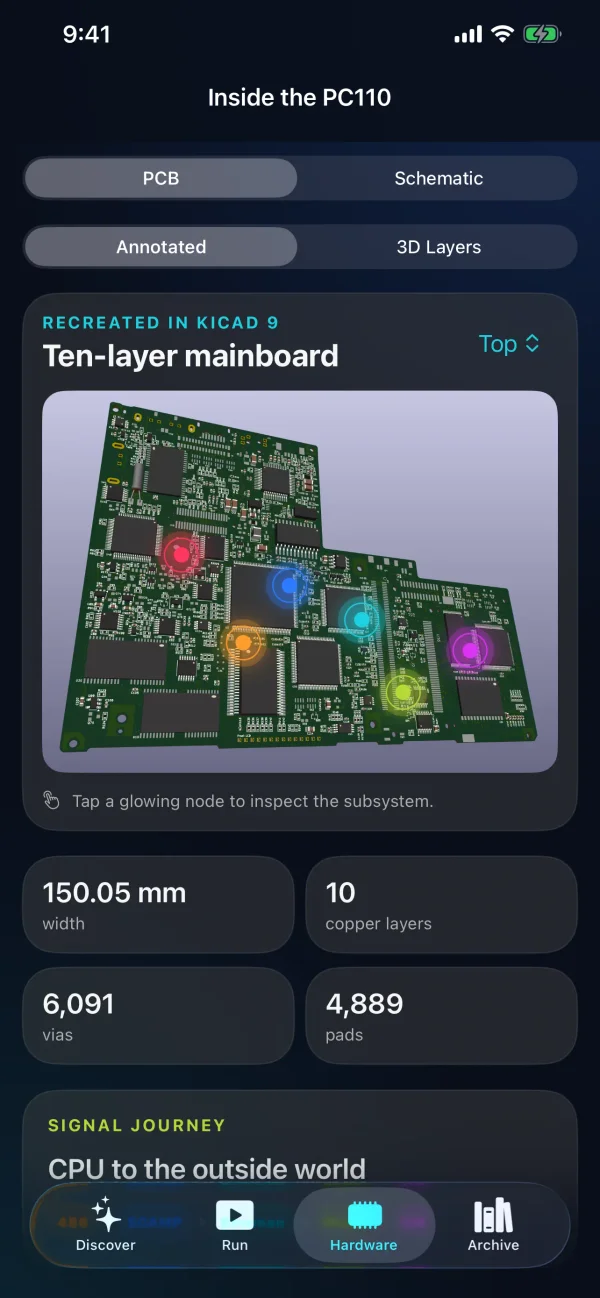
Orbit a detailed 3D reconstruction of the mainboard, pinch to zoom, separate the stack, fade individual copper layers, and reveal the component overlays on both sides. Switch to annotated board views to learn how the 486SX, SCAMP IV, Bowman, Pluto, VGA, audio, storage, and PC Card subsystems work together.
FOLLOW THE SCHEMATIC
Navigate the reconstructed schematic by functional sheet, then zoom and pan through the original vector evidence without relying on optical captures.
ENTER THE ARCHIVE
Discover the machine through a factual timeline, original design notes, an illustrated PersonaWare history, and direct links to the open hardware project.
PC110 Atlas is an independent historical and preservation project. IBM and the IBM logo are trademarks of International Business Machines Corporation. PersonaWare and other product names belong to their respective owners. The app is not affiliated with or endorsed by IBM.
What’s new
Version 1.0.3 · Oct 17, 2026
Point directly at the emulated screen with touch or a mouse. The guest cursor follows the screen position automatically, while TrackPoint controls remain available. Supported PersonaWare and Windows 95 working disks receive the pointer driver with a recoverable backup. Your original imported media are unchanged.
App privacy
What Ahmad Byagowi declares on the App Store about how this app handles data.
-
Data not collected
The developer does not collect any data from this app.
Privacy practices may vary, for example with the features you use or your age.
Information
- Seller
- Ahmad Byagowi
- Category
- Education
- Version
- 1.0.3
- Updated
- Oct 17, 2026
- Released
- Sep 1, 2026
- Size
- 122.3 MB
- Requires
- iOS 17.0 or later
- Age rating
- 4+
- Price
- Free
- Languages
- English
- Copyright
- © 2026 Ahmad Byagowi
You might also like
-
 BASIC 1983 computerLearn to code in 1983 BASIC
-
 RST 599xpCW QSO Simulator for iPad
-
 Grammarific: Russian GrammarLearn Grammar with AI
-
 Dynamic MathematicsAdaptive Math Progression
-
 Tech Terms: IT DictionaryIT Terms in English & Myanmar
-
 Learn Machine Learning & AIDeep Learning & Data Science
-
 Kome tabeEducation
-
 Bubuling NihongoLearn Japanese
-
 Mojien: Learn JapaneseDictionary, Lessons & Quizzes
-
 Japanese OnlineAlphabets, Words, Tests