PDF File Protector
PDF watermark&sign&password
Designed for iPhone, iPad
$19.99 · In-app purchases
- Age rating4+
- CategoryUtilities
- Developer乐祥 胡
- LanguagesEnglish+ 2 more
- Size7.4 MB
Links to the official App Store page
Download.org hosts no file of PDF File Protector. The button opens its official App Store page, published by 乐祥 胡. Listing last checked on Nov 18, 2026.
Screenshots

About
Worried about sensitive PDFs being shared freely or leaked? Want to add a unique identifier to your important documents?
PDF File Protector is your professional document security assistant!
Safeguard your document security and copyright comprehensively with powerful watermarking, signing, and encryption features.
[All-in-One Core Features]
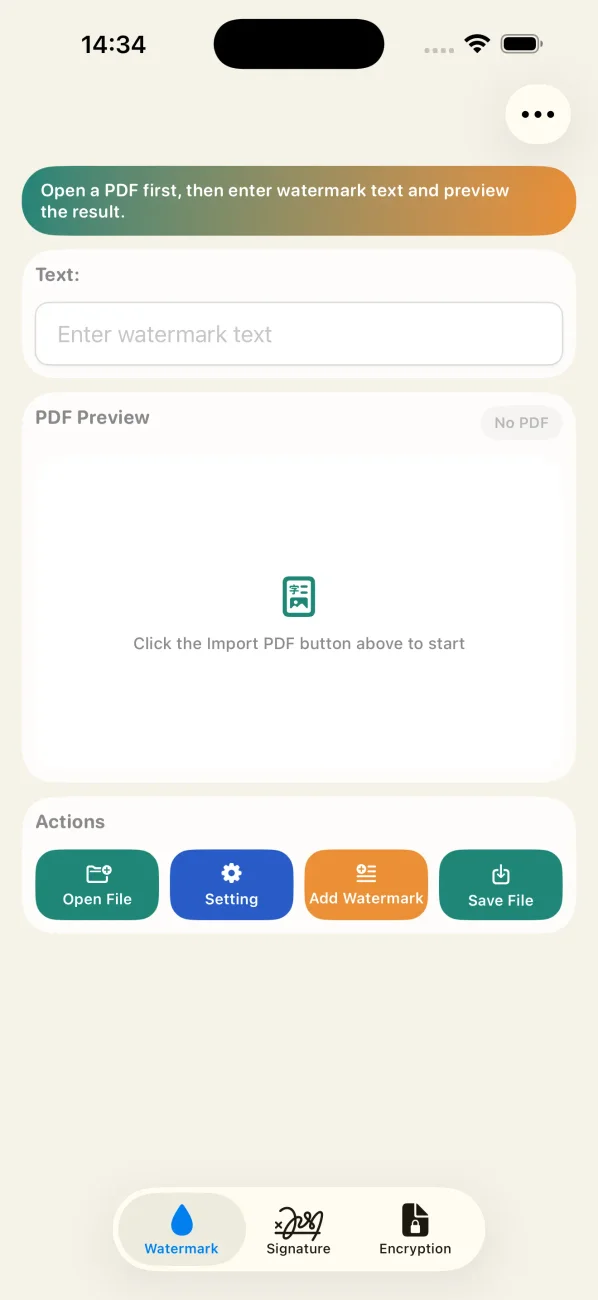
• Effortless Watermarking
Add text or image watermarks with customizable content, size, opacity, and rotation.
Stamp exclusive identifiers on contracts, designs, or internal materials to prevent unauthorized use and distribution, asserting your ownership.
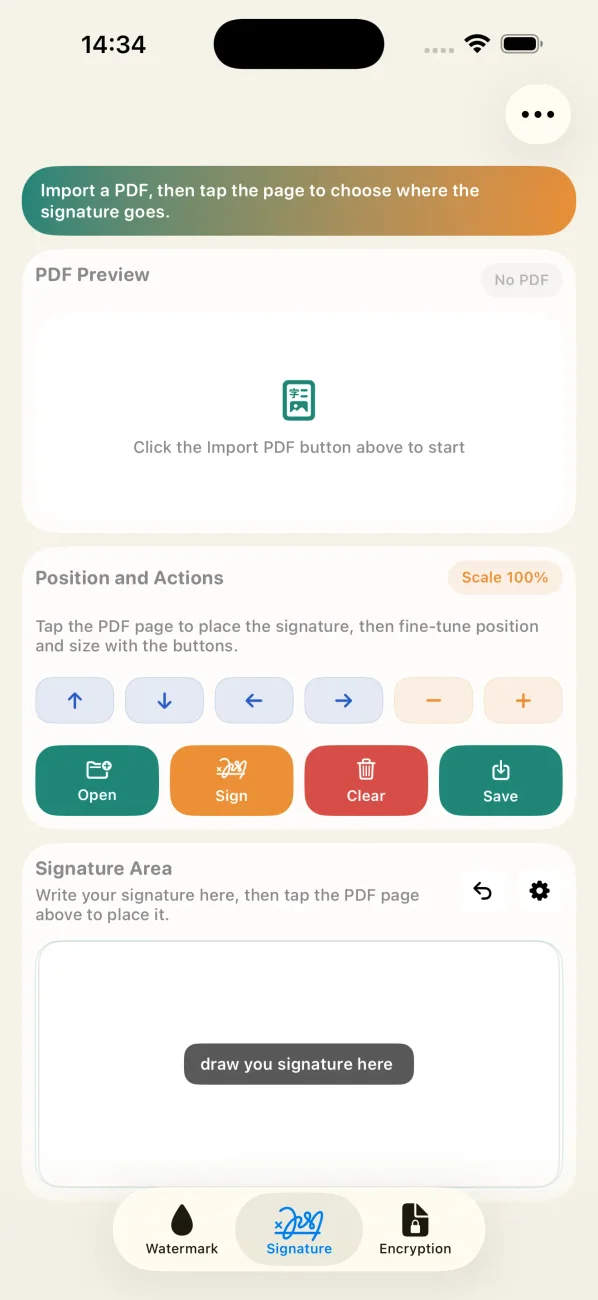
• Secure E-Signature
Support for direct handwritten signatures, placed precisely anywhere in the document.
Perfect for approving contracts, confirming orders, or signing agreements—get it done quickly without the hassle of printing and scanning.
• Powerful PDF Encryption
Set a high-strength password to open the PDF, preventing unauthorized access.
Effectively prevents data leaks caused by device loss or accidental file sharing, locking down your privacy and trade secrets.
[App Highlights]
Simple Operation: No expertise needed. Professional-level protection is just a few taps away.
Fully Offline: All processing is done locally on your device. Your files are never uploaded, guaranteeing privacy and security.
High-Quality Output: Maintains the original file's clarity and quality without compromising the reading experience.
Perfect For:
Business Professionals: Protect confidential company reports and contract documents.
Designers/Creators: Add copyright watermarks to portfolios and design drafts.
General Users: Encrypt important personal documents like IDs, resumes, and bank statements.
Download PDF File Protector today! Hold professional-grade security measures in the palm of your hand. Share files with peace of mind!
— Privacy Policy please visit:
Privacy Policy: https://docs.qq.com/doc/DRFZnV2JkVGVSUWVU
Terms of Service: https://docs.qq.com/doc/DREdRb0VqQUFETVhq
Apple EULA: https://www.apple.com/legal/internet-services/itunes/dev/stdeula/
If you have any questions, feel free to contact us anytime: hxx_shdt@126.com
What’s new
Version 1.1.11 · Sep 12, 2026
bugs fixed and performance improve
App privacy
What 乐祥 胡 declares on the App Store about how this app handles data.
-
Data not collected
The developer does not collect any data from this app.
Privacy practices may vary, for example with the features you use or your age.
Information
- Seller
- 乐祥 胡
- Category
- Utilities
- Version
- 1.1.11
- Updated
- Sep 12, 2026
- Released
- Nov 16, 2024
- Size
- 7.4 MB
- Requires
- iOS 16.6 or later
- Age rating
- 4+
- Price
- $19.99
- In-app purchases
- Yes
- Languages
- English, Japanese, Simplified Chinese
- Copyright
- © 胡乐祥
You might also like
-
 Nasu: Private TranscriptionOffline, with speaker labels
-
 HEIC to JPEG Converter ProConvert HEIC Photos to JPG
-
 Palestine Profile Pic MakerPalestine Profile Picture Make
-
 Avoid Social Media DistractionHide feed,stories,shorts,ads
-
 EncriptadorUtilities
-
 Shield - Spam text filterAI Powered Spam Text Filter
-
 Keyboard Clipboard: SnippetsAuto Text Expander & AI Import
-
 中文Notion模板库Utilities
-
 PDF Guru Anki多功能办公学习助手
-
 Photo & Image CompressReduce Image & Photo Size