PDF Highlighter & Markup
Highlight, save and share PDFs
Designed for iPhone, iPad
Free
- Age rating4+
- CategoryProductivity
- DeveloperBokeria Inc.
- LanguagesEnglish+ 18 more
- Size14.9 MB
Links to the official App Store page
Download.org hosts no file of PDF Highlighter & Markup. The button opens its official App Store page, published by Bokeria Inc. Listing last checked on Nov 26, 2026.
Screenshots
About
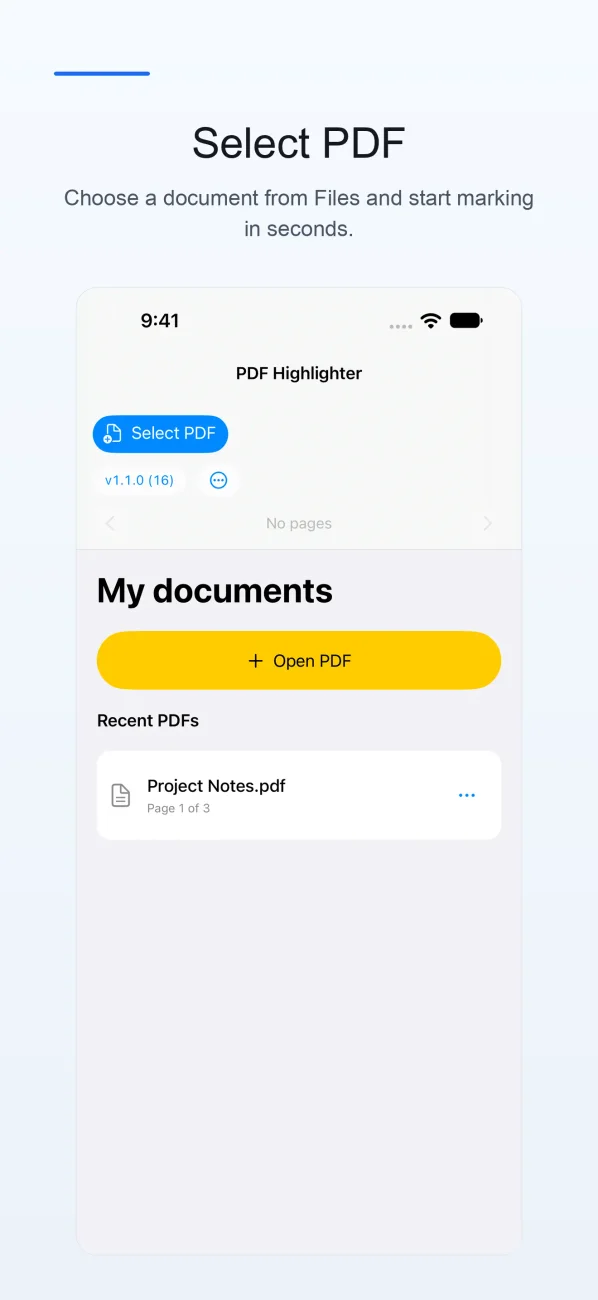
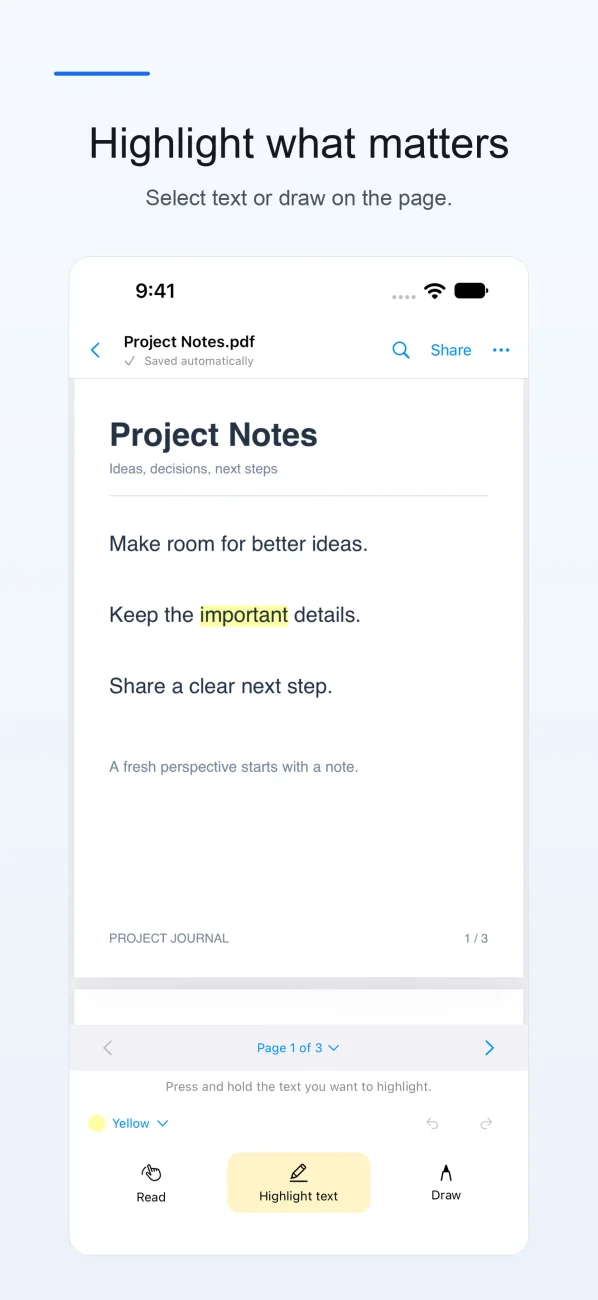
Read, highlight and draw on PDFs with three simple tools. Select text to highlight, underline or strike out, add notes, and revise marks with undo and redo.
Search highlights and notes across PDFs. Filter by color and tap a result to open the marked passage. Hand-drawn highlights appear even without a note. Tap one to jump to its spot in the PDF.
Find passages with document search, bookmarks and the annotation list. Recognize scanned pages on your device, then search and select the recognized text inside the app. Android downloads selected language data, including Korean and English, on first use and reuses it offline. iOS uses the languages supported by Apple Vision on your OS. PDFs and page images are not uploaded for OCR.
Your working copies, edits and last page are saved on your device. Adding a new PDF does not automatically remove older work. Save important documents outside the app as well. App deletion, cleared data or storage problems can remove local work.
Save or share a new editable annotation PDF, or an image PDF with your marks flattened, while preserving the original. OCR does not add a searchable text layer to exported PDFs. The app does not edit original PDF text or fill forms. Protected PDFs need the correct password; unlocked working copies and exported copies are not password protected.
What’s new
Version 1.2.0 · Nov 25, 2026
• Open Highlight Library from the home screen to search highlighted text and notes across your PDFs and filter them by color.
• Hand-drawn marks appear even without a note. Tap an item to jump to its location in the PDF.
• You can keep using PDFs if your privacy settings fail to save.
App privacy
What Bokeria Inc. declares on the App Store about how this app handles data.
-
Data used to track you
May be used to track you across apps and websites owned by other companies.
- Identifiers
-
Data linked to you
May be collected and linked to your identity.
- Location
- Contact info
- User content
- Identifiers
- Usage data
-
Data not linked to you
May be collected but is not linked to your identity.
- Location
- Identifiers
- Usage data
- Diagnostics
Privacy practices may vary, for example with the features you use or your age.
Information
- Seller
- Bokeria Inc.
- Category
- Productivity
- Version
- 1.2.0
- Updated
- Nov 25, 2026
- Released
- Jun 16, 2026
- Size
- 14.9 MB
- Requires
- iOS 17.0 or later
- Age rating
- 4+
- Price
- Free
- Languages
- English, Arabic, Dutch, French, German, Hindi, Indonesian, Italian, Japanese, Korean, Polish, Portuguese + 7 more
- Copyright
- © 2026 Bokeria Inc.
You might also like
-
 PDF Highlighter - Read & EditCreate, Highlight & View PDF
-
 PocketMemoProProductivity
-
 Flow: Timer And ProductivityProductivity
-
 SmartPrimeAI Daily Planner and Routine
-
 HighlighterAI.comHighlight anything. In color.
-
 PDF Reader: Read, Merge, SignScan, OCR, merge & compress
-
 UltimateWidgetTodoProductivity
-
 PDF QuickableOpen your PDFs instantly
-
 PDF Reader LightSave, Share, Listen, Print PDF
-
 ReadSync - PDF ReaderRead, Highlight & Sync PDFs