PDF Merge & Split: Page Editor
Reorder, extract, crop offline
Designed for iPhone, iPad
Free · In-app purchases
- Age rating4+
- CategoryProductivity
- Developer荣晖 丁
- LanguagesEnglish+ 1 more
- Size4.6 MB
Links to the official App Store page
Download.org hosts no file of PDF Merge & Split: Page Editor. The button opens its official App Store page, published by 荣晖 丁. Listing last checked on Nov 18, 2026.
Screenshots

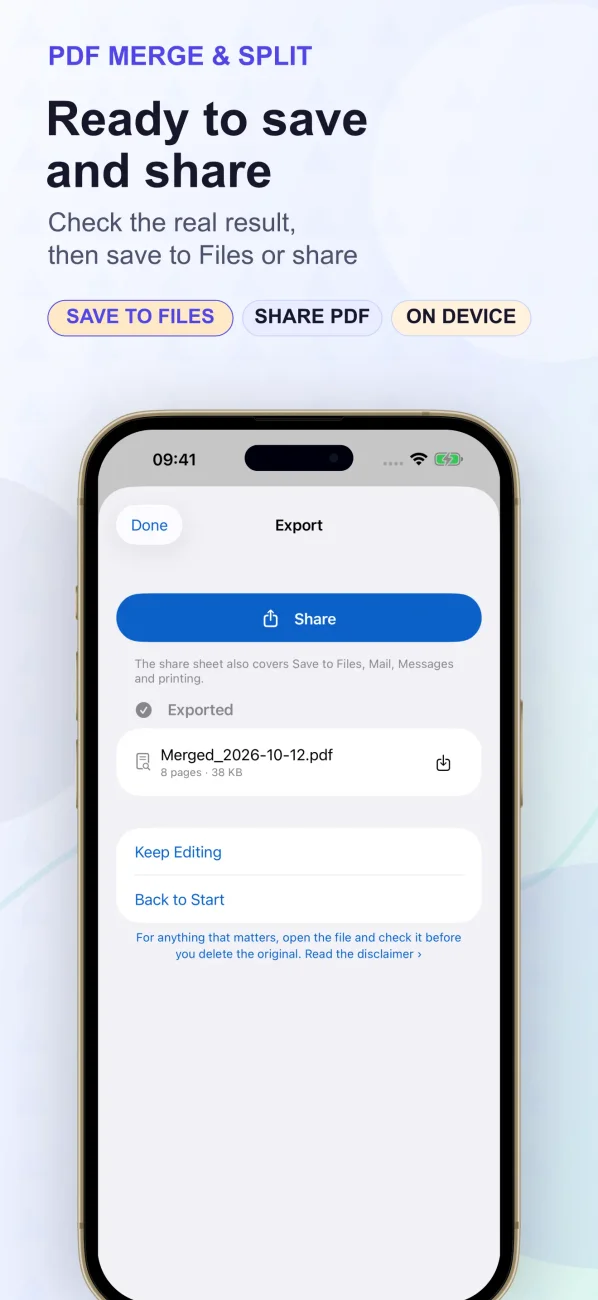
About
Organize the pages of a PDF into the order you actually want.
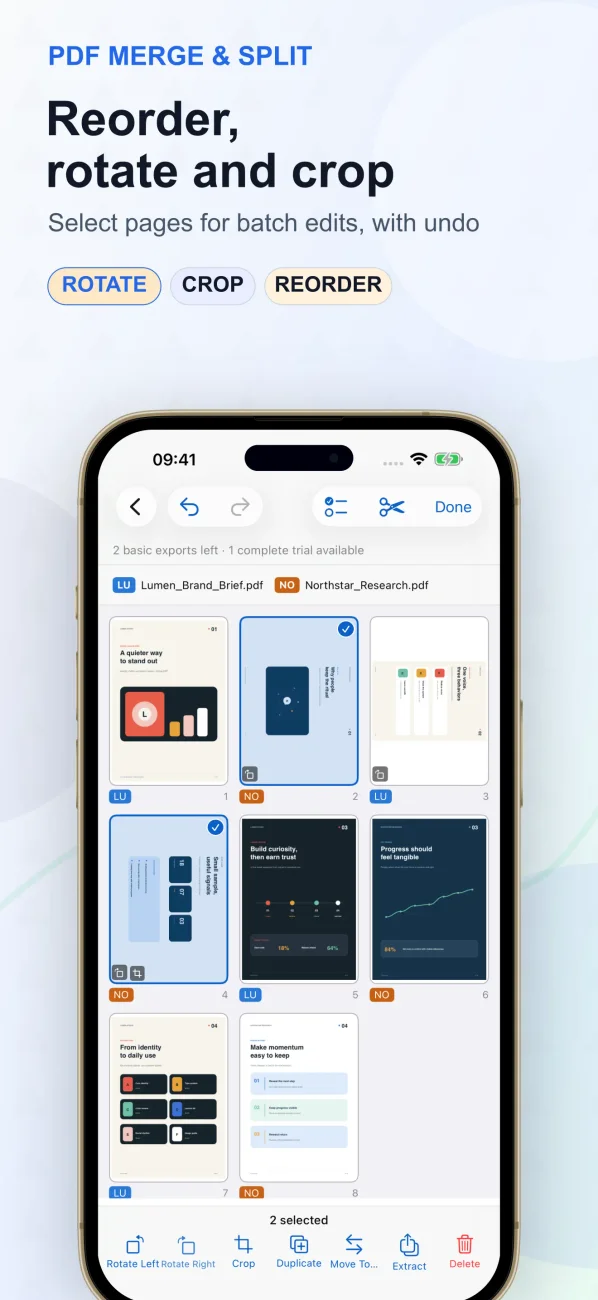
Merge, split, reorder, rotate, crop and extract — all in one screen, by dragging thumbnails.
Organizing pages is free, at any length. Only exporting the result needs Pro —
so you can get the document exactly right, see that it is right, and only then decide.
■ Page-level editing you can see
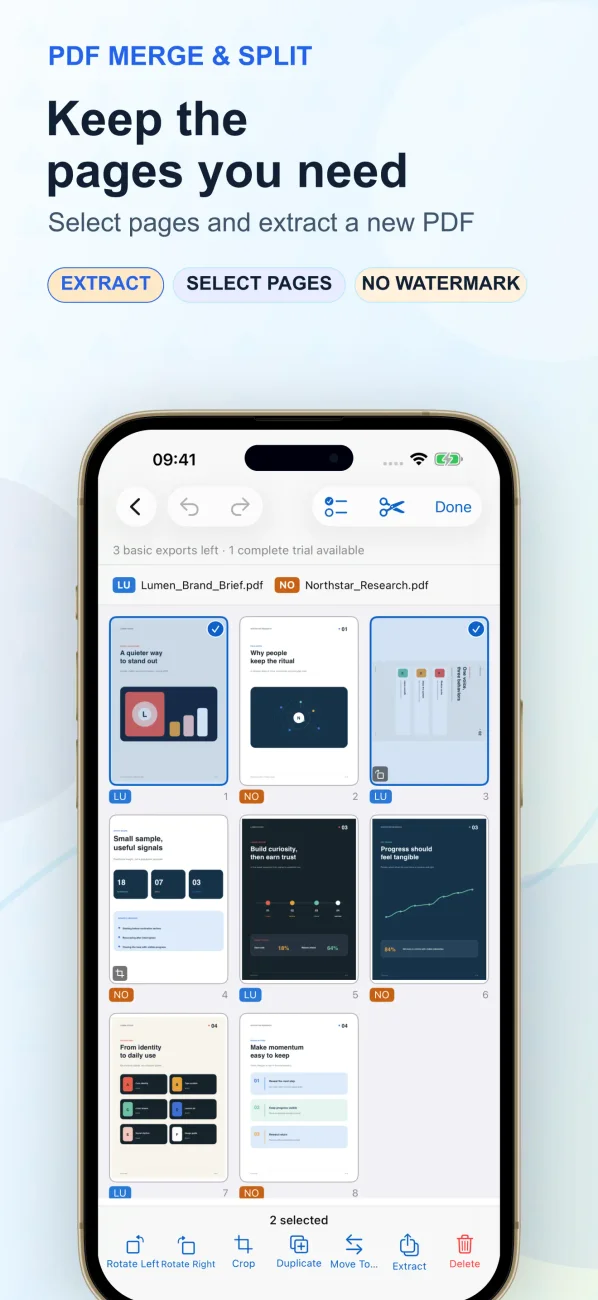
· A thumbnail grid shows the whole document at once; drag to reorder
· Select several pages to rotate, delete or crop them in one undoable step
· Every page is labelled with the file it came from, so merges never get confusing
· The thumbnail is the export — what you see is what you get
■ Merge and split
· Combine several PDFs into one, in any order
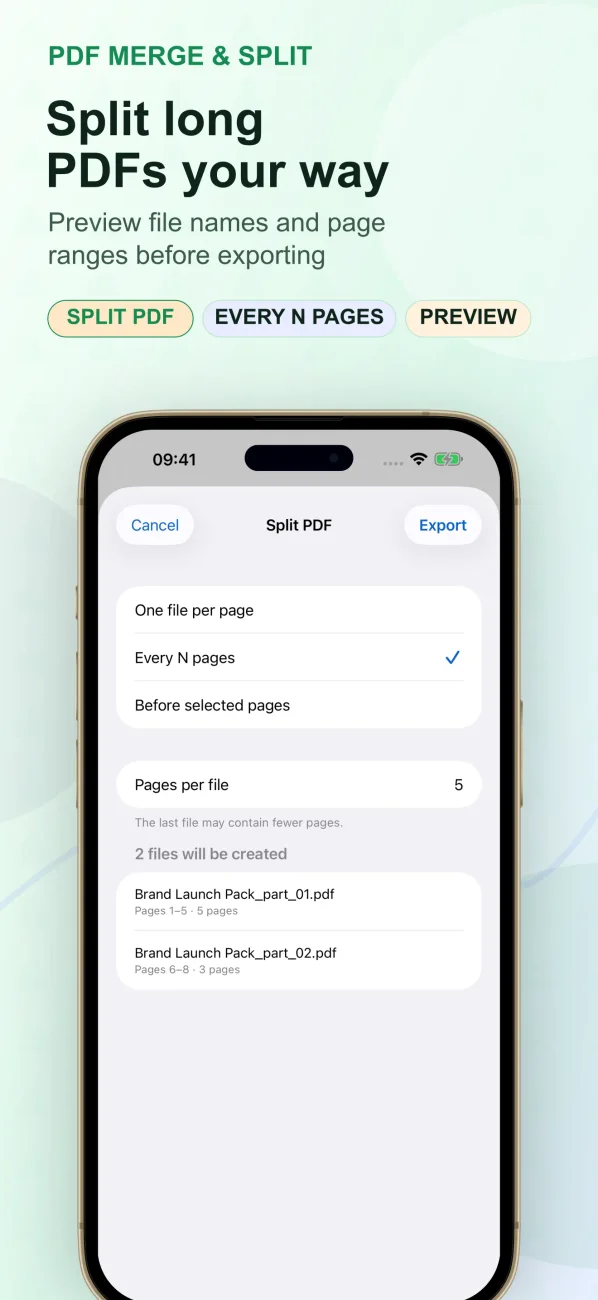
· Split by page, every N pages, or before pages you choose
· See exactly how many files you will get, and which pages are in each, before committing
■ Extract and export
· Select pages and export them as a new PDF
· Every export is verified before it is called a success: the file is reopened and checked page by page
· No watermark. Save to Files or share with any app
■ Your original files are never modified
Importing copies the PDF into the app, and everything happens on that copy. Whatever happens to your workspace, the file you picked stays exactly as it was.
■ Runs entirely on your device
No network, no upload, no account, no ads, no data collection. Fully functional in airplane mode.
■ About cropping
Cropping sets the PDF crop box, which hides content outside it. This is not redaction — the hidden content is still in the file and some PDF tools can recover it. To remove sensitive information permanently, use a tool built for redaction. The app says so in the crop editor, in Help, and in the Disclaimer.
■ Free includes
· Unlimited editing: merge, reorder, rotate, delete, crop, duplicate and batch actions, at any length
· Full preview, page-by-page browsing and undo
· One watermark-free export: one source PDF, up to 10 pages
· Your active workspace is always recoverable, even after an interruption
■ Pro unlocks
· Export documents of any length
· Export a document merged from any number of PDFs
· Split and extract into separate files
· Unlimited exports
Pro is available as a one-time purchase or a yearly plan. No ads, and never a watermark on what you export.
— In-App Purchase and Subscription —
· The lifetime plan is a one-time purchase
· The yearly plan renews unless cancelled at least 24 hours before the period ends
· Manage or cancel in Settings > Apple Account > Subscriptions
· Family Sharing supported
Terms of Use (EULA): https://www.apple.com/legal/internet-services/itunes/dev/stdeula/
What’s new
Version 1.1 · Oct 15, 2026
· The free experience now includes 3 cumulative basic exports: 1 source PDF, up to 10 output pages and 1 output PDF per task.
· Added 1 additional complete task trial for merge, split and extract: up to 3 source PDFs, 30 total output pages and 10 output PDFs.
· Export confirmation explains which allowance your task uses and its limits.
· Resume unfinished exports and retry failed parts of a partially completed task without using another allowance. Total failure or cancellation with no result uses no allowance.
· App and Shortcuts share your on-device allowances. Updates retain previous basic export usage.
· Updated English and Simplified Chinese Help and plan information.
App privacy
What 荣晖 丁 declares on the App Store about how this app handles data.
-
Data not collected
The developer does not collect any data from this app.
Privacy practices may vary, for example with the features you use or your age.
Information
- Seller
- 荣晖 丁
- Category
- Productivity
- Version
- 1.1
- Updated
- Oct 15, 2026
- Released
- Sep 18, 2026
- Size
- 4.6 MB
- Requires
- iOS 17.0 or later
- Age rating
- 4+
- Price
- Free
- In-app purchases
- Yes
- Languages
- English, Simplified Chinese
- Copyright
- © 2026 MM Studio
You might also like
-
 Delete & Rotate PDF PagesDelete or rotate PDF pages
-
 PDF Split & ExtractExtract or split PDF pages
-
 PDF Compressor OfflineCompress PDF Files Offline
-
 Reorder PDF Pages & RearrangeOrganize, Rotate, Sort & Move
-
 Shtab: Tasks & Kanban BoardProjects, Calendar, Team
-
 Zip & RAR Extractor - Unzip 7zUnzip, RAR, 7z ZIP File Opener
-
 Nafsi: Muslim DisciplineQuran • Hifz • Fajr
-
 Focus Train: Study Timera journey into focus
-
 Defter Noteshandwritten spatial notes
-
 Phone Drive: File ManagerWi-Fi Transfer to PC & Mac