PDF Scan: Document Scanner
Scan & Convert PDFs Offline
Designed for iPhone, iPad
In-app purchases
- Age rating4+
- CategoryUtilities
- DeveloperTOKYOBAY K.K.
- LanguagesEnglish
- Size33.7 MB
Links to the official App Store page
Download.org hosts no file of PDF Scan: Document Scanner. The button opens its official App Store page, published by TOKYOBAY K.K. Listing last checked on Nov 15, 2026.
Screenshots

About
Transform your smartphone into a complete document powerhouse with PDF Scanner: Document Scanner - the all-in-one Camera Scanner, eSign, OCR, and PDF Editor app. Scan, sign, secure, and convert documents anytime, anywhere - even without an internet connection.
NEW & POWERFUL FEATURES
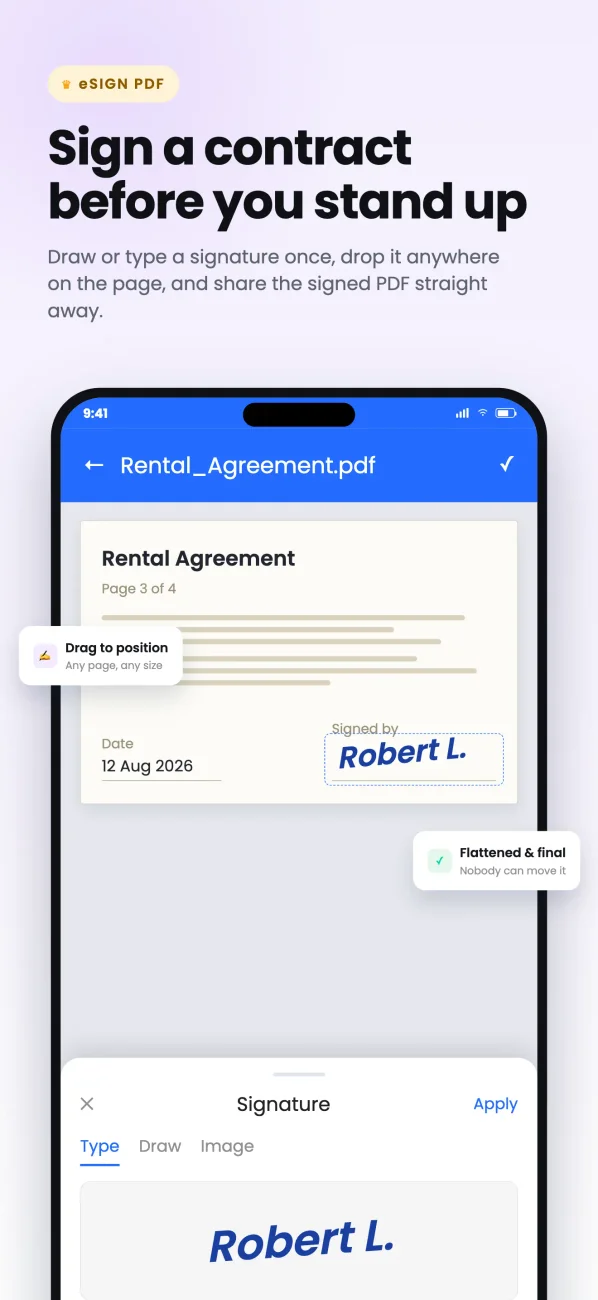
* eSign PDF: Sign documents instantly with your finger or a typed signature. No printing, no scanning, no hassle.
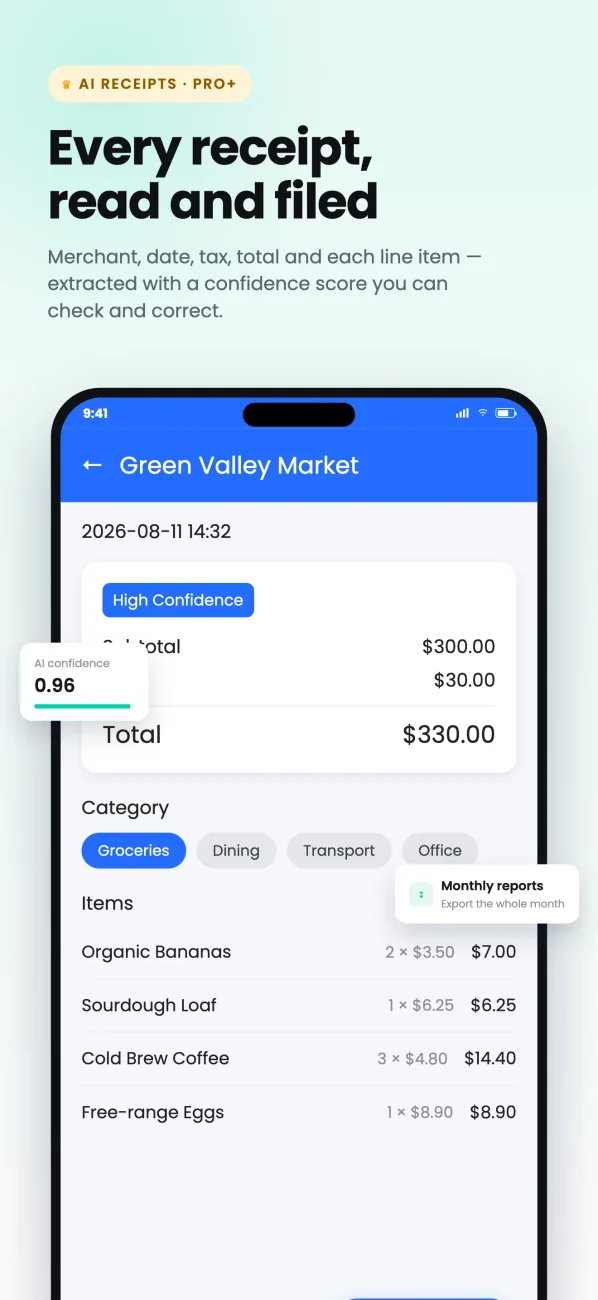
* AI Receipt Analyser: Scan receipts and let AI automatically extract totals, dates, and categories - perfect for expense tracking and budgeting.
* Secure Vault: Lock your sensitive documents and files behind PIN, pattern, or fingerprint protection.
* Multiple Scan Modes: Dedicated scanning for Documents, ID Cards, Passports, and Books - each optimised for perfect captures every time.
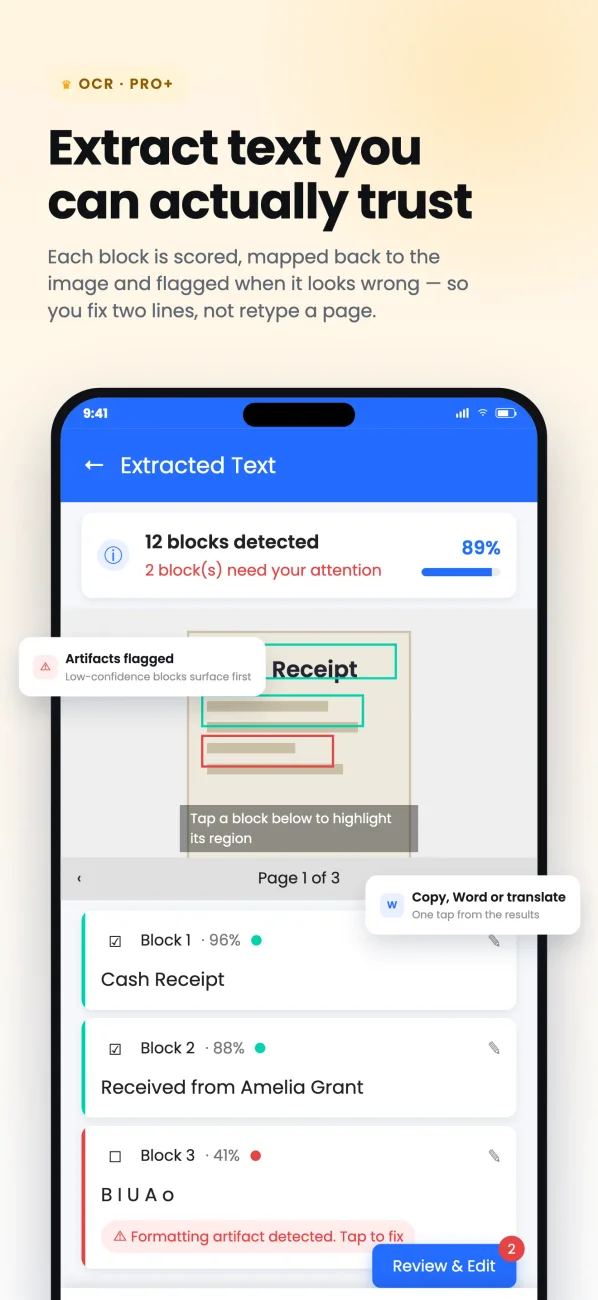
* OCR Text Extraction: Turn scanned images into editable, searchable text directly on your device.
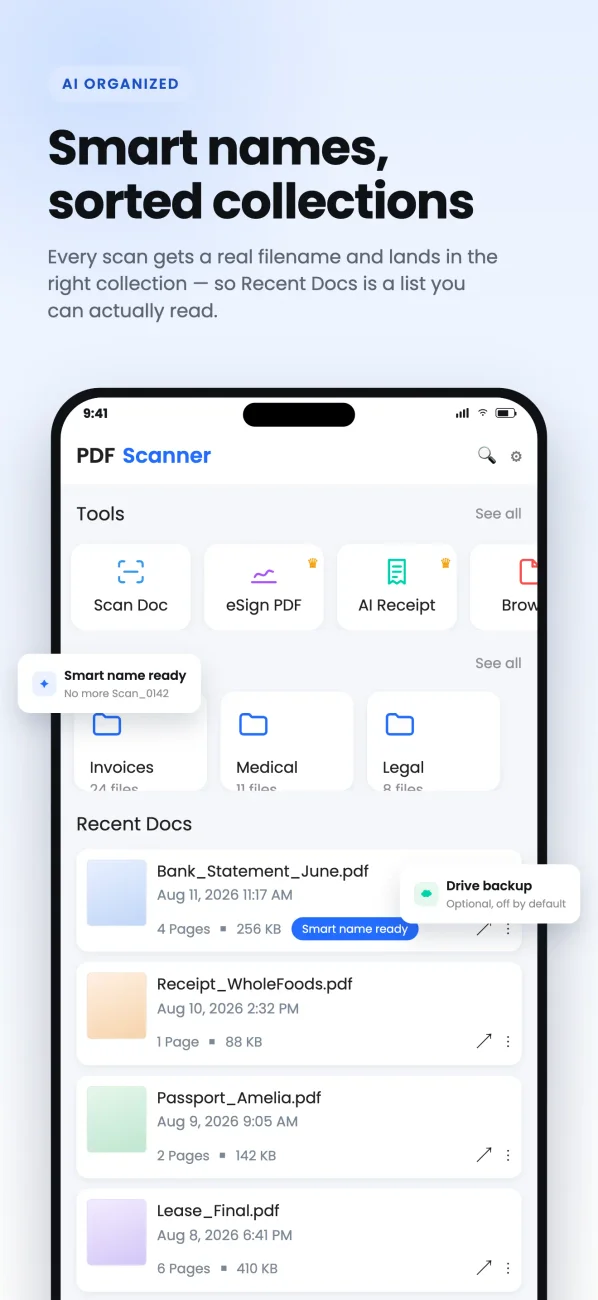
* AI Organised Folders: Your scans are automatically sorted into smart folders, so you never lose a document again.
* Smart File Naming: AI automatically names your files based on content - no more "Scan_2847.pdf."
* Google Drive Cloud Backup: Safely back up and sync your documents to Google Drive.
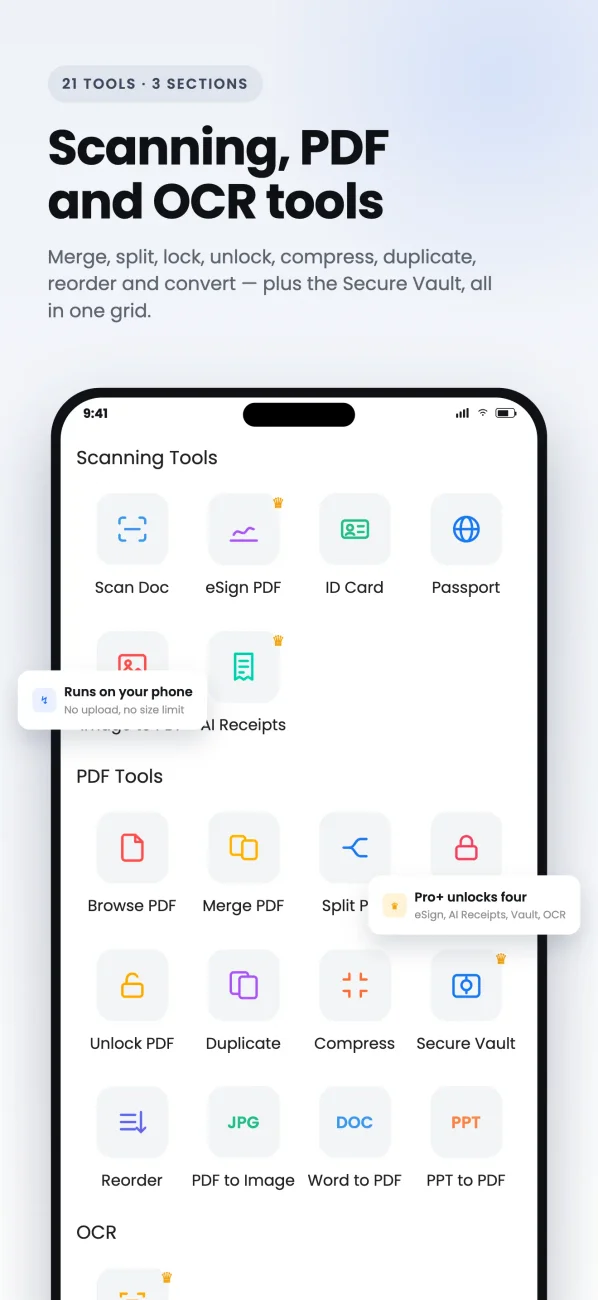
* Complete PDF Toolkit: Reorder pages, compress PDFs, and convert Word to PDF, Excel to PDF, and PowerPoint to PDF - all built in.
CORE SCANNING & PDF FEATURES
* Document Scanning: Scan any document, note, or paper into a clear digital copy using your phone's camera.
* Image to PDF: Convert single or multiple images into professional, polished PDFs.
* PDF Splitting: Break large PDFs into smaller, manageable files.
* PDF Merging: Combine multiple PDFs into a single document.
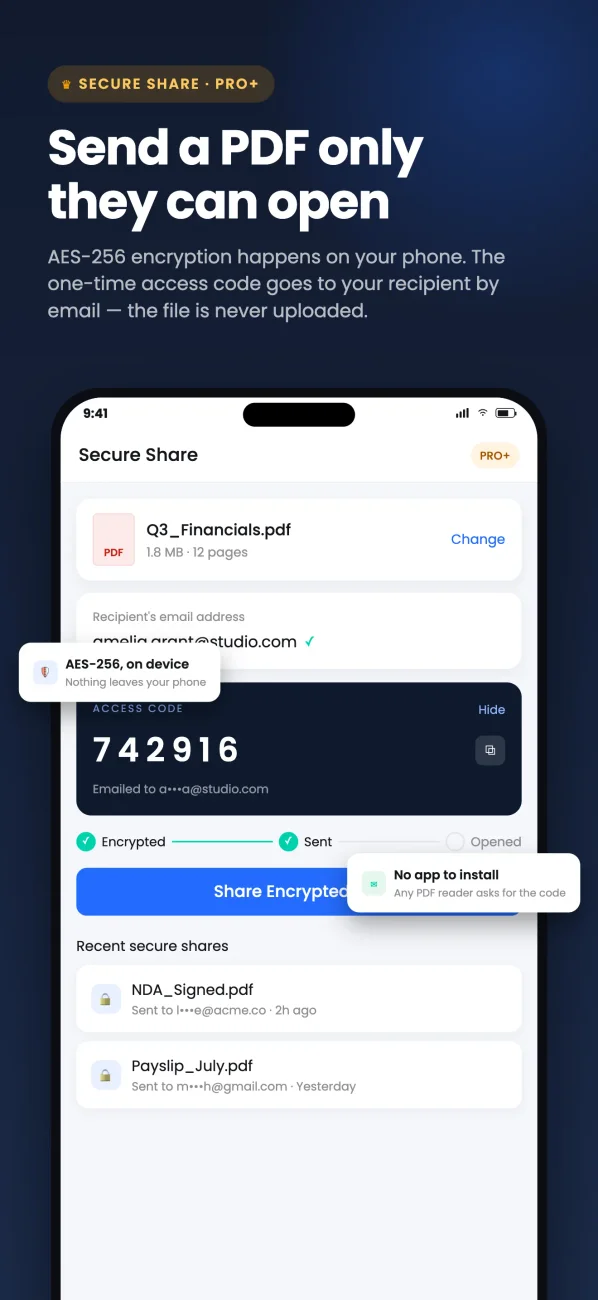
* Password Protection: Encrypt your PDFs with strong password security.
* JPEG Scanner: Scan directly to JPEG for quick sharing or archiving.
* Offline Scanning: Scan and convert documents without Wi-Fi or mobile data - ideal for travel and business.
YOUR PRIVACY MATTERS
Your scans and documents are processed securely. Sensitive files stored in Secure Vault stay protected on your device with PIN, pattern, or fingerprint locks. Cloud Backup is fully optional and only syncs when you choose to enable it.
LEGAL
By subscribing, you agree to our Terms of Use (EULA): https://www.apple.com/legal/internet-services/itunes/dev/stdeula/
Privacy Policy: https://tokyobay.co.jp/privacy/pdf-scanner.html
FREE TO START
Get started with our core scanning, Image-to-PDF, and PDF tools at no cost. Unlock premium features like AI Receipt Analyser, Secure Vault, and unlimited Cloud Backup with a simple subscription - cancel anytime.
WHY CHOOSE PDF SCANNER?
* All-in-One: Replace your scanner, signer, receipt tracker, and file converter with a single app.
* Travel-Ready: Essential for professionals on the move - scan, sign, and send documents anytime.
* Versatile: Perfect as a home document scanner or a complete office productivity tool.
* User-Friendly: Designed for simplicity, making it the best camera scanner and PDF tool for everyone.
We value your feedback! Contact us at developer@tokyobay.co.jp.
PDF Scanner: Document Scanner App by Tokyobay K.K. is your one-stop solution for scanning, signing, securing, and managing documents. Download now for a seamless, efficient document management experience!
What’s new
Version 2.0.2 · Aug 17, 2026
Big Update: PDF Scanner Just Became a Complete Document Suite!
What's New:
Secure Share – Send PDFs with encryption + one-time password sent to recipient's email
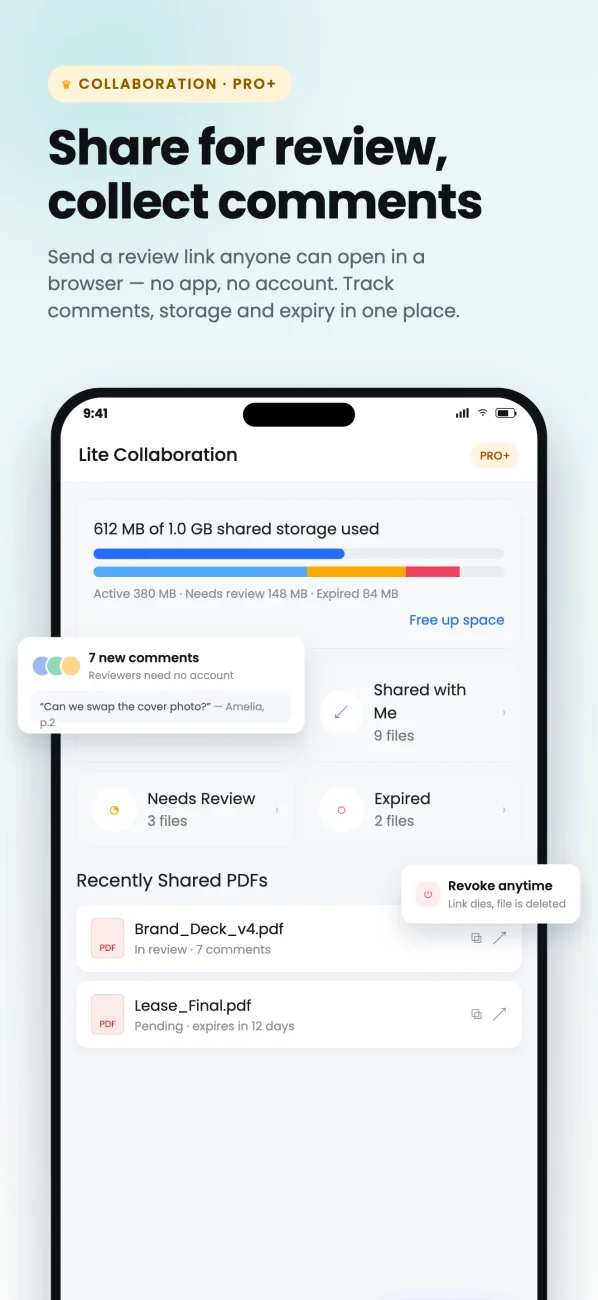
Collaboration Hub – Track every shared file in one dashboard: storage usage, pending reviews, expired links, recent activity
eSign PDF – sign instantly
AI Receipt Analyser
Secure Vault
Scan Modes: ID Card, Passport, Book
OCR Text Extraction
AI Organised Folders
Smart File Naming
Google Drive Backup
Word/Excel/PPT to PDF, Compress, Reorder Pages
Plus bug fixes & performance boosts!
App privacy
What TOKYOBAY K.K. declares on the App Store about how this app handles data.
-
Data used to track you
May be used to track you across apps and websites owned by other companies.
- Identifiers
- Diagnostics
-
Data not linked to you
May be collected but is not linked to your identity.
- User content
- Identifiers
- Diagnostics
Privacy practices may vary, for example with the features you use or your age.
Information
- Seller
- TOKYOBAY K.K.
- Category
- Utilities
- Version
- 2.0.2
- Updated
- Aug 17, 2026
- Released
- Jul 24, 2025
- Size
- 33.7 MB
- Requires
- iOS 18.6 or later
- Age rating
- 4+
- In-app purchases
- Yes
- Languages
- English
- Copyright
- © 2020 Tokyobay Inc
You might also like
-
 Document Scanner Offline VaultSmart Scan & Secure Vault
-
 AI PDF Scanner & EditorOCR, Translate & Summarize
-
 Clipboard - CopyPasteClipboard Manager & History
-
 Batch BG Remover - OfflineBatch BG Cutouts - Private
-
 Video Size ReducerCompress video&free up storage
-
 Photos to PDF Converter ⁺Create PDFs from Photos
-
 QR Code InspectorSecure QR Code Scanner
-
 Image Converter OfflineConvert photos to PDF JPG PNG
-
 PDF Converter: Doc File ProConvert Word Excel PPT JPG
-
 Scan to PDF - PDF Doc ScannerScanner App. JPG, Photo to PDF