PDF Scanfolio: Scanner & Files
Scan to PDF, search every word
Designed for iPhone, iPad
Free · In-app purchases
- Age rating4+
- CategoryProductivity
- DeveloperTSUBASA FUKUCHI
- LanguagesEnglish+ 1 more
- Size6.3 MB
Links to the official App Store page
Download.org hosts no file of PDF Scanfolio: Scanner & Files. The button opens its official App Store page, published by TSUBASA FUKUCHI. Listing last checked on Nov 18, 2026.
Screenshots


About
Turn paper into PDFs you can actually find again.
Point, capture, done. Text recognition (OCR) reads the words inside every document, so "where did I put that?" stops being a question. Scanning, recognition and search all happen on this device.
WHAT PEOPLE SCAN
• Receipts, invoices and bills
• Contracts, warranties and manuals
• Business cards
• School handouts, letters and forms
• Handwritten notes, books and reference material
FEATURES
■ Capture straight to PDF
Edges are detected automatically. Capture several pages in one go and save them as a single PDF, or split them into separate documents. Photos, files on your device and PDFs shared from other apps go through the same pipeline.
■ Search inside your documents
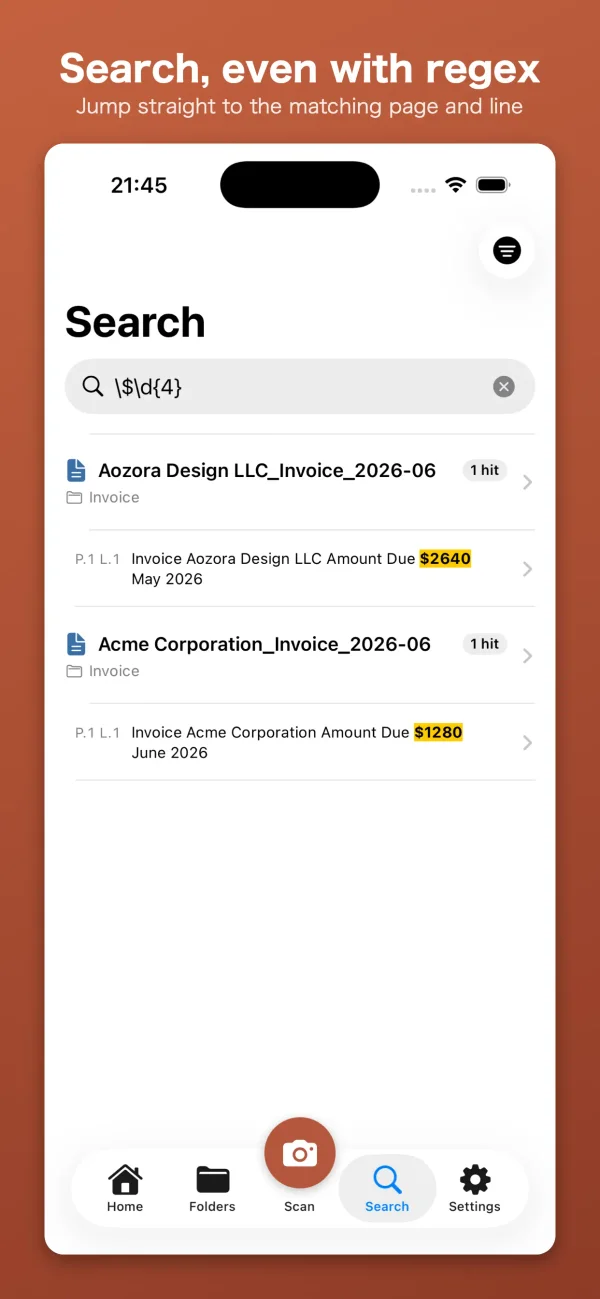
Full-text search across everything you have saved, showing the matching page and line so you land exactly where you need to be. Plain, whole-word and regular-expression modes, plus filters for type, folder, period and amount.
■ Vertical Japanese, read correctly
Vertically written pages are read column by column, right to left. Recognized text can be corrected page by page, and corrections improve search immediately.
■ Filed by type, automatically
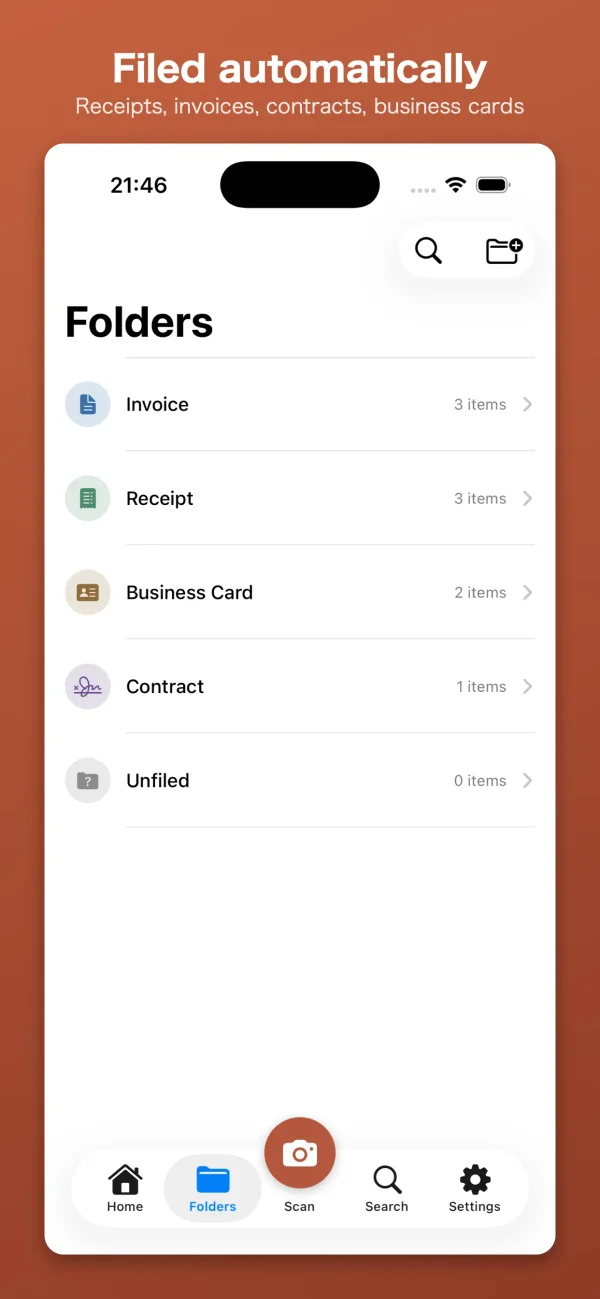
Receipts, invoices, contracts, business cards, warranties, manuals, school notices and medical documents are recognized, and a destination folder is suggested. For a warranty, the reminder suggests a month before a one-year warranty ends. Folders can be nested, renamed, coloured and given their own icons.
■ Sign and annotate
Add a signature to a contract or a handwritten note to any page, in the app.
■ Read the details off a receipt
Counterparty, date and total, plus tax amount, tax rate and the qualified invoice registration number where one is printed. Every field is editable and searchable.
■ Never miss a due date
Set a reminder and the document appears in the Due Dates list, overdue first, with a count on the Home screen.
■ Lock what matters
Face ID or passcode can lock the whole app, a folder, or one document. Locked documents are blurred in every list and stay out of search results.
■ Backup
Export your entire library as a password-encrypted archive and restore it on another device.
■ Widget and Siri
Start a scan from the Home Screen widget or by asking Siri. The Due Dates widget shows how many documents are overdue or due within 7 days — counts only, never a name. Shortcuts can search your documents or open the due-date list. iPad is fully supported.
PRIVACY
Scanning, text recognition, classification and search all happen on this device. Your documents are never uploaded, and no account or sign-in is required. The free tier's ad SDK connects to deliver ads and never has access to your documents. Pro removes ads. Automatic backup writes only to the folder you pick.
PDF SCANFOLIO PRO (SUBSCRIPTION)
Pro unlocks:
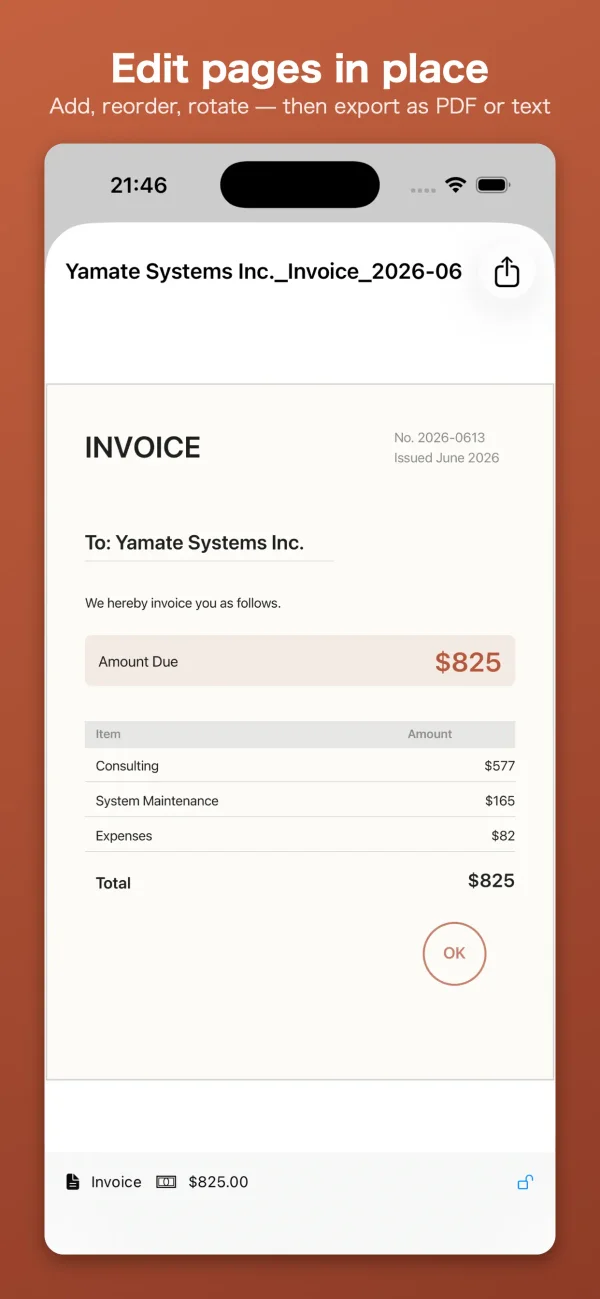
• Searchable PDF export (selectable, findable text)
• Text export
• Bulk PDF sharing and merging into one file
• Expense CSV export (counterparty, tax, rate, registration number, totals per currency)
• AI auto-naming and classification (iOS 26 on Apple Intelligence devices)
• Weekly automatic backup, encrypted, into a folder you choose
• Password-protected PDF export
• Splitting several documents photographed together into one each
• No ads
Scanning, text recognition, full-text search, folders, signing, folder suggestions, locking, backup and reminders are all free.
Monthly and yearly plans are available; the price is shown before you buy. Payment is charged to your Apple Account at confirmation of purchase. Subscriptions renew automatically unless auto-renew is turned off at least 24 hours before the end of the current period, and your account is charged for renewal within 24 hours before the period ends. You can manage or cancel in Settings > your Apple Account > Subscriptions.
Terms of Use: https://fukusefeb-dev.github.io/PDFScanfolio_legal/terms.html
Privacy Policy: https://fukusefeb-dev.github.io/PDFScanfolio_legal/privacy.html
What’s new
Version 1.5.2 · Oct 4, 2026
Annotate & sign is easier to use: marks stay erasable after you save, and you now write full screen.
ERASE AND ADD LATER
Reopen Annotate & sign on a page and your saved marks come back as strokes. Erase just part of them or add more — clear last time's note and write this time's. Erase everything and save, and the page returns to how it was before you wrote on it.
Note: marks saved with version 1.5.1 or earlier are part of the page image and can't be erased. This applies to marks made from 1.5.2 on.
FULL-SCREEN WRITING
The page now fills the screen while you write.
• One finger writes; two fingers zoom and move the page
• Zoom in and the pen gets finer, so you can write in small boxes on a form
ALSO
• Marks are saved at the page's full resolution, so they stay sharp
• In Dark Mode, ink shows in the same colors as on the saved page
• A swipe down no longer closes the editor; use Cancel or Save
• App Lock now also covers screens that were open when the app locked, such as the editor or transaction details
• Saving is more robust: page images are no longer at risk if the app quits or the device powers off mid-save
App privacy
What TSUBASA FUKUCHI declares on the App Store about how this app handles data.
-
Data linked to you
May be collected and linked to your identity.
- Identifiers
- Usage data
Privacy practices may vary, for example with the features you use or your age.
Information
- Seller
- TSUBASA FUKUCHI
- Category
- Productivity
- Version
- 1.5.2
- Updated
- Oct 4, 2026
- Released
- Jul 8, 2026
- Size
- 6.3 MB
- Requires
- iOS 17.0 or later
- Age rating
- 4+
- Price
- Free
- In-app purchases
- Yes
- Languages
- English, Japanese
- Copyright
- © 2026 Tsubasa
You might also like
-
 NFC出勤簿Productivity
-
 SwiftSearch in PDFsQuick Search in All PDF Files
-
 Orbb: Save, Ask, RememberFind anything you've saved
-
 TagSpacesYour files, tagged & organized
-
 Scan to PDF: Sign & RedactPrivate Offline Scanner No Ads
-
 ビジネスメール定型文GPTProductivity
-
 Pomodoro Timer – Focus & DoneStay focused. Get things done.
-
 LinkLeap ブックマーク管理アプリ リンクURLウェブProductivity
-
 JUナビリアル-JUnaviRealProductivity
-
 ID Card Scanner & PDF MakerScan Documents, Compress & OCR