PDF Scanner App - ProScan
Scan Sign PDF, PNG JPG to PDF
Designed for iPhone, iPad
In-app purchases
- Age rating4+
- CategoryProductivity
- DeveloperPaul Crapatureanu
- LanguagesEnglish+ 12 more
- Size13.8 MB
Links to the official App Store page
Download.org hosts no file of PDF Scanner App - ProScan. The button opens its official App Store page, published by Paul Crapatureanu. Listing last checked on Nov 12, 2026.
Screenshots


About
ProScan PDF turns your iPhone or iPad into a fast, private document scanner and complete PDF toolkit.
Scan documents, receipts, IDs, notes, whiteboards and photos, then organize, edit, sign, protect and share them, all in one app.
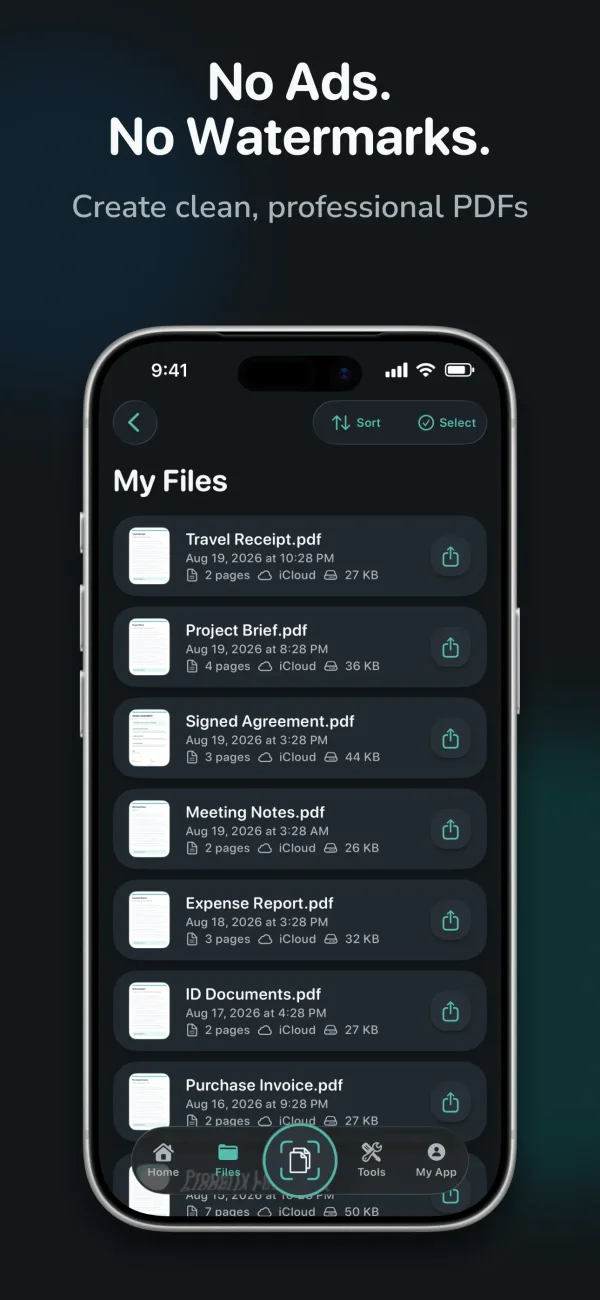
No ads. No watermarks. Your documents are processed on your device, not uploaded to our servers.
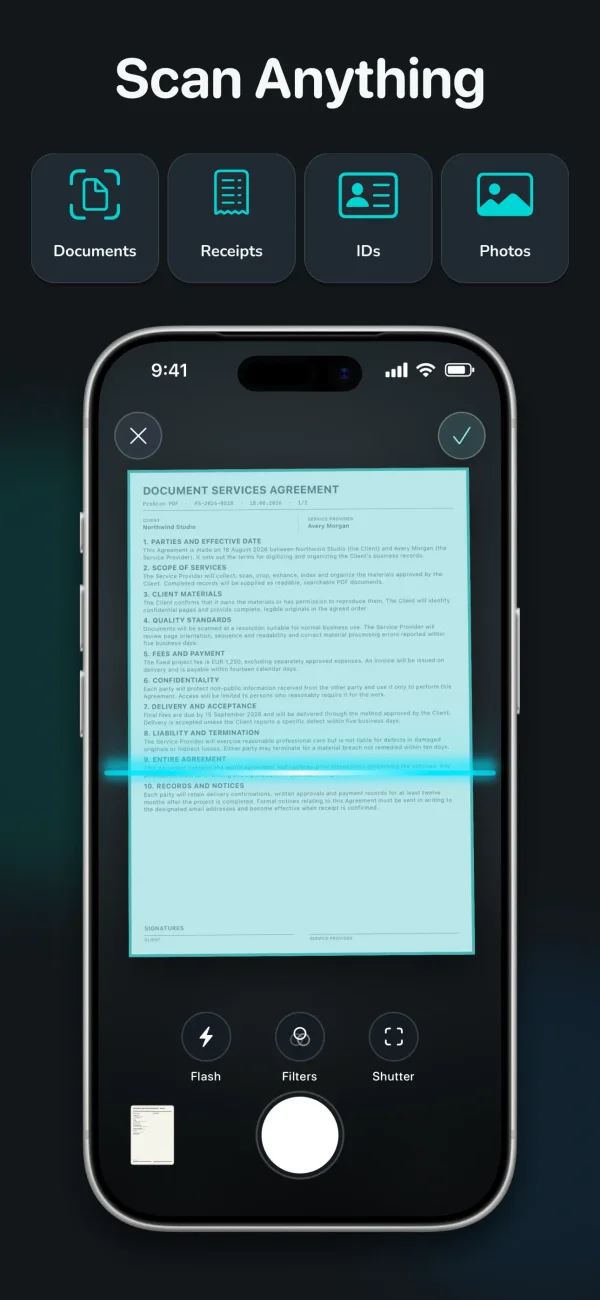
SCAN ANYTHING
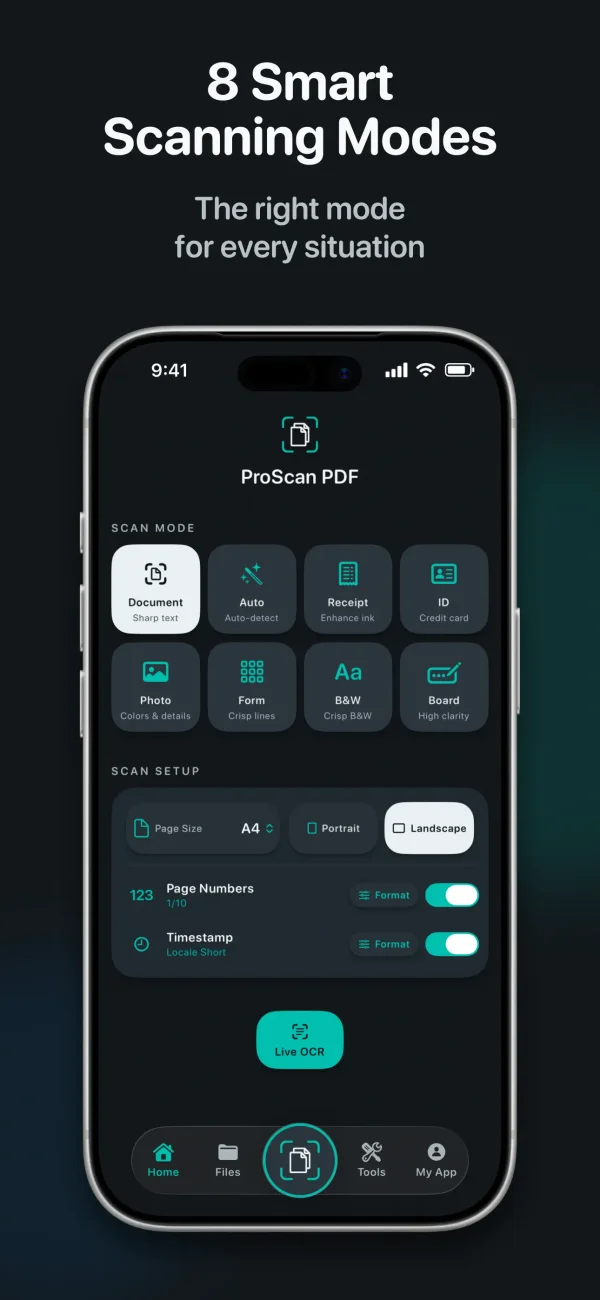
• Choose from 8 smart scanning modes: Document, Auto, Receipt, ID, Photo, Form, B&W Text and Whiteboard
• Create PDFs in A4, Letter, Legal and other standard page sizes
• Choose portrait or landscape orientation
• Add page numbers and timestamps while scanning
• Import photos and turn them into polished PDFs
PDF TOOLS
• Photos to PDF: Turn one or more photos into a polished PDF
• PDF to Images: Export every PDF page as an image, then save or share it
• Add Watermark: Apply a colored text watermark and save a new PDF copy
• Compress PDF: Reduce the size of scanned and image-based PDFs
• ID Photo Maker: Crop and check photos, choose exact sizes, and export individual photos or printable sheets
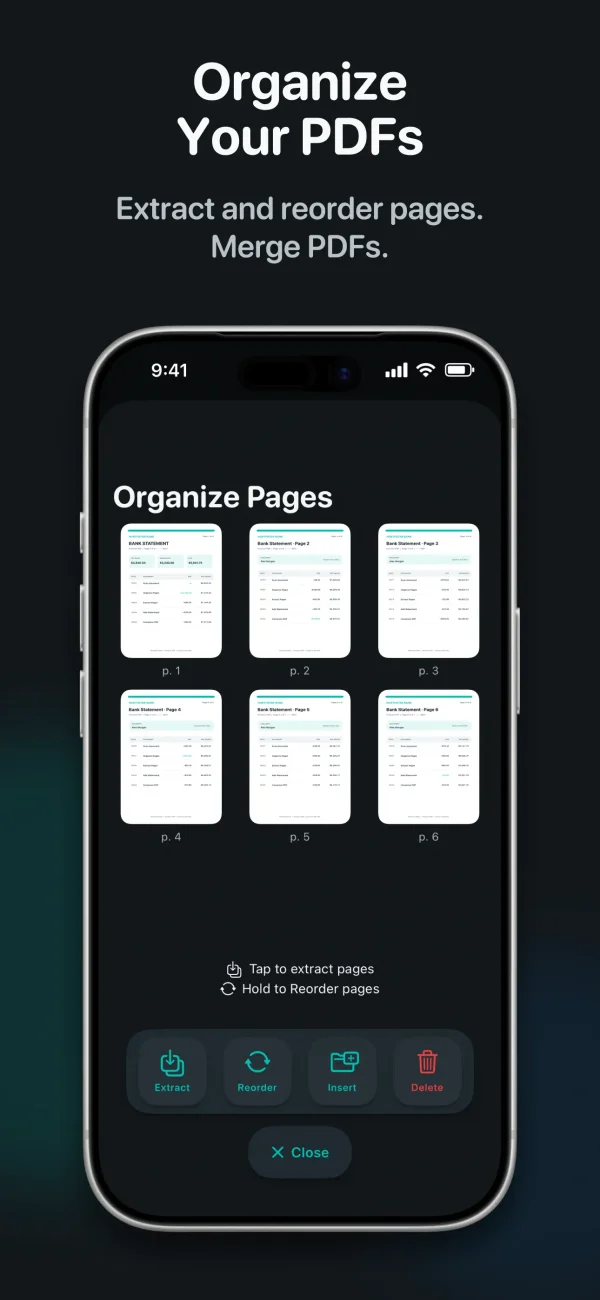
• Extract Pages: Save selected pages as a new PDF, or reorder, insert and delete pages
• PDF to Word: Create editable Word documents while preserving the layout where possible
• Search PDF: Create searchable copies and find text directly in the PDF viewer
• Merge multiple PDFs into one document
OCR AND TEXT
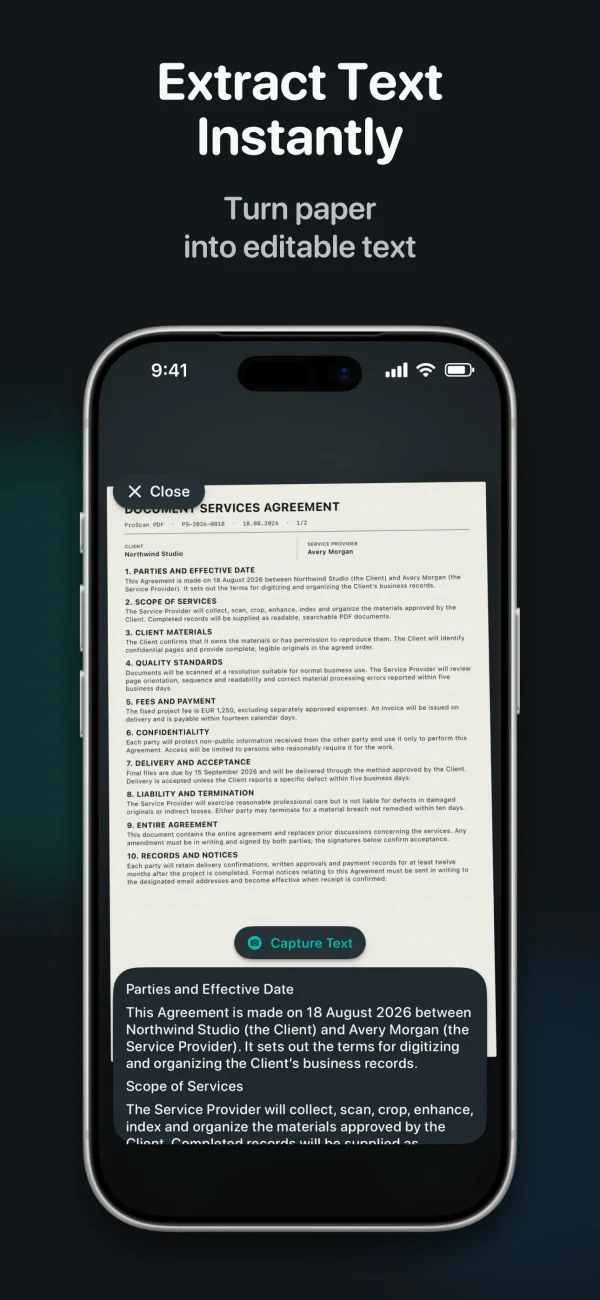
• Capture text instantly with Live OCR
• Extract editable text from scanned documents
SIGN, PROTECT AND SHARE
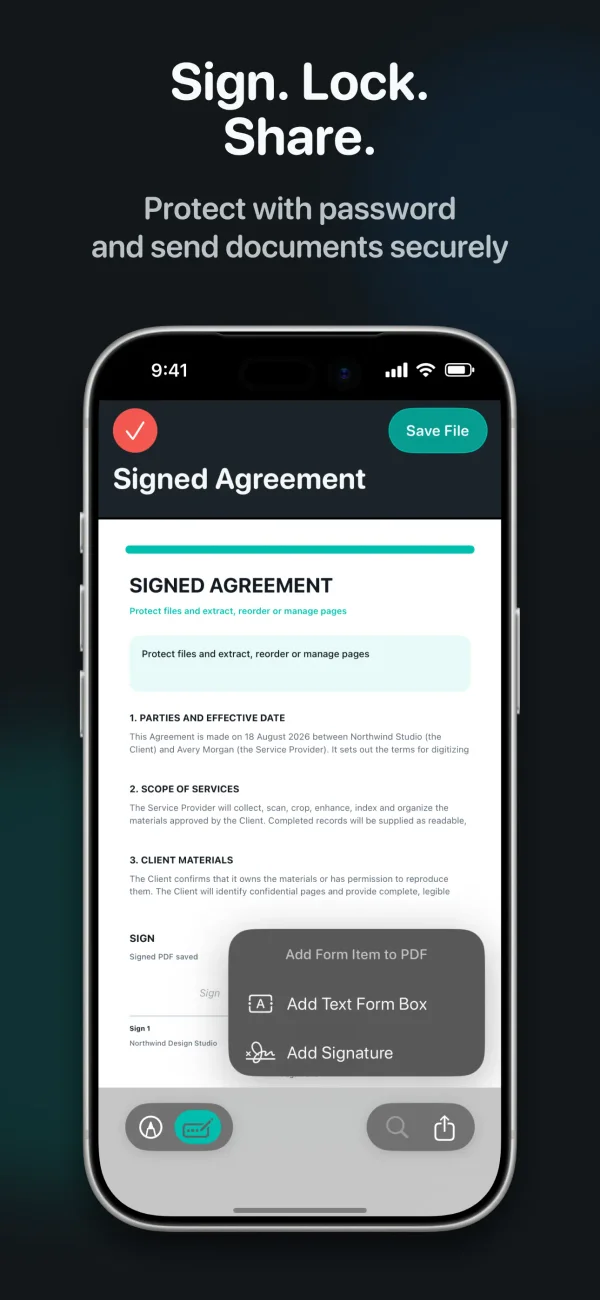
• Add signatures and text fields to PDFs
• Lock sensitive PDFs with a password
• Share documents directly from the app
• Keep local copies available for fast access, with iCloud backup when available
DESIGNED AROUND YOU
Version 2.7 introduces a cleaner, more modern interface built for both iPhone and iPad.
Choose from 7 premium themes, each with a matching app icon, and use ProScan PDF in 14 supported languages.
Whether you are digitizing class notes, managing receipts, signing a contract, organizing family records or preparing business documents, ProScan PDF keeps the workflow simple and focused.
FREE AND PRO
Get 3 free scans every day. Upgrade to Pro for unlimited scanning and access to all Pro tools.
Choose a monthly, 3-month or yearly plan based on your workflow.
PRIVACY BY DESIGN
Document processing happens locally on your device.
Your files remain in your local library and, when available, your private iCloud storage.
We do not upload your documents to our servers.
Download ProScan PDF for a cleaner, faster and more private way to scan and manage documents.
Free Daily Scans. No ads. No watermarks.
Contact and support: https://proscanpdf.com
Privacy Policy: https://paulcrp.com/proscanpdf_privacypolicy.html
End User License Agreement (EULA): https://www.apple.com/legal/internet-services/itunes/dev/stdeula/
What’s new
Version 2.7 · Aug 22, 2026
• Completely redesigned interface with a cleaner, more modern layout
• Choose from 7 premium themes with matching app icons
• Now available in 14 languages
• New PDF tools: PDF to Word, PDF to Images and searchable PDF creation
• Improved Photos to PDF, watermarking, compression, page extraction and ID Photo Maker
• Faster document previews and smoother My Files performance
• More reliable saving with fast local access and iCloud backup
• Improved PDF organization, action confirmations and success messages
• Better iPad layouts, accessibility and localization
• Performance improvements and bug fixes
App privacy
What Paul Crapatureanu declares on the App Store about how this app handles data.
-
Data not collected
The developer does not collect any data from this app.
Privacy practices may vary, for example with the features you use or your age.
Information
- Seller
- Paul Crapatureanu
- Category
- Productivity
- Version
- 2.7
- Updated
- Aug 22, 2026
- Released
- Sep 17, 2025
- Size
- 13.8 MB
- Requires
- iOS 18.0 or later
- Age rating
- 4+
- In-app purchases
- Yes
- Languages
- English, Dutch, French, German, Hindi, Italian, Japanese, Korean, Polish, Portuguese, Simplified Chinese, Spanish + 1 more
- Copyright
- © 2026 Paul Crapatureanu
You might also like
-
 PDF-PRO: Editor & ScannerSign, Merge, OCR & Compress
-
 PPT Viewer & PPT ReaderPresentation Notes & PPTX Edit
-
 Nodal: Private Offline AI ChatLocal LLM & voice cloning
-
 TinyPDF — PDF CompressorCompress PDF to exact size
-
 MSRX PDF CompressorReduce Size. Keep Quality.
-
 Focsy: Deep WorkBlock Distractions. Focus Deep
-
 RythuVaaradhiProductivity
-
 PDF Scanner: Doc ScannerScan IDs, Docs & Edit PDFs
-
 & Clock InProductivity
-
 Merge PDF Files & Lock PDFMerge PDF & Lock PDF Files