PDF Translator: Document & OCR
Translate Word, Excel & Scans
Designed for iPhone, iPad, Mac, iPod touch
Free · In-app purchases
- Age rating4+
- CategoryProductivity
- DeveloperAlex Gameli Heyman
- LanguagesEnglish+ 32 more
- Size103.5 MB
Links to the official App Store page
Download.org hosts no file of PDF Translator: Document & OCR. The button opens its official App Store page, published by Alex Gameli Heyman. Listing last checked on Nov 23, 2026.
Screenshots

About
TRANSLATE PDF, WORD, EXCEL AND POWERPOINT — AND KEEP THE LAYOUT
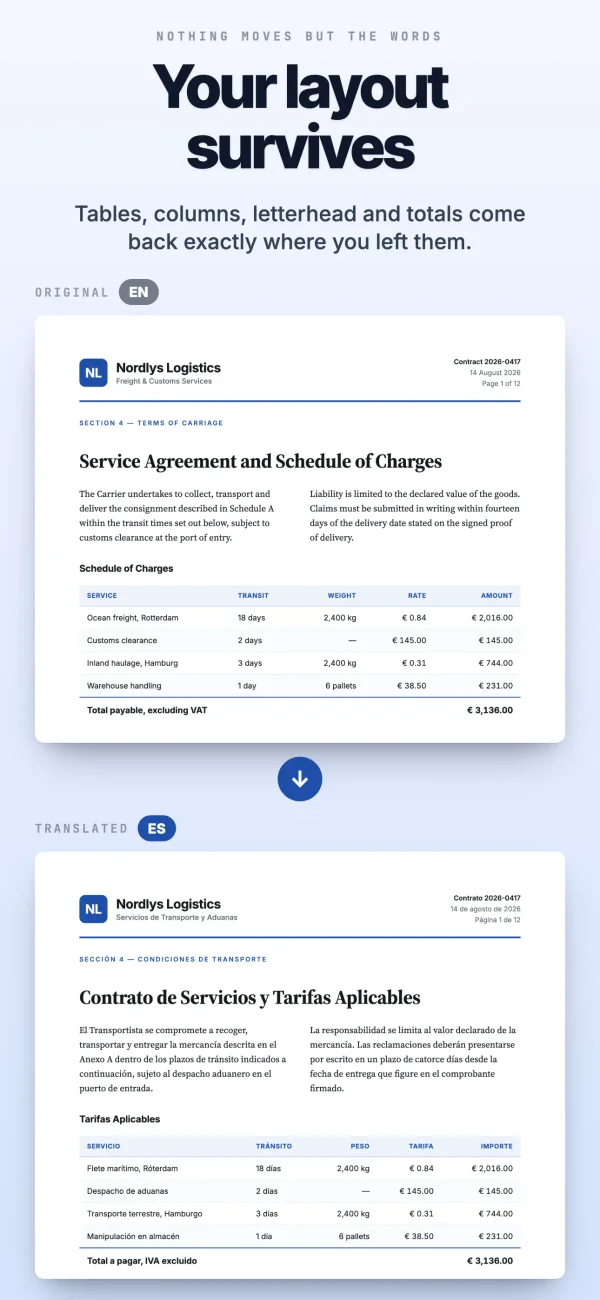
Most translators hand you back a wall of text. PDF Translator hands you back your document: the same tables, the same columns, the same letterhead and the same page breaks — in a new language.
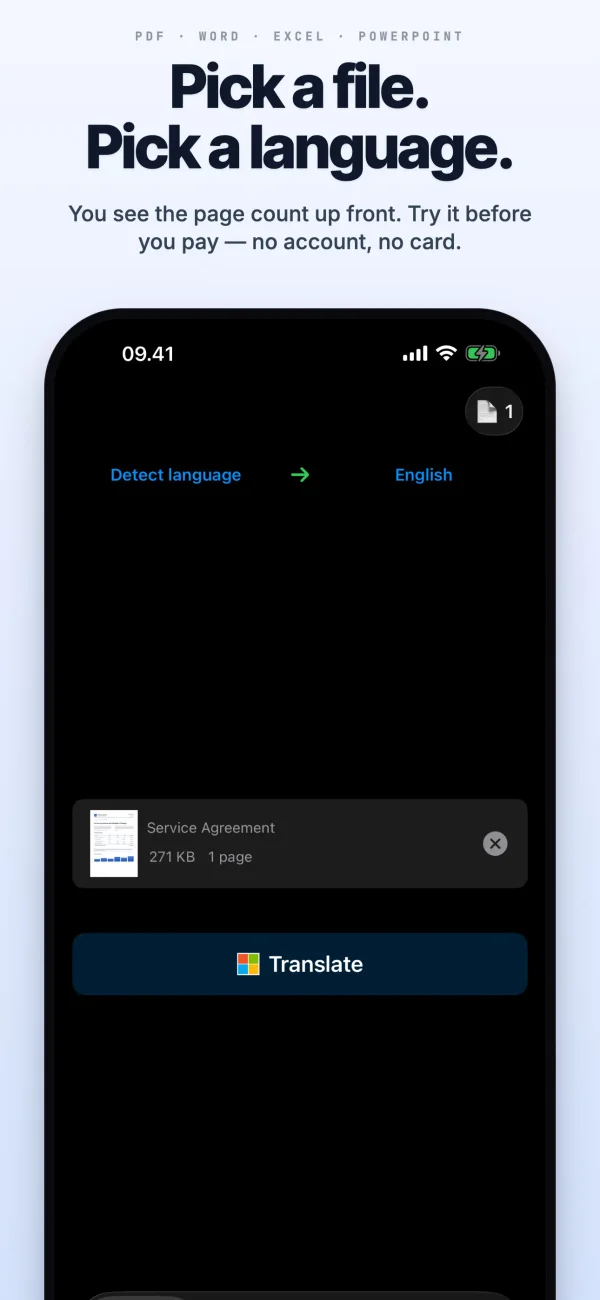
Try it before you pay. No account, no card.
KEEPS YOUR FORMATTING
- Tables stay tables and columns stay aligned.
- Logos, headers, footers and images stay exactly where they were.
- Page layout is preserved, so a translated contract still reads like a contract.
- Documents that mix several languages can be translated into one single language.
EVERY DOCUMENT YOU ACTUALLY WORK WITH
- PDF, Word (.docx), Excel (.xlsx), PowerPoint (.pptx) and photos.
- Scanned paperwork: built-in OCR reads the page first, then translates it.
- Long documents: split and translated automatically, however many pages.
- Up to 133 languages, with automatic language detection.
TRANSLATE WITHOUT LEAVING THE APP YOU ARE IN
Share a document straight from Mail, Files, Safari or any other app using the built-in extension, and get the translated file back without switching apps.
STRAIGHT ANSWERS ON CREDITS
- One page costs one credit, and you see the page count before anything is spent.
- If a translation fails, the credit goes back into your balance automatically.
- No machine-translation watermark on your translated documents.
A FULL PDF TOOLKIT AS WELL
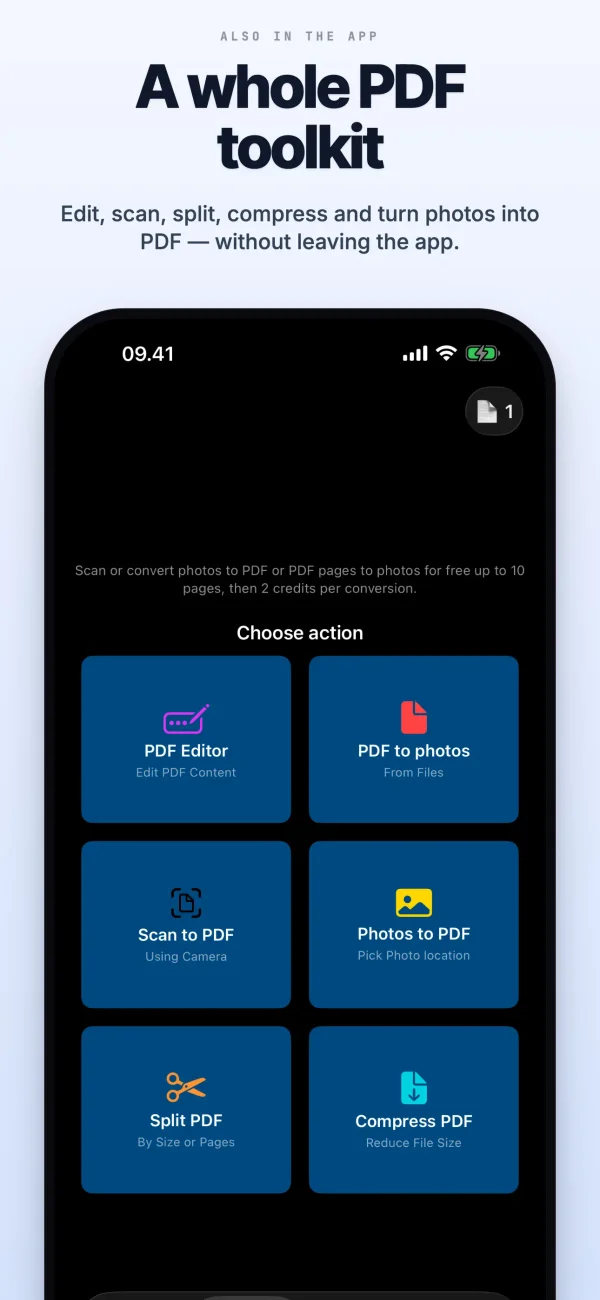
- Edit the text and images inside a PDF.
- Compress a PDF to reduce its file size.
- Split, merge and scan, and convert photos into PDF.
- Rename, save and share your files, with full Dark Mode support.
CHOOSE YOUR ENGINE
Translate with Microsoft or Google, whichever you prefer for your language pair.
Built for iPhone, iPad and Mac.
Terms of service: https://www.apple.com/legal/internet-services/itunes/dev/stdeula/
Privacy policy: https://www.pdftranslator.dk/privacy-policy
What’s new
Version 6.5.0 · Nov 2, 2026
- Purchases and subscriptions now go through even while your account is still loading, and your plan and page balance recover by themselves after a connection problem.
- Fixed freezes when opening files, scanning, converting, editing or compressing, especially on Mac.
- Split PDF and PDF to Photos now save your files only after the conversion has finished and been paid for, and split parts no longer overwrite each other.
- A translation that comes back with missing pages is now refused, and its pages are refunded automatically.
App privacy
What Alex Gameli Heyman declares on the App Store about how this app handles data.
-
Data used to track you
May be used to track you across apps and websites owned by other companies.
- Usage data
-
Data linked to you
May be collected and linked to your identity.
- Purchases
- User content
- Identifiers
- Usage data
- Diagnostics
Privacy practices may vary, for example with the features you use or your age.
Information
- Seller
- Alex Gameli Heyman
- Category
- Productivity
- Version
- 6.5.0
- Updated
- Nov 2, 2026
- Released
- Aug 8, 2021
- Size
- 103.5 MB
- Requires
- iOS 15.0 or later
- Age rating
- 4+
- Price
- Free
- In-app purchases
- Yes
- Languages
- English, Arabic, Catalan, Croatian, Czech, Danish, Dutch, Finnish, French, German, Greek, Hebrew + 21 more
- Copyright
- © Innova Apps
You might also like
-
 PDF File Translator AppPdf Translation
-
 PDF Translate ProTranslate Any PDF
-
 Scan & Translate+ Text GrabberCamera & Photo Translator
-
 XTranslate - Photo, Voice, PDFTranslate Document, Camera
-
 DeftPDF Document TranslatorTranslate docs into 130+ langs
-
 Air Translate Photo TranslatorText Scan - Easy Translation
-
 UPDF - AI-Powered PDF EditorAI Chat, Convert & Sign PDF
-
 Document Language TranslatorTranslate Document Language
-
 Lextra: PDF Text to SpeechNatural Voice Document Reader
-
 PDF-AI Document TranslatorTranslate PDF Files