PDF Vault - Document App
Your Private PDF Workspace
Designed for iPhone, iPad, Mac
Free · In-app purchases
- Age rating4+
- CategoryProductivity
- DeveloperDmytro Skorokhod
- LanguagesEnglish+ 20 more
- Size4.3 MB
Links to the official App Store page
Download.org hosts no file of PDF Vault - Document App. The button opens its official App Store page, published by Dmytro Skorokhod. Listing last checked on Nov 17, 2026.
Screenshots

About
Your private PDF workspace, built for people who take their documents seriously.
Ask your PDFs questions, understand complex documents, translate, scan, sign, listen, and manage your files in one lightweight app. PDF Vault combines powerful PDF tools with a privacy-first approach: your documents stay on your device.
ASK YOUR PDF ANYTHING
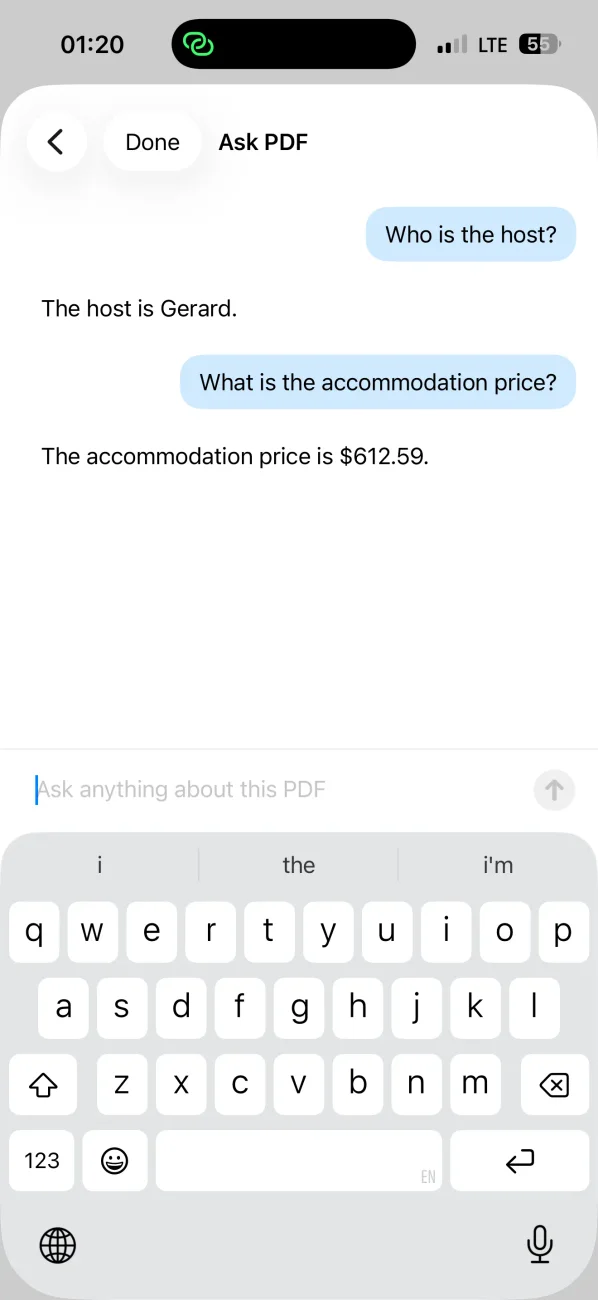
Have a long report, contract, research paper, manual, or other document? Just ask.
Ask PDF lets you ask questions about the content of your document and get answers based on the information inside it. Find important details, understand complex sections, summarize information, and explore your documents without searching through page after page.
Your documents stay private and are processed on your device.
PRIVATE BY DESIGN
Your documents are personal. PDF Vault is designed with privacy at its core.
Your PDF data never leaves your device. No document uploads are required for the core PDF experience. Your files remain under your control while you work with them.
ALL THE PDF TOOLS YOU NEED
Listen to PDFs
Turn your documents into spoken audio with built-in text-to-speech. Listen while working, commuting, studying, or simply when you prefer to hear rather than read.
Translate PDFs
Translate documents and understand content in other languages without leaving your PDF workspace.
Scan documents
Turn paper documents into digital PDFs using your device camera. Built-in OCR helps make scanned documents searchable and usable.
Sign PDFs
Sign documents quickly and conveniently. Add your signature and complete documents without printing them.
Read and organize
Open, read, manage, and organize your PDF files in a clean, focused workspace designed to stay out of your way.
LIGHTWEIGHT AND FOCUSED
PDF Vault is built to give you the tools you actually need without turning your device into a document-management maze.
Whether you are working with contracts, invoices, academic papers, reports, forms, manuals, or personal documents, PDF Vault keeps everything you need close at hand.
FOR WORK, STUDY, AND EVERYDAY DOCUMENTS
Use PDF Vault at work to understand reports and contracts. Use it at university to explore research papers and study materials. Use it at home to manage forms, manuals, receipts, and other important documents.
ONE PRIVATE WORKSPACE FOR YOUR PDFs
Read. Ask. Translate. Scan. Sign. Listen. Organize.
PDF Vault brings essential PDF tools together while keeping privacy at the center of the experience.
PDF Vault Unlimited gives you unlimited access to all PDF Vault features while directly supporting our mission to provide the best privacy-first PDF tool where your data never leaves your device.
Terms of Service:
https://macmonsters.com/pdf-reader-terms-of-service.html
What’s new
Version 7.1 · Oct 15, 2026
Introduced offer codes.
App privacy
What Dmytro Skorokhod declares on the App Store about how this app handles data.
-
Data not linked to you
May be collected but is not linked to your identity.
- Usage data
- Diagnostics
Privacy practices may vary, for example with the features you use or your age.
Information
- Seller
- Dmytro Skorokhod
- Category
- Productivity
- Version
- 7.1
- Updated
- Oct 15, 2026
- Released
- Dec 9, 2021
- Size
- 4.3 MB
- Requires
- iOS 18.1 or later
- Age rating
- 4+
- Price
- Free
- In-app purchases
- Yes
- Languages
- English, Afrikaans, Arabic, Danish, Dutch, Finnish, French, German, Hausa, Hebrew, Igbo, Japanese + 9 more
- Copyright
- © 2021-2026 Dmytro Skorokhod
You might also like
-
 Bridges: Link FormattingSave links, stay productive
-
 Yojimbo for iPadProductivity
-
 ForSure Password ManagerSafe & AutoFill Passwords.
-
 Units: Unit converterMeasurement, Currency
-
 Right PDF ReaderAnnotate, Share, Manage
-
 Calculator Construction ProProductivity
-
 ZenTube - DeclutteredDistraction-Free Video Client
-
 Cerebrux: Local AI ChatFast, Private, and Offline
-
 Journal Mate: Daily PlannerKeep scans, PDFs & photos
-
 DOT dataCalcCamera data calculation