PDFCompare: Compare PDF & DOC
Find contract changes offline
Designed for iPhone, iPad, Mac
Free · In-app purchases
- Age rating4+
- CategoryProductivity
- DeveloperOmer Sanli
- LanguagesEnglish+ 17 more
- Size460.2 MB
Links to the official App Store page
Download.org hosts no file of PDFCompare: Compare PDF & DOC. The button opens its official App Store page, published by Omer Sanli. Listing last checked on Nov 25, 2026.
Screenshots
About
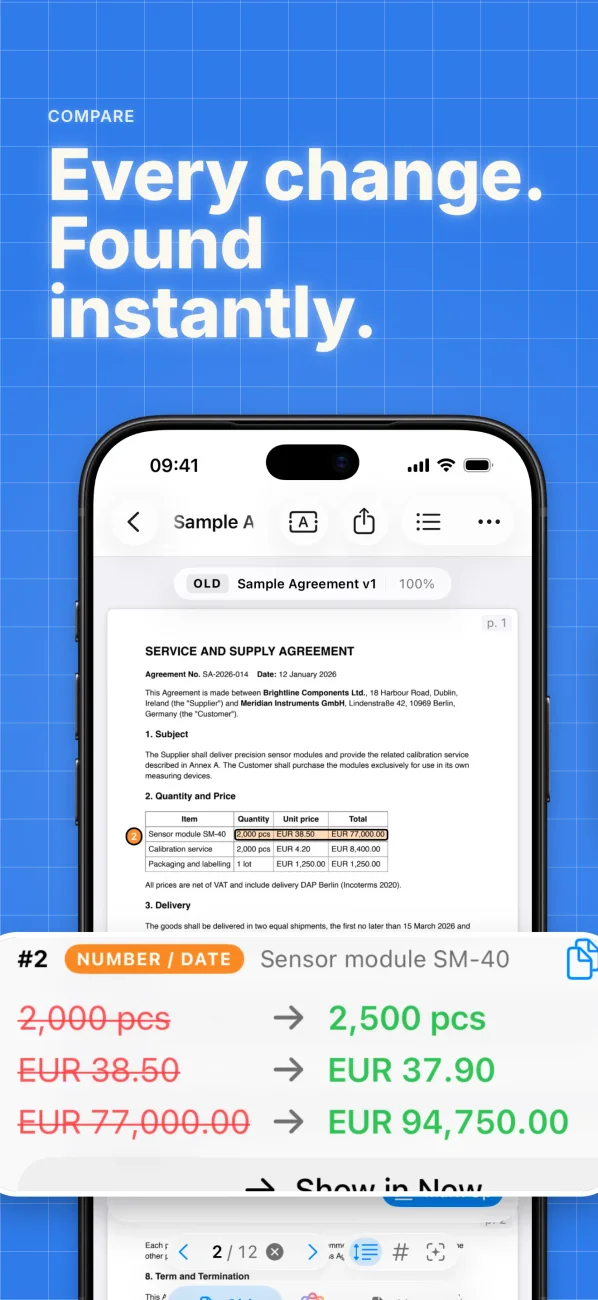
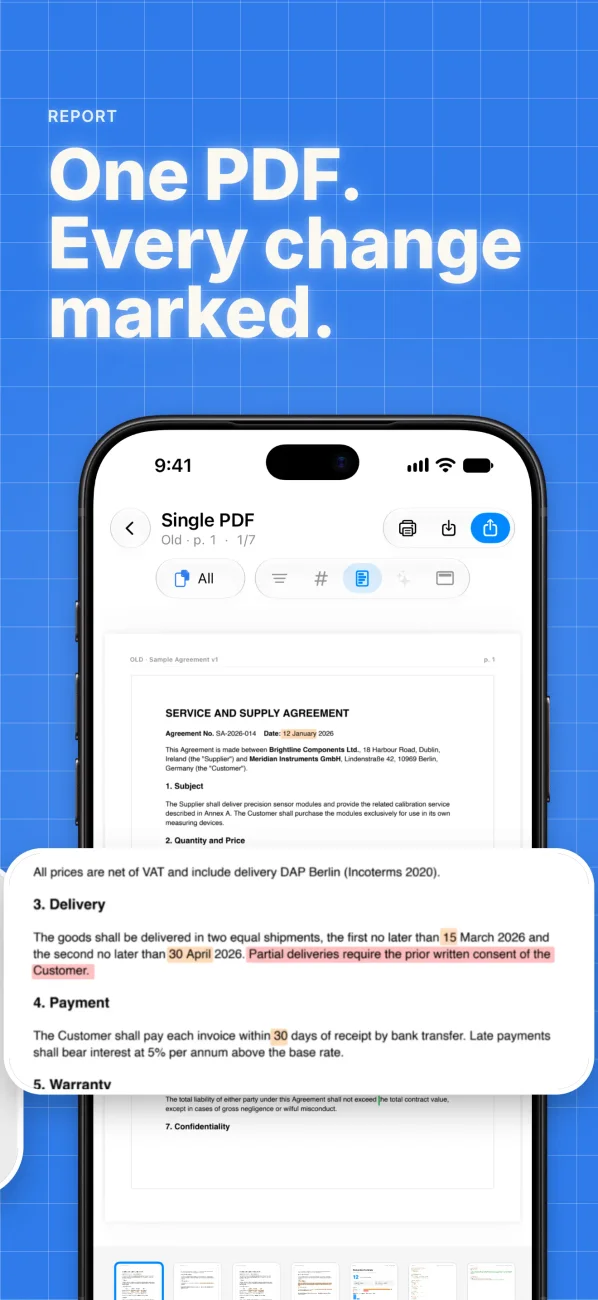
PDFCompare shows you exactly what changed between two versions of a document.
Pick the old and the new version from Files — PDF or Word, digital or scanned — and PDFCompare lists every difference and highlights it on the pages, side by side.
WHAT IT FINDS
• Changed numbers, amounts, dates and percentages
• Added, removed and reworded sentences and clauses
• Moved paragraphs and changed table cells
• Punctuation and small wording changes, kept separate from real content changes
BUILT FOR REAL DOCUMENTS
• Reads scanned and photographed pages with on-device text recognition, and straightens skewed pages
• Detects the document language automatically
• Ignores repeated headers and footers, page breaks and stamp marks, so you can focus on real changes
REVIEW, MARK UP AND SHARE
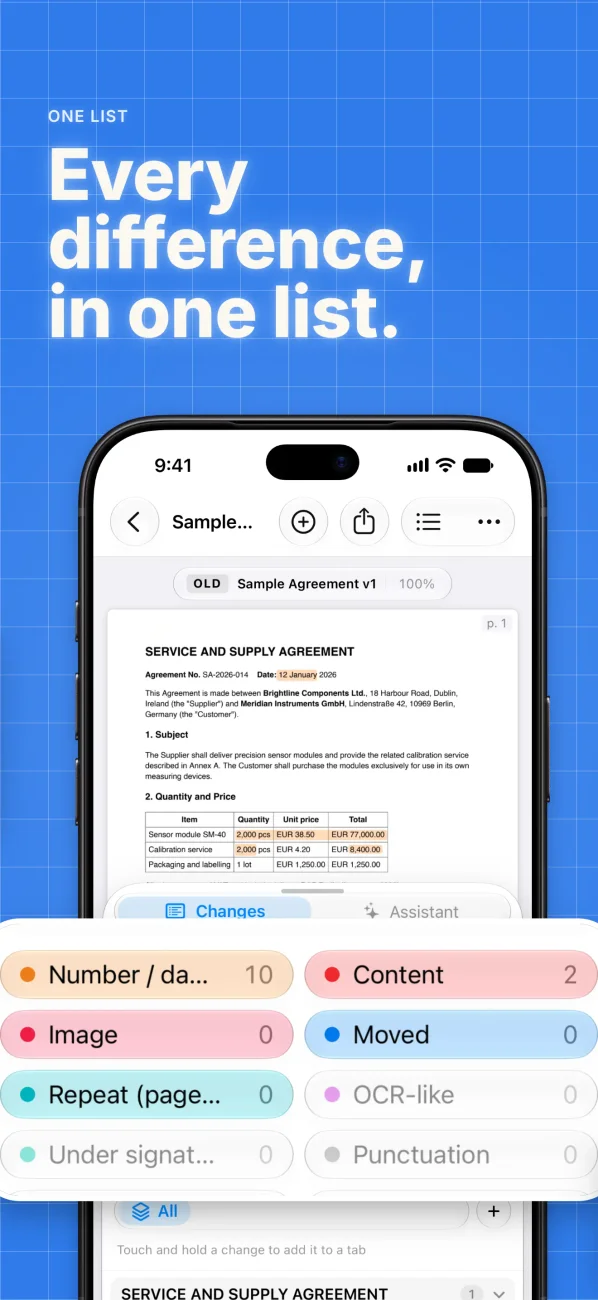
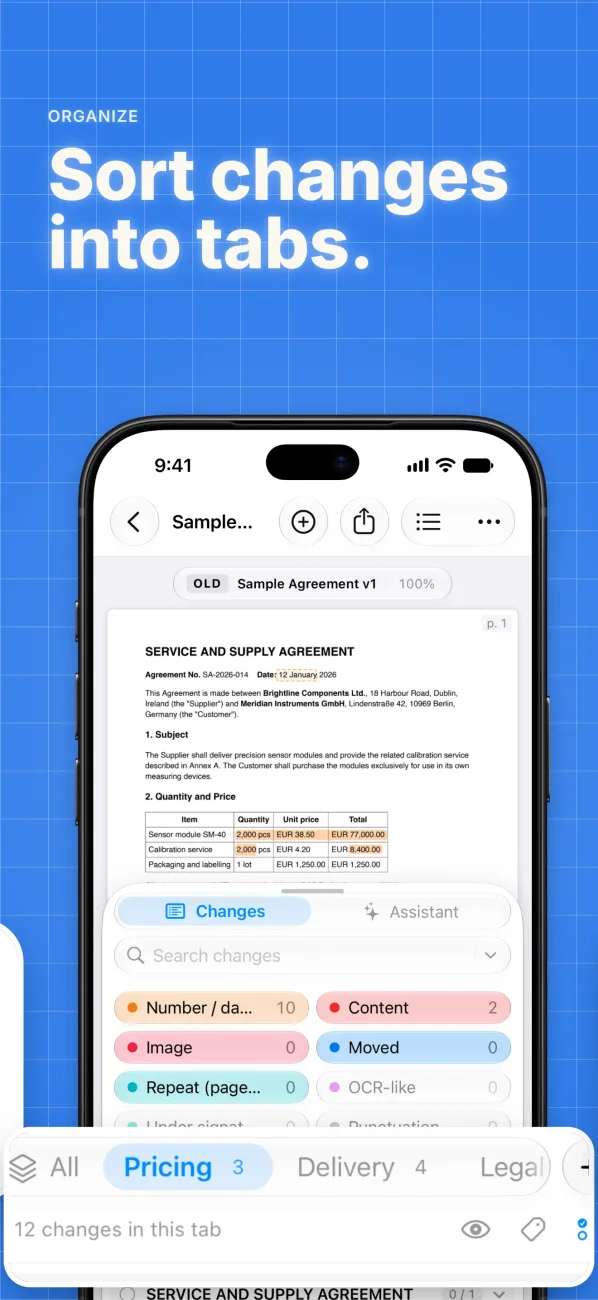
• Step through the changes one by one or filter them by type
• On iPhone, read one document at a time and switch between the old and new version with a swipe
• On iPad and iPhone Duo, write on the pages with Apple Pencil: circle a change and your note is linked to it
• Organize changes in color-coded tabs
• Export a PDF report: single document or side by side, with numbered markers, your notes and a change summary
• Convert any PDF — digital, scanned or exported from Word — into an editable Word document: headings, paragraphs, lists and tables are kept. Your conversions stay in the history to save or share again
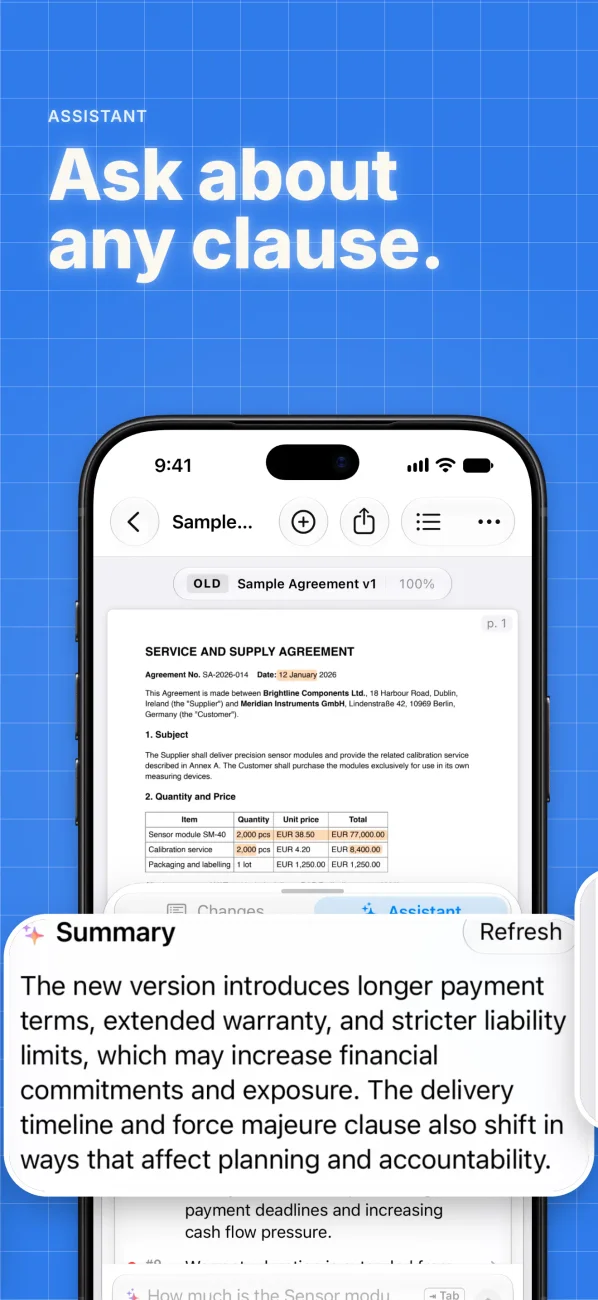
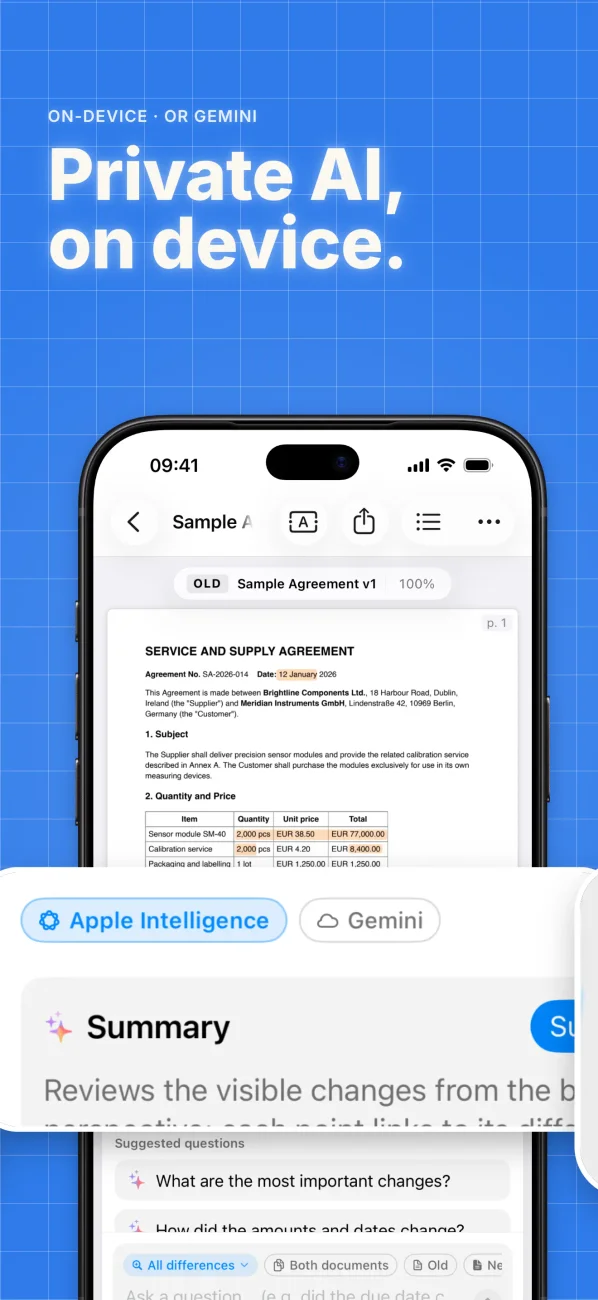
• Optional assistant summarises the changes and answers your questions, using Apple's on-device Foundation Models on iPhone and iPad models with Apple Intelligence; with Pro you can also choose Google Gemini
PRIVATE BY DESIGN
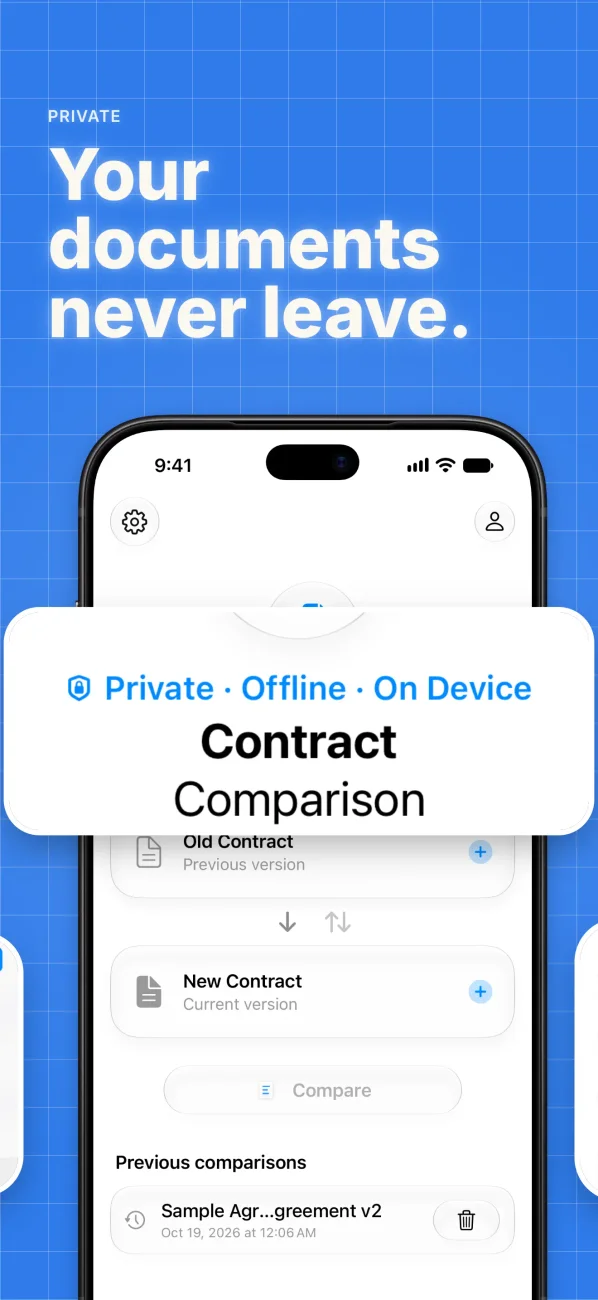
• By default everything runs on your iPhone or iPad and your documents never leave it; the only automatic connection is a daily check with the App Store for a newer version. With Pro you can optionally ask Google Gemini instead: only after your permission, and only your question with the list of changes or the relevant parts of the document is sent.
• Optional backup to your own iCloud Drive, with optional encryption.
A ready-made example comparison is included so you can try it right away.
FREE AND PRO
• Free: compare documents up to 10 pages each (or pick up to 10 pages of a longer one), 3 comparisons of scanned documents, PDF reports with a small PDFCompare header, the Assistant (summaries and 10 questions a month) and conversion to Word (5 documents, then 1 a month)
• PDFCompare Pro: unlimited pages and scanned documents, unlimited conversion to Word, reports with your own letterhead, and an unlimited Assistant. Monthly or yearly subscription (the yearly plan starts with a free week), or a one-time lifetime purchase.
Requires iOS 26 or iPadOS 26 or later. The Assistant requires an iPhone or iPad with Apple Intelligence, or Pro with Google Gemini.
PDFCOMPARE PRO
Pro is available as an auto-renewing monthly or yearly subscription, or as a one-time lifetime purchase. Payment is charged to your Apple Account when you confirm the purchase. Subscriptions renew automatically unless cancelled at least 24 hours before the end of the current period; you can manage or cancel them in your App Store account settings.
Terms of Use (EULA): https://www.apple.com/legal/internet-services/itunes/dev/stdeula/
Privacy Policy: https://omersanli.com.tr/pdfcompare/privacy
What’s new
Version 1.405 · Nov 24, 2026
• The menu for selected text stays on screen next to the text when you zoom in or out.
• A simpler change list: touch and hold a tab for its options.
• Sinhala interface. Documents written in Sinhala can’t be compared correctly yet; the app warns you about them.
• Fixes and improvements.
App privacy
What Omer Sanli declares on the App Store about how this app handles data.
-
Data not linked to you
May be collected but is not linked to your identity.
- Purchases
- User content
Privacy practices may vary, for example with the features you use or your age.
Information
- Seller
- Omer Sanli
- Category
- Productivity
- Version
- 1.405
- Updated
- Nov 24, 2026
- Released
- Oct 20, 2026
- Size
- 460.2 MB
- Requires
- iOS 26.0 or later
- Age rating
- 4+
- Price
- Free
- In-app purchases
- Yes
- Languages
- English, Arabic, Dutch, French, German, Hindi, Italian, Japanese, Korean, Polish, Portuguese, Romanian + 6 more
- Copyright
- © 2026 Ömer Şanlı
You might also like
-
 PDF Compare OfflineEvery change between revisions
-
 FileDuelCompare PDF, Text,Docs & Excel
-
 Éditeur PDF MDLFProductivity
-
 SameFont: Edit PDF TextPhoto & Screenshot Text Editor
-
 Penguin AgencyClient Portal Application
-
 Future AI SummitProductivity
-
 Compare Text: PDF & DocumentsDiff Checker for Word & Excel
-
 CubiclCubicl Task Management App
-
 Bulk SMS: Group Text SenderMass text your contact groups
-
 DoMarksThe To-Do App For Bookmarks