PDFCraft: PDF Editor & Scanner
Scan, Sign, Edit & Merge PDFs
Designed for iPhone, iPad
Free · In-app purchases
- Age rating4+
- CategoryUtilities
- DeveloperSaddam Hossain
- LanguagesEnglish
- Size13.4 MB
Links to the official App Store page
Download.org hosts no file of PDFCraft: PDF Editor & Scanner. The button opens its official App Store page, published by Saddam Hossain. Listing last checked on Nov 13, 2026.
Screenshots
About
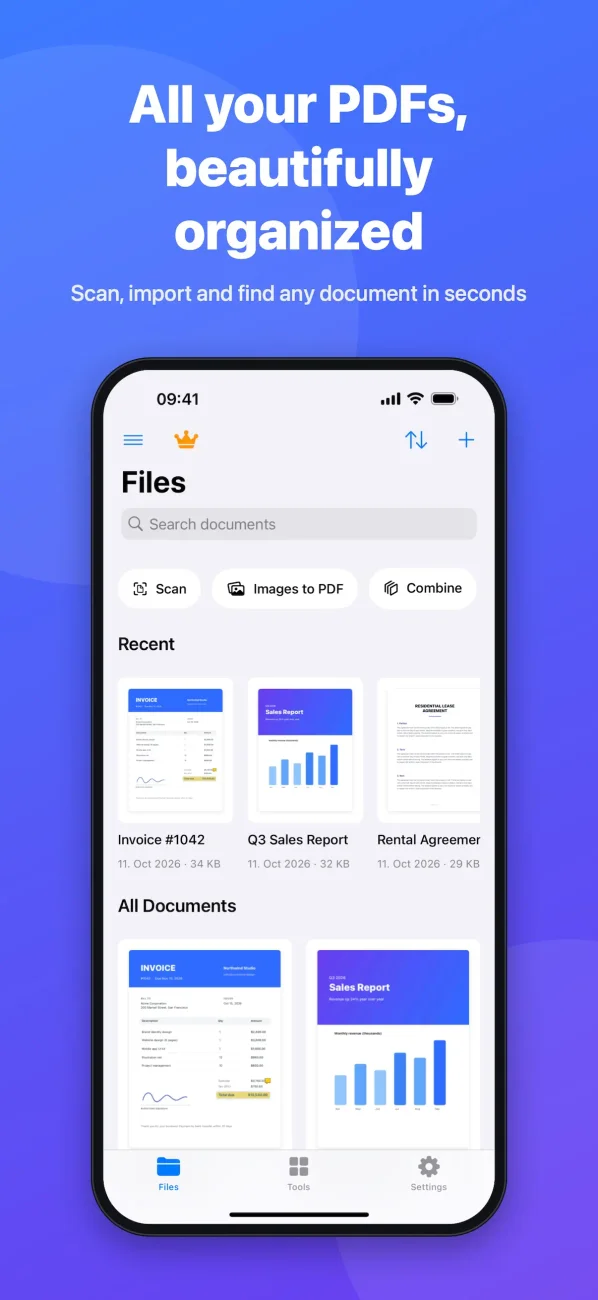
This app is the all-in-one PDF app for iPhone and iPad. Scan paper documents, sign contracts, fill forms, highlight and annotate, and organize pages – all in a fast, clean app that keeps your files on your device.
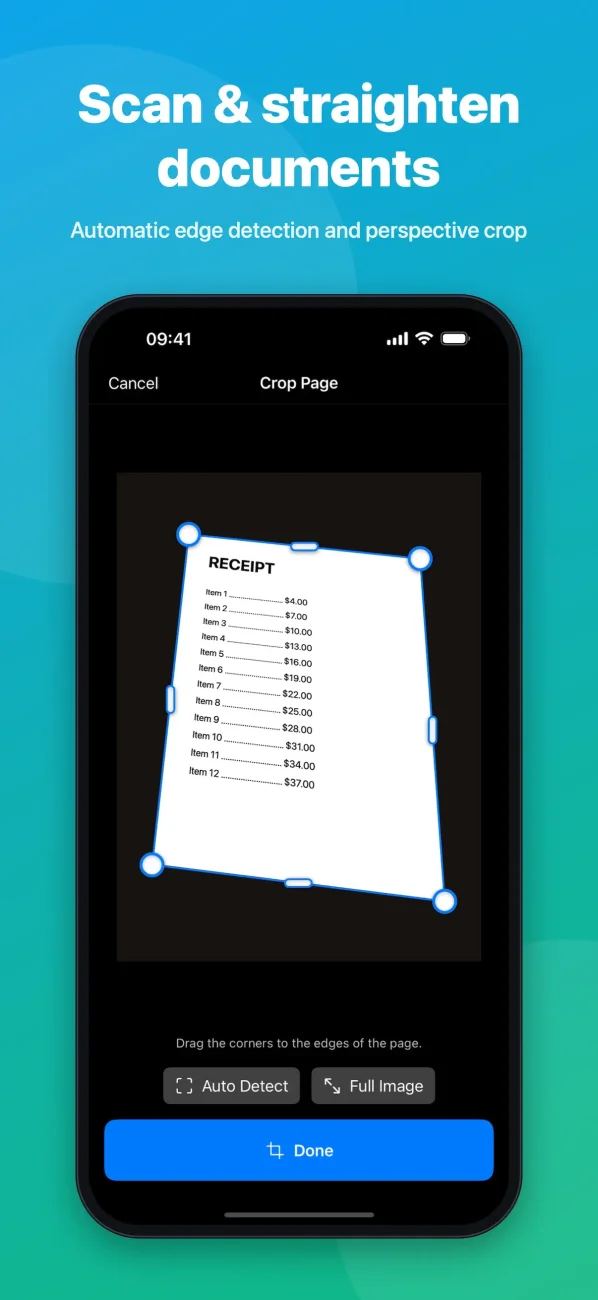
SCAN & STRAIGHTEN
• Scan multi-page documents with your camera
• Automatic edge detection and perspective correction
• Crop and straighten photos of documents by dragging the corners
• Text recognition (OCR) makes scans searchable and copyable
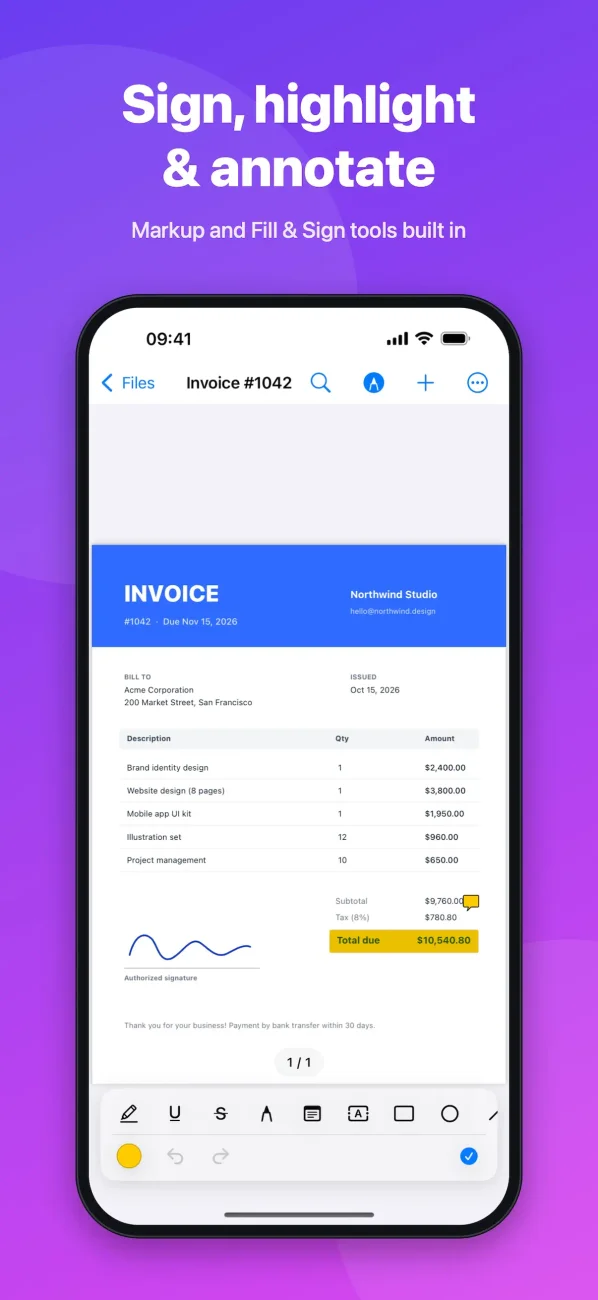
SIGN & FILL
• Draw your signature once and reuse it anywhere
• Fill in PDF forms, or add text, check marks and dates to any document
• Drag and resize signatures and text to place them perfectly
ANNOTATE & MARK UP
• Highlight, underline and strike through text
• Draw freehand, add notes, text boxes, shapes and arrows
• Business stamps like Approved, Draft and Sign Here
• Full undo and redo
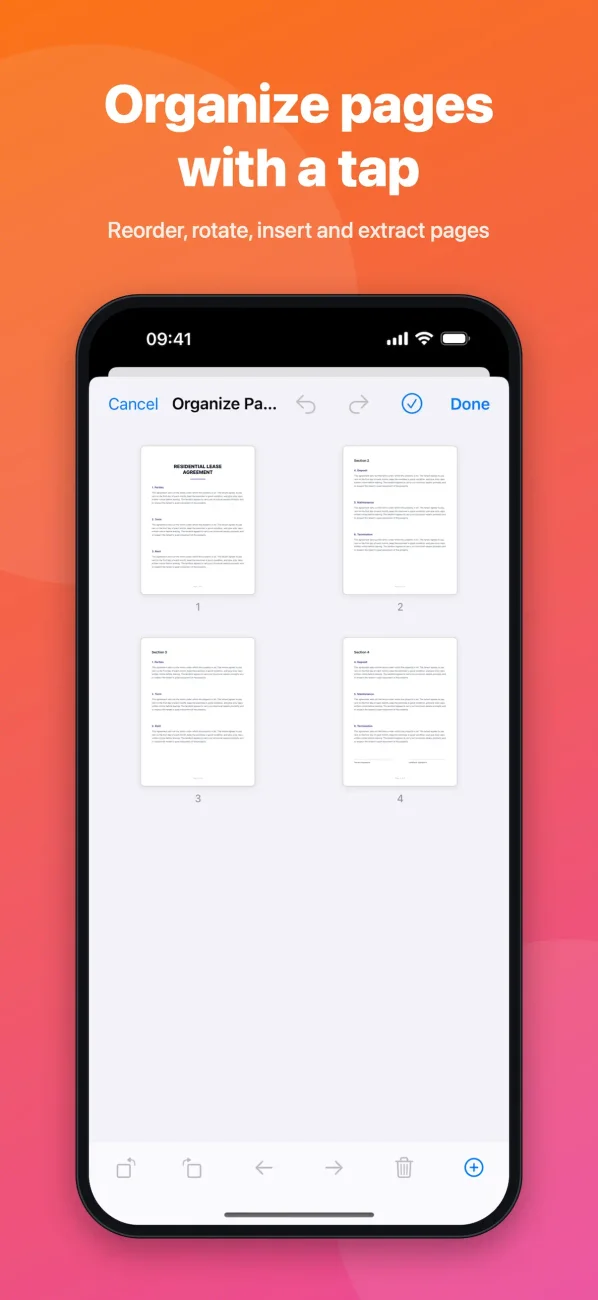
ORGANIZE PAGES
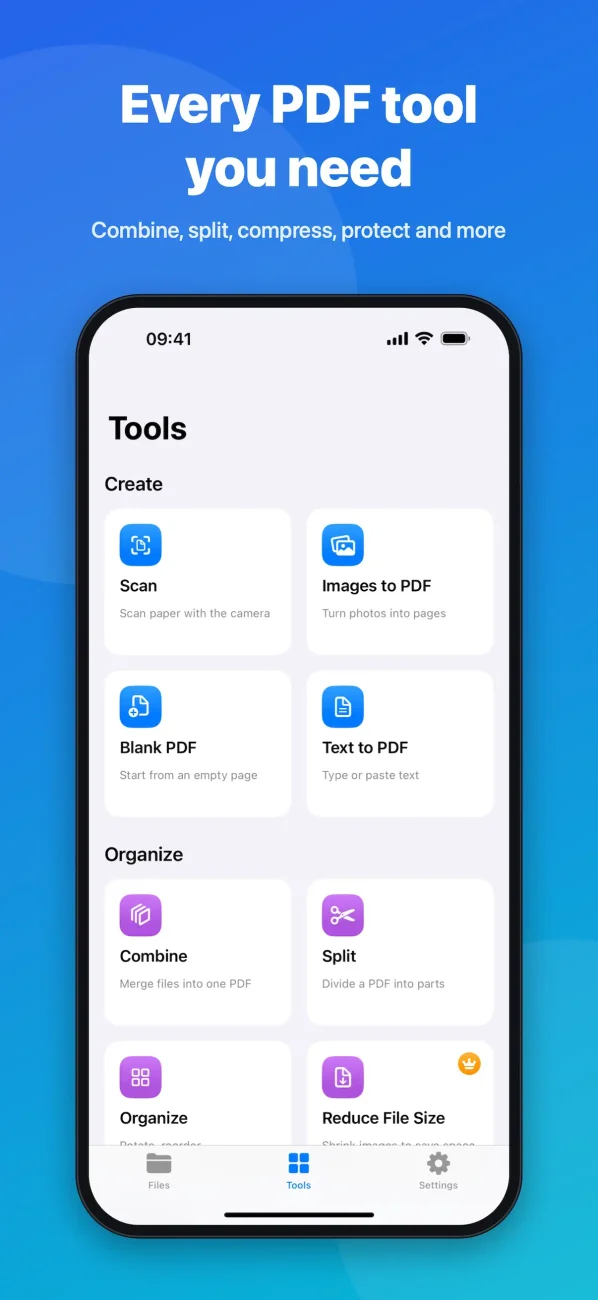
• Rotate, reorder, duplicate and delete pages
• Insert pages from other PDFs, photos, scans or blank pages
• Combine multiple PDFs into one, with a bookmark for each file
• Split a PDF by page ranges or into single pages
• Extract selected pages to a new file
POWERFUL TOOLS
• Reduce file size for email and sharing
• Watermarks, headers, footers and page numbers
• Protect PDFs with a password and set printing and copying permissions
• Crop page margins
• Convert photos and text to PDF
• Export pages as images or extract all text
• Share, print, or export a flattened copy
READ COMFORTABLY
• Smooth viewing with single page, continuous and two-page layouts
• Fast search across the whole document
• Page thumbnails and quick page navigation
• Opens password-protected PDFs
PRIVATE BY DESIGN
Your documents are processed on your device. No account is needed, and your files are never uploaded or read by us.
DESIGNED FOR IPHONE AND IPAD
A native experience on both, with a sidebar layout on iPad and support for drag and drop and the Files app.
PDFCRAFT PREMIUM
Upgrade to Premium to remove ads and unlock:
• Signatures
• Password protection
• Watermarks
• Reduce file size
Premium is available as a monthly or yearly auto-renewing subscription. Payment is charged to your Apple Account at confirmation of purchase. The subscription renews automatically unless it is cancelled at least 24 hours before the end of the current period. Your account is charged for renewal within 24 hours before the end of the current period. You can manage and cancel your subscription in your Apple Account settings after purchase.
Terms of Use: https://sites.google.com/view/pdf-editor-craft/terms
Privacy Policy: https://sites.google.com/view/pdf-editor-craft/privacy
What’s new
Version 1.1 · Oct 25, 2026
• Fixed adding pages from Photos
• Bug fixes and improvements
App privacy
What Saddam Hossain declares on the App Store about how this app handles data.
-
Data used to track you
May be used to track you across apps and websites owned by other companies.
- Location
- Identifiers
- Usage data
-
Data not linked to you
May be collected but is not linked to your identity.
- Location
- Identifiers
- Usage data
- Diagnostics
Privacy practices may vary, for example with the features you use or your age.
Information
- Seller
- Saddam Hossain
- Category
- Utilities
- Version
- 1.1
- Updated
- Oct 25, 2026
- Released
- Oct 11, 2026
- Size
- 13.4 MB
- Requires
- iOS 17.0 or later
- Age rating
- 4+
- Price
- Free
- In-app purchases
- Yes
- Languages
- English
- Copyright
- © Bitmasky
You might also like
-
 PDFCraft - PDF signSign and edit PDF
-
 Belongings Organizer with AdsUtilities
-
 CircoBuildUtilities
-
 Bank Statement Converter □Convert pdf files to Excel/CSV
-
 otsoraUtilities
-
 DocuDone: PDF Editor & SignID Scanner & Photo Converter
-
 PDF AI: Edit, Read & AnalysePowerful AI Editor & Reader
-
 Winmail Viewer - TNEF OpenerOpen winmail.dat attachments
-
 Scanly: QR Code Reader ProQR & Barcode Scanner,Fast Scan
-
 Qibla Direction: PrecisionPrecision Hardware Utility