
- Age rating4+
- CategoryProductivity
- Developer敏锋 黄
- LanguagesEnglish
- Size5.5 MB
Links to the official App Store page
Download.org hosts no file of PDFOut. The button opens its official App Store page, published by 敏锋 黄. Listing last checked on Nov 16, 2026.
Screenshots
About
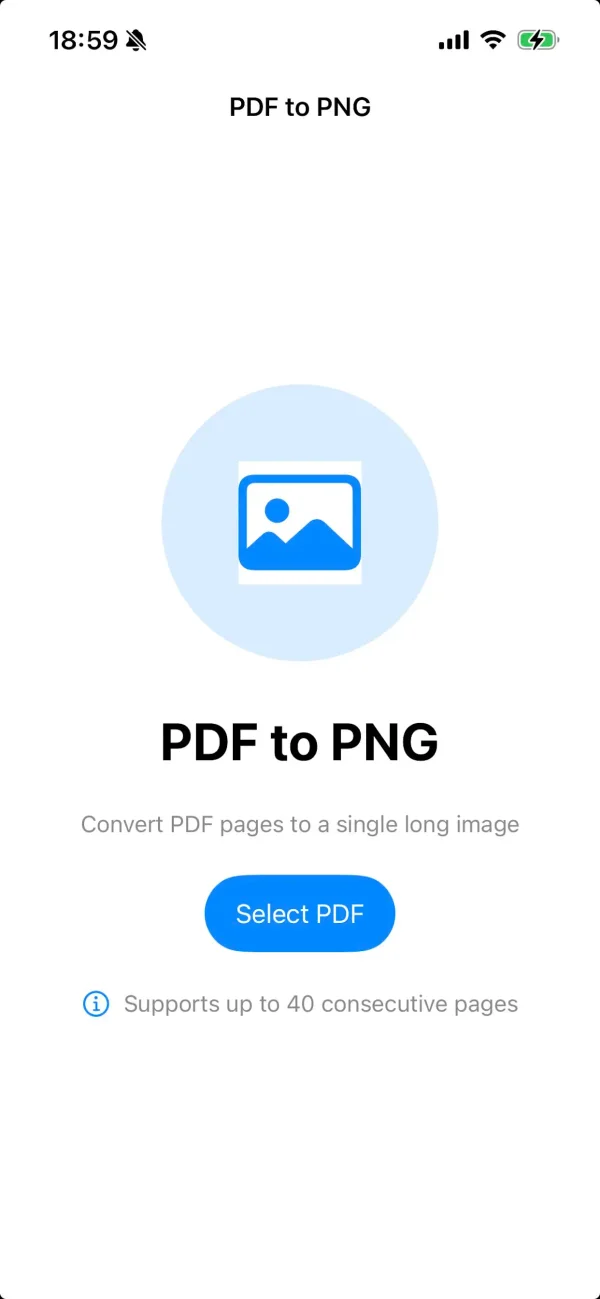
Transform your PDF documents into stunning PNG images effortlessly!
PDFOut is the ultimate tool for converting PDF pages into high-quality PNG images. Whether you need to extract specific pages, create long image documents, or share content from PDFs, PDFOut has you covered.
Key Features:
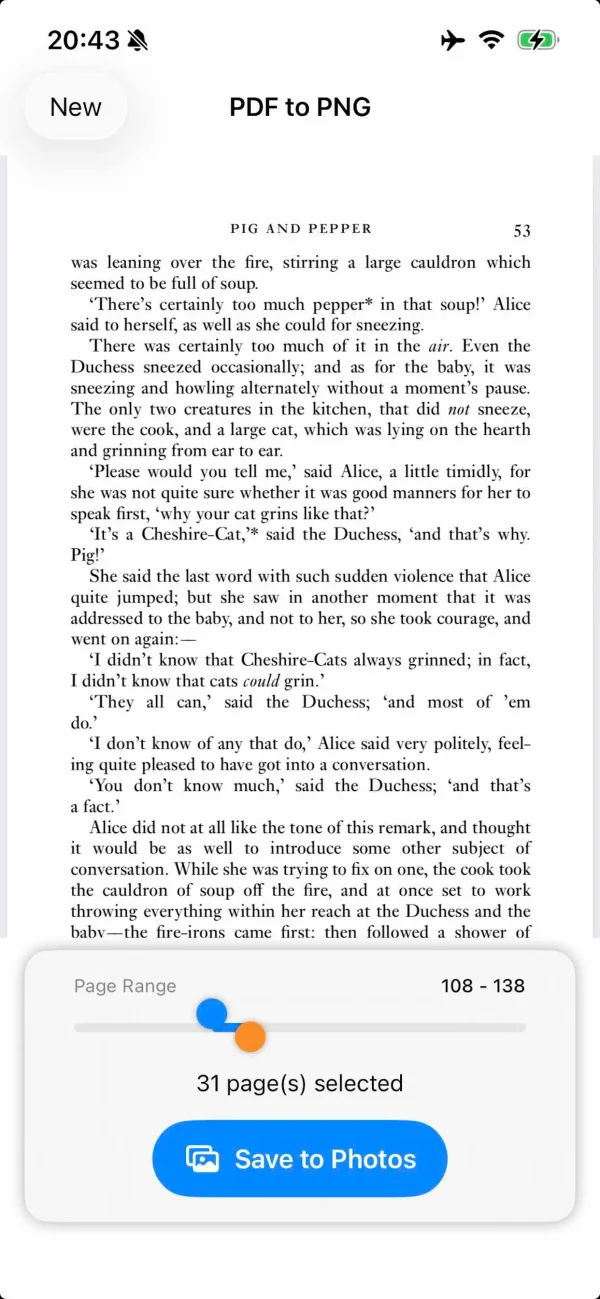
Flexible Page Selection - Choose any consecutive range of pages (up to 40 pages at once)
High-Quality Output - Lossless PNG format preserves every detail
Fast & Efficient - Convert pages quickly with no quality compromise
Easy Sharing - Save directly to your Photos or share with other apps
Open from Anywhere - Import PDFs from other apps seamlessly
How It Works:
Select a PDF file from your device
Choose your desired page range using our intuitive dual-slider control
Tap "Save to Photos" and enjoy your converted images!
Perfect For:
Students converting study materials
Professionals sharing document excerpts
Anyone needing to extract content from PDFs
Download PDFOut today and experience the best PDF-to-image conversion tool on iOS!
App privacy
What 敏锋 黄 declares on the App Store about how this app handles data.
-
Data not collected
The developer does not collect any data from this app.
Privacy practices may vary, for example with the features you use or your age.
Information
- Seller
- 敏锋 黄
- Category
- Productivity
- Version
- 1.0.0
- Updated
- May 27, 2026
- Released
- May 27, 2026
- Size
- 5.5 MB
- Requires
- iOS 16.0 or later
- Age rating
- 4+
- Price
- Free
- Languages
- English
- Copyright
- © 2026 HUANG MINFENG
You might also like
-
 JobProof CameraGPS Photo Reports for Jobs
-
 Scan Sheets: QR & BarcodeText to Excel, CSV, XLSX
-
 Talkbeats: Speech TimerLess Time, Keep the Point
-
 AI Notes & Voice Recorder GoOffline Speech to Text
-
 PaintXDesignPaint
-
 Receipt to PDF: Expense ReportBuild reimbursement packets
-
 Daily Planner: Life OrganizerLivelyDay: Life OS
-
 AI Note Taker & Voice MemoVoice Recorder & Transcribe
-
 LifeCalendar: Location HistoryWhere was I? Places & timeline
-
 Fast PDF APP: Merge DocumentsIndexed Packets and Bookmarks