
- Age rating4+
- CategoryUtilities
- DeveloperSoftflakes LLC
- LanguagesEnglish+ 1 more
- Size35.5 MB
Links to the official App Store page
Download.org hosts no file of PDFSmart Mobile Scanner. The button opens its official App Store page, published by Softflakes LLC. Listing last checked on Nov 12, 2026.
Screenshots
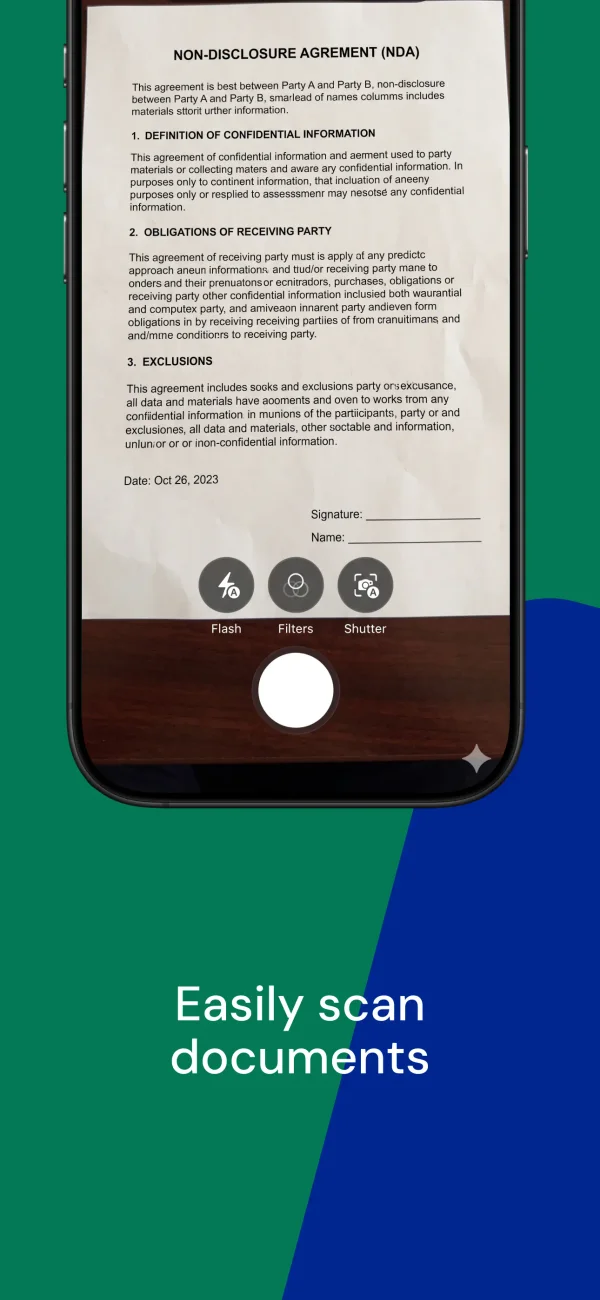

About
With PDFSmart Mobile Scanner, turn paper documents into PDF files in seconds. Scan contracts, receipts, notes, forms, or any other document using your device camera, then save, share or process your PDF right away.
Scan documents quickly
- Capture pages with your iPhone or iPad camera.
- Edge detection and cropping keep every page straight and readable.
- Preview and reorder captured pages before saving them.
Create and share PDFs
- Convert scanned pages into a PDF document.
- Keep your documents in the app library, available offline.
- Save your PDF to Files.
- Share it by email, message, or with your favorite apps using the iOS share sheet.
Work on your documents
- Compress a PDF to make it lighter.
- Convert it to Word, Excel, PowerPoint, JPG or PNG.
- Run OCR to make a scan searchable.
- Sign a document, protect it with a password, or remove its metadata.
These tools are performed on pdfsmart.com, which opens in your browser with the document already loaded.
Simple, fast, and practical
PDFSmart Mobile Scanner is designed to help you digitize everyday documents without a complex setup. Scanning, saving and sharing are free, with no account required.
PDFSmart Mobile Scanner is free to download and use.
What’s new
Version 2.0 · Oct 20, 2026
PDFSmart Mobile Scanner has been rebuilt from the ground up.
- A new scanning flow with edge detection, cropping and multi-page capture
- A document library on your device, so your scans stay available offline
- New tools: compress, OCR, remove metadata, sign, protect, and convert to Word, Excel, PowerPoint, JPG or PNG
- Scanning and saving PDFs remain free, with no account and no limit
App privacy
What Softflakes LLC declares on the App Store about how this app handles data.
-
Data not collected
The developer does not collect any data from this app.
Privacy practices may vary, for example with the features you use or your age.
Information
- Seller
- Softflakes LLC
- Category
- Utilities
- Version
- 2.0
- Updated
- Oct 20, 2026
- Released
- Jul 22, 2026
- Size
- 35.5 MB
- Requires
- iOS 16.4 or later
- Age rating
- 4+
- Languages
- English, French
- Copyright
- © 2026 Softflakes Inc.
You might also like
-
 Tiny PDF - File CompressionReduce PDF File Size For Email
-
 OCR Scanner - Camera ScannerPDF Scanner App
-
 TachoSAFE Vehicle CLUtilities
-
 PDF : Smart Compress & ResizeShrink & Resize : Photo Video
-
 CasaRay for Home AssistantSmart Home, Cameras & Energy
-
 MarocLegalLegal assistant
-
 Scanner - Document & PhotoSmart Scan, OCR & PDF Export
-
 InstantAlert for VintedInstant notification new items
-
 Daily Notepad Reminder on TimeUtilities
-
 Box TV RemoteSet-top boxes and TV apps