
Peal - Planning
For days with too much on them
Designed for iPhone
Free · In-app purchases
- Age rating4+
- CategoryProductivity
- DeveloperBenjamin Archer
- LanguagesEnglish
- Size52.1 MB
Links to the official App Store page
Download.org hosts no file of Peal - Planning. The button opens its official App Store page, published by Benjamin Archer. Listing last checked on Nov 26, 2026.
Screenshots

About
Peal does the timing. You do the day.
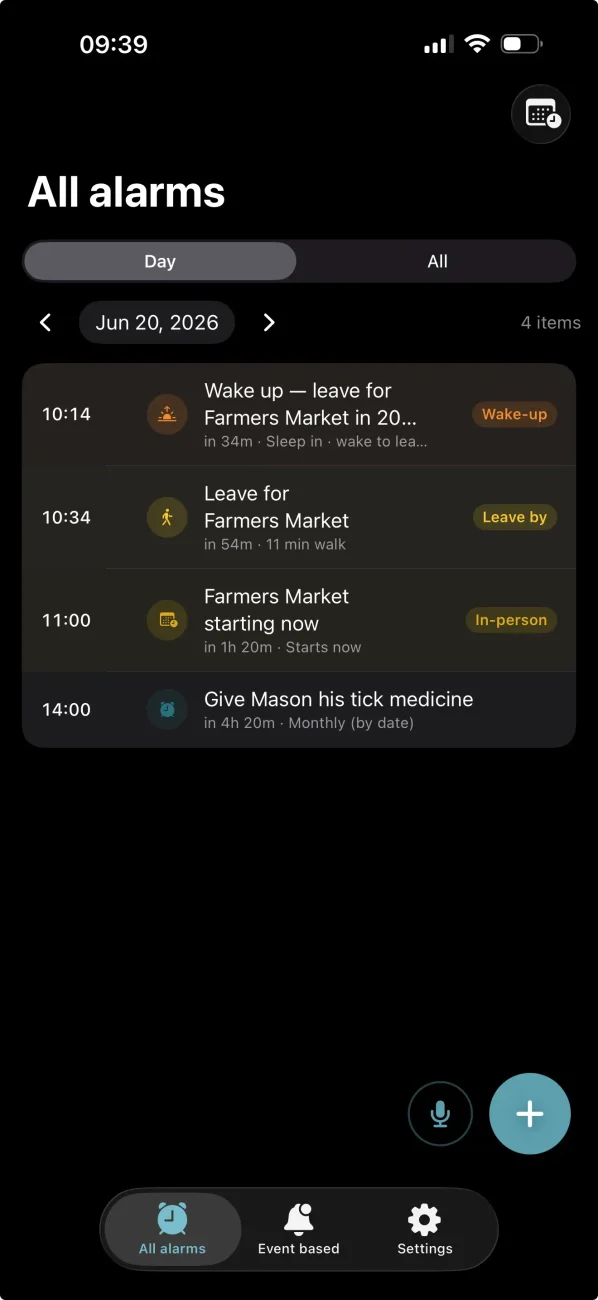
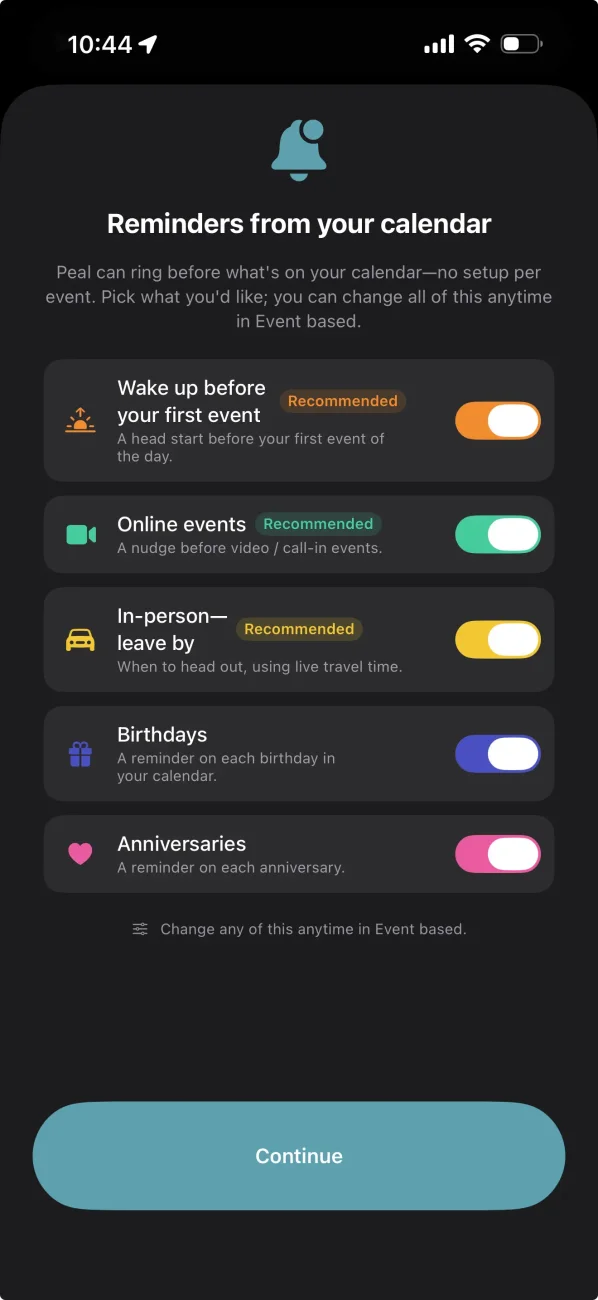
Most alarm apps buzz before every event the same way. Peal reads your calendar and times each alarm to the kind of event it is, then leaves the choice to you.
HOW PEAL TIMES EACH ALARM
• A flight gets you moving earlier, earlier still if it's international
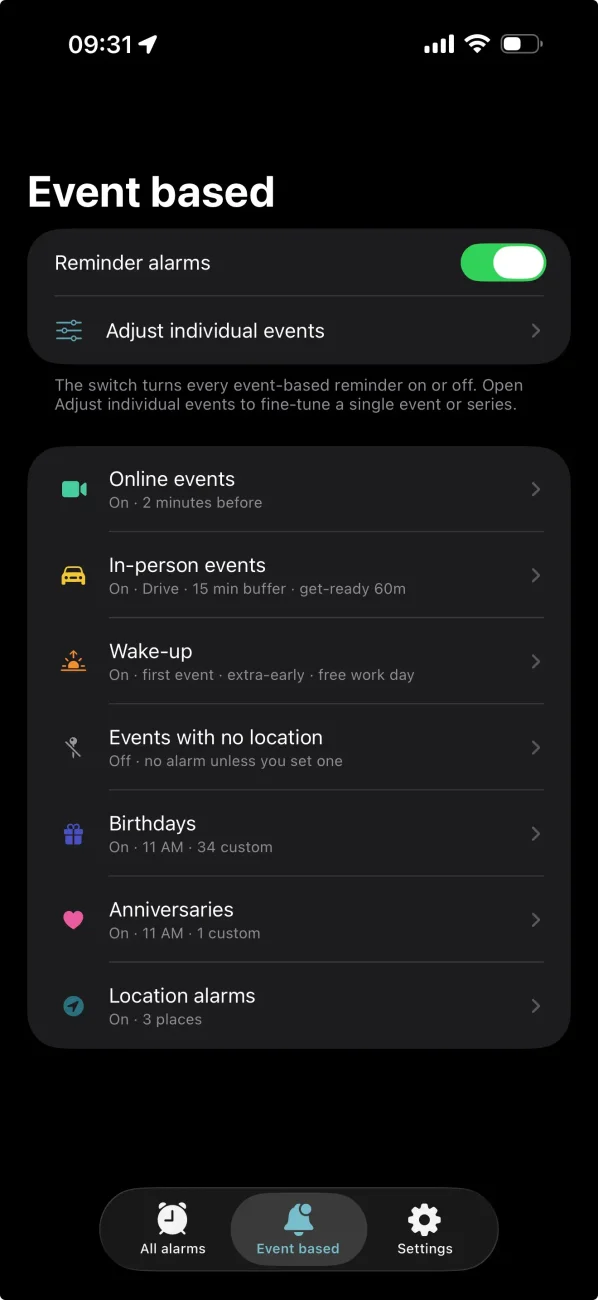
• An in-person meeting gets a leave-by alarm timed to the drive, traffic included; a video call gets a shorter heads-up, since you aren't going anywhere
• A birthday becomes a friendly morning reminder, not a midnight buzz
• It won't pile on: set a leave-by and the redundant "starting now" buzz is dropped
YOU'RE ALWAYS IN CHARGE
You choose what Peal does: turn on the kinds of reminders you want once, then change or turn off any single event. Nothing happens until you choose it.
SET ONE IN SECONDS, OR BY VOICE
Dictate an alarm and Peal works out the time and the repeat on your phone: "every third Thursday, team lunch." It also handles repeats the built-in Clock can't: every other week, the last day of the month, yearly.
ALARMS TIED TO A PLACE
Ring when you arrive somewhere or leave it: grab the dry cleaning on the way home, send a text when you land. The place is watched on your phone, never on a server.
RINGS LIKE THE SYSTEM CLOCK
Built on Apple's own alarm system, so alarms sound through Silent, Do Not Disturb, and Focus, with a full-screen alert and Apple Watch support.
HELPFUL WHEN YOUR MEMORY NEEDS THE HELP
The alarms that matter most are the ones you forget to set. Peal offers them from the day you actually have. That helps anyone, and it's a real hand for some people with ADHD or time-blindness.
PRIVATE BY DESIGN
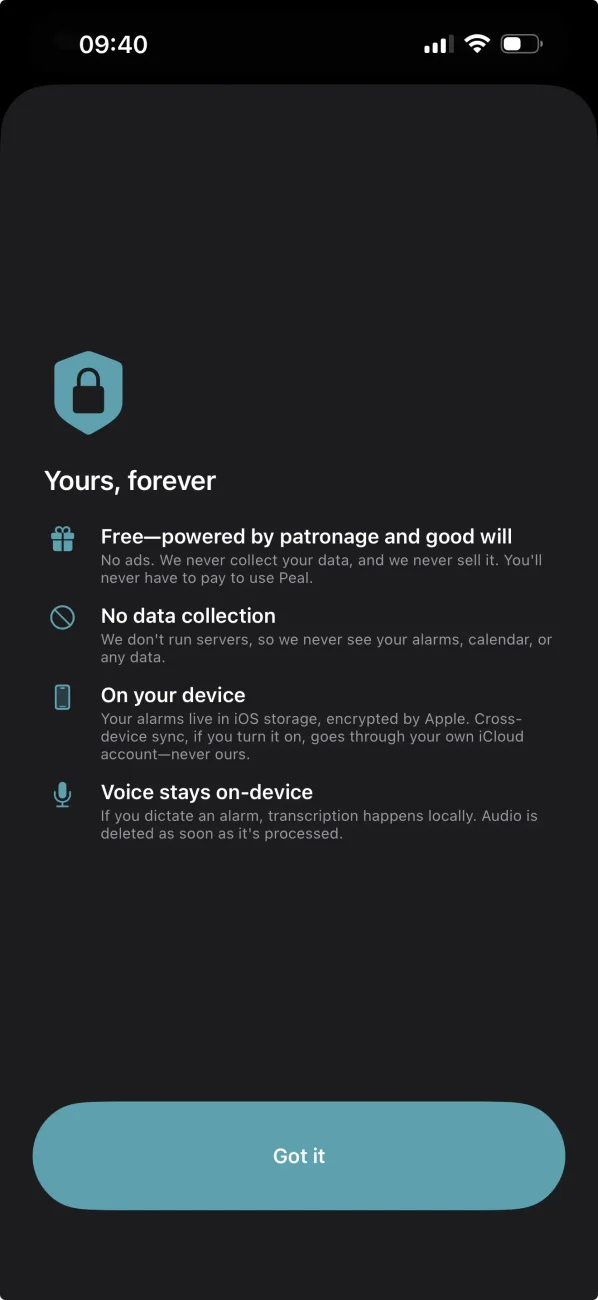
No account. No ads. No tracking. Peal has no servers; your alarms, your calendar, and your locations stay on your iPhone. Every feature is free.
Terms of Use: https://www.apple.com/legal/internet-services/itunes/dev/stdeula/
Privacy Policy: https://forwardcompatible.org/peal-privacy.html
What’s new
Version 1.0.250 · Nov 24, 2026
Snooze, then pick (Beta): on alarms set from now on, the alert's Snooze has no length. A tap quiets the alarm for about 5 minutes and opens Peal, if the phone lets it, to pick how long. For one tap at the alarm's own length, choose it in Settings › Snooze; if you already did, that stays. A snoozed alarm on Peal's ringing screen has Cancel snooze under the lengths, where Done was.
Why this time, for tasks: it now says why a task rang when it did. Why today, the hours it could ring in, then each thing it waited for (steps, where you're based, room in your calendar) with what happened, what's next, and the task's rule with Edit task. The task editor's sentence no longer cuts off its last line. A task set for certain days no longer rings the day after one of them.
Flights: "Sam airport" at a street address is no longer timed as your flight; Peal asks "Looks like a flight?"
Tasks from +: the + on All alarms now adds a task as well as an alarm. Tap Task (Beta), pick what kind (every so often, on set days, once, before or after an event, on your daily list, when you're somewhere, only if it hasn't happened), answer a question, then name it. Switching between Alarm and Task keeps what you typed. Toolbox still lists your tasks.
Your mornings (Beta): the Wake-up screen opens with your next seven mornings: when you wake and which rule decided it. Tap a day for Why this time: the rules in order, and whether the alarm is set with iPhone.
Alarms follow your changes: a wake-up time, a lead or any other setting changed after its alarm is set now moves the alarm too. A wake-up time set for one event rings even when the event has a get-ready.
Picking someone up? (Beta): a flight on your calendar that lands near where you'll be, from somewhere far, offers Track the flight on its row and its screen, with the landing time and the flight filled in. Not a pickup clears it for that event.
Wait till you're home: when a task rings away from home, its ringing screen offers Wait till I'm at Home. Peal rings it once when you get there, today only, and Changes lists the wait with Put back.
Landing somewhere far: after 15 minutes near a saved place, Peal plans from it. A drive Apple Maps puts over 4 hours never sets a leave-by.
Flight pickup (Beta): in Toolbox, enter the flight and when it lands. Peal rings when to leave; open Peal within 4 hours and the Lock Screen counts down. With your FlightAware key, the alarm follows the landing.
Flights count your travel buffer: a flight's leave-by now adds your usual buffer to the drive before the airport time, and a flight's screen lets you change each one.
What to wear says only what you wouldn't do anyway: a cold day reads "Sweater, warm coat", with no pants or long sleeves under the coat. Toolbox › What to wear still lists every piece with its reason.
Snooze for as long as you want: every snooze menu and the ringing screen now end in Other…, where you pick any length or a day and time. A snooze into another day says its day.
Know before you update: older versions can't read the new tasks, so update every device to this version first. A flexible task made on this version never reaches a device on an older version. A device on an older version keeps ringing its old copy of a task. Turning a task on or off or deleting it there still reaches your updated devices; other edits made there don't. It has no daily list, so it rings a list item on its own. When the list moves to another device, the one that had it may ring it once more. On 1.0.165 or earlier, Undo after a task's ring can make that device ring it again soon after. Editing automations on an older version drops prep, debrief and event plan steps.
App privacy
What Benjamin Archer declares on the App Store about how this app handles data.
-
Data not collected
The developer does not collect any data from this app.
Privacy practices may vary, for example with the features you use or your age.
Information
- Seller
- Benjamin Archer
- Category
- Productivity
- Version
- 1.0.250
- Updated
- Nov 24, 2026
- Released
- Jun 24, 2026
- Size
- 52.1 MB
- Requires
- iOS 26.0 or later
- Age rating
- 4+
- Price
- Free
- In-app purchases
- Yes
- Languages
- English
- Copyright
- © 2026 Forward Compatible
You might also like
-
 Forget-Me-Not AlarmHousehold task reminders
-
 Peal: Alarm for AppointmentsRings through Silent and Focus
-
 Remembro: Food explained by AIAnother diet app you’ll quit
-
 CalenDear: Family CalendarShared plans, chores & rewards
-
 Reminder – Tasks & AlarmsDaily Planner & To-Do List
-
 Caldzy: Family Calendar SyncTeam schedule, sports & school
-
 PHPTek Conference AppProductivity
-
 Slick RemindersProductivity
-
 Remind Me Later- Schedule FastAdd to Your Calendar in a Tap
-
 Daily Reminder : By k27K27