
Pedometer - Steps Counter App
Step counter with home widget
Designed for iPhone, iPod touch
Free · In-app purchases
- Age rating4+
- CategoryHealth & Fitness
- DeveloperKomorebi Inc.
- LanguagesEnglish+ 32 more
- Size105.5 MB
Links to the official App Store page
Download.org hosts no file of Pedometer - Steps Counter App. The button opens its official App Store page, published by Komorebi Inc. Listing last checked on Nov 24, 2026.
Screenshots


About
Pedometer - Simple Count Steps is a free and easy-to-use step counter app for iPhone.
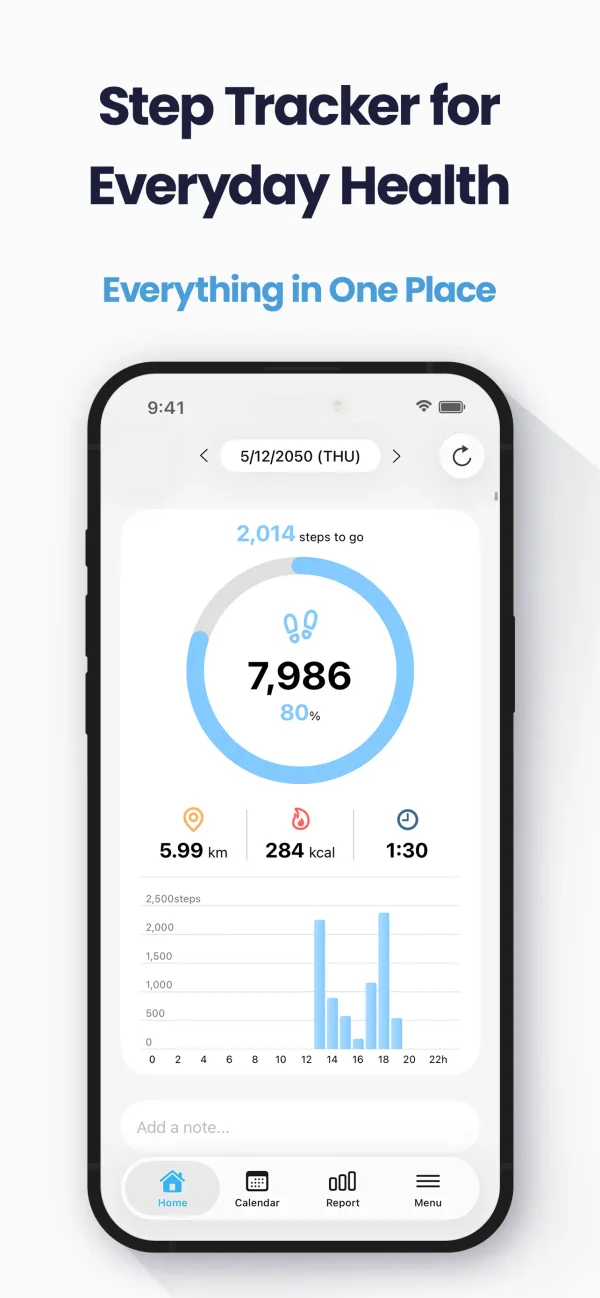
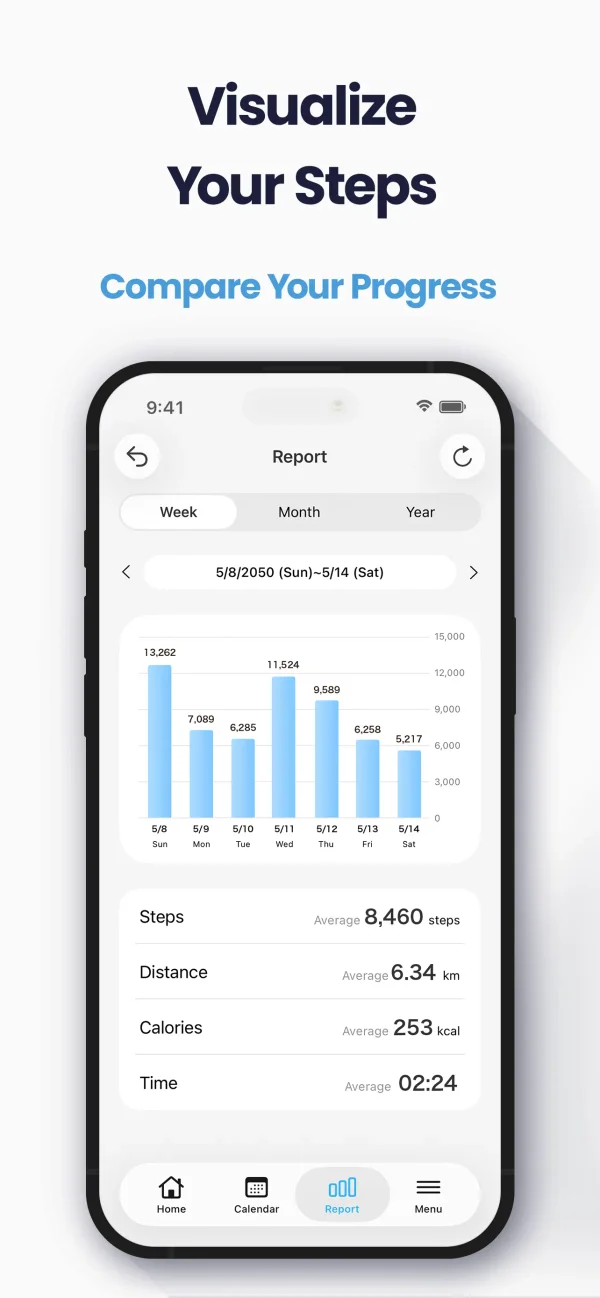
Using your iPhone’s built-in motion sensor, it automatically tracks your daily steps, calories burned, distance, and active time. You can quickly check your progress in clear daily reports, without any complicated setup.
The app works in the background, so there’s no need to keep it open all day. It is designed to track your activity simply and reliably while keeping battery usage low.
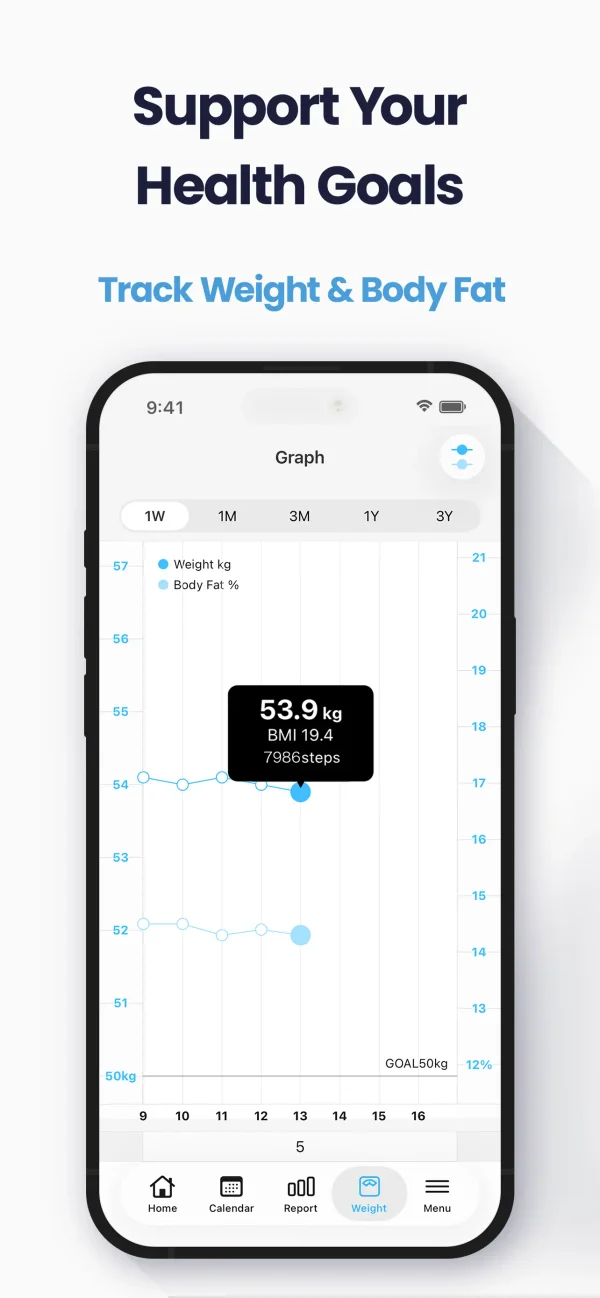
In addition to step tracking, the app also helps with weight management. You can record your weight and body fat percentage, view changes in graphs, and stay motivated as you build healthier habits. There is even a fun challenge mode that lets you see how far you have walked toward circling the globe.
[Recommended for]
· Anyone who wants a simple, reliable pedometer
· Users who prefer large, easy-to-read step counts
· People who want to track steps, weight, and body fat in one app
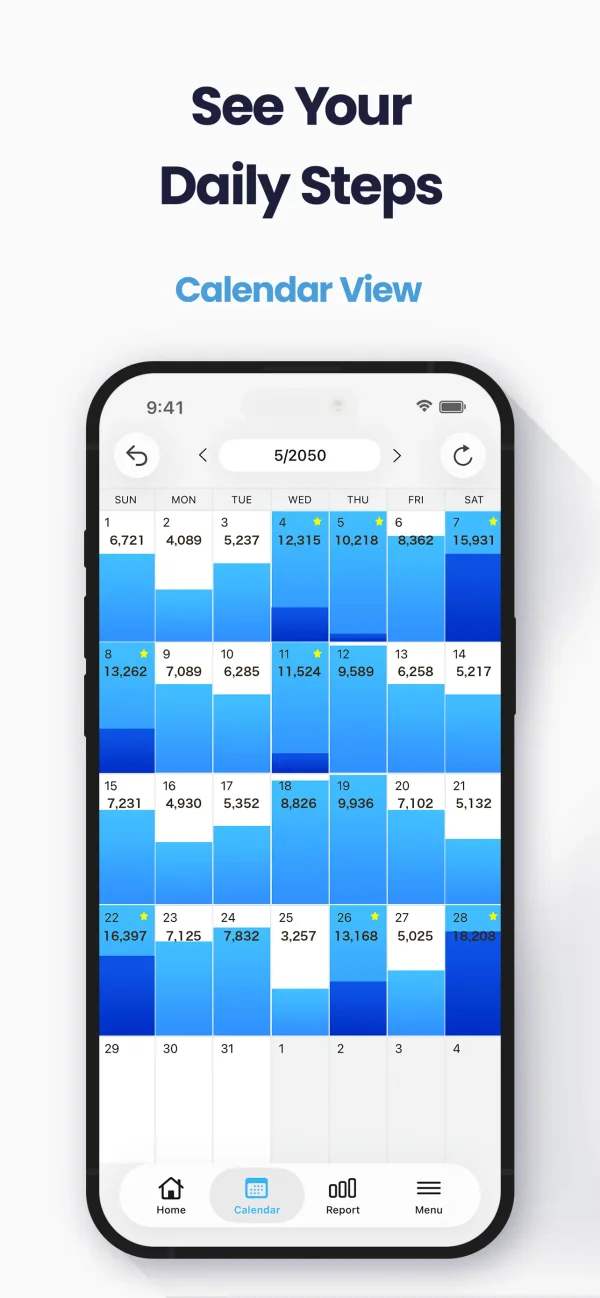
· Those who like checking daily progress on a calendar or widget
· Anyone looking for a straightforward app for walking or diet habits
[Features]
· Automatic step tracking using your iPhone
· Daily reports for steps, calories, distance, and active time
· Calendar view for checking past records
· Daily step goals and progress tracking
· Weight and body fat logging with graph display
· Notes and diary entries for daily records
· Custom themes and app icons
· Passcode lock for privacy
· Weekly step report notifications
[FAQ]
· Why can I see past step data?
→ Your iPhone automatically records step data in the background. This app reads that data, so you may be able to view steps from before you installed the app.
· Can I use it for free?
→ Yes. Most features are available for free. Optional premium features, such as ad removal and special themes, are offered through in-app purchases.
[Note]
This app uses HealthKit and your iPhone’s Motion & Fitness sensor.
【Terms of Service】
https://komorebi-studio.com/tos_en.html
【Privacy Policy】
https://komorebi-studio.com/policyredirect.html
What’s new
Version 5.0.3 · Jul 12, 2026
・Changed the app icon. If you'd like to revert to the original icon, you can change it from the Settings screen.
App privacy
What Komorebi Inc. declares on the App Store about how this app handles data.
-
Data used to track you
May be used to track you across apps and websites owned by other companies.
- Identifiers
- Usage data
-
Data not linked to you
May be collected but is not linked to your identity.
- Purchases
- Identifiers
- Usage data
- Diagnostics
Privacy practices may vary, for example with the features you use or your age.
Information
- Seller
- Komorebi Inc.
- Category
- Health & Fitness
- Version
- 5.0.3
- Updated
- Jul 12, 2026
- Released
- Sep 21, 2018
- Size
- 105.5 MB
- Requires
- iOS 15.0 or later
- Age rating
- 4+
- Price
- Free
- In-app purchases
- Yes
- Languages
- English, Bulgarian, Catalan, Croatian, Czech, Danish, Dutch, Finnish, French, German, Greek, Hindi + 21 more
- Copyright
- © Komorebi Inc.
You might also like
-
 Step Counter Maipo - PedometerLet's aim for 10,000 steps
-
 Pedometer Plus - Step CounterStep Counter & Walking Tracker
-
 Walker - Pedometer with MotionSimple pedometer app.
-
 Stepwise PedometerStep Counter
-
 Step Counter - SDGEasy Pedometer
-
 Steps+Count your steps and calories!
-
 Step Counter Pedometer doStepsSimple Steps Walking Tracker
-
 Step Counter - Calorie CounterEasy Pedometer
-
 Pedometer - Easy Track StepsWalking & Activity Tracker
-
 Steps Counter - Pedometer appSimple 10,000 walking tracker